The Database Backup That Saves Your Business
Every database administrator has a nightmare scenario: a production database lost, corrupted, or accidentally dropped — and no viable backup to restore from. It happens more often than you think. GitLab famously lost 6 hours of production data in 2017 when their backup systems turned out to be silently failing. Backups are only as good as your last successful restore test.
This guide covers comprehensive backup strategies for the three most popular databases in production — PostgreSQL, MySQL, and MongoDB — including automated scripts, monitoring, and disaster recovery planning that actually works when you need it.
The 3-2-1 Backup Rule: Keep 3 copies of your data, on 2 different storage types, with 1 copy offsite. This rule has been the gold standard in data protection for decades, and it applies to database backups just as much as file backups.
Understanding Backup Types
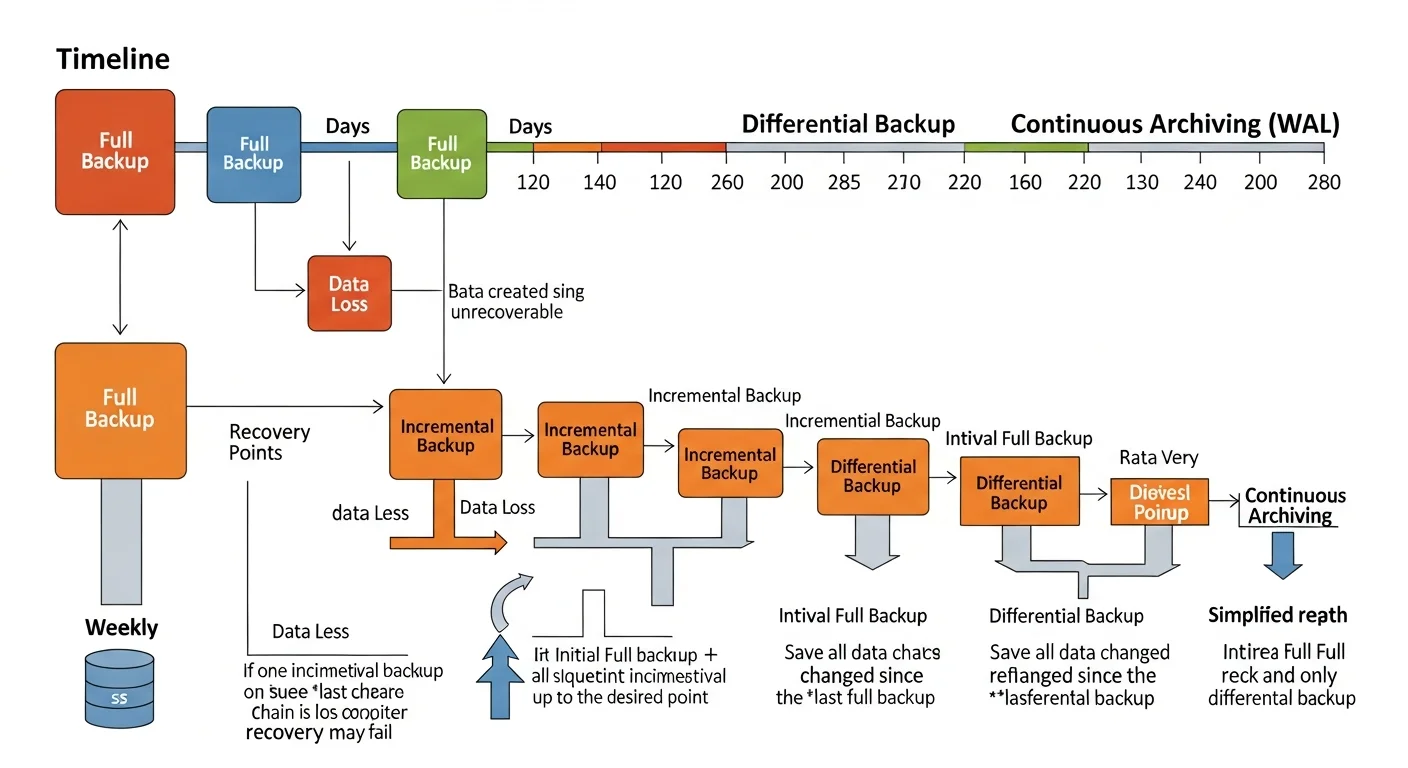
| Backup Type | What It Contains | Size | Restore Speed | Best For |
|---|---|---|---|---|
| Logical (pg_dump) | SQL statements to recreate data | Small-Medium | Slow (must replay SQL) | Small-medium DBs, cross-version migration |
| Physical (pg_basebackup) | Raw database files | Large (full DB size) | Fast (file copy) | Large databases, fast recovery |
| Continuous (WAL Archiving) | Transaction log files | Incremental | Medium (replay WAL) | Point-in-time recovery (PITR) |
| Snapshot (LVM/ZFS) | Filesystem-level snapshot | Minimal (CoW) | Very fast | Quick dev/test clones |
PostgreSQL Backup Strategies
1. Logical Backups with pg_dump
# Full database backup (custom format — compressed, flexible restore)
pg_dump -h localhost -U postgres -Fc -Z 9 -f /backup/mydb_$(date +%Y%m%d_%H%M%S).dump mydb

# Schema only (no data)
pg_dump -h localhost -U postgres --schema-only -f /backup/schema.sql mydb

# Single table backup
pg_dump -h localhost -U postgres -t orders -Fc -f /backup/orders.dump mydb

# All databases
pg_dumpall -h localhost -U postgres -f /backup/all_databases.sql

# Restore from custom format
pg_restore -h localhost -U postgres -d mydb -j 4 --clean /backup/mydb.dump

# Restore specific table from full backup
pg_restore -h localhost -U postgres -d mydb -t orders /backup/mydb.dump
2. Physical Backups with pg_basebackup
# Full physical backup with WAL files included
pg_basebackup -h localhost -U replication_user -D /backup/base_$(date +%Y%m%d) \
    -Ft -z -Xs -P

# Explanation of flags:
# -Ft  = tar format (portable)
# -z   = compress with gzip
# -Xs  = stream WAL files during backup (consistent)
# -P   = show progress
3. Continuous Archiving and Point-in-Time Recovery (PITR)
PITR is the most powerful backup strategy. It combines a base backup with continuous WAL (Write-Ahead Log) archiving, allowing you to restore to any point in time.
# postgresql.conf — Enable WAL archiving
wal_level = replica
archive_mode = on
archive_command = 'cp %p /backup/wal_archive/%f'
archive_timeout = 300
# Recovery: Restore base backup + replay WAL to specific time
# 1. Stop PostgreSQL
sudo systemctl stop postgresql
# 2. Replace data directory with base backup
rm -rf /var/lib/postgresql/16/main/*
tar xzf /backup/base_20260225/base.tar.gz -C /var/lib/postgresql/16/main/
# 3. Create recovery signal and configure restore
cat > /var/lib/postgresql/16/main/postgresql.auto.conf << EOF
restore_command = 'cp /backup/wal_archive/%f %p'
recovery_target_time = '2026-02-25 14:30:00'
recovery_target_action = 'promote'
EOF
touch /var/lib/postgresql/16/main/recovery.signal
# 4. Start PostgreSQL — it will replay WAL up to the target time
sudo systemctl start postgresqlSource: PostgreSQL Docs — Continuous Archiving and PITR
MySQL/MariaDB Backup Strategies
Logical Backups with mysqldump
# Full database backup with single transaction (InnoDB)
mysqldump -u root -p --single-transaction --routines --triggers \
    --all-databases | gzip > /backup/mysql_all_$(date +%Y%m%d).sql.gz

# Single database
mysqldump -u root -p --single-transaction mydb > /backup/mydb.sql

# Restore
mysql -u root -p mydb < /backup/mydb.sql
# Or from compressed
gunzip < /backup/mysql_all.sql.gz | mysql -u root -p
Physical Backups with Percona XtraBackup
# Full backup (no downtime, no locks for InnoDB)
xtrabackup --backup --target-dir=/backup/full_$(date +%Y%m%d) \
    --user=root --password=secret

# Incremental backup (only changes since last full)
xtrabackup --backup --target-dir=/backup/inc_$(date +%Y%m%d) \
    --incremental-basedir=/backup/full_20260225 \
    --user=root --password=secret

# Prepare and restore
xtrabackup --prepare --target-dir=/backup/full_20260225
xtrabackup --copy-back --target-dir=/backup/full_20260225
Source: MySQL Documentation — Backup and Recovery | Percona XtraBackup Documentation
MongoDB Backup Strategies
# Logical backup with mongodump
mongodump --uri="mongodb://localhost:27017" --db=myapp \
    --gzip --out=/backup/mongo_$(date +%Y%m%d)

# Restore
mongorestore --uri="mongodb://localhost:27017" --db=myapp \
    --gzip /backup/mongo_20260225/myapp/

# For replica sets — use oplog for point-in-time consistency
mongodump --uri="mongodb://localhost:27017" --oplog \
    --gzip --out=/backup/mongo_$(date +%Y%m%d)
Source: MongoDB Documentation — mongodump
Automated Backup Script
#!/bin/bash
# /usr/local/bin/db-backup.sh — Production Database Backup Script
set -euo pipefail

BACKUP_DIR="/backup/postgresql"
RETENTION_DAYS=30
DB_NAME="production"
DB_USER="backup_user"
TIMESTAMP=$(date +%Y%m%d_%H%M%S)
BACKUP_FILE="${BACKUP_DIR}/${DB_NAME}_${TIMESTAMP}.dump"
LOG_FILE="/var/log/db-backup.log"

log() { echo "[$(date '+%Y-%m-%d %H:%M:%S')] $1" | tee -a "$LOG_FILE"; }

log "Starting backup of ${DB_NAME}"

# Create backup
if pg_dump -U "$DB_USER" -Fc -Z 9 -f "$BACKUP_FILE" "$DB_NAME"; then
    SIZE=$(du -h "$BACKUP_FILE" | cut -f1)
    log "Backup successful: ${BACKUP_FILE} (${SIZE})"
else
    log "ERROR: Backup failed!"
    # Send alert (email, Slack, PagerDuty, etc.)
    curl -X POST "https://hooks.slack.com/services/YOUR/WEBHOOK" \
        -H 'Content-type: application/json' \
        -d "{\"text\":\"ALERT: Database backup failed for ${DB_NAME}!\"}"
    exit 1
fi

# Verify backup integrity
if pg_restore -l "$BACKUP_FILE" > /dev/null 2>&1; then
    log "Backup verification passed"
else
    log "ERROR: Backup verification failed!"
    exit 1
fi

# Upload to offsite storage (S3/GCS/B2)
if aws s3 cp "$BACKUP_FILE" "s3://mycompany-db-backups/${DB_NAME}/" --storage-class STANDARD_IA; then
    log "Offsite upload successful"
else
    log "WARNING: Offsite upload failed"
fi

# Clean old local backups
find "$BACKUP_DIR" -name "*.dump" -mtime +${RETENTION_DAYS} -delete
log "Cleaned backups older than ${RETENTION_DAYS} days"

log "Backup process complete"
# Crontab entry — daily at 2 AM
0 2 * * * /usr/local/bin/db-backup.shDisaster Recovery Planning
Recovery Time Objectives
| Metric | Definition | Typical Target |
|---|---|---|
| RPO (Recovery Point Objective) | Maximum acceptable data loss | 0-15 minutes (with WAL archiving) |
| RTO (Recovery Time Objective) | Maximum acceptable downtime | 15-60 minutes |
| MTTR (Mean Time to Recovery) | Average actual recovery time | Should be tested quarterly |
DR Testing Checklist
| Test | Frequency | What to Verify |
|---|---|---|
| Restore from logical backup | Monthly | Data integrity, row counts match |
| Restore from physical backup | Monthly | Service starts, queries work |
| PITR to specific timestamp | Quarterly | Can recover to exact point in time |
| Full DR simulation | Bi-annually | Complete recovery on fresh server |
| Backup monitoring alerts | Weekly | Alerts fire when backups fail |
| Offsite backup restoration | Quarterly | Can download and restore from offsite |
Backup Best Practices
- Test your restores regularly. A backup you have never restored is not a backup — it is a hope.
- Encrypt backups at rest and in transit. Database dumps contain your most sensitive data.
- Monitor backup jobs. Silent backup failures are the most common cause of data loss.
- Document your recovery procedure. When disaster strikes at 3 AM, you need step-by-step instructions, not tribal knowledge.
- Keep multiple backup generations. If corruption goes undetected for days, yesterday's backup is also corrupted.
- Separate backup credentials. Use a dedicated database user with minimal read-only permissions for backups.