Why Python?
Python is the world's most popular programming language, known for its clean syntax, readability, and incredible versatility. Created by Guido van Rossum in 1991, Python powers everything from web applications to artificial intelligence, data science, automation, and scientific computing. With Python 3.12+ as the current stable version, there has never been a better time to learn.
Python by the Numbers
| Metric | Value | Why It Matters |
|---|
| PyPI packages | 400,000+ | Library for virtually every task |
| Developer community | #1 globally | Best documentation, most answers on Stack Overflow |
| Job demand | Top 3 worldwide | High salaries, growing demand in AI/ML |
| Learning curve | Very easy | Best first programming language |
Python Use Cases
| Domain | Popular Tools | Real-World Example |
|---|
| Web Development | Django, Flask, FastAPI | Instagram, Pinterest, Spotify |
| Data Science | Pandas, NumPy, Matplotlib | Data analysis, visualization |
| AI / Machine Learning | TensorFlow, PyTorch, scikit-learn | ChatGPT training, image recognition |
| Automation | Selenium, requests, paramiko | Web scraping, task automation |
| DevOps | Ansible, Boto3, Fabric | Infrastructure management, AWS |
| Scientific Computing | SciPy, SymPy, Jupyter | Research, simulations |
Installation and Setup
Installing Python
# Check if Python is installed
python3 --version

# Linux (Ubuntu/Debian)
sudo apt update && sudo apt install python3 python3-pip python3-venv

# macOS (Homebrew)
brew install python

# Windows: Download from python.org
# Important: Check "Add Python to PATH" during installation
Virtual Environments (Essential!)
# Create virtual environment
python3 -m venv myproject-env

# Activate (Linux/macOS)
source myproject-env/bin/activate

# Activate (Windows)
myproject-env\Scripts\activate

# Install packages
pip install requests flask pandas

# Save dependencies
pip freeze > requirements.txt

# Install from requirements file
pip install -r requirements.txt

# Deactivate when done
deactivate
Important: Always use virtual environments. Never install packages globally with pip. This prevents dependency conflicts between projects.
Variables and Data Types
Variable Basics
# No type declaration needed (dynamic typing)
name = "Alice"          # str
age = 30                # int
height = 5.8            # float
is_student = True       # bool
nothing = None          # NoneType

# Multiple assignment
x, y, z = 1, 2, 3
a = b = c = 0

# Constants (convention: UPPERCASE)
MAX_RETRIES = 3
API_URL = "https://api.example.com"
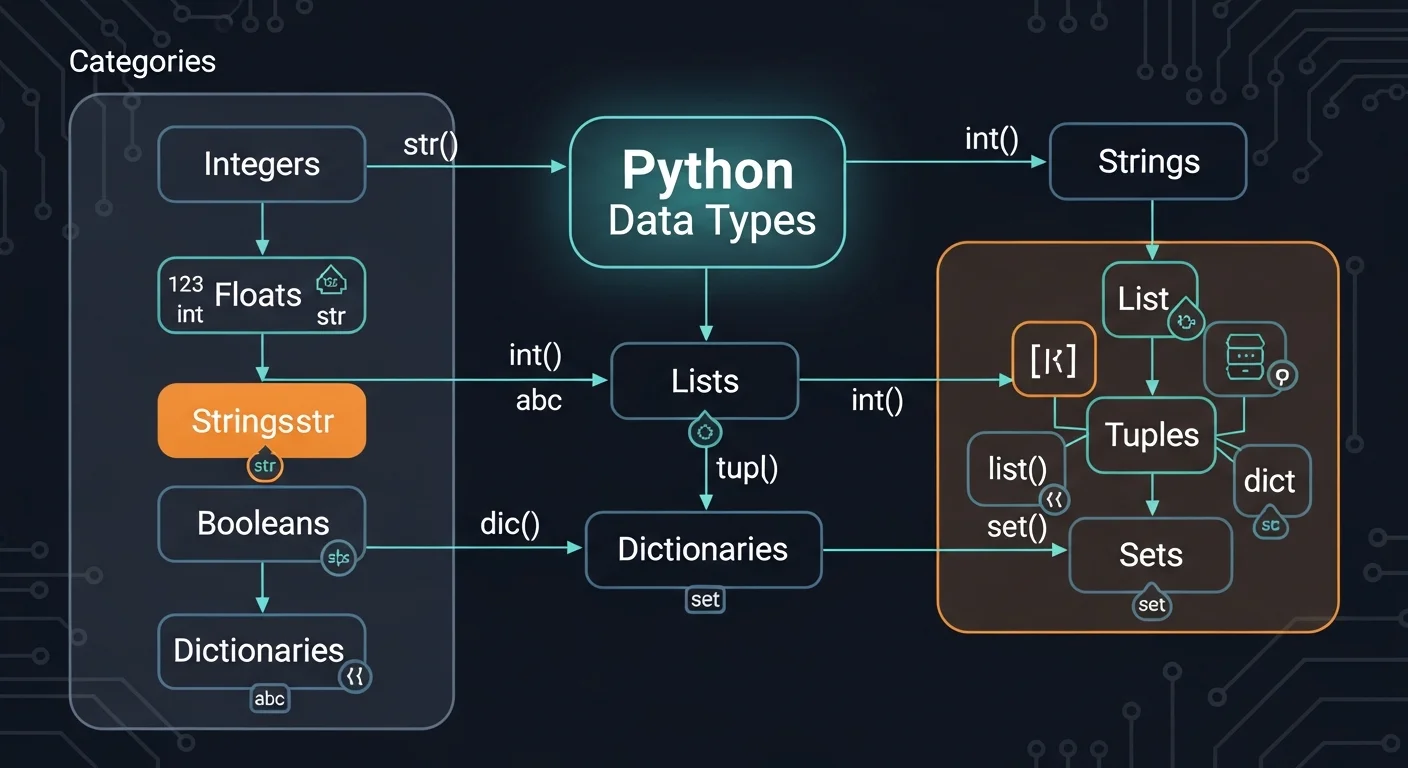
Core Data Types
| Type | Example | Mutable? | Description |
|---|
int | 42, -5, 0 | Immutable | Whole numbers (unlimited size) |
float | 3.14, -0.5 | Immutable | Decimal numbers |
str | "hello" | Immutable | Text (Unicode) |
bool | True, False | Immutable | Boolean values |
list | [1, 2, 3] | Mutable | Ordered collection |
tuple | (1, 2, 3) | Immutable | Fixed ordered collection |
dict | {"a": 1} | Mutable | Key-value pairs |
set | {1, 2, 3} | Mutable | Unique unordered values |
Type Conversion
int("42")         # str -> int: 42
float("3.14")     # str -> float: 3.14
str(42)           # int -> str: "42"
list("abc")       # str -> list: ["a", "b", "c"]
bool(0)           # False (0, "", [], None are falsy)
bool("hello")     # True (non-empty values are truthy)

# Type checking
type(42)                    # <class 'int'>
isinstance(42, int)         # True
isinstance("hi", (str, int))  # True (multiple types)
Strings
String Operations
# Creation
single = 'Hello'
double = "World"
multi = """Multi-line
string here"""
raw = r"C:\Users\name"   # No escape processing

# Operations
"Hello" + " " + "World"   # Concatenation: "Hello World"
"Ha" * 3                   # Repetition: "HaHaHa"
len("Hello")               # Length: 5
"Hello"[0]                 # Indexing: "H"
"Hello"[-1]                # Last: "o"
"Hello"[1:4]               # Slicing: "ell"
"Hello"[::-1]              # Reverse: "olleH"
Essential String Methods
| Method | Description |
|---|
.upper() / .lower() | Convert case |
.strip() | Remove whitespace from both ends |
.split(sep) | Split into list: "a,b".split(",") -> ["a","b"] |
sep.join(list) | Join list: ",".join(["a","b"]) -> "a,b" |
.replace(old, new) | Replace substrings |
.find(sub) | Find position (-1 if not found) |
.startswith() / .endswith() | Check prefix/suffix |
.isdigit() / .isalpha() | Check content type |
name = "Alice"
age = 30

# f-string (Python 3.6+)
f"Hello, {name}! You are {age} years old."
f"Next year: {age + 1}"
f"Price: {19.99:.2f}"         # "Price: 19.99"
f"Padded: {42:05d}"           # "Padded: 00042"
f"Percent: {0.85:.1%}"        # "Percent: 85.0%"
Best Practice: Always use f-strings for string formatting. They are faster, more readable, and more Pythonic than .format() or % formatting.
Lists, Tuples, Dictionaries, and Sets
Lists (Mutable Ordered Collection)
# Creating lists
fruits = ["apple", "banana", "cherry"]
numbers = [1, 2, 3, 4, 5]
mixed = [1, "hello", True, 3.14]

# Access and modify
fruits[0]                    # "apple"
fruits[-1]                   # "cherry"
fruits.append("date")        # Add to end
fruits.insert(1, "avocado")  # Insert at index
fruits.remove("banana")      # Remove by value
fruits.pop()                 # Remove last
del fruits[1]                # Delete by index

# List methods
fruits.sort()                # Sort in-place
sorted(fruits)               # Return new sorted list
len(fruits)                  # Count elements
"apple" in fruits            # Membership test
Dictionaries (Key-Value Pairs)
# Creating and using dicts
user = {"name": "Alice", "age": 30, "city": "Berlin"}

# Access
user["name"]                 # "Alice" (KeyError if missing)
user.get("phone", "N/A")    # "N/A" (safe access)

# Modify
user["email"] = "alice@example.com"  # Add/update
user.update({"age": 31})             # Merge
del user["city"]                      # Delete

# Iterate
for key, value in user.items():
    print(f"{key}: {value}")

# Dict merge (Python 3.9+)
merged = dict1 | dict2
Sets (Unique Collections)
a = {1, 2, 3, 4}
b = {3, 4, 5, 6}

a | b    # Union: {1, 2, 3, 4, 5, 6}
a & b    # Intersection: {3, 4}
a - b    # Difference: {1, 2}
a ^ b    # Symmetric difference: {1, 2, 5, 6}
Control Flow
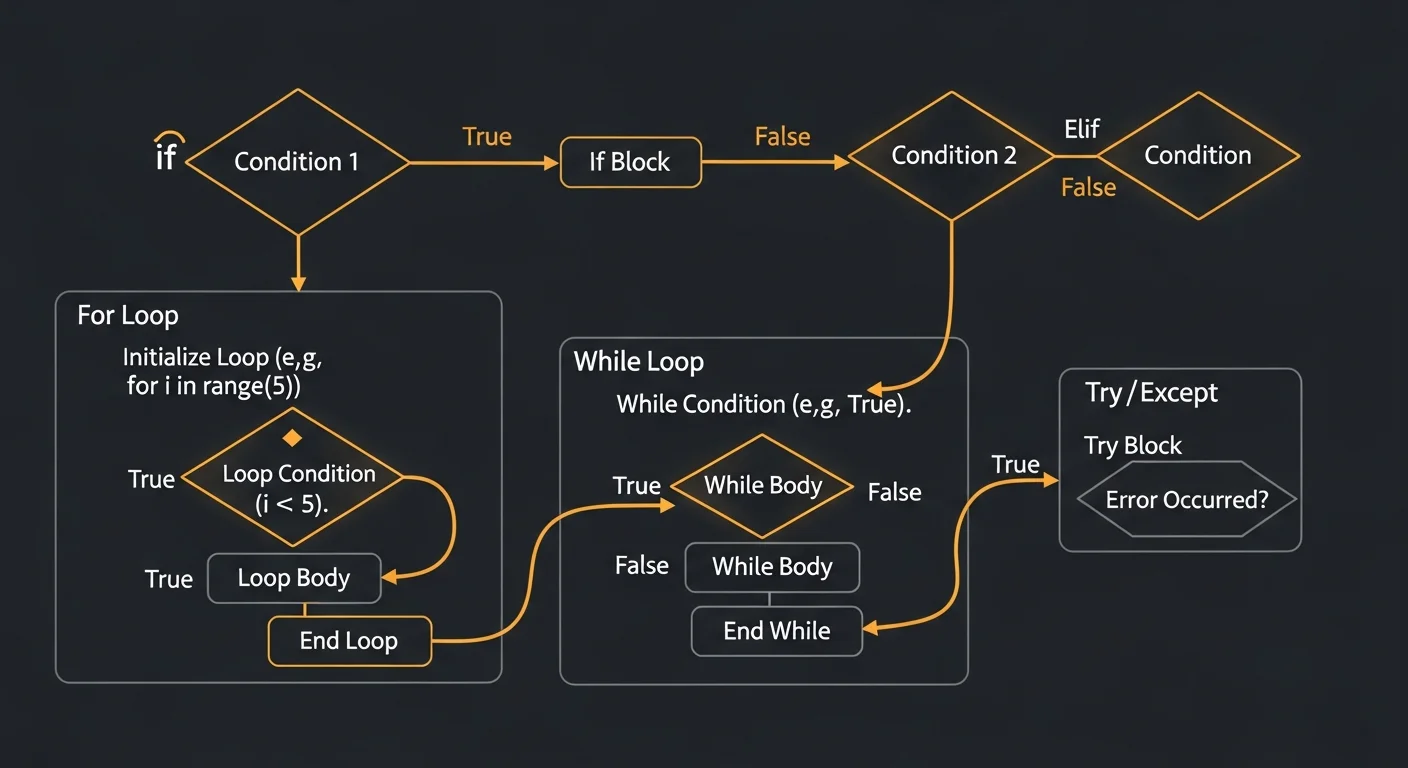
Conditionals
age = 18
if age >= 21:
    print("Full access")
elif age >= 18:
    print("Limited access")
else:
    print("No access")

# Ternary expression
status = "adult" if age >= 18 else "minor"

# match/case (Python 3.10+)
match command:
    case "quit":
        sys.exit()
    case "help":
        show_help()
    case _:
        print("Unknown command")
Loops
# for loop
for fruit in ["apple", "banana", "cherry"]:
    print(fruit)

# range
for i in range(5):          # 0, 1, 2, 3, 4
    print(i)
for i in range(2, 10, 2):   # 2, 4, 6, 8
    print(i)

# enumerate (index + value)
for i, fruit in enumerate(fruits):
    print(f"{i}: {fruit}")

# while loop
count = 0
while count < 5:
    print(count)
    count += 1

# Loop control
for n in range(100):
    if n == 5:
        break           # Exit loop
    if n % 2 == 0:
        continue        # Skip iteration
Functions
Defining Functions
def greet(name):
    """Greet a user by name."""
    return f"Hello, {name}!"

message = greet("Alice")   # "Hello, Alice!"

# Default parameters
def greet(name, greeting="Hello"):
    return f"{greeting}, {name}!"

# Multiple return values
def divide(a, b):
    return a // b, a % b

quotient, remainder = divide(17, 5)  # 3, 2

# *args and **kwargs
def add(*numbers):
    return sum(numbers)

def config(**settings):
    for key, value in settings.items():
        print(f"{key} = {value}")

add(1, 2, 3, 4)   # 10
config(debug=True, port=8080)
Advanced Functions
Lambda Functions
# Anonymous one-line functions
square = lambda x: x ** 2
square(5)   # 25

# Common with sorted(), map(), filter()
users = [{"name": "Bob", "age": 30}, {"name": "Alice", "age": 25}]
sorted(users, key=lambda u: u["age"])

numbers = [1, 2, 3, 4, 5]
list(map(lambda x: x * 2, numbers))     # [2, 4, 6, 8, 10]
list(filter(lambda x: x > 3, numbers))  # [4, 5]
Decorators
import time

def timer(func):
    def wrapper(*args, **kwargs):
        start = time.time()
        result = func(*args, **kwargs)
        elapsed = time.time() - start
        print(f"{func.__name__} took {elapsed:.4f}s")
        return result
    return wrapper

@timer
def slow_function():
    time.sleep(1)
    return "Done"

slow_function()  # Prints: "slow_function took 1.0012s"
Object-Oriented Programming
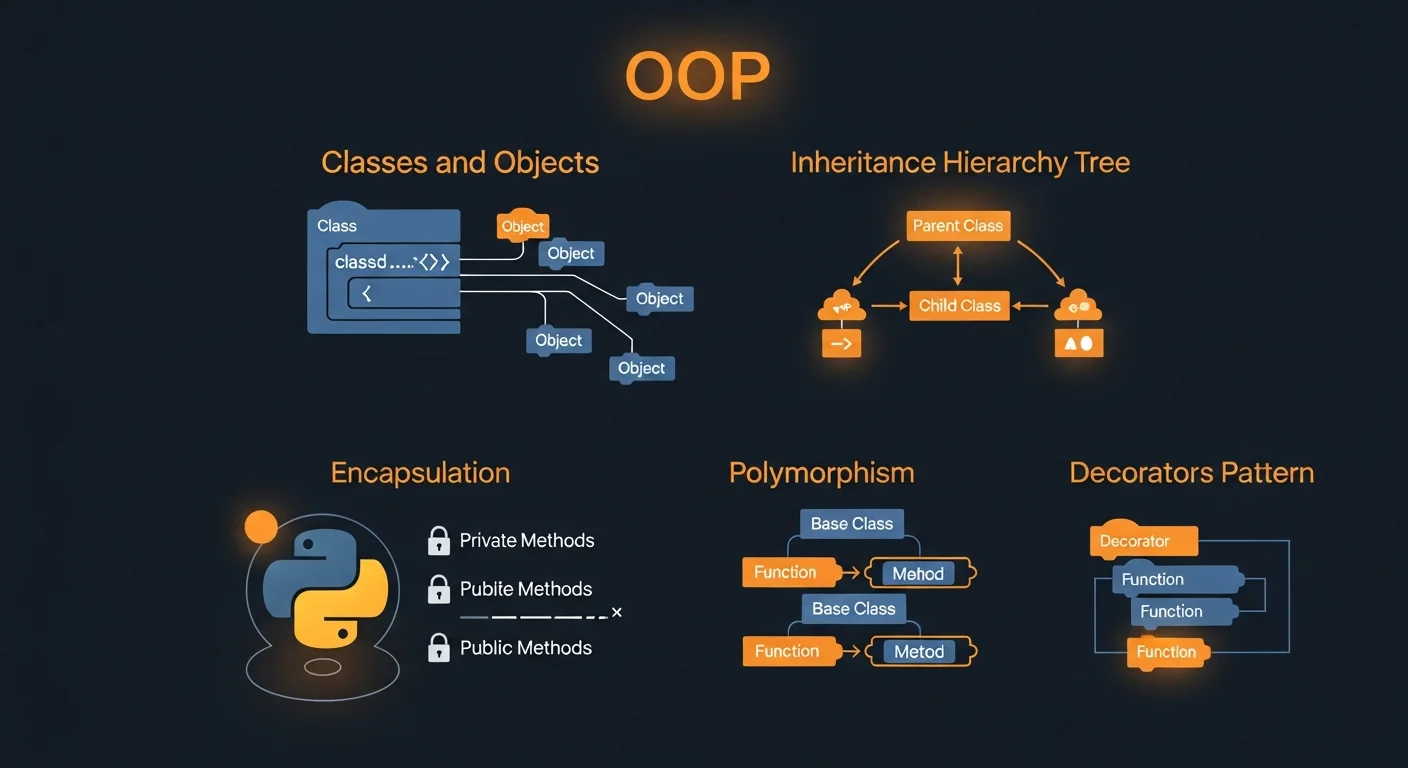
Classes and Objects
class Dog:
    species = "Canis familiaris"  # Class variable

    def __init__(self, name, age):
        self.name = name           # Instance variable
        self.age = age

    def bark(self):
        return f"{self.name} says Woof!"

    def __str__(self):
        return f"Dog({self.name}, {self.age})"

rex = Dog("Rex", 5)
print(rex.bark())     # "Rex says Woof!"
Inheritance and Polymorphism
class Animal:
    def __init__(self, name):
        self.name = name

    def speak(self):
        raise NotImplementedError

class Dog(Animal):
    def speak(self):
        return f"{self.name} says Woof!"

class Cat(Animal):
    def speak(self):
        return f"{self.name} says Meow!"

# Polymorphism
for animal in [Dog("Rex"), Cat("Whiskers")]:
    print(animal.speak())
OOP Advanced Features
Properties
class BankAccount:
    def __init__(self, balance=0):
        self._balance = balance

    @property
    def balance(self):
        return self._balance

    @balance.setter
    def balance(self, value):
        if value < 0:
            raise ValueError("Balance cannot be negative")
        self._balance = value
Dataclasses (Python 3.7+)
from dataclasses import dataclass, field

@dataclass
class User:
    name: str
    age: int
    email: str = ""
    tags: list = field(default_factory=list)

# Auto-generates __init__, __repr__, __eq__
user = User("Alice", 30, "alice@example.com")

@dataclass(frozen=True)  # Immutable
class Point:
    x: float
    y: float
Modules and Packages

Import System
# Import entire module
import os
import json

# Import specific names
from os.path import exists, join
from datetime import datetime, timedelta

# Import with alias
import numpy as np
import pandas as pd
Useful Standard Library
| Module | Description |
|---|
os | OS interface (files, paths, env vars) |
json | JSON encoding/decoding |
csv | CSV file reading/writing |
datetime | Date and time handling |
pathlib | Object-oriented file paths (modern) |
re | Regular expressions |
logging | Logging framework |
collections | Counter, defaultdict, deque |
itertools | Combinations, permutations, chain |
functools | lru_cache, partial, reduce |
typing | Type hint support |
argparse | Command-line argument parsing |
pip Package Manager
pip install requests            # Install package
pip install flask==3.0.0        # Specific version
pip install "django>=4.0,<5.0"  # Version range
pip list                        # List installed
pip freeze > requirements.txt   # Export dependencies
pip install -r requirements.txt # Install from file
File I/O
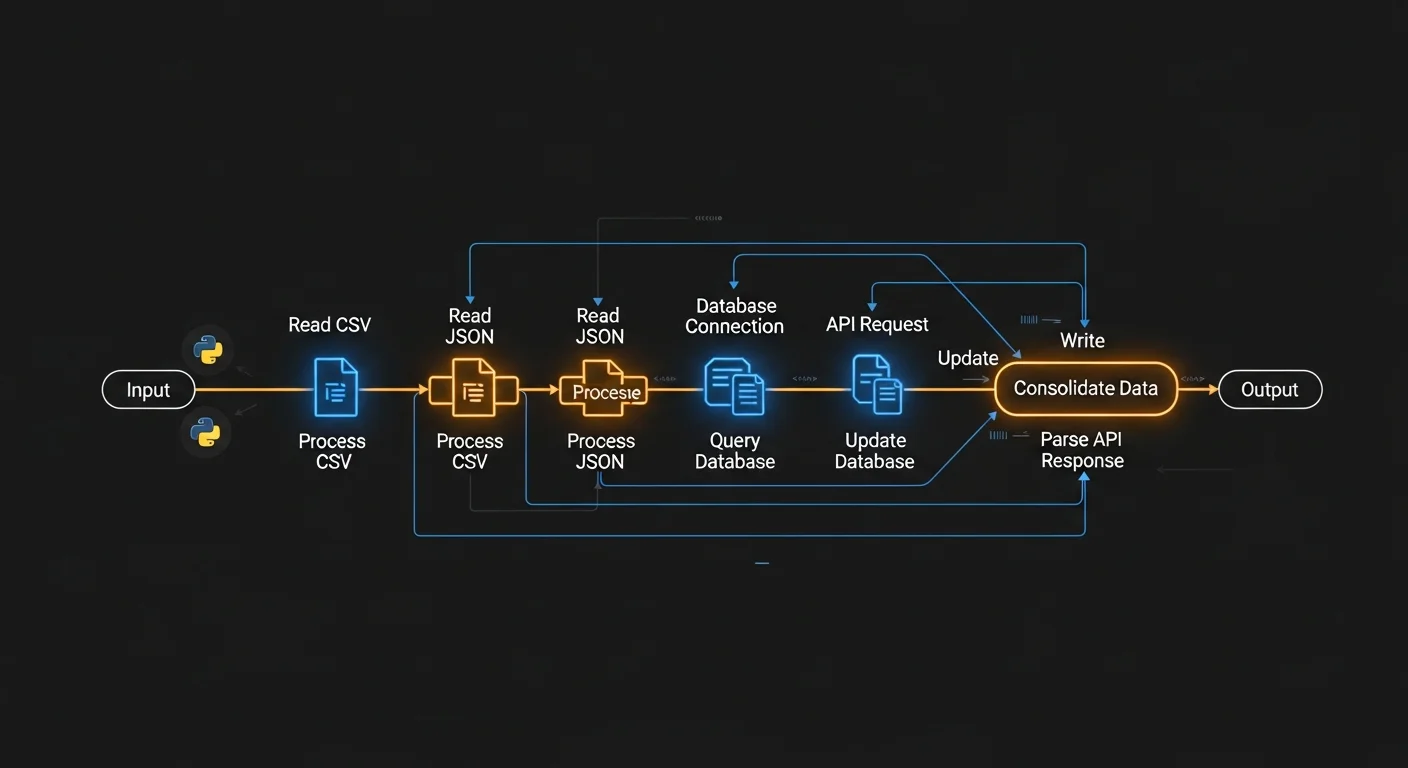
Reading and Writing Files
# Always use context managers (with statement)
with open("data.txt", "r") as f:
    content = f.read()        # Read entire file

with open("data.txt", "r") as f:
    for line in f:            # Line by line (memory efficient)
        print(line.strip())

# Writing
with open("output.txt", "w") as f:  # Overwrite
    f.write("Hello, World!\n")

with open("output.txt", "a") as f:  # Append
    f.write("Another line\n")
JSON and CSV
import json

# JSON
with open("config.json", "r") as f:
    data = json.load(f)
with open("output.json", "w") as f:
    json.dump(data, f, indent=2)

import csv

# CSV
with open("data.csv", "r") as f:
    reader = csv.DictReader(f)
    for row in reader:
        print(row["name"])
pathlib (Modern File Paths)
from pathlib import Path

p = Path("data") / "config.json"
p.exists()                    # True/False
p.read_text()                 # Read content
p.write_text("hello")         # Write content
list(Path(".").glob("*.py"))  # Find all .py files
Error Handling
try / except / finally
try:
    result = 10 / 0
except ZeroDivisionError:
    print("Cannot divide by zero!")
except (TypeError, ValueError) as e:
    print(f"Error: {e}")
except Exception as e:
    print(f"Unexpected error: {e}")
else:
    print("No errors occurred")
finally:
    print("Always runs (cleanup)")
Common Exceptions
| Exception | When It Occurs |
|---|
ValueError | Wrong value: int("abc") |
TypeError | Wrong type: "hello" + 5 |
KeyError | Dict key not found |
IndexError | List index out of range |
FileNotFoundError | File does not exist |
AttributeError | Object has no attribute |
ImportError | Module import failed |
Custom Exceptions
class InsufficientFundsError(Exception):
    def __init__(self, balance, amount):
        self.balance = balance
        self.amount = amount
        super().__init__(
            f"Cannot withdraw {amount}: only {balance} available"
        )

def withdraw(balance, amount):
    if amount > balance:
        raise InsufficientFundsError(balance, amount)
    return balance - amount
Comprehensions and Generators
List Comprehensions
# Basic: [expression for item in iterable]
squares = [x**2 for x in range(10)]
# [0, 1, 4, 9, 16, 25, 36, 49, 64, 81]

# With filter
evens = [x for x in range(20) if x % 2 == 0]

# Nested
matrix = [[1,2,3], [4,5,6], [7,8,9]]
flat = [n for row in matrix for n in row]

# Dict comprehension
squares = {x: x**2 for x in range(5)}

# Set comprehension
unique_lengths = {len(w) for w in ["hi","hello","hey"]}
Generators (Memory-Efficient)
# Generator function
def fibonacci(n):
    a, b = 0, 1
    for _ in range(n):
        yield a
        a, b = b, a + b

for num in fibonacci(10):
    print(num)  # 0, 1, 1, 2, 3, 5, 8, 13, 21, 34

# Generator expression (lazy evaluation)
sum_squares = sum(x**2 for x in range(1000000))
# Computes without creating a list in memory!
Performance: Use generators for large datasets. A
generator expression uses constant memory while a
list comprehension stores everything in RAM.
Type Hints and Modern Python
Type Hints (Python 3.5+)
# Variable annotations
name: str = "Alice"
scores: list[int] = [95, 87, 92]
config: dict[str, str] = {"host": "localhost"}

# Function annotations
def greet(name: str, times: int = 1) -> str:
    return f"Hello, {name}!" * times

# Optional (can be None)
from typing import Optional
def find_user(id: int) -> Optional[dict]:
    return None

# Union types (Python 3.10+)
def process(data: str | int) -> str:
    return str(data)
Async/Await (Python 3.5+)
import asyncio

async def fetch_data(url: str) -> str:
    await asyncio.sleep(1)
    return f"Data from {url}"

async def main():
    results = await asyncio.gather(
        fetch_data("https://api1.com"),
        fetch_data("https://api2.com"),
    )
    print(results)

asyncio.run(main())
Testing
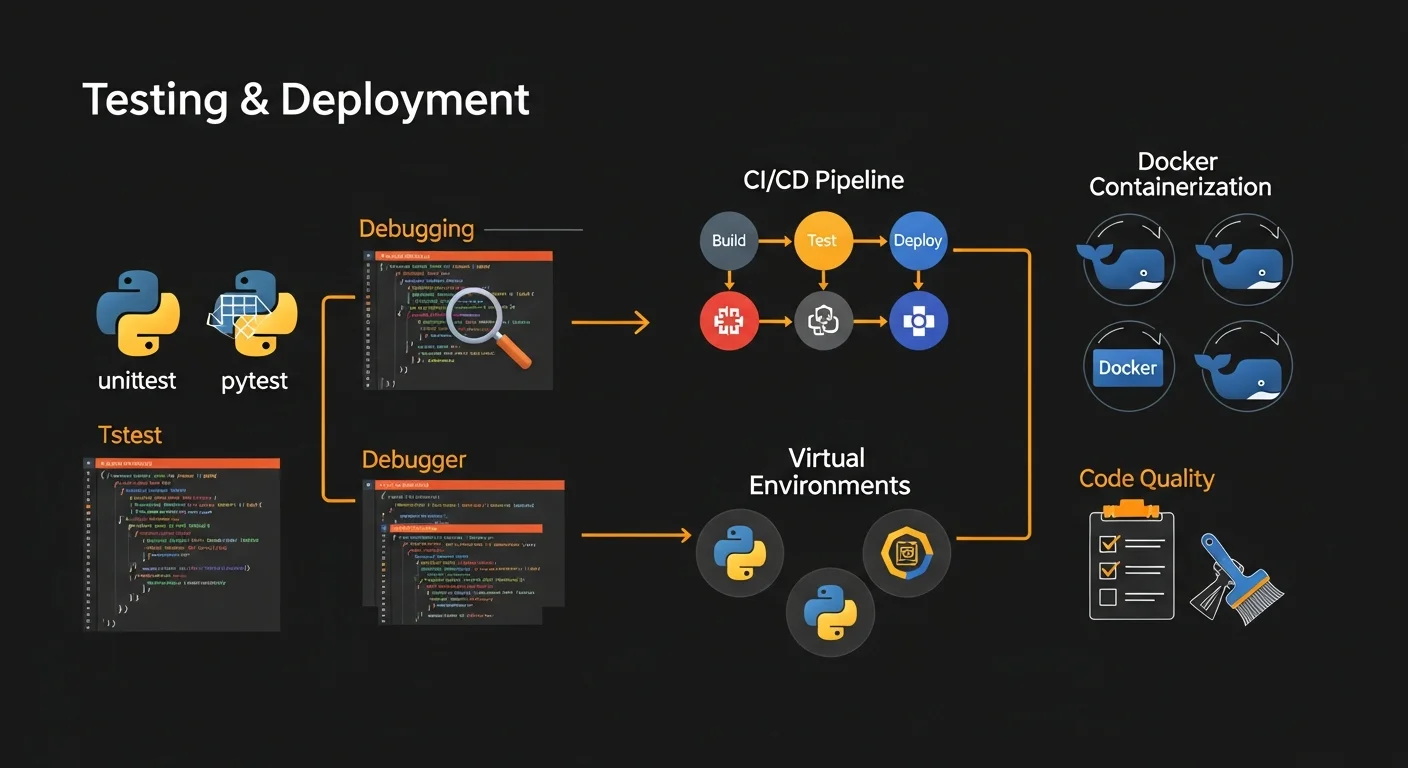
pytest (Recommended)
# test_calculator.py
def add(a, b):
    return a + b

def test_add():
    assert add(2, 3) == 5
    assert add(-1, 1) == 0

# Fixtures
import pytest

@pytest.fixture
def sample_user():
    return {"name": "Alice", "age": 30}

def test_user_name(sample_user):
    assert sample_user["name"] == "Alice"

# Parametrized tests
@pytest.mark.parametrize("input,expected", [
    (2, 4), (3, 9), (4, 16)
])
def test_square(input, expected):
    assert input ** 2 == expected

# Run: pytest test_calculator.py -v
Popular Libraries
Web Development
| Library | Type | Description |
|---|
| Django | Full-stack | Batteries-included (ORM, admin, auth) |
| Flask | Micro | Lightweight, choose your components |
| FastAPI | Modern API | Async, auto-docs, type hints, blazing fast |
| requests | HTTP client | Simple HTTP library |
Data Science and AI
| Library | Description |
|---|
| NumPy | N-dimensional arrays and math operations |
| Pandas | DataFrames for data analysis |
| Matplotlib | Plotting and visualization |
| scikit-learn | Machine learning (classification, regression) |
| TensorFlow / PyTorch | Deep learning frameworks |
| Tool | Description |
|---|
| black | Opinionated code formatter |
| ruff | Extremely fast linter |
| mypy | Static type checker |
| pytest | Testing framework |
Best Practices Summary
| Area | Best Practice |
|---|
| Style | Follow PEP 8, use black for formatting |
| Naming | snake_case for functions/vars, PascalCase for classes |
| Virtual Envs | Always use venv, never install globally |
| Type Hints | Add type annotations for public functions |
| Testing | Use pytest, aim for 80%+ test coverage |
| Strings | Use f-strings for formatting |
| Files | Always use context managers (with statement) |
| Errors | Catch specific exceptions, never bare except |
| Logging | Use logging module instead of print() |
| Deps | Pin versions in requirements.txt |
Free Python Cheat Sheet Download
Download our free 20-page Python Complete Guide PDF covering everything from variables and data types to OOP, modules, testing, and modern Python features.
What's included:
- Complete syntax reference with examples
- Data structures: lists, dicts, sets, tuples
- OOP: classes, inheritance, dataclasses
- Functions: decorators, lambda, *args/**kwargs
- File I/O: JSON, CSV, pathlib
- Testing with pytest
- Popular library overview
Download Free Python Cheat Sheet (PDF)




