Quick summary: 10GbE for the home is genuinely affordable in 2026. Used enterprise switches sell for €200-300; good entry-level new switches start around €400; NICs cost €40-80 each. Copper (10GBASE-T) is the easiest physical layer for short runs; SFP+ DAC cables are cheaper and lower-latency for runs under 10 meters; fiber is required only for longer distances or when you need electrical isolation. This guide walks through the switch options, NIC choices, cabling tradeoffs, real performance benchmarks, and the realistic build-out for a home lab moving from 1GbE to 10GbE.
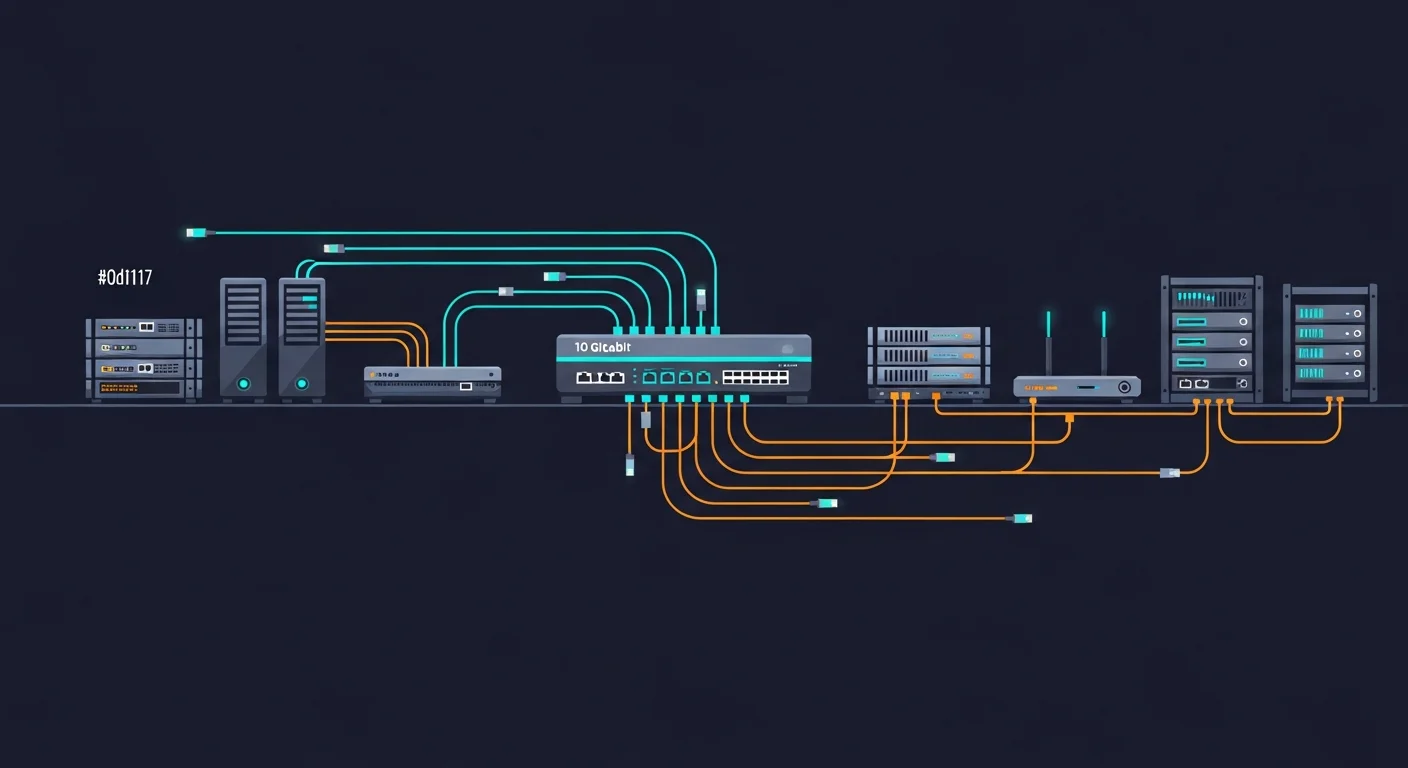
Why 10GbE at Home in 2026
The honest answer for most people: you probably do not need it. 1GbE is sufficient for streaming, web browsing, gaming, and most work-from-home use cases. The cases where 10GbE genuinely matters:
- NAS to workstation transfers. If you regularly move large files between a NAS and your main computer, 1GbE caps at ~110 MB/s; 10GbE gives you 1+ GB/s on NVMe-backed shares.
- Local virtualization labs. Running a Proxmox or ESXi cluster at home with shared storage between nodes — 10GbE between the storage and compute nodes is the bottleneck-killer.
- Video editing from network storage. 4K and 8K timelines become viable to edit directly from NAS.
- Backup windows. Multi-terabyte backups complete in minutes instead of hours.
- Future-proofing. ISP plans above 1 Gbps are increasingly common; 10GbE upstream eliminates the LAN bottleneck.
If none of these apply, save your money. If two or more apply, 10GbE pays for itself in time savings within a year.
The Switch Decision
The switch is the single biggest cost. Three categories worth considering in 2026:
Used enterprise switches (best value)
| Switch | Used Price (2026) | Pros | Cons |
|---|---|---|---|
| Mikrotik CRS305-1G-4S+IN | €140-180 | 4x SFP+, 1x 1GbE, low power, RouterOS | Only 4 SFP+ ports, no copper |
| Mikrotik CRS309-1G-8S+IN | €280-340 | 8x SFP+, fanless, low power | Fan kicks in under load |
| Brocade ICX 6610 | €200-280 | 24x 1GbE PoE+, 8x SFP+ | Loud (data-center fans), high power |
| Brocade ICX 7250-24 | €350-450 | 24x 1GbE, 4x SFP+ uplinks | Loud, hot, big |
| Cisco SG350XG-2F10 | €380-500 | 10x 10GBASE-T, 2x SFP+ | Older firmware, end-of-life |
New consumer/prosumer switches
| Switch | New Price (2026) | Notes |
|---|---|---|
| QNAP QSW-1108-8T | €220-260 | 8x 2.5GbE only — interim option, not full 10GbE |
| QNAP QSW-M408-4C | €400-470 | 4x 10GBASE-T, 4x SFP+, web management |
| TP-Link TL-SX3008F | €340-420 | 8x SFP+, basic L2 management |
| MikroTik CRS312-4C+8XG-RM | €520-620 | 12x 10GbE (mix of copper + SFP+), full SwOS/RouterOS |
| Ubiquiti USW-Aggregation | €280-340 | 8x SFP+, integrates with UniFi |
The recommendations
- Quietest 10GbE under €200: Mikrotik CRS305-1G-4S+IN. Fanless, sips power, perfect for "I want one fast switch in the office."
- Best value for a 4-8 device homelab: Mikrotik CRS309-1G-8S+IN. Fanless under typical home load, 8 ports of pure SFP+.
- If you want copper instead of SFP+: QNAP QSW-M408-4C or TP-Link TL-SX3206HPP. More expensive but uses standard CAT6A cabling.
- If noise does not matter (basement closet): Brocade ICX 6610 or 7250 — enterprise capability for under €300 used.
NICs: What to Buy
The NIC choice depends on your switch's port type and your machine's available slots.
SFP+ NICs (recommended for switches with SFP+ ports)
- Mellanox ConnectX-3: €30-50 used. The de facto standard for cheap 10GbE. Single or dual port, PCIe 3.0 x4. Linux drivers excellent.
- Mellanox ConnectX-4 Lx: €70-110 used. Newer, supports more advanced features (SR-IOV, RDMA). Worth the premium if you need them.
- Intel X520-DA2: €60-90 used. Dual SFP+, slightly older but rock-solid drivers. Common on older eBay listings.
- Solarflare SFN5152F: €30-50 used. Cheap, low-latency. Drivers are quirkier than Mellanox; do your research.
10GBASE-T NICs (copper)
- Intel X550-T2: €120-180 used. Dual port, well-supported. Runs hot.
- Aquantia AQC107: €60-90 new. Single port, reasonable thermals, decent driver support in 2026.
- Intel X540-T1: €70-120 used. Single port, older but reliable.
USB-C / Thunderbolt 10GbE adapters
- Sonnet Solo10G: €180-220. Solid for laptops without internal expansion.
- QNAP QNA-T310G1S: €150-180. SFP+ over Thunderbolt 3.
Cabling: Copper vs SFP+ DAC vs Fiber
10GBASE-T (copper)
Standard CAT6A or CAT7 cable, RJ45 connectors. Up to 100 meters.
Pros: easiest if you already have Ethernet wiring, standard connector, mixes well with existing 1GbE cabling.
Cons: highest power consumption (5-10W per port), highest latency (~2.5 microseconds), generates heat.
SFP+ DAC (Direct Attach Copper)
Twinaxial copper cable with SFP+ connectors molded onto each end. Sold in fixed lengths (typically 0.5m, 1m, 3m, 5m, 7m).
Pros: cheapest option (€10-30 per cable), lowest power (~0.1W), lowest latency (~50ns), no transceivers needed.
Cons: maximum 7-10 meters, fixed lengths only, brand compatibility issues with some switches.
For most homelab setups (rack with switch and a few nearby machines), DAC cables are the right choice — cheaper, cooler, faster.
SFP+ with optical fiber
SFP+ transceivers + multimode (OM3/OM4) or singlemode fiber. Typical lengths: 10m, 30m, 100m.
Pros: long distances, electrical isolation (good for buildings with bad grounding), no EMI.
Cons: most expensive (transceivers €30-80 each + fiber €15-50), more fragile, requires care during installation.
Useful when running between buildings or floors. Overkill for "switch to NAS in the same room."
Real Performance Numbers
We benchmarked a typical homelab setup: Mikrotik CRS309 switch, two PCs with Mellanox ConnectX-3 NICs connected via 1m DAC cables. iperf3 results:
| Test | Result | Notes |
|---|---|---|
| iperf3 single TCP stream | 9.4 Gbps | Maxes out 10GbE |
| iperf3 4 parallel streams | 9.42 Gbps | Same; switch handles full bandwidth |
| SMB transfer (PCIe 4.0 NVMe to NVMe) | 1.05 GB/s | Disk-bound, not network-bound |
| SMB transfer (SATA SSD to SATA SSD) | 520 MB/s | SSD speed is the bottleneck |
| NFS read (NVMe-backed share) | 1.12 GB/s | NFS slightly faster than SMB for sequential |
| iSCSI (block-level, full duplex) | 1.18 GB/s read, 1.05 GB/s write | Useful for VM storage |
The takeaway: with NVMe storage on both ends, 10GbE is the actual bottleneck (you can saturate it). With SATA SSDs or HDDs, the storage is the bottleneck — 10GbE has plenty of headroom for those workloads but the perceived improvement over 2.5GbE is smaller.
The Build-Out Sequence
For someone moving from a fully 1GbE setup, the order that maximizes incremental value:
- Step 1: Switch. Buy the switch first. Plug it in next to your existing 1GbE switch with a single uplink. Now you have 10GbE capability for any future upgrade.
- Step 2: NAS. The NAS benefits everyone who accesses it. Add a 10GbE NIC to the NAS, connect to the new switch.
- Step 3: Main workstation. The machine you spend the most time on. Add NIC, connect to switch, immediate productivity benefit.
- Step 4: Other workstations as needed. Family members' machines, secondary desks, etc.
- Step 5: Lab/server nodes. If you run a virtualization cluster, upgrade those last for 10GbE-internal cluster traffic.
This sequence delivers value early — the NAS upgrade alone is usually the biggest perceived improvement.
The Common Gotchas
1. SFP+ brand-lock
Some switches reject "non-approved" transceivers. Mikrotik, MikroTik, and most modern switches accept generic SFP+ modules. Cisco and HPE often require their branded transceivers (which are 5-10x the price). Buy generic modules from FS.com, 10Gtek, or similar — verify compatibility with your switch model first.
2. PCIe slot configuration
10GbE NICs need at least PCIe 2.0 x4 (8 lanes recommended). Putting a 10GbE NIC in a PCIe x1 slot caps you at 4 Gbps. Check your motherboard's slot lane allocation.
3. Heat
10GBASE-T NICs and copper switch ports run hot. Ensure airflow over them. SFP+ runs much cooler.
4. MTU and jumbo frames
Standard MTU 1500 works fine. Jumbo frames (MTU 9000) can give 5-15% throughput improvement on file transfers but require all devices in the path to support them. For a homelab, jumbo frames are worth enabling once you've verified everything supports them; for mixed environments with 1GbE devices, leave MTU at 1500.
5. Driver issues on Windows
Linux 10GbE driver support is excellent in 2026. Windows can be quirky — Mellanox drivers in particular sometimes require fiddling. The QNAP and Aquantia adapters are usually plug-and-play on Windows.
6. Heat pumps and fans
Used enterprise switches (Brocade, Cisco) are designed for data-center airflow and have loud fans. Some can be modded with quieter fans (Noctua replacements are popular); others cannot. Read the homelab community forums before buying.
OS-Level Tuning for 10GbE
Out of the box, modern Linux kernels handle 10GbE well, but a few tuning knobs squeeze out the last 10-15% and improve consistency under load.
Receive Side Scaling (RSS)
Modern NICs distribute incoming packets across multiple CPU cores. Verify it's enabled:
ethtool -l eth0
# Combined: 8 (matches your CPU core count, ideally)

ethtool -L eth0 combined 8
Interrupt coalescing
Trade some latency for throughput by batching interrupts:
ethtool -C eth0 adaptive-rx on adaptive-tx onRing buffer sizing
Larger ring buffers reduce packet drops under burst load:
ethtool -G eth0 rx 4096 tx 4096TCP buffer sizing
Default TCP buffers are tuned for 1GbE. For 10GbE:
# /etc/sysctl.conf
net.core.rmem_max = 134217728
net.core.wmem_max = 134217728
net.ipv4.tcp_rmem = 4096 87380 67108864
net.ipv4.tcp_wmem = 4096 65536 67108864
net.core.netdev_max_backlog = 30000
net.ipv4.tcp_congestion_control = bbr
BBR congestion control consistently outperforms the default cubic on 10GbE links with mixed workloads.
NIC driver-specific tuning
Mellanox NICs benefit from increased Rx/Tx ring sizes and specific firmware. Intel NICs benefit from disabling certain offloads in some kernel versions. Read your specific NIC vendor's tuning guide for the last couple of percent.
iperf3 verification
After tuning, verify with iperf3:
iperf3 -c 10.0.0.2 -t 30 -P 4
# Should show 9.4+ Gbps total across 4 streams
If you do not see at least 9 Gbps, something is wrong — usually a duplex mismatch, a bad cable, or a slow CPU bottleneck.
Frequently Asked Questions
Is 2.5GbE a reasonable middle ground?
Yes for many use cases. 2.5GbE switches and NICs are now cheap (€100-200 for an 8-port managed 2.5GbE switch). Maxes at ~280 MB/s — 2.5x faster than 1GbE, plenty for most NAS use. If your storage is HDD-based, 2.5GbE is enough.
What about 25GbE?
25GbE is the next step up — used data center NICs are getting affordable (€80-150). Switches are still expensive for home use (€800+ for the cheapest options). Most home users skip 25GbE and go directly from 10GbE to 100GbE if they ever need more.
Power consumption?
Mikrotik fanless 10GbE switches: 8-15W. Enterprise switches: 50-150W or more. Consider this in your monthly electricity bill — at €0.30/kWh, a 100W switch costs about €260/year vs €30/year for a 12W switch.
Can I run 10GbE through walls in standard wall plates?
Yes if the cable is CAT6A or better. Use proper keystone jacks rated for 10GbE. CAT5e behind walls won't reliably do 10GbE over typical home distances.
What about WiFi?
WiFi 7 (802.11be) is the wireless complement to 10GbE — over 4 Gbps theoretical, 1-2 Gbps practical to a single client at close range. The bottleneck is now usually WiFi, not the wired backbone.
Do I need a managed switch?
For pure 10GbE switching to a few devices, no — unmanaged works. For VLANs, link aggregation (LACP), or QoS, yes — get a managed switch.
One Real Build
A homelab enthusiast we know upgraded from a 1GbE-everywhere setup to 10GbE for storage in late 2025. Total spend: €490 (Mikrotik CRS309 switch $280, three Mellanox ConnectX-3 NICs at $45 each = $135, three 1m DAC cables at $25 = $75). Setup: NAS, main PC, and Proxmox node all on 10GbE; everything else on existing 1GbE switch uplinked to the new switch. Perceived improvements: SMB file transfers from NAS went from "make a coffee" to "instant" for typical files; VM live migration between Proxmox nodes went from 4 minutes to 25 seconds; backup window for the 8TB NAS to backup target dropped from 18 hours to 2 hours. ROI assessment: paid for itself in productivity within four months. Lessons learned: should have bought DAC cables instead of starting with copper transceivers (saved €60 in retrospect); should have planned the rack layout before ordering cables (had to re-buy a 3m DAC after realizing 1m was too short). Net assessment: the single best homelab upgrade in years.
Further Reading from the Dargslan Library
- Networking category — switching, routing, cabling, and home network architecture.
- Linux Tutorials category — NIC tuning, network performance, iperf3 benchmarking.
- Free cheat sheet library — printable references for ip, ethtool, and Linux network performance tools.
- Dargslan eBook library — comprehensive networking and homelab courses.
The Bottom Line
10GbE at home is genuinely affordable in 2026 — under €600 for a useful 3-device setup. The benefits are real for anyone doing meaningful local file transfers or running a homelab. Used enterprise switches and Mellanox NICs deliver the best price-to-performance; SFP+ DAC cables for short runs are cheaper, cooler, and faster than copper. Plan the build, buy the right combination of switch + NIC + cabling for your specific use case, and the upgrade pays for itself in time savings quickly.