
Quick Summary: BIND (Berkeley Internet Name Domain) is the most widely used DNS server software on the internet. It resolves domain names to IP addresses and vice versa. This guide covers setting up BIND as an authoritative DNS server for your domains, configuring zone files, forward and reverse lookups, and implementing DNSSEC for security.
What Is DNS?
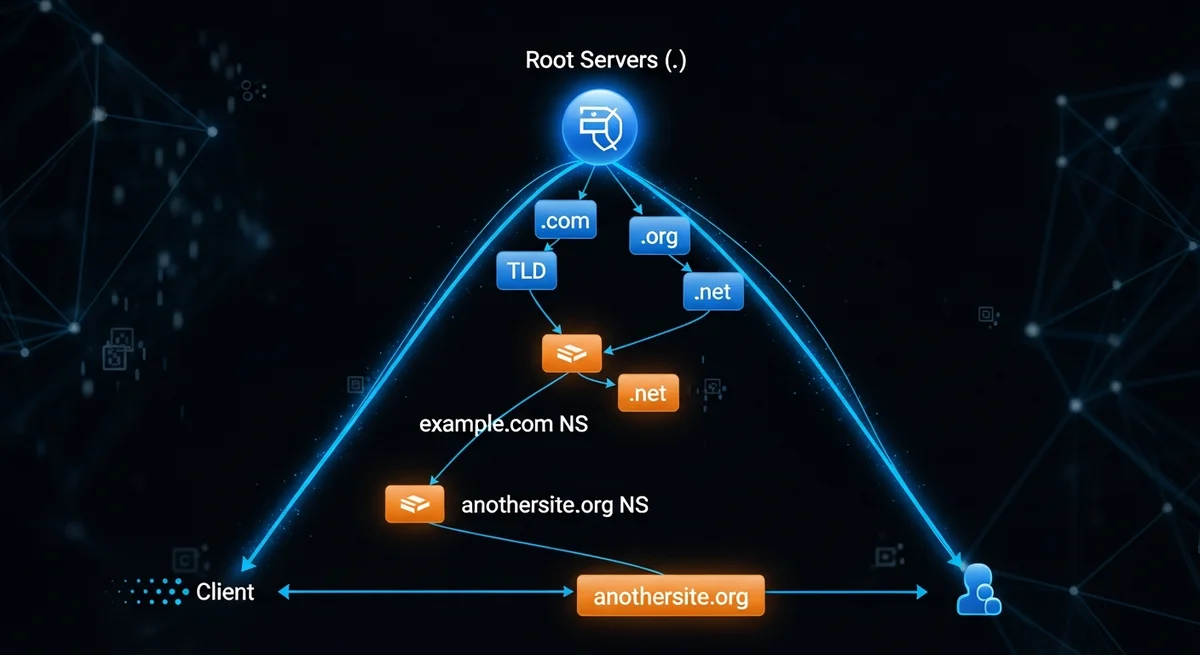
DNS (Domain Name System) translates human-readable domain names (example.com) into IP addresses (93.184.216.34) that computers use to identify each other on the network. Without DNS, you would need to memorize IP addresses for every website you visit. DNS is often called the "phone book of the internet."
DNS Record Types
| Type | Purpose | Example |
|---|---|---|
| A | Maps domain to IPv4 address | example.com → 93.184.216.34 |
| AAAA | Maps domain to IPv6 address | example.com → 2606:2800:220:1::248 |
| CNAME | Alias pointing to another domain | www → example.com |
| MX | Mail server for the domain | 10 mail.example.com |
| TXT | Text records (SPF, DKIM, verification) | v=spf1 mx -all |
| NS | Nameserver for the domain | ns1.example.com |
| SOA | Start of Authority (zone metadata) | Primary NS, admin email, serial |
| PTR | Reverse DNS (IP to hostname) | 34.216.184.93 → example.com |
| SRV | Service location | _sip._tcp.example.com |
| CAA | Certificate Authority Authorization | 0 issue "letsencrypt.org" |
Installing BIND
- Debian/Ubuntu:
sudo apt install bind9 bind9-utils - RHEL/AlmaLinux:
sudo dnf install bind bind-utils - Enable:
sudo systemctl enable --now named
Configuring a Forward Zone
- Edit BIND configuration to add a zone declaration for your domain
- Create a zone file at the specified path
- Add the SOA record with serial number, refresh, retry, expire times
- Add NS records pointing to your nameservers
- Add A records for the domain and subdomains
- Add MX records for email
- Test with
named-checkzone example.com /path/to/zone/file - Reload:
sudo rndc reload
Zone File Serial Number Convention
The SOA serial number must be incremented every time you change the zone. Convention: YYYYMMDDNN (e.g., 2026032501 = March 25, 2026, revision 01). Secondary DNS servers use the serial to detect changes.
Reverse DNS (PTR Records)
Reverse DNS maps IP addresses back to hostnames. This is essential for email deliverability (mail servers check reverse DNS):
- Create a reverse zone for your IP range (e.g., 168.192.in-addr.arpa)
- Add PTR records mapping IP addresses to hostnames
- Note: You need control over the IP block from your provider to set up reverse DNS
BIND as a Caching Resolver
BIND can also function as a caching DNS resolver for your network:
- Configure
forwardersto upstream DNS (e.g., 1.1.1.1, 8.8.8.8) - Set
allow-queryto restrict who can query your server - Enable
dnssec-validation autofor security - Monitor cache with
rndc dumpdb -cache
DNS Security (DNSSEC)
DNSSEC adds cryptographic signatures to DNS records, preventing DNS spoofing and cache poisoning:
- Generate zone signing keys: KSK (Key Signing Key) and ZSK (Zone Signing Key)
- Sign your zone files
- Upload DS records to your domain registrar
- Verify with
dig +dnssec example.com
Troubleshooting DNS
| Problem | Diagnostic Command | Common Cause |
|---|---|---|
| Domain not resolving | dig example.com @your-ns | Zone file syntax error, service not running |
| Slow resolution | dig +trace example.com | Missing forwarders, network issues |
| Zone not loading | named-checkzone | Missing period at end of FQDN |
| Secondary not updating | Check serial number | Serial not incremented |
| SERVFAIL | journalctl -u named | DNSSEC validation failure |
Frequently Asked Questions
Do I need my own DNS server?
For most websites, managed DNS (Cloudflare, Route 53, DigitalOcean DNS) is simpler and more reliable. Run your own BIND server when you need full control, have complex internal DNS requirements, or want to learn DNS in depth.
What is the difference between authoritative and recursive DNS?
An authoritative DNS server answers queries for domains it hosts — it is the source of truth. A recursive (caching) DNS server answers queries by looking up answers from authoritative servers and caching results. BIND can function as both.
Why does my DNS change take so long to propagate?
DNS propagation depends on the TTL (Time to Live) value. If your TTL was set to 86400 (24 hours), DNS resolvers worldwide may cache the old value for up to 24 hours. Lower TTL before making changes, wait for propagation, make changes, then raise TTL again.



