
The container revolution transformed how we build, ship, and run applications. For nearly a decade, Docker was the undisputed king of containerization — the word "Docker" became almost synonymous with "containers." But the landscape has shifted dramatically. Podman, developed by Red Hat, has emerged as a serious alternative that challenges Docker's dominance with a fundamentally different architecture and security model.
For DevOps engineers and system administrators in 2026, the Docker vs Podman question is no longer theoretical. Both tools are production-ready, widely adopted, and capable of running the same container images. The choice between them comes down to architecture philosophy, security requirements, ecosystem needs, and operational preferences.
This comprehensive comparison examines both tools honestly, highlighting where each excels and where each falls short, so you can make an informed decision for your production workloads.
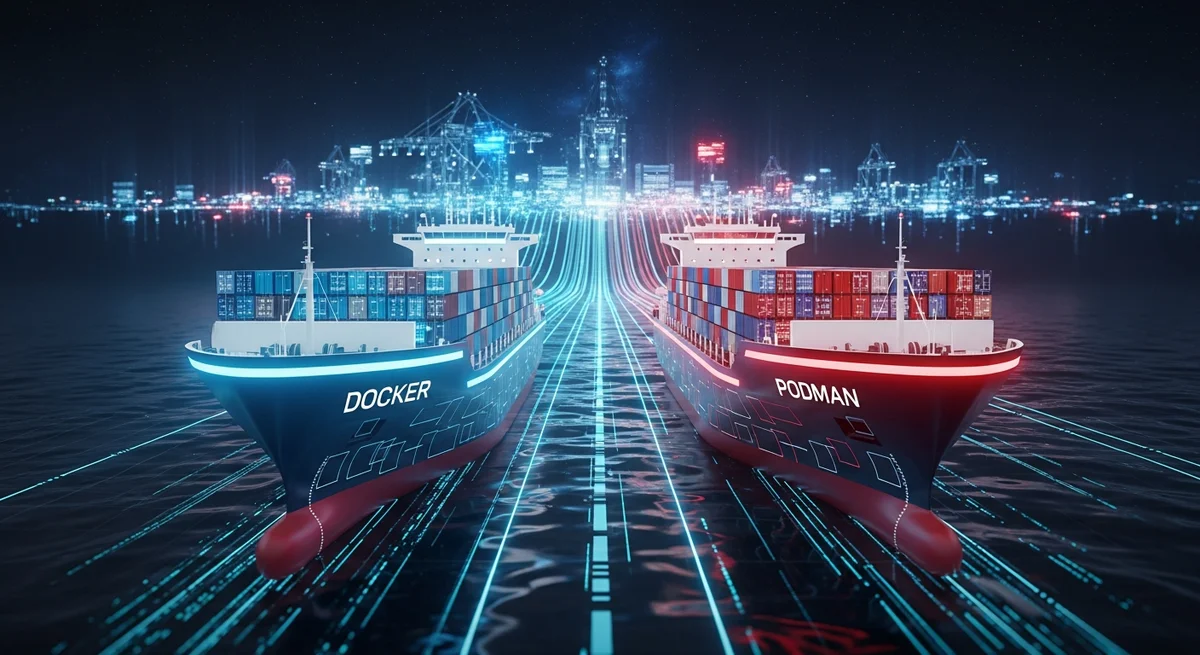
The Fundamental Architecture Difference
The most important distinction between Docker and Podman is their architecture — and this single difference cascades into almost every other comparison point.
Docker: Client-Daemon Architecture
Docker uses a client-server model. When you run docker run, the Docker CLI (client) sends the command to the Docker daemon (dockerd), a long-running background process that runs as root. The daemon manages all containers, images, networks, and volumes. Every container operation goes through this central daemon.
This architecture has advantages: the daemon can manage container lifecycle, restart policies, and networking centrally. But it also creates a single point of failure — if the daemon crashes, all running containers are affected. More critically, the daemon runs as root, which means any vulnerability in the daemon could potentially give an attacker root access to the host system.
Podman: Daemonless Architecture
Podman operates without a central daemon. Each podman run command directly forks a container process using standard Linux technologies (namespaces, cgroups, seccomp). There is no intermediary daemon managing containers — each container runs as a direct child process of the command that started it.
This daemonless architecture provides several advantages: no single point of failure, true rootless operation by default, and better integration with systemd for service management. The downside is that certain features (like automatic container restart after a reboot) require additional configuration with systemd rather than being built into a daemon.
| Aspect | Docker | Podman |
|---|---|---|
| Architecture | Client-daemon (dockerd) | Daemonless (fork/exec) |
| Root requirement | Daemon runs as root (rootless available) | Rootless by default |
| Single point of failure | Yes (daemon crash = all containers affected) | No (containers are independent processes) |
| Process management | Daemon manages lifecycle | Systemd or direct process management |
| Socket | /var/run/docker.sock (root-owned) | User-level socket or none |
Security: Where Podman Shines
Security is Podman's strongest advantage over Docker, and for many organizations, it is the deciding factor.
Rootless Containers by Default
Podman runs containers as your regular user by default — no root privileges required. Docker can also run rootless containers, but it requires additional setup and is not the default behavior. In practice, the vast majority of Docker installations still run the daemon as root because rootless Docker has compatibility limitations.
Why does rootless matter? If a container is compromised and an attacker escapes the container isolation, they land on the host system with the privileges of the user who ran the container. With rootless Podman, that means a regular user account. With a root-running Docker daemon, that means root access to the entire host.
No Privileged Socket
Docker's daemon socket (/var/run/docker.sock) is owned by root and is equivalent to root access — any process that can write to this socket can create privileged containers, mount the host filesystem, and execute arbitrary commands as root. This socket is one of the most exploited attack vectors in container security.
Podman has no equivalent attack surface. There is no always-running daemon socket that grants elevated privileges.
SELinux and Security Profiles
Podman has first-class SELinux support, automatically labeling container processes and files with appropriate SELinux contexts. Docker also supports SELinux but it is less tightly integrated. For organizations running SELinux-enforcing systems (common in enterprise RHEL/AlmaLinux environments), Podman's native SELinux support simplifies compliance.
| Security Feature | Docker | Podman |
|---|---|---|
| Rootless by default | No (requires extra setup) | Yes |
| Privileged daemon socket | Yes (/var/run/docker.sock) | No daemon socket |
| SELinux integration | Supported but optional | Native, automatic |
| User namespace mapping | Available with configuration | Automatic in rootless mode |
| Seccomp profiles | Supported | Supported |
| Attack surface | Larger (daemon + socket) | Smaller (no daemon) |
CLI Compatibility: The Drop-In Promise
Podman was designed as a drop-in replacement for Docker at the CLI level. In most cases, you can replace docker with podman and commands work identically. Many administrators create an alias: alias docker=podman.
What Works Identically
podman run,podman build,podman pull,podman push— all work the samepodman images,podman ps,podman logs— identical output formats- Dockerfile support — Podman builds standard Dockerfiles without modification
- OCI image format — both tools use the same container image standards
Where Compatibility Breaks Down
- Docker Compose: Historically Podman lacked Compose support. In 2026,
podman compose(using podman-compose or docker-compose with the Podman socket) works well for most use cases, but complex Compose files may have edge cases - Docker Swarm: Podman does not support Docker Swarm. If you use Swarm for orchestration (increasingly rare in 2026), Docker is required
- BuildKit: Docker's advanced BuildKit features (multi-stage caching, build secrets) are not fully available in Podman, though Buildah (Podman's dedicated build tool) offers comparable functionality
- Docker APIs: Tools that communicate directly with the Docker API socket may need adaptation for Podman, though Podman can emulate the Docker API
Container Pods: Podman's Unique Feature
Podman's name comes from "Pod Manager" — it natively supports the concept of pods, groups of containers that share network namespaces, similar to Kubernetes pods. This is a feature Docker does not have natively.
Creating a pod is simple: podman pod create --name my-app -p 8080:80, then adding containers to it: podman run --pod my-app nginx and podman run --pod my-app php-fpm. Containers within a pod can communicate via localhost, just like in Kubernetes.
This is particularly valuable for developers working with Kubernetes — you can test multi-container pod configurations locally with Podman before deploying to a Kubernetes cluster. Podman can even generate Kubernetes YAML from running pods: podman generate kube my-pod > deployment.yaml.
Docker Compose vs Podman Compose
For multi-container application stacks, Docker Compose has been the standard tool for years. Podman's Compose support has matured significantly but there are still differences to consider.
| Feature | Docker Compose | Podman Compose |
|---|---|---|
| Maturity | Battle-tested since 2014 | Mature but newer |
| File format | docker-compose.yml | Same docker-compose.yml |
| Networking | Automatic bridge networks | CNI/Netavark networking |
| Volume support | Full (named, bind, tmpfs) | Full support |
| Build support | BuildKit integration | Buildah integration |
| Restart policies | Built-in (daemon-managed) | Via systemd units |
| Third-party tool compatibility | Universal | Growing but some gaps |
Performance Comparison
In terms of raw container runtime performance, Docker and Podman are essentially identical — both use the same underlying Linux kernel features (namespaces, cgroups) and can use the same container runtimes (runc, crun). Container startup time, CPU overhead, and memory usage are comparable.
Where performance differences appear:
- Image pulling: Podman can be slightly slower for initial image pulls due to different caching behavior
- Build speed: Docker's BuildKit offers superior caching and parallel build stages, making complex builds faster
- Rootless overhead: Rootless containers (both Docker and Podman) have slight overhead compared to root-mode containers due to user namespace translation, particularly for I/O-heavy workloads
- Resource usage: Podman uses no resources when containers are not running (no daemon). Docker's daemon consumes a small amount of memory constantly
Ecosystem and Tooling
Docker's decade-long head start means it has a larger ecosystem of tools, integrations, and documentation.
Docker Advantages
- Docker Desktop — Full GUI for Mac, Windows, and Linux with built-in Kubernetes
- Docker Hub — The largest container registry (both Docker and Podman can pull from it)
- Docker Scout — Built-in vulnerability scanning for container images
- Universal CI/CD support — Every CI system supports Docker natively
- Massive community — More tutorials, Stack Overflow answers, and third-party tools
Podman Advantages
- Kubernetes integration — Generate Kubernetes YAML directly from pods
- Systemd integration — Generate systemd unit files for containers:
podman generate systemd - Buildah — Dedicated, flexible image building tool with scriptable builds
- Skopeo — Image inspection and copying between registries without pulling
- Red Hat ecosystem — First-class support in RHEL, OpenShift, and enterprise environments
When to Choose Docker
- Development environments where Docker Desktop provides the best developer experience
- Teams already invested in Docker ecosystem — the switching cost may not justify the benefits
- CI/CD pipelines where Docker is the default and Podman support may be limited
- Docker Swarm users (though Kubernetes has largely replaced Swarm)
- Complex multi-stage builds where BuildKit's caching provides significant speed advantages
- Cross-platform development (Mac + Windows + Linux) where Docker Desktop provides consistency
When to Choose Podman
- Security-sensitive environments where rootless-by-default is a requirement
- Enterprise RHEL/AlmaLinux/Rocky deployments where Podman is the supported container tool
- Kubernetes-first organizations where pod concepts align with production architecture
- Systemd-managed servers where containers should be managed like any other system service
- Environments where the Docker daemon's root socket is a compliance concern
- Resource-constrained systems where a constantly running daemon is wasteful
Migration: Docker to Podman
Migrating from Docker to Podman is straightforward for most workloads:
- Install Podman alongside Docker (they can coexist)
- Create an alias:
alias docker=podman - Test your existing workflows — most commands work identically
- Convert Docker Compose files to Podman pods or use podman-compose
- Replace Docker daemon-managed restarts with systemd unit files
- Update CI/CD pipelines to use Podman
The Verdict for 2026
Both Docker and Podman are excellent tools for container management. Docker remains the more polished, ecosystem-rich option with superior developer tooling. Podman offers better security defaults, tighter Linux integration, and architectural advantages for production server environments.
The best approach for many organizations is to use both: Docker Desktop for local development (where developer experience matters most) and Podman for production servers (where security and systemd integration matter most). Since both tools use the same OCI container images, this hybrid approach works seamlessly.
Frequently Asked Questions
Can Podman run Docker images?
Yes. Podman uses the same OCI image format as Docker. Any image from Docker Hub, GitHub Container Registry, or any OCI-compliant registry works with Podman without modification.
Is Podman really a drop-in replacement for Docker?
For 90%+ of use cases, yes. Simple docker run, docker build, and docker pull commands work identically with podman. Edge cases exist around Docker Compose networking, BuildKit features, and Docker API-dependent tools.
Which is faster, Docker or Podman?
Runtime performance is essentially identical — both use the same kernel features. Docker's BuildKit can be faster for complex builds. Podman uses slightly fewer resources when containers are not running (no daemon overhead).
Does Kubernetes prefer Docker or Podman?
Kubernetes removed Docker as a container runtime in version 1.24 (2022). Modern Kubernetes uses containerd or CRI-O directly. Podman's pod concept aligns more closely with Kubernetes architecture. For building images in CI/CD for Kubernetes, both tools work equally well.
Related Resources
- Docker Fundamentals — Complete Docker learning guide
- Docker Compose & Multi-Container Applications — Multi-container orchestration
- Docker Security & Production Hardening — Security best practices
- Docker Networking & Storage Deep Dive — Advanced networking and storage
- Microservices with Docker and Kubernetes — Container orchestration at scale
- Browse all 205+ free IT cheat sheets



