What is GitHub?
GitHub is the world's largest code hosting and collaboration platform, with over 100 million developers and 400 million repositories. Built on top of Git version control, GitHub adds powerful collaboration features like pull requests, issues, GitHub Actions, and advanced security tools that make it the center of modern software development.
Whether you're a solo developer managing personal projects, a team building commercial software, or an open source maintainer, GitHub provides the tools you need to write, review, and deploy code efficiently.
Why GitHub Matters in 2026
| Feature | What It Does | Why It Matters |
|---|
| Code Hosting | 400M+ repositories, unlimited public repos | Central place for all your code |
| Pull Requests | Code review, discussions, approvals | Quality control and knowledge sharing |
| GitHub Actions | CI/CD pipelines and automation | Automated testing and deployment |
| Security | Dependabot, secret scanning, CodeQL | Find vulnerabilities before production |
| GitHub Copilot | AI code completion and chat | Write code faster with AI assistance |
| Open Source | Home to every major project | Collaborate with the global community |
GitHub vs Alternatives
| Platform | Repos | CI/CD | AI | Best For |
|---|
| GitHub | 400M+ | GitHub Actions | Copilot | Open source, teams |
| GitLab | 30M+ | Built-in CI/CD | Duo (beta) | Full DevOps lifecycle |
| Bitbucket | 10M+ | Pipelines | None | Atlassian stack |
Getting Started with GitHub
Initial Git Configuration
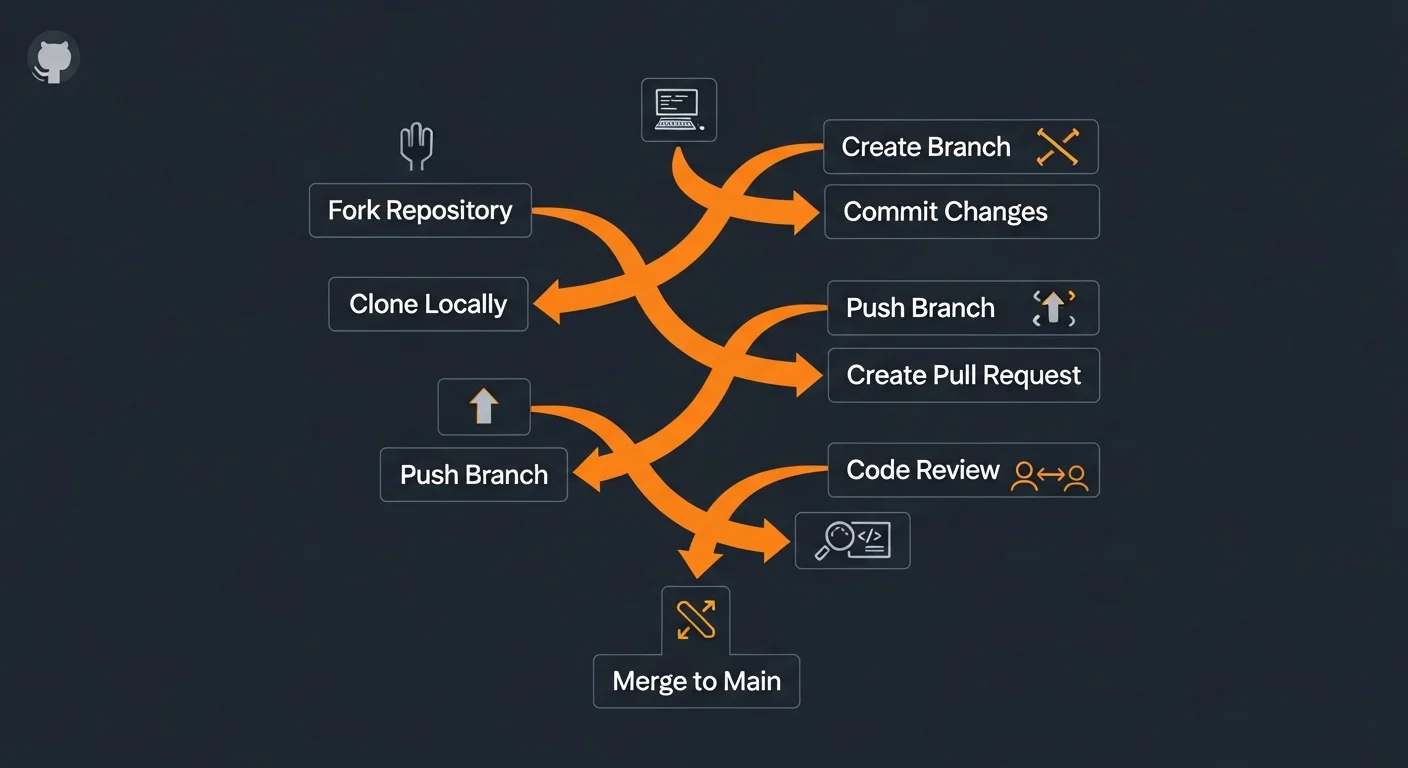
Before using GitHub, configure Git with your identity and SSH key:
# Configure your identity
git config --global user.name "Your Name"
git config --global user.email "your@email.com"

# Set default branch name
git config --global init.defaultBranch main

# Generate SSH key for GitHub authentication
ssh-keygen -t ed25519 -C "your@email.com"

# Copy the public key to GitHub (Settings > SSH and GPG Keys)
cat ~/.ssh/id_ed25519.pub

# Test SSH connection
ssh -T git@github.com
Essential Git Commands
| Command | Description |
|---|
git clone <url> | Clone remote repository to local machine |
git status | Show working directory status |
git add . | Stage all changes for commit |
git add -p | Interactively stage specific changes |
git commit -m "message" | Commit staged changes |
git push origin main | Push commits to remote |
git pull origin main | Fetch and merge remote changes |
git log --oneline --graph | Visual commit history |
git stash / git stash pop | Save and restore work in progress |
git diff | Show unstaged changes |
Commit Message Convention
# Conventional Commits format:
feat: add user authentication
fix: resolve login redirect bug
docs: update API documentation
refactor: extract validation logic
test: add unit tests for auth service
chore: update dependencies
ci: add GitHub Actions workflow
Best Practice: Write clear, imperative commit messages: "Add feature" not "Added feature". Each commit should represent one logical change.
Creating and Managing Repositories
Creating a Repository
# Create new repo from command line
mkdir my-project && cd my-project
git init
git add .
git commit -m "Initial commit"

# Create remote repo with GitHub CLI
gh repo create my-project --public --source=. --push

# Clone existing repository
git clone git@github.com:username/repo.git

# Fork and clone a repository
gh repo fork owner/repo --clone
Essential Repository Files
| File | Purpose |
|---|
README.md | Project description, installation instructions, and usage |
.gitignore | Files/directories excluded from version control |
LICENSE | Open source license (MIT, Apache 2.0, GPL) |
CONTRIBUTING.md | Guidelines for contributors |
CODE_OF_CONDUCT.md | Community behavior expectations |
CHANGELOG.md | Version history and release notes |
.github/CODEOWNERS | Automatic reviewer assignment per file path |
.editorconfig | Cross-editor formatting settings |
.gitignore Best Practices
# Node.js
node_modules/
dist/
.env
.env.local

# Python
__pycache__/
*.pyc
venv/

# General
.DS_Store
*.log
.vscode/
.idea/
Warning: Never commit .env files, node_modules, or IDE settings to your repository. Use gitignore.io for language-specific templates.
Branching and Merging
Branch Commands
# Create and switch to new branch
git checkout -b feature/user-auth
git switch -c feature/user-auth     # Modern alternative

# List branches
git branch           # Local branches
git branch -r        # Remote branches
git branch -a        # All branches

# Switch branches
git switch main

# Delete branches
git branch -d feature/done         # Safe delete (merged only)
git branch -D feature/abandoned    # Force delete
git push origin --delete old-branch  # Delete remote

# Rename branch
git branch -m old-name new-name
Merge vs Rebase
| Aspect | Merge | Rebase |
|---|
| History | Preserves all commits | Creates linear history |
| Merge commit | Yes (extra commit) | No |
| Safety | Non-destructive | Rewrites history (danger!) |
| When to use | PRs, shared branches | Local cleanup only |
| Conflicts | Resolve once | May resolve per commit |
Resolving Merge Conflicts
# During a conflicted merge, Git marks the file:
<<<<<<< HEAD
Your changes (current branch)
=======
Their changes (incoming branch)
>>>>>>> feature/branch

# Fix: edit the file, remove markers, then:
git add <resolved-file>
git commit
Golden Rule: Never rebase commits that have been pushed to a shared branch. Rebasing rewrites history and will cause problems for other developers.
Branching Strategies
GitHub Flow (Recommended)
The simplest and most popular branching strategy, used by GitHub itself and most modern teams:
- Create a branch from main for each feature or fix
- Make commits on the feature branch
- Open a Pull Request for code review
- Discuss and review the changes
- Merge to main (auto-deploy to production)
- Delete the feature branch
git switch -c feature/new-login
# ... make changes, commit ...
git push origin feature/new-login
gh pr create --title "Add new login flow" --body "..."
# After review and approval:
gh pr merge --squash
Git Flow (Complex Projects)
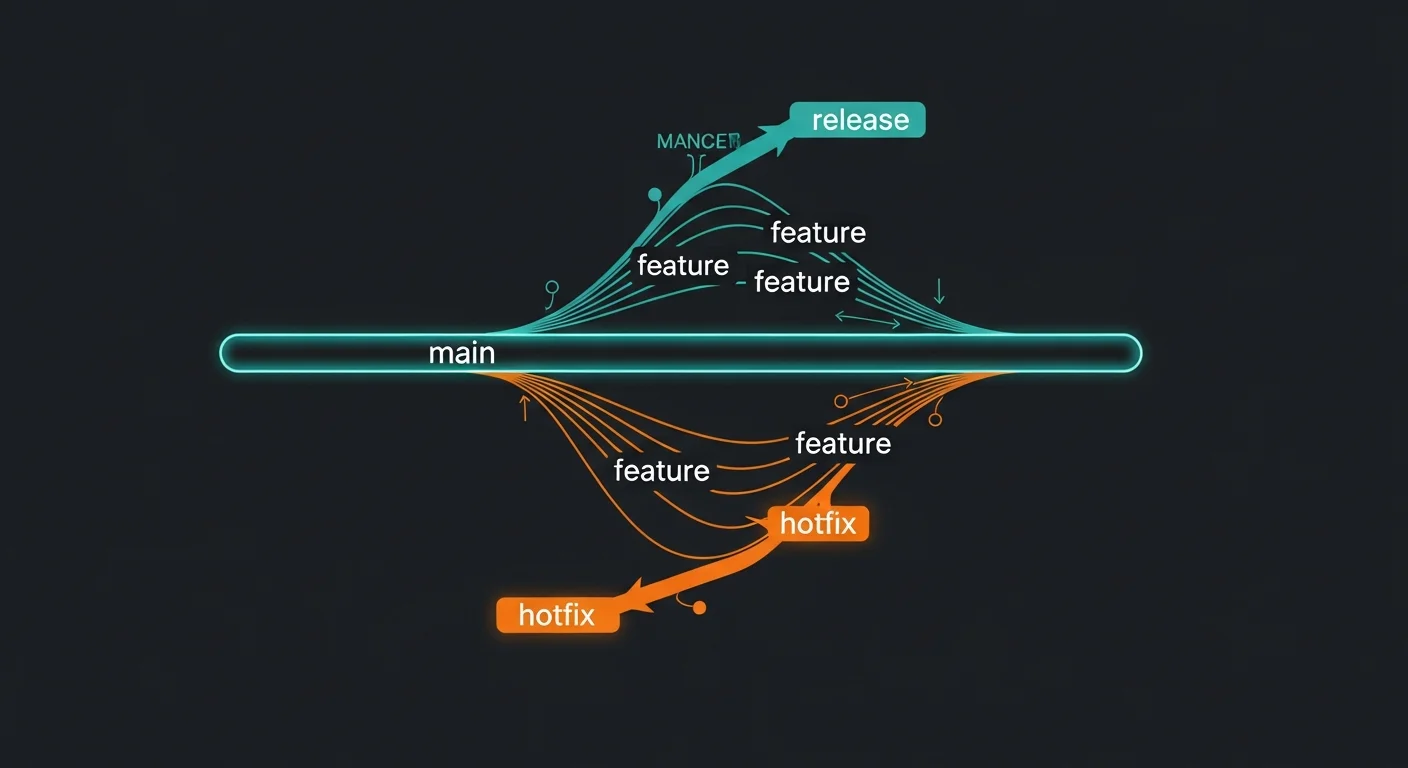
| Branch | Purpose | Merges Into |
|---|
main | Production-ready code | - |
develop | Integration branch | main (via release) |
feature/* | Individual features | develop |
release/* | Release preparation | main + develop |
hotfix/* | Urgent production fixes | main + develop |
Branch Naming Conventions
# Features
feature/user-authentication
feature/JIRA-123-add-search

# Bug fixes
fix/login-redirect-loop
bugfix/JIRA-456-null-pointer

# Other
hotfix/security-patch-2.1.1
release/v2.0.0
docs/update-api-readme
Recommendation: Start with GitHub Flow. It's simple, effective, and works for 90% of teams. Only adopt Git Flow if you have a complex release
process.
Pull Requests and Code Review
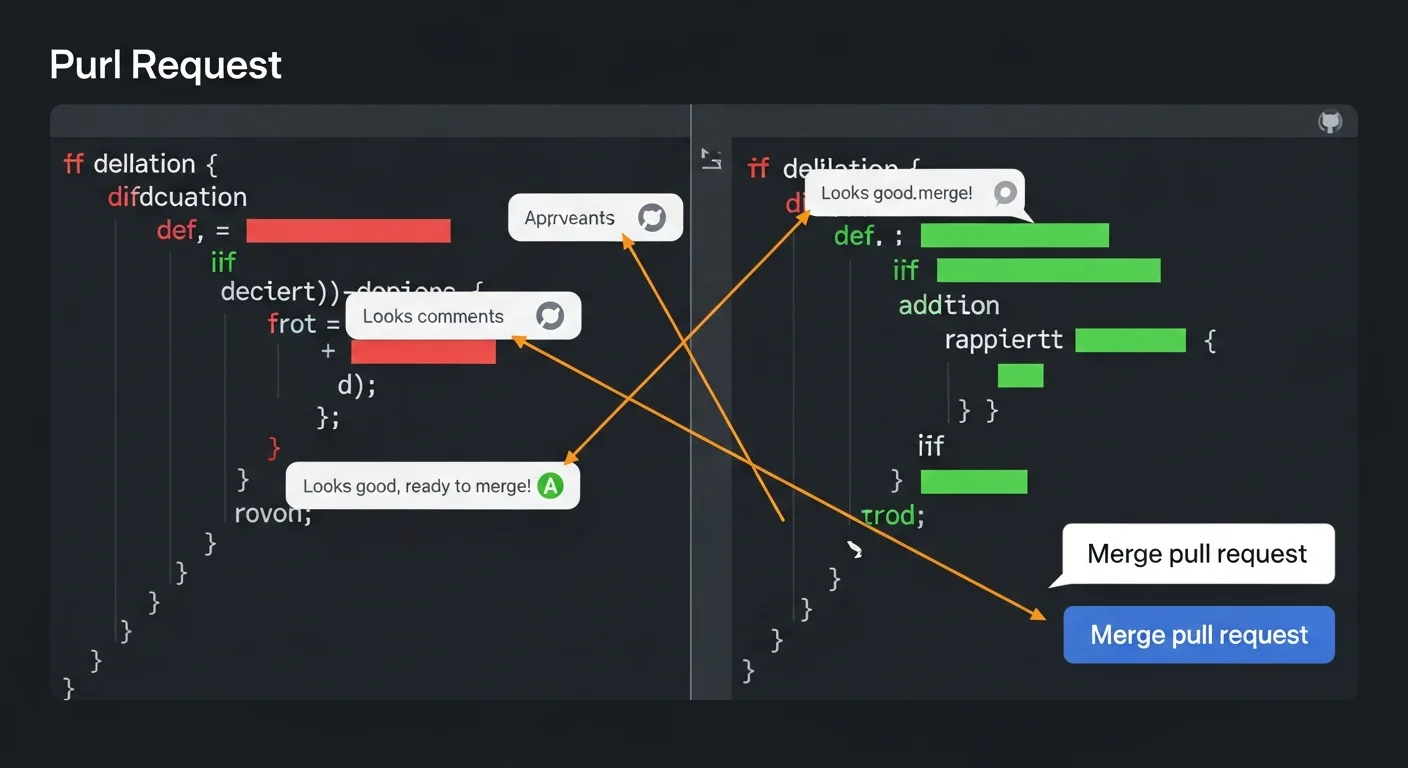
Creating Pull Requests
# Push branch and create PR via CLI
git push origin feature/new-feature
gh pr create \
  --title "Add user authentication" \
  --body "## Changes\n- Login/signup forms\n- JWT auth\n- Rate limiting" \
  --reviewer teammate1,teammate2 \
  --label "feature,needs-review" \
  --assignee @me

# Create draft PR (work in progress)
gh pr create --draft --title "WIP: new feature"

# List and view PRs
gh pr list
gh pr view --web
PR Template
# .github/pull_request_template.md
## Description
Brief description of changes.

## Type of Change
- [ ] Bug fix
- [ ] New feature
- [ ] Breaking change
- [ ] Documentation update

## Checklist
- [ ] Tests added/updated
- [ ] Documentation updated
- [ ] Self-reviewed my code
Code Review Best Practices
As a Reviewer:
- Be constructive — focus on code, not the person
- Ask questions — "What was the reasoning?" encourages discussion
- Be decisive — approve or request changes, don't leave reviews in limbo
- Check locally — for complex changes:
gh pr checkout 123
- Be timely — review within 24 hours
As a PR Author:
- Small PRs — keep under 400 lines (large PRs get rubber-stamped)
- Clear description — explain what, why, and how
- Self-review first — review your own diff before requesting others
- CI must pass — never ask for review on a red build
CODEOWNERS
# .github/CODEOWNERS
# Auto-assign reviewers based on file paths

*                    @org/core-team
/src/components/     @org/frontend-team
/src/api/            @org/backend-team
.github/workflows/   @org/devops-team
Dockerfile           @org/devops-team
Merge Strategies
| Strategy | Result | Best For |
|---|
| Squash and merge | All PR commits become one commit | Most teams (cleanest history) |
| Merge commit | Preserves all individual commits | Large features with meaningful commits |
| Rebase and merge | Linear history, no merge commit | Projects requiring linear history |
GitHub Actions: CI/CD Automation
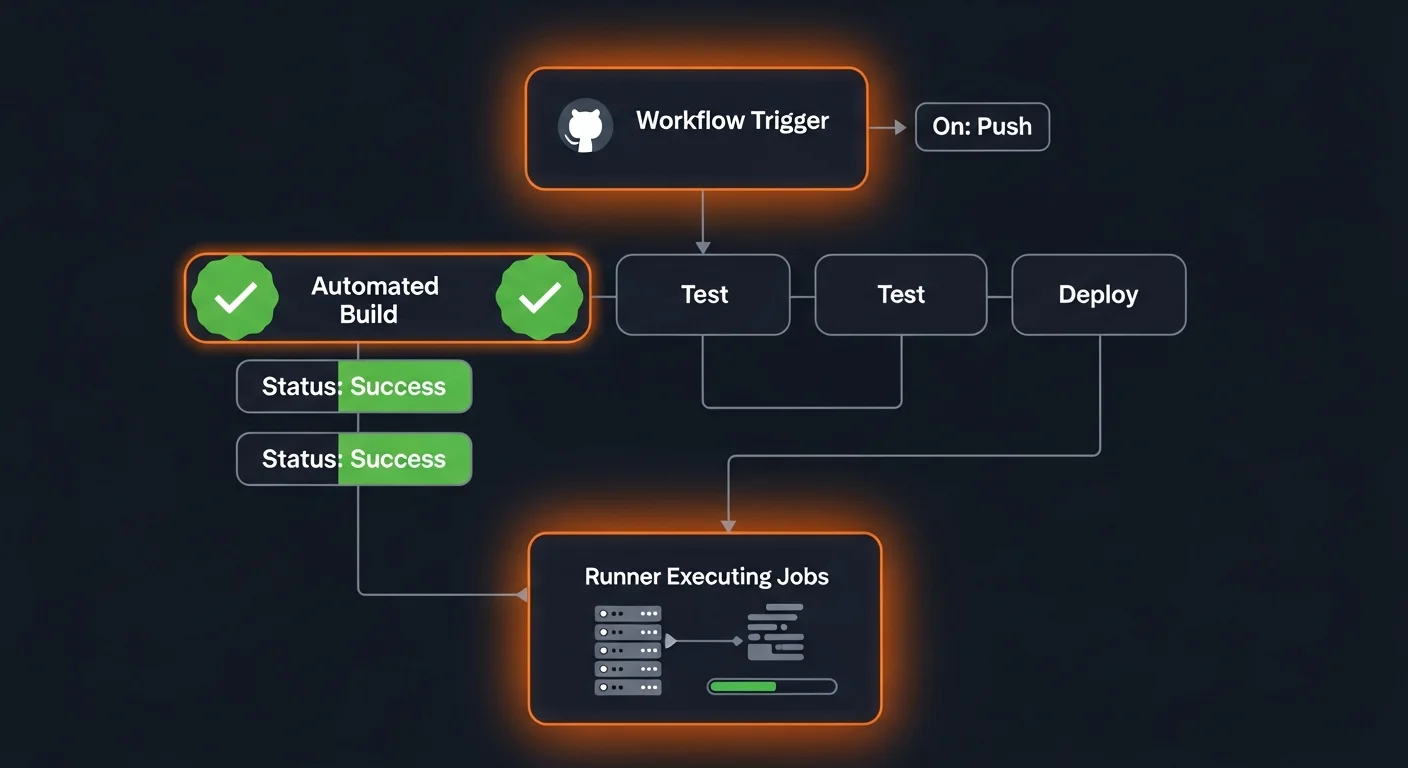
Basic CI Workflow
# .github/workflows/ci.yml
name: CI
on:
  push:
    branches: [main]
  pull_request:
    branches: [main]

jobs:
  test:
    runs-on: ubuntu-latest
    steps:
    - uses: actions/checkout@v4

    - name: Setup Node.js
      uses: actions/setup-node@v4
      with:
        node-version: 20
        cache: npm

    - run: npm ci
    - run: npm run lint
    - run: npm test
    - run: npm run build
Key Concepts
| Concept | Description |
|---|
| Workflow | Automated process in YAML (.github/workflows/) |
| Trigger | What starts the workflow (push, PR, schedule, manual) |
| Job | Steps running on the same runner (can run in parallel) |
| Step | Individual task (action or shell command) |
| Action | Reusable unit (actions/checkout, actions/setup-node) |
| Runner | Machine executing the workflow (ubuntu, windows, macos) |
| Secret | Encrypted variable (Settings > Secrets) |
| Artifact | File produced during workflow (builds, reports) |
Common Triggers
on:
  push:
    branches: [main, develop]
  pull_request:
    types: [opened, synchronize]
  schedule:
    - cron: "0 6 * * 1"        # Monday 6 AM UTC
  workflow_dispatch:             # Manual trigger
  release:
    types: [published]
Advanced GitHub Actions
Matrix Strategy
Test across multiple operating systems and language versions simultaneously:
jobs:
  test:
    runs-on: ${{ matrix.os }}
    strategy:
      matrix:
        os: [ubuntu-latest, windows-latest, macos-latest]
        node-version: [18, 20, 22]
    steps:
    - uses: actions/checkout@v4
    - uses: actions/setup-node@v4
      with:
        node-version: ${{ matrix.node-version }}
    - run: npm ci && npm test
Docker Build and Push
jobs:
  deploy:
    runs-on: ubuntu-latest
    steps:
    - uses: actions/checkout@v4
    - uses: docker/login-action@v3
      with:
        username: ${{ secrets.DOCKER_USERNAME }}
        password: ${{ secrets.DOCKER_PASSWORD }}
    - uses: docker/build-push-action@v5
      with:
        push: true
        tags: user/app:${{ github.sha }}
        cache-from: type=gha
        cache-to: type=gha,mode=max
Reusable Workflows
# Define reusable workflow
on:
  workflow_call:
    inputs:
      environment:
        type: string
        required: true

# Call from another workflow
jobs:
  deploy:
    uses: ./.github/workflows/deploy-reusable.yml
    with:
      environment: production
    secrets: inherit
Performance Tip: Always cache dependencies (actions/cache or setup-node's cache: npm). This reduces build time from minutes to seconds.
Issues and Project Management
Issue Templates (YAML Form)
# .github/ISSUE_TEMPLATE/bug_report.yml
name: Bug Report
description: Report a bug
labels: ["bug", "triage"]
body:
  - type: textarea
    attributes:
      label: Describe the bug
    validations:
      required: true
  - type: dropdown
    attributes:
      label: Severity
      options:
        - Critical
        - High
        - Medium
        - Low
GitHub CLI for Issues
# Create, list, and close issues
gh issue create --title "Login broken" --body "..." --label bug
gh issue list --label bug --state open
gh issue close 42 --comment "Fixed in PR #50"

# Auto-close issue via PR body keywords:
# "Closes #42", "Fixes #42", "Resolves #42"
GitHub Projects (v2)
| View | Description | Best For |
|---|
| Table | Spreadsheet-like with sortable columns | Backlog management |
| Board | Kanban with drag-and-drop | Sprint tracking |
| Roadmap | Timeline/Gantt chart | Release planning |
GitHub Projects support custom fields (priority, sprint, estimate), cross-repo tracking, and built-in automation (auto-move items, auto-archive completed tasks).
Branch Protection and Security
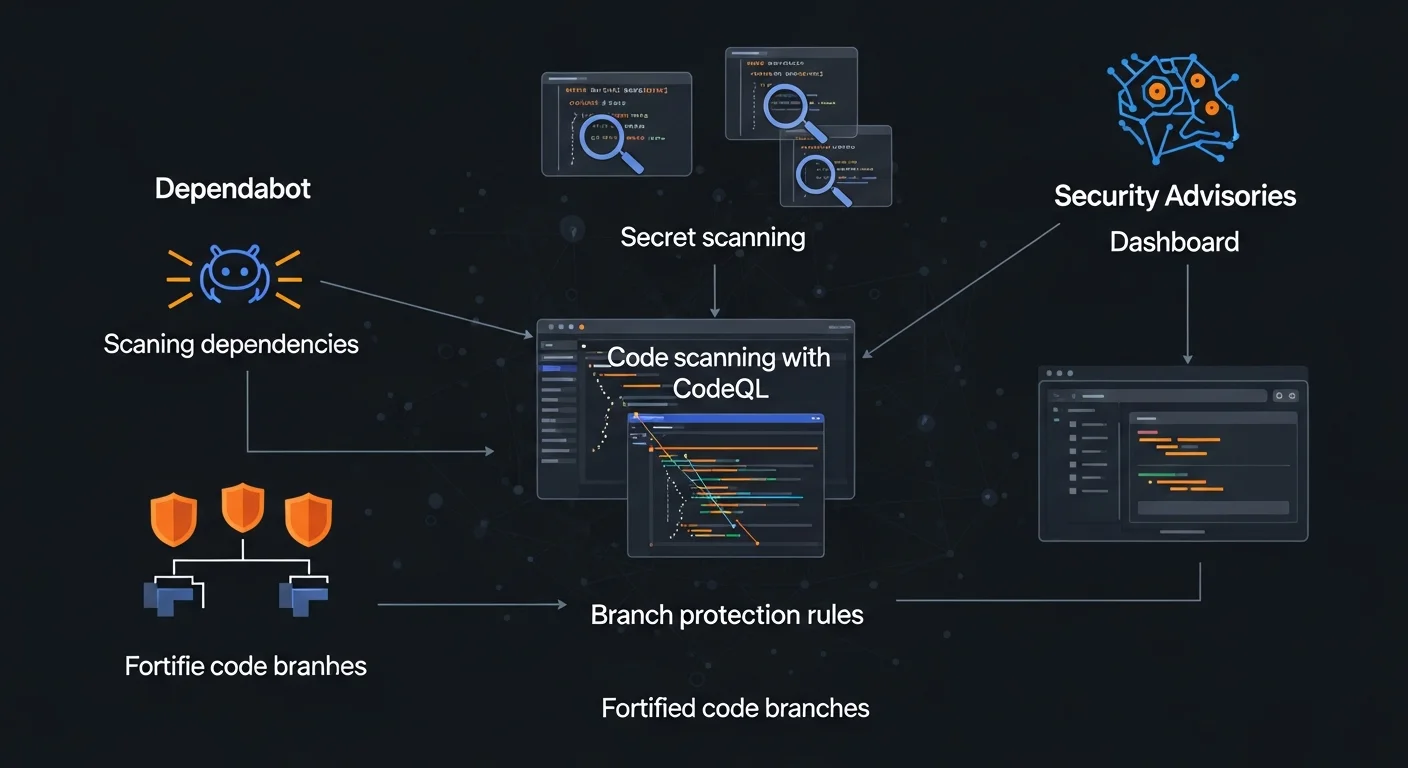
Recommended Main Branch Protection
| Setting | Value | Why |
|---|
| Require PR before merging | ON | No direct pushes to main |
| Required approving reviews | 1+ | Code review for every change |
| Dismiss stale approvals | ON | New commits need re-review |
| Require status checks | ON | CI must pass before merge |
| Require up-to-date branch | ON | Branch must be current with main |
| Require conversation resolution | ON | All review comments resolved |
| Do not allow bypassing | ON | Even admins must use PRs |
Repository Rulesets (Newer Feature)
- Organization-wide: Apply rules across all repositories
- Bypass actors: CI bots and release managers can bypass specific rules
- Tag rules: Protect tags from deletion or unauthorized creation
- Audit log: Track who changed rules and when
Security Features
Dependabot Configuration
# .github/dependabot.yml
version: 2
updates:
  - package-ecosystem: npm
    directory: "/"
    schedule:
      interval: weekly
    open-pull-requests-limit: 10
    labels: [dependencies]

  - package-ecosystem: docker
    directory: "/"
    schedule:
      interval: weekly

  - package-ecosystem: github-actions
    directory: "/"
    schedule:
      interval: weekly
Security Features Summary
| Feature | What It Does | Cost |
|---|
| Dependabot Alerts | Warns about vulnerable dependencies | Free |
| Dependabot Updates | Auto-creates PRs to fix vulnerabilities | Free |
| Secret Scanning | Detects leaked API keys and tokens | Free (public repos) |
| Push Protection | Blocks pushes containing secrets | Free (public repos) |
| CodeQL Analysis | Finds SQL injection, XSS, etc. | Free (public repos) |
| Security Advisories | Private vulnerability reporting | Free |
| Dependency Review | Shows dependency changes in PRs | Free (public repos) |
CodeQL Workflow
# .github/workflows/codeql.yml
name: CodeQL
on:
  push:
    branches: [main]
  schedule:
    - cron: "0 6 * * 1"

jobs:
  analyze:
    runs-on: ubuntu-latest
    steps:
    - uses: actions/checkout@v4
    - uses: github/codeql-action/init@v3
      with:
        languages: javascript, python
    - uses: github/codeql-action/analyze@v3
Essential: Enable Dependabot and secret scanning for every repository. They're free and catch critical vulnerabilities before they reach production.
GitHub CLI (gh)
Essential Commands
| Command | Description |
|---|
gh repo create name --public | Create new repository |
gh repo clone owner/repo | Clone repository |
gh pr create --fill | Create PR with auto-filled details |
gh pr list | List open pull requests |
gh pr checkout 123 | Check out PR branch locally |
gh pr merge --squash | Squash merge PR |
gh pr review --approve | Approve a PR |
gh issue create | Create issue interactively |
gh run list / gh run watch | List and watch workflow runs |
gh release create v1.0.0 | Create a new release |
gh secret set API_KEY | Set repository secret |
gh codespace create | Create Codespace environment |
Custom Aliases
# Create shortcuts for common workflows
gh alias set prc "pr create --fill"
gh alias set prm "pr merge --squash --delete-branch"
gh alias set mypr "pr list --author @me"

# Usage
gh prc      # Quick PR creation
gh prm      # Squash merge + cleanup
gh mypr     # List my open PRs
GitHub Pages and Releases
GitHub Pages
Free static site hosting with HTTPS, custom domains, and automated deployment:
# Deploy any static site with GitHub Actions
name: Deploy to Pages
on:
  push:
    branches: [main]

permissions:
  pages: write
  id-token: write

jobs:
  deploy:
    environment:
      name: github-pages
    runs-on: ubuntu-latest
    steps:
    - uses: actions/checkout@v4
    - run: npm ci && npm run build
    - uses: actions/upload-pages-artifact@v3
      with:
        path: dist
    - uses: actions/deploy-pages@v4
Creating Releases
# Create release with auto-generated notes
gh release create v2.0.0 \
  --title "Version 2.0.0" \
  --generate-notes \
  --latest

# Include binary artifacts
gh release create v2.0.0 \
  ./dist/app-linux-amd64 \
  ./dist/app-darwin-arm64
GitHub Copilot and AI
Copilot Features
| Feature | What It Does |
|---|
| Code Completion | Real-time suggestions as you type (VS Code, JetBrains, Neovim) |
| Copilot Chat | Explain code, write tests, fix bugs via conversation |
| CLI Assistant | Natural language to shell commands |
| PR Summaries | Auto-generate PR descriptions |
| Multi-file Edits | AI edits across multiple files |
| Custom Models | Use Claude, GPT-4o via Extensions |
Plans
| Feature | Free | Pro ($10/mo) | Business ($19/mo) |
|---|
| Completions | 2,000/mo | Unlimited | Unlimited |
| Chat messages | 50/mo | Unlimited | Unlimited |
| Models | GPT-4o | Multiple | Multiple + custom |
| Org management | No | No | Yes |
Chat Commands
# In VS Code Copilot Chat:
/explain    # Explain selected code
/fix        # Fix bugs in selected code
/tests      # Generate unit tests
/doc        # Generate documentation
/optimize   # Performance improvements

# In terminal:
gh copilot suggest "deploy docker container to AWS"
gh copilot explain "git log --oneline --graph --all"
Open Source on GitHub
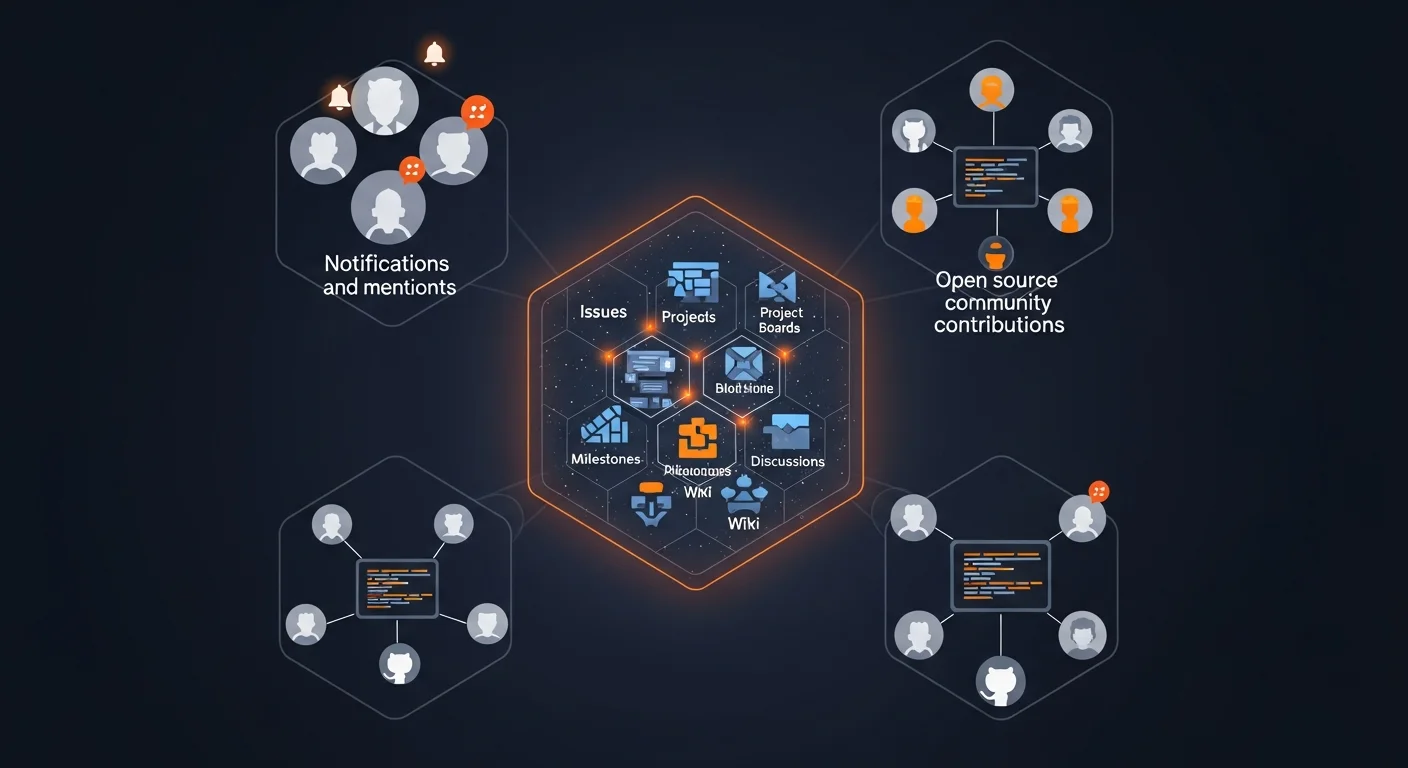
Contributing Workflow
# 1. Fork the repository
gh repo fork owner/project --clone

# 2. Create feature branch
git switch -c fix/typo-in-readme

# 3. Make changes and commit
git add .
git commit -m "fix: correct typo in README.md"

# 4. Push to your fork
git push origin fix/typo-in-readme

# 5. Create PR to upstream
gh pr create --repo owner/project \
  --title "Fix typo in README"

# 6. Keep fork in sync
git remote add upstream git@github.com:owner/project.git
git fetch upstream
git merge upstream/main
Popular Licenses
| License | Permissiveness | Key Requirement |
|---|
| MIT | Very permissive | Include license notice |
| Apache 2.0 | Permissive | State changes + patent grant |
| GPL v3 | Copyleft | Derivatives must also be GPL |
| BSD 2-Clause | Very permissive | Include copyright notice |
| Unlicense | Public domain | No restrictions |
Career Tip: Open source contributions are visible to employers. A strong GitHub profile with quality contributions is better than any resume.
GitHub API and Integrations
REST API
# Using gh CLI (auto-authenticates)
gh api /repos/owner/repo
gh api /repos/owner/repo/pulls --jq ".[].title"

# Create issue via API
gh api /repos/owner/repo/issues \
  -f title="Bug report" \
  -f body="Description" \
  -f labels[]="bug"
GraphQL API
gh api graphql -f query='
  query {
    repository(owner: "facebook", name: "react") {
      stargazerCount
      forkCount
      issues(states: OPEN) { totalCount }
    }
  }
'
Webhooks
- Purpose: Notify external services when events happen (push, PR, issue)
- Events: push, pull_request, issues, release, star, fork, and 30+ more
- Security: Validate signatures with HMAC-SHA256 secret
GitHub Codespaces
- Cloud IDE: Full VS Code in the browser with your repo pre-configured
- devcontainer.json: Define environment, extensions, tools, and settings
- Free tier: 120 core-hours/month for personal accounts
Best Practices Summary
| Area | Best Practice |
|---|
| Commits | Use conventional commits, one logical change per commit |
| Branches | Short-lived feature branches, descriptive names |
| PRs | Small PRs (<400 lines), clear descriptions, self-review first |
| Reviews | Review within 24 hours, be constructive, be decisive |
| CI/CD | Cache dependencies, test on every PR, deploy on merge |
| Security | Enable Dependabot + secret scanning on every repo |
| Protection | Require PRs and status checks for main branch |
| Docs | README, CONTRIBUTING, CODEOWNERS, issue templates |
Free GitHub Cheat Sheet Download
Download our free 20-page GitHub Complete Guide PDF covering everything from repositories and branches to Actions CI/CD, security features, and open source best practices.
What's included:
- Complete Git + GitHub command reference
- GitHub Actions workflow templates (CI, Docker, Pages)
- Branch protection and security configuration
- Pull request and code review best practices
- Open source contributing workflow
- GitHub CLI command cheat sheet
Download Free GitHub Cheat Sheet (PDF)




