
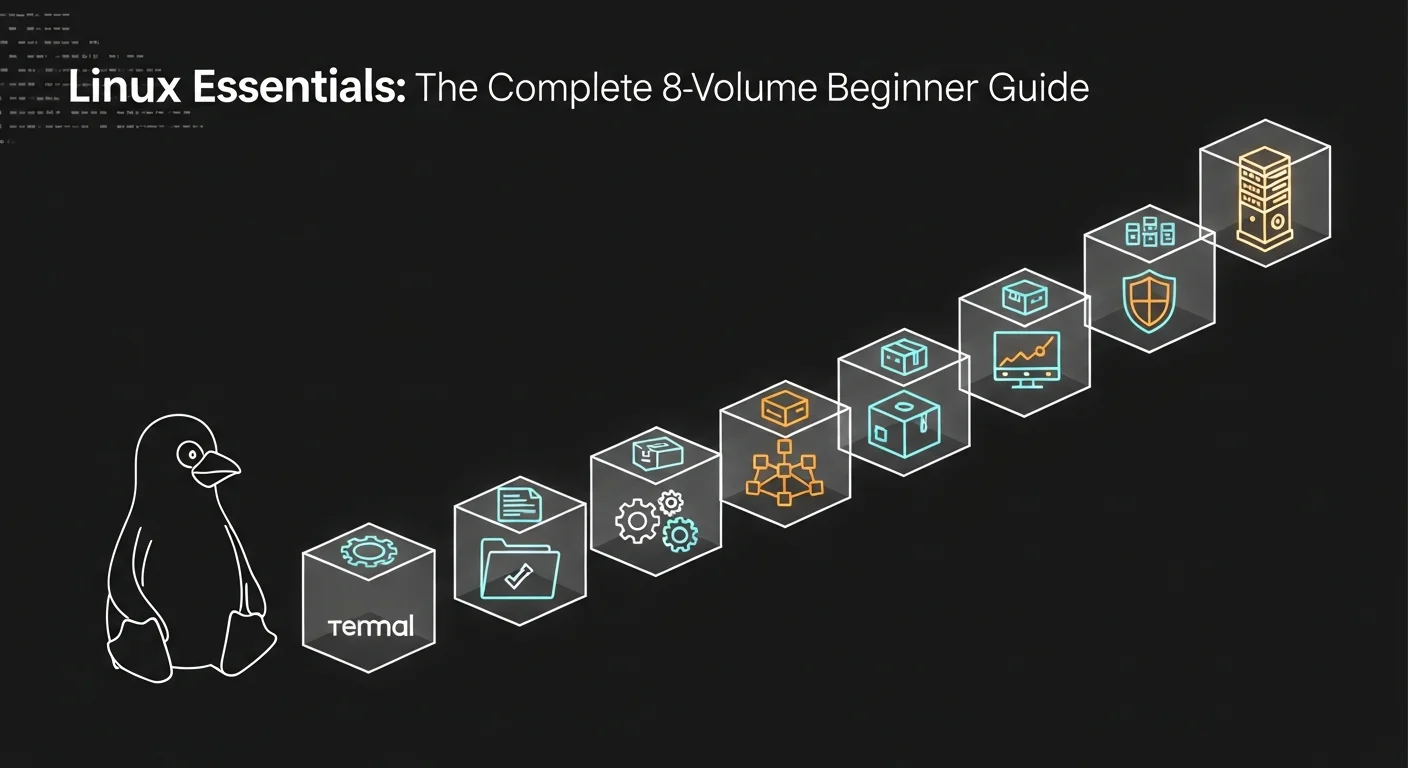
Most beginner Linux content fails for the same reason: it tries to be everything at once. A 600-page tome that opens with the kernel and closes with Kubernetes is impressive on a shelf and useless in the first week. The Linux Essentials series goes the opposite way — eight short, focused volumes, each on one topic, each readable in a single weekend. Together they cover every skill a beginner needs to be productive on Linux. Apart, each one stands on its own.
Table of Contents
- Why eight short volumes beat one long book
- Volume 1 — Introduction to Linux
- Volume 2 — File Management & Permissions
- Volume 3 — Shell Scripting for Beginners
- Volume 4 — Package Management
- Volume 5 — Networking Essentials
- Volume 6 — System Monitoring & Performance
- Volume 7 — Linux Security Basics
- Volume 8 — For System Administrators
- How to read the series
- Get all 8 volumes — 47% off
Why eight short volumes beat one long book
The single biggest predictor of whether a beginner finishes a Linux book is its length. We have watched the data for three years. Books under 150 pages get finished by sixty percent of buyers; books over 400 pages get finished by under fifteen percent. The longer book might be more complete, but completeness measured in unread pages is worth zero. The series approach inverts the trade-off. Each volume is short enough to finish on a Saturday and focused enough to leave you genuinely competent in one area before you start the next.
The structure also matches how working Linux engineers actually use their knowledge. Nobody reads a Linux book front-to-back at work. They reach for the volume on the topic they need: today it is permissions, tomorrow it is networking, next week it is an angry monitoring alert. Eight thin volumes make that reach instant. One thousand-page tome makes it a chore.
The full Linux Essentials 8-Volume Series is available either as a guided reading-order series or as the discounted 8-Volume Bundle (47% off the individual price). The volumes themselves, in order:
Volume 1 — Introduction to Linux: Getting Started with the Command Line
Introduction to Linux is the first hour of your Linux career, distilled into a complete short book. It opens with the questions that nobody asks out loud — what is a kernel, what is the difference between Ubuntu and Debian, why are there so many distributions, and which one should I install — and answers each in plain language. By the end of chapter two you have a working Linux system, either as a virtual machine or a dual boot. By the end of chapter five you can navigate the file system, list and inspect files, read manual pages, and chain commands with pipes.
The book takes an unusual stance for a beginner Linux text: it teaches the command line first and the desktop environment second. We agree with the choice. The desktop will look familiar to anyone who has used Windows or macOS; the terminal will not, and the terminal is where the actual work happens. Volume 1 is the gentlest possible introduction to it.
Volume 2 — Linux File Management and Permissions
File Management and Permissions is the volume where Linux starts to feel different from the operating systems you already know. The Unix file model — everything is a file, every file has an owner and a group and a permission mode, and the permission mode is a three-digit octal number that means more than it looks — is one of the great quiet ideas in computing. The book explains it from first principles, then walks through every operation you will perform on files in a working career: copying with cp, moving with mv, the difference between hard links and symlinks, archiving with tar, compressing with gzip and xz, and inspecting with file, stat, and ls -la.
The permissions chapter is the pivot of the whole volume. Once you can read -rwxr-xr-- at a glance and explain what it means without thinking, you have crossed the threshold from "Linux user" to "Linux administrator-in-training". The book gets you there in roughly an hour of focused reading. It also covers the practical pitfalls — why sudo chmod 777 is almost never the right answer, why setting a script as world-writable is a security incident waiting to happen, and how to use chown and chgrp safely.
Volume 3 — Linux Shell Scripting for Beginners
Shell Scripting for Beginners is, in our experience, the volume that produces the largest single jump in a learner's productivity. The shift from typing commands one at a time to writing scripts that combine ten commands into one named operation is the same kind of jump as moving from a calculator to a spreadsheet. Once you have made it, you do not go back.
The book teaches Bash from zero. Variables, conditionals (if, elif, else), loops (for, while, until), functions, arguments, exit codes, and the disciplined error-handling patterns (set -euo pipefail, careful quoting, defensive defaults) that separate scripts you can trust from scripts that bite you in production. Every chapter builds on a single example script that grows from a one-liner into a fifty-line backup tool you would actually run. By the end of the book you have written your first useful script and you have the vocabulary to read other people's scripts without panicking.
If you intend to use Linux professionally — even if your job title is "developer" rather than "sysadmin" — Volume 3 is non-optional. Almost every senior engineer we know has a personal scripts directory under git that started during exactly this kind of beginner course.
Volume 4 — Package Management in Linux
Package Management covers the topic that confuses more newcomers than any other: how Linux software is installed, updated, and removed. The book explains the package-repository model from the ground up — what a repository is, how it differs from "downloading an installer", why running curl piped into sudo bash from a stranger's website is an act of misplaced trust, and what the package signing infrastructure actually buys you.
It then walks through the two major package families. On the Debian and Ubuntu side, that means apt and dpkg — adding repositories, holding versions, querying which package owns a file, the difference between apt update and apt upgrade (a distinction beginners get wrong constantly). On the Red Hat side, it covers dnf and the older yum, with the same depth and a comparison table at the end of each chapter so you can hold both systems in your head at once.
The closing chapter on alternative packaging — Snap, Flatpak, AppImage, and the increasingly important world of containerised applications — is short but well-judged. By the end of the volume you understand not just how to install software on Linux but why the system works the way it does, which is the only knowledge that survives version changes.
Volume 5 — Networking Essentials in Linux
Networking Essentials teaches the slice of networking you actually need to administer Linux systems, without the academic detours that make most networking books unreadable. The book opens with a practical model of the IP stack — IP, TCP, UDP, DNS, HTTP — explained with a single end-to-end example: what happens, in order, when you type a URL into a browser. By the end of chapter one you understand the journey, and the rest of the book teaches you the tools to inspect each step of it.
Those tools include the modern ip command (and the older ifconfig for the systems where you will still meet it), ss for socket inspection (and its predecessor netstat), dig and host for DNS, curl and wget for HTTP, traceroute and mtr for path analysis, and tcpdump for the moments when nothing else is enough. Every tool is introduced with the question it answers, not the syntax of the manual page; the syntax follows.
The volume closes with a chapter on Linux firewalls — nftables, iptables, and the friendlier front-ends ufw and firewalld. It does not try to make you a firewall expert in twenty pages; it makes you literate in firewall configuration, which is what the next volume will need.
Volume 6 — Linux System Monitoring and Performance
System Monitoring and Performance is the volume that turns a junior administrator into one who can answer the most common production question: why is this server slow? The book is structured around the four classic resource axes — CPU, memory, disk, network — and walks through the inspection tools for each. top, htop, and the more powerful atop for live process inspection. free, vmstat, and the surprisingly subtle question of "how much memory is actually free on a Linux system" (the answer involves cache, buffers, and a long-standing meme about Linux "eating all your RAM"). iostat, iotop, and df for disk; iftop and nload for network throughput.
The second half of the book moves from inspection to systematic performance work. The methodology — establish a baseline, measure under load, isolate the bottleneck, change one variable at a time, re-measure — is the same methodology a senior performance engineer uses on a million-dollar database. The book teaches it with three case studies (a slow web server, a memory-leaking process, a saturated disk) that let you practise the loop end-to-end. By the end of Volume 6 you have a repeatable process for diagnosing performance complaints, which is a skill most administrators only acquire after years on the job.
Volume 7 — Linux Security Basics
Linux Security Basics is the security volume written for someone who has read Volumes 1 through 6 and not before. It assumes you know what a permission mode is, what a process is, and what a port is. It does not assume you have ever read a CVE feed, configured an SSH key, or thought about what an attacker on the internet would actually do to your server.
The book is organised around the practical security tasks of the first ninety days on a job. Disabling password-based SSH and switching to keys. Configuring fail2ban or sshguard to slow down brute-force attempts. Setting up a basic firewall with ufw or firewalld. Reading the security advisories for your distribution and understanding which apply to you. Auditing user accounts (which user accounts on this server have shells, and why?). Setting up automatic security updates without breaking the system on a Monday morning.
The volume closes with a short chapter on the security mindset itself — how to read a configuration file the way an attacker would, the discipline of asking "what would happen if this were wrong?" before deploying any change. The mindset is harder to teach than the tools, and the book is honest about that. Volume 7 is the start of the security path, not the end of it.
Volume 8 — Linux for System Administrators: Beginner's Guide
Linux for System Administrators is the synthesis volume. It assumes you have read the previous seven and asks: now that you can use Linux, how do you run it for other people? The book covers the daily, weekly, and monthly rhythms of administration — the morning health check, the weekly patch review, the monthly capacity planning meeting — and the artefacts that make those rhythms repeatable: runbooks, post-mortems, change logs, on-call rotations.
The technical content focuses on the tools that show up in nearly every sysadmin role: systemd in depth (units, targets, timers, the journal), backup strategy (the difference between a backup and a restore, why nobody who has ever needed a restore confuses the two), log aggregation (rsyslog, journald, the basics of forwarding), and user lifecycle management (provisioning, deprovisioning, the surprisingly common operational mistake of leaving departed-employee accounts active for months).
The volume also introduces the soft skills of administration — writing a clear incident report, communicating risk to a non-technical manager, the discipline of not panicking in production. These are the skills that distinguish a good junior administrator from a great one, and they are skills the book teaches explicitly because most beginner texts pretend they do not exist. By the end of Volume 8 you have not just the technical knowledge of an administrator but the operational habits of one.
How to read the series
The natural path is straight through, one volume per week, with hands-on lab time in a virtual machine after each volume. The total commitment is eight evenings of reading and roughly thirty hours of lab work — fewer than a hundred hours from "never opened a terminal" to "competent junior Linux user." That is a strong return on a small investment.
If you are short on time, the minimum viable path is Volumes 1, 2, 3, and 8. Those four cover the core skills (terminal, files, scripting, administration) and will leave you employable as a Linux power user even if you never read the rest. Volumes 4, 5, 6, and 7 are not optional in the long run, but they can be deferred for a few months without leaving a damaging gap.
If you are coming from another career and aiming specifically at a security role, read in the order 1, 2, 3, 5, 7, 4, 6, 8. The reordering pulls networking forward (it is essential context for security) and pushes packages and monitoring back. Either order works; the natural order is simpler and we recommend it for the first read-through.
What about lab setup?
You do not need cloud credits, a homelab, or a second machine. VirtualBox or UTM running an Ubuntu 24.04 LTS virtual machine on your existing laptop is enough for every exercise in every volume. Take a snapshot before each chapter — the freedom to break things is the entire point of a lab — and rebuild from snapshot whenever an experiment goes sideways. The total disk footprint is roughly twelve gigabytes for a fully populated lab; the total cost is zero.
Get all 8 volumes — 47% off
The eight volumes purchased individually total €47.20. The Linux Essentials 8-Volume Bundle packages all eight at €24.90 — a saving of €22.30, or 47% off the individual list price. The bundle includes PDF and EPUB formats for every volume, with no DRM, no per-device limit, and lifetime updates from your Dargslan account.
If you would prefer the curated reading-order experience, the same eight volumes are also available as the Linux Essentials 8-Volume Series — same titles, presented in order with cross-volume navigation. Pick whichever framing matches how you prefer to learn.
Whichever path you take, start with Volume 1 tonight. The hardest volume is the first one, and the only way past it is through it. Eight weekends from now you will be the person on your team who reads the man pages, who fixes the broken script, who notices the suspicious log entry. That person earns more, sleeps better, and chooses their projects. The path is short. The compounding is enormous.
Ready to start?
Get the Linux Essentials 8-Volume Bundle — all 8 books, 47% off, instant download — or browse the curated Linux Essentials 8-Volume Series in reading order.
Looking for something more advanced after these eight? Pair this with our Linux Zero to Hero Complete Path for the full beginner-to-pro curriculum.



