
DevOps Complete Guide & Cheatsheet 2026
Master CI/CD, Docker, Kubernetes, Terraform, Ansible, Monitoring & Security
30 Pages | Free PDF Download | Production-Ready Examples | Updated March 2026
No spam. Unsubscribe anytime.
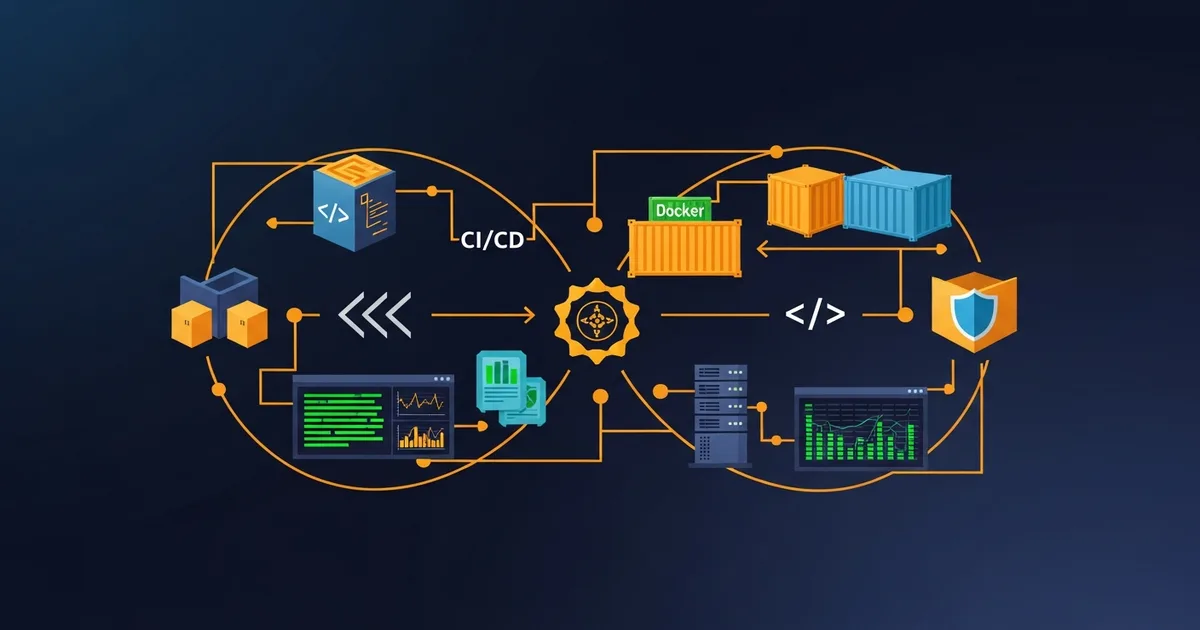
DevOps has fundamentally transformed how modern software teams build, deploy, and operate applications. Whether you are a junior developer looking to break into DevOps, a sysadmin transitioning to cloud-native infrastructure, or an experienced engineer wanting a comprehensive reference — this guide covers everything you need in 2026.
We have distilled hundreds of pages of documentation, real-world production experience, and industry best practices into a 30-page, professionally designed PDF cheatsheet that you can download for free and keep on your desk or laptop. Every section includes production-ready examples, scripts, and configuration templates you can use immediately.
What is DevOps? Fundamentals & Culture
DevOps is not a tool, not a job title, and not a department. DevOps is a culture and set of practices that combines software development (Dev) and IT operations (Ops) to shorten the development lifecycle while delivering features, fixes, and updates frequently and reliably.
The CALMS Framework
The most widely accepted definition of DevOps maturity comes from the CALMS framework:
- Culture: Shared responsibility between Dev and Ops teams. Break down silos. Blameless post-mortems. Continuous improvement mindset.
- Automation: Automate everything repetitive — builds, testing, deployment, infrastructure provisioning, monitoring, and alerting.
- Lean: Eliminate waste, limit work in progress, visualize the value stream. Focus on reducing cycle time from commit to production.
- Measurement: Measure the DORA metrics — deployment frequency, lead time for changes, mean time to recovery (MTTR), and change failure rate.
- Sharing: Share knowledge, tools, and responsibilities across teams. Documentation culture. Open communication channels.
The DevOps Infinity Loop
The DevOps lifecycle is visualized as an infinity loop (figure 8) with eight continuous phases:
- Plan — Define requirements, user stories, sprint planning (Jira, Linear, GitHub Projects)
- Code — Write code collaboratively using feature branches, code review, and pair programming
- Build — Compile, bundle, and create artifacts (Docker images, packages, binaries)
- Test — Run unit tests, integration tests, end-to-end tests, security scans, and performance tests
- Release — Version tagging, changelog generation, semantic versioning (SemVer)
- Deploy — Ship to staging and production using blue-green, canary, or rolling strategies
- Operate — Run in production with scaling, load balancing, health checks, and incident response
- Monitor — Observe metrics, logs, and traces. Alert on anomalies. Feed insights back to Plan
DevOps vs Traditional IT
| Aspect | Traditional | DevOps |
|---|---|---|
| Teams | Siloed Dev and Ops | Cross-functional, shared ownership |
| Releases | Monthly or quarterly | Multiple times per day |
| Infrastructure | Manual, ticket-based | Infrastructure as Code |
| Testing | Manual QA at the end | Automated, shift-left, continuous |
| Failure Response | Blame culture | Blameless post-mortems |
| Security | Bolt-on, final stage | DevSecOps, shift-left |
Linux & Shell Essentials for DevOps Engineers
Every DevOps engineer must be comfortable with Linux. Whether you are managing AlmaLinux VPS servers like we do at Dargslan, or working with Ubuntu containers in Kubernetes — these commands are your daily tools.
File System & Navigation
# List files sorted by size, human-readable
ls -lahS /var/log

# Find config files modified in last 7 days
find / -name "*.conf" -mtime -7

# Disk usage per directory, sorted
du -sh /var/* | sort -rh

# Directory tree, 2 levels deep
tree -L 2 /etc

# Which processes have files open in a directory
lsof +D /var/log
Process & Service Management
# Top 10 memory-consuming processes
ps aux --sort=-%mem | head -10

# Check and manage systemd services
systemctl status nginx
systemctl enable --now nginx
journalctl -u nginx -f --since "1h ago"

# Run script in background
nohup ./deploy.sh > /var/log/deploy.log 2>&1 &
Shell Scripting Best Practice
#!/bin/bash
set -euo pipefail  # Exit on error, undefined var, pipe failure

APP_DIR="/opt/myapp"
LOG="/var/log/deploy.log"

log() { echo "[$(date +%H:%M:%S)] $1" | tee -a "$LOG"; }

log "Starting deployment..."
cd "$APP_DIR" && git pull origin main
composer install --no-dev --optimize-autoloader
systemctl restart php-fpm nginx
log "Deployment complete!"set -euo pipefail at the top of production scripts. Without it, errors are silently ignored and your script continues with broken state.
Git & Version Control Workflows
Git is the foundation of every DevOps workflow. Understanding branching strategies, commit conventions, and automation hooks separates junior from senior DevOps engineers.
Essential Git Commands
# Visual branch history
git log --oneline --graph --decorate -20

# Interactive rebase (squash, edit, reorder commits)
git rebase -i HEAD~3

# Binary search for bug-introducing commit
git bisect start

# Recovery: find lost commits
git reflog

# Create annotated release tag
git tag -a v1.2.0 -m "Release 1.2.0"
Branching Strategies
Trunk-Based Development is recommended for teams practicing CI/CD. All developers merge to main at least daily using short-lived feature branches (less than 1 day). This enables continuous deployment and reduces merge conflicts.
Git Flow is better for teams with scheduled releases. It uses develop, feature, release, and hotfix branches. More complex but provides clear release management.
Conventional Commits
feat(auth): add OAuth2 Google login
fix(api): handle null response in /users endpoint
docs(readme): add deployment instructions
chore(deps): bump nginx to 1.25.4
ci(github): add staging deployment workflow
perf(search): add index on products.slug column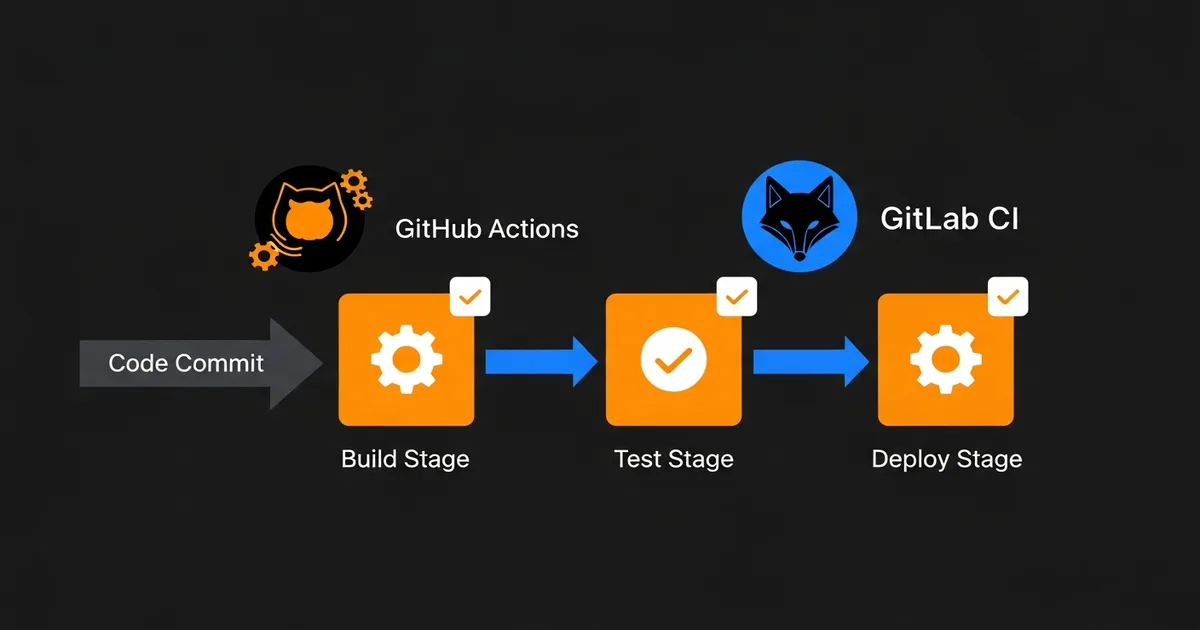
CI/CD Pipelines: GitHub Actions & GitLab CI
Continuous Integration and Continuous Deployment (CI/CD) is the heart of DevOps automation. Every commit should trigger automated builds, tests, and deployments without human intervention.
GitHub Actions — Complete Workflow
# .github/workflows/deploy.yml
name: Build, Test & Deploy
on:
  push:
    branches: [main]
  pull_request:
    branches: [main]

jobs:
  test:
    runs-on: ubuntu-latest
    services:
      postgres:
        image: postgres:16
        env:
          POSTGRES_DB: testdb
          POSTGRES_PASSWORD: testpass
        ports: ["5432:5432"]
    steps:
      - uses: actions/checkout@v4
      - uses: actions/setup-node@v4
        with: { node-version: 20 }
      - run: npm ci
      - run: npm test
      - run: npm run lint

  build:
    needs: test
    runs-on: ubuntu-latest
    if: github.ref == 'refs/heads/main'
    steps:
      - uses: actions/checkout@v4
      - uses: docker/build-push-action@v5
        with:
          push: true
          tags: ghcr.io/${{ github.repository }}:latest
Deployment Strategies
| Strategy | Risk | How It Works |
|---|---|---|
| Rolling | Low | Replace instances one by one. Zero downtime. Default in Kubernetes. |
| Blue-Green | Very Low | Run 2 identical environments. Switch traffic instantly. Easy rollback. |
| Canary | Very Low | Route 5-10% traffic to new version. Monitor. Gradually increase. |
| Feature Flags | Very Low | Deploy dark code. Toggle features without redeployment. |
Docker Essentials & Best Practices
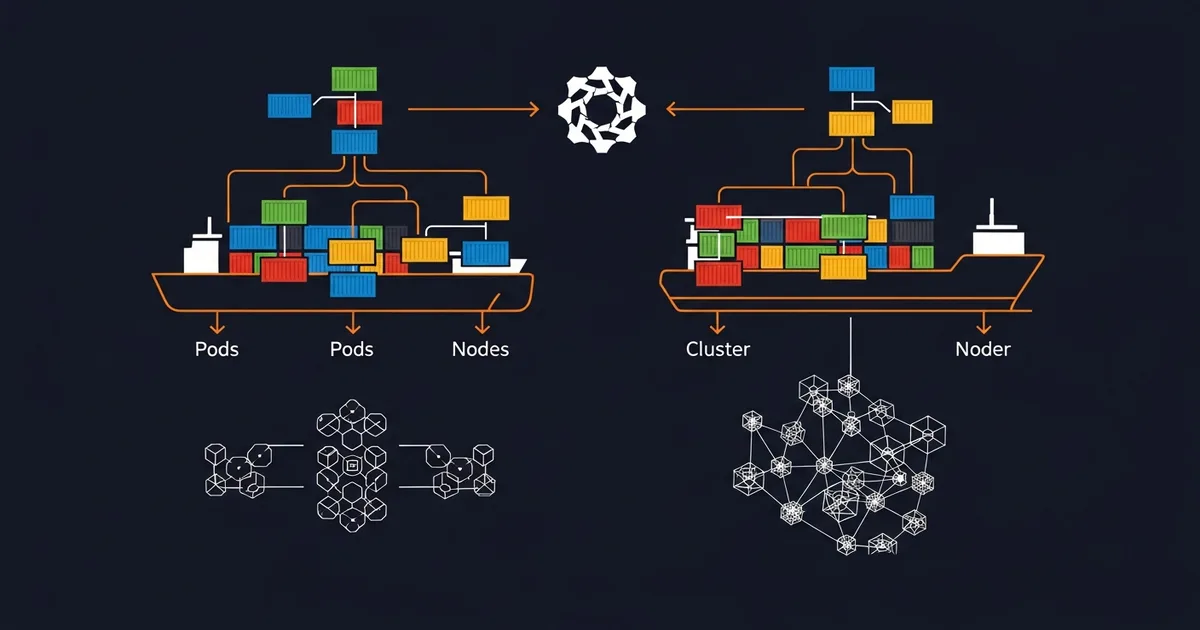
Docker revolutionized software deployment by packaging applications and their dependencies into lightweight, portable containers. In 2026, containerization is no longer optional — it is the standard.
Production-Ready Multi-Stage Dockerfile
# Stage 1: Build
FROM node:20-alpine AS builder
WORKDIR /app
COPY package*.json ./
RUN npm ci --only=production
COPY . .
RUN npm run build

# Stage 2: Production (minimal image)
FROM node:20-alpine AS production
RUN addgroup -g 1001 app && adduser -u 1001 -G app -s /bin/sh -D app
WORKDIR /app
COPY --from=builder --chown=app:app /app/dist ./dist
COPY --from=builder --chown=app:app /app/node_modules ./node_modules
USER app
EXPOSE 3000
HEALTHCHECK --interval=30s --timeout=3s CMD wget -qO- http://localhost:3000/health
CMD ["node", "dist/server.js"]
Docker Security Checklist
- Never run as root: Always use the USER directive in Dockerfiles
- Pin image versions: Use
php:8.3.4-fpm-alpineNOTphp:latest - Scan images:
trivy image myapp:v1ordocker scout cves myapp:v1 - No secrets in images: Use Docker secrets or environment variables at runtime
- Minimal base images: Alpine (5MB) beats Ubuntu (80MB) beats full Debian (900MB)
- Read-only filesystem:
docker run --read-only --tmpfs /tmp myapp - Resource limits:
--memory=512m --cpus=1.0prevents resource abuse
Docker Compose for Multi-Container Applications
Production Stack: App + Database + Cache + Nginx
version: "3.9"
services:
  app:
    build: .
    restart: unless-stopped
    environment:
      - DATABASE_URL=postgresql://app:secret@db:5432/myapp
      - REDIS_URL=redis://cache:6379
    depends_on:
      db: { condition: service_healthy }
    deploy:
      resources:
        limits: { cpus: "2.0", memory: 1G }

  db:
    image: postgres:16-alpine
    restart: unless-stopped
    volumes:
      - pgdata:/var/lib/postgresql/data
    healthcheck:
      test: ["CMD-SHELL", "pg_isready -U app -d myapp"]

  cache:
    image: redis:7-alpine
    command: redis-server --maxmemory 256mb --maxmemory-policy allkeys-lru

  nginx:
    image: nginx:1.25-alpine
    ports: ["80:80", "443:443"]
    volumes:
      - ./nginx/conf.d:/etc/nginx/conf.d:ro

volumes:
  pgdata:
Kubernetes: From Basics to Production Operations
Kubernetes (K8s) is the industry standard for container orchestration. It automates deployment, scaling, and management of containerized applications. If you are running more than 3 microservices, Kubernetes is worth the complexity.
Core Concepts
- Pod: Smallest deployable unit. One or more containers sharing network and storage. Ephemeral.
- Deployment: Manages ReplicaSets. Handles rolling updates, rollbacks, and scaling declaratively.
- Service: Stable network endpoint. ClusterIP (internal), LoadBalancer (external), NodePort.
- Ingress: HTTP/HTTPS routing with TLS termination. Maps domains and paths to services.
- ConfigMap/Secret: Configuration and sensitive data injection into pods.
- PersistentVolume: Storage abstraction. Dynamic provisioning via StorageClass.
- Namespace: Virtual cluster isolation for multi-tenant environments.
- HPA: Horizontal Pod Autoscaler — scales pods based on CPU, memory, or custom metrics.
Essential kubectl Commands
# Get all pods across namespaces
kubectl get pods -A -o wide

# Detailed pod info with events
kubectl describe pod my-app-xyz

# Follow container logs
kubectl logs -f my-app-xyz -c app

# Shell into running pod
kubectl exec -it my-app-xyz -- bash

# Rollback to previous deployment version
kubectl rollout undo deploy/my-app

# Scale deployment
kubectl scale deploy/my-app --replicas=5

# Resource usage per pod
kubectl top pods --sort-by=memory

# Port forward for local debugging
kubectl port-forward svc/my-app 8080:80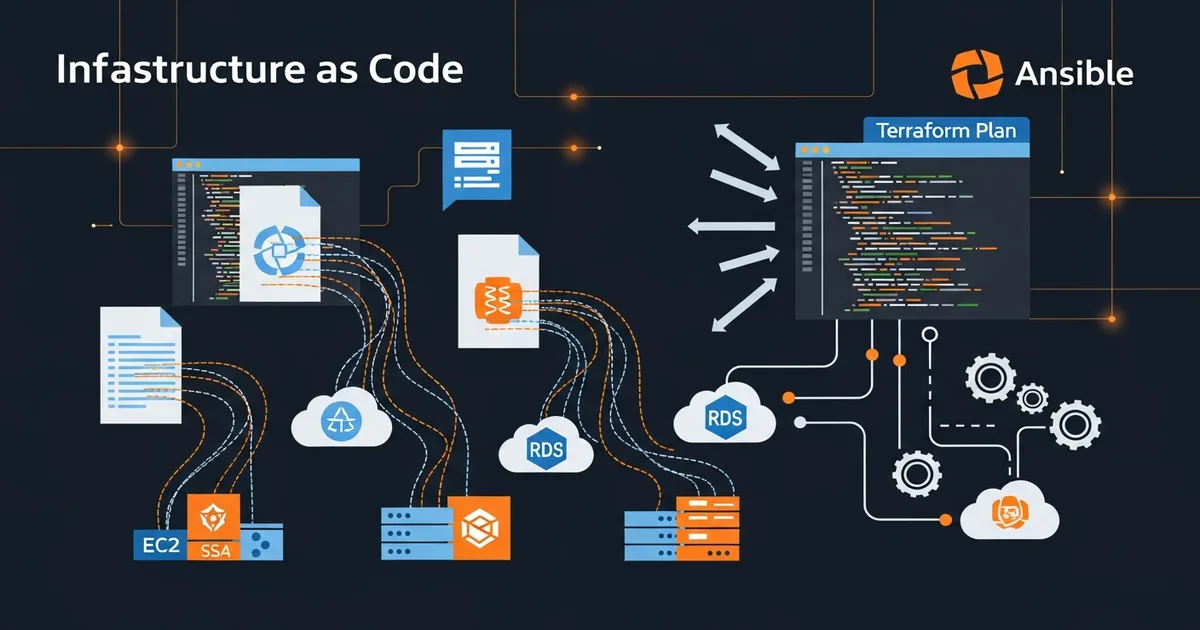
Terraform & Infrastructure as Code
Infrastructure as Code (IaC) means defining your servers, networks, databases, and all cloud resources in version-controlled files. Terraform by HashiCorp is the most popular multi-cloud IaC tool in 2026.
Terraform Workflow
# Initialize providers and backend
terraform init

# Preview what will change (dry run)
terraform plan

# Apply changes — create/update/delete resources
terraform apply

# Show managed resources
terraform state list

# Destroy everything (careful!)
terraform destroy
Server Provisioning Example
resource "hcloud_server" "web" {
  name        = "dargslan-web"
  server_type = "cx21"
  image       = "alma-9"
  location    = "nbg1"
  ssh_keys    = [hcloud_ssh_key.deploy.id]

  labels = {
    environment = "production"
    app         = "dargslan"
  }
}

resource "hcloud_firewall" "web" {
  name = "web-firewall"
  rule { direction = "in", protocol = "tcp", port = "22" }
  rule { direction = "in", protocol = "tcp", port = "80" }
  rule { direction = "in", protocol = "tcp", port = "443" }
}terraform.tfstate to Git — it contains sensitive data and concurrent access causes corruption.
Ansible & Configuration Management
While Terraform provisions infrastructure (creates servers), Ansible configures them (installs software, deploys applications). Use both together for complete automation.
Server Setup Playbook
---
- name: Configure Web Servers
  hosts: webservers
  become: yes
  vars:
    php_version: "8.3"
    domain: "dargslan.com"

  tasks:
    - name: Install required packages
      dnf:
        name: [nginx, "php{{ php_version }}-fpm", git]
        state: present

    - name: Deploy nginx configuration
      template:
        src: templates/nginx.conf.j2
        dest: "/etc/nginx/conf.d/{{ domain }}.conf"
      notify: Restart nginx

    - name: Deploy application from Git
      git:
        repo: https://github.com/Dargslan/dargslan-ebook-store.git
        dest: /var/www/dargslan
        version: main

  handlers:
    - name: Restart nginx
      service: { name: nginx, state: restarted }
Monitoring: Prometheus & Grafana
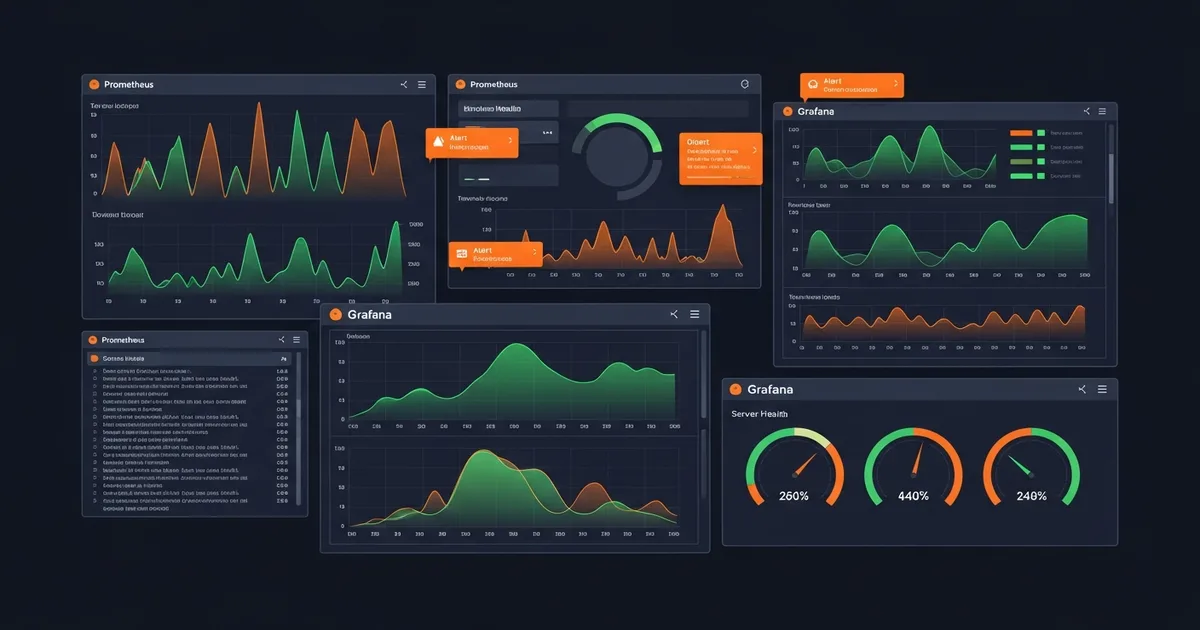
Monitoring is not optional in production. The SRE (Site Reliability Engineering) approach defines Four Golden Signals that every system should monitor:
- Latency — Time to serve a request. Track p50, p95, p99 percentiles.
- Traffic — Requests per second. Understand normal patterns to detect anomalies.
- Errors — Rate of failed requests (5xx). Alert when error rate exceeds 1%.
- Saturation — How full your service is. CPU, memory, disk, connection pools.
Prometheus + Grafana Docker Stack
services:
  prometheus:
    image: prom/prometheus:v2.50.0
    volumes:
      - ./prometheus.yml:/etc/prometheus/prometheus.yml
    ports: ["9090:9090"]

  grafana:
    image: grafana/grafana:10.3.0
    environment:
      GF_SECURITY_ADMIN_PASSWORD: ${GRAFANA_PASS}
    ports: ["3000:3000"]

  node-exporter:
    image: prom/node-exporter:v1.7.0
    pid: host
    volumes:
      - /proc:/host/proc:ro
      - /sys:/host/sys:ro
Essential Alert Rules
groups:
  - name: critical
    rules:
      - alert: HighCPUUsage
        expr: 100 - (avg(rate(node_cpu_seconds_total{mode="idle"}[5m])) * 100) > 80
        for: 5m
        labels: { severity: warning }

      - alert: DiskSpaceLow
        expr: (node_filesystem_avail_bytes / node_filesystem_size_bytes) * 100 < 15
        for: 10m
        labels: { severity: critical }

      - alert: ServiceDown
        expr: up == 0
        for: 1m
        labels: { severity: critical }
Centralized Logging: ELK/EFK Stack
Centralized logging aggregates logs from all services into one searchable system. The two most popular stacks are:
- ELK: Elasticsearch + Logstash + Kibana (heavyweight, feature-rich)
- EFK: Elasticsearch + Fluentd + Kibana (lighter, Kubernetes-native)
- Loki: Grafana Loki (lightest, labels-only indexing, 10x less storage than ELK)
Structured JSON Logging
{
  "timestamp": "2026-03-18T10:30:00Z",
  "level": "info",
  "message": "User login successful",
  "service": "auth-api",
  "user_id": 42,
  "ip": "192.168.1.1",
  "duration_ms": 234,
  "request_id": "req-abc123"
}
Log Levels Guide
| Level | When to Use | Example |
|---|---|---|
| FATAL | App cannot continue | Database pool exhausted |
| ERROR | Operation failed | Payment API timeout |
| WARN | Potential issue | Disk at 85%, slow response |
| INFO | Business events | Order placed, user registered |
| DEBUG | Dev details | SQL query took 23ms |
Cloud Platforms: AWS vs GCP vs Azure
| Category | AWS | GCP | Azure |
|---|---|---|---|
| Compute | EC2, Lambda | Compute Engine, Cloud Run | VMs, Functions |
| Containers | EKS, Fargate | GKE Autopilot | AKS |
| Database | RDS, DynamoDB | Cloud SQL, Firestore | Azure SQL, CosmosDB |
| Storage | S3 | Cloud Storage | Blob Storage |
| CI/CD | CodePipeline | Cloud Build | Azure Pipelines |
| Monitoring | CloudWatch | Cloud Monitoring | Azure Monitor |
Security & DevSecOps
DevSecOps integrates security into every phase of the DevOps pipeline instead of treating it as an afterthought. The principle is simple: shift security left — catch vulnerabilities as early as possible.
DevSecOps Pipeline Stages
- Pre-commit: Secret detection (git-secrets), linting, dependency checks
- Build: SAST (SonarQube, Semgrep) — scan code for vulnerabilities
- Test: DAST (OWASP ZAP) — test running application for vulnerabilities
- Image: Container scanning (Trivy, Snyk) — check base image CVEs
- Deploy: Infrastructure scanning (Checkov, tfsec) — validate IaC
- Runtime: Runtime protection (Falco) — detect anomalous behavior
SSH Hardening
# /etc/ssh/sshd_config
Port 2222                        # Non-standard port
PermitRootLogin no               # Disable root login
PasswordAuthentication no        # Key-only authentication
MaxAuthTries 3
AllowUsers deploy admin
ClientAliveInterval 300

# Generate strong SSH key
ssh-keygen -t ed25519 -C "deploy@dargslan.com"
Server Hardening Checklist
- Automatic updates: Enable dnf-automatic for security patches
- Fail2Ban: Ban IPs after 5 failed login attempts
- SELinux: Keep enabled — never disable it
- Firewall: Allow only ports 22, 80, 443. Default deny all.
- SSL/TLS: Let's Encrypt with auto-renewal. HSTS header. TLS 1.3.
- Backups: Automated daily. Test restore monthly. 3-2-1 backup rule.
- Audit logging: auditd for tracking system calls and sudo usage
Download the Free 30-Page DevOps Complete Guide PDF
Get Your Free DevOps Cheatsheet
30 pages of production-ready DevOps knowledge. CI/CD, Docker, Kubernetes, Terraform, Ansible, Monitoring, Security — everything in one beautifully designed PDF.
Enter your email to receive the free 30-page DevOps guide. No spam, unsubscribe anytime.
Want 30% Off Any DevOps eBook?
Use coupon code DEVOPS30 at checkout to get 30% off any DevOps, Docker, Kubernetes, or Cloud eBook in our store. Valid until December 31, 2026.
Browse our complete eBook catalog with 200+ professional IT books covering Linux, DevOps, Cloud, Security, Python, and more.
Related Resources
📚 Recommended Books
Free · Containers from zero to production ☸️ Kubernetes Fundamentals
Free · Orchestrate containers at scale ⚙️ Ansible Automation: Zero to Production
Free · Infrastructure as Code mastery ☁️ AWS for Linux Administrators
Free · Deploy & manage cloud infrastructure 🔗 Webhook Automation in Practice
Free · Automate workflows & integrations 🐧 Linux Administration Fundamentals
Free · Essential sysadmin skills
📖 Related Articles
- → Docker in 2026: The Complete Guide to Containerization
- → CI/CD Pipeline Best Practices: Building Reliable Deployment Workflows
- → Docker vs Kubernetes in 2026: What's the Difference?
- → Ansible Automation Complete Guide: From Zero to Production
- → NGINX Fundamentals: Complete Guide to Web Server & Reverse Proxy
- → Docker Cheat Sheet: 30 Essential Commands You Need Daily
- → 15 Bash Scripts That Will Automate Your Linux Server Management
About Dargslan
Dargslan is a professional IT eBook store offering 200+ books and 140+ free cheatsheets covering DevOps, Linux, Cloud, Security, Programming, and IT Administration. All our guides are written by experienced engineers and updated regularly for 2026. Visit dargslan.com to explore our complete catalog.



