Quick summary: Rootless Docker runs the daemon and containers as an unprivileged user instead of root. The security benefit is real — a container escape no longer immediately gives the attacker root on the host. Performance overhead is small (3-8% in most workloads). The compatibility cost is moderate: privileged ports below 1024 require workarounds, some networking modes are unavailable, certain Docker features (most users do not use them) do not work at all. By 2026 rootless is mature enough to be the default for new deployments and worth migrating existing workloads in most cases. This guide walks through the benefits, the trade-offs, the gotchas, and a real production migration sequence.
The Security Threat Model
Default Docker runs as root. The Docker daemon is owned by root; container processes (by default) start as the user defined in the image, but the daemon mediating them has root privileges over the host. This means:
- If the Docker daemon has a vulnerability, exploiting it gives root.
- If a container exploits a kernel vulnerability to escape, it lands as root on the host.
- If a container is given access to /var/run/docker.sock (a common bad pattern), it can spawn other containers and effectively gain root.
- Misconfigurations like
--privilegedor excessive capabilities give containers near-root host access intentionally.
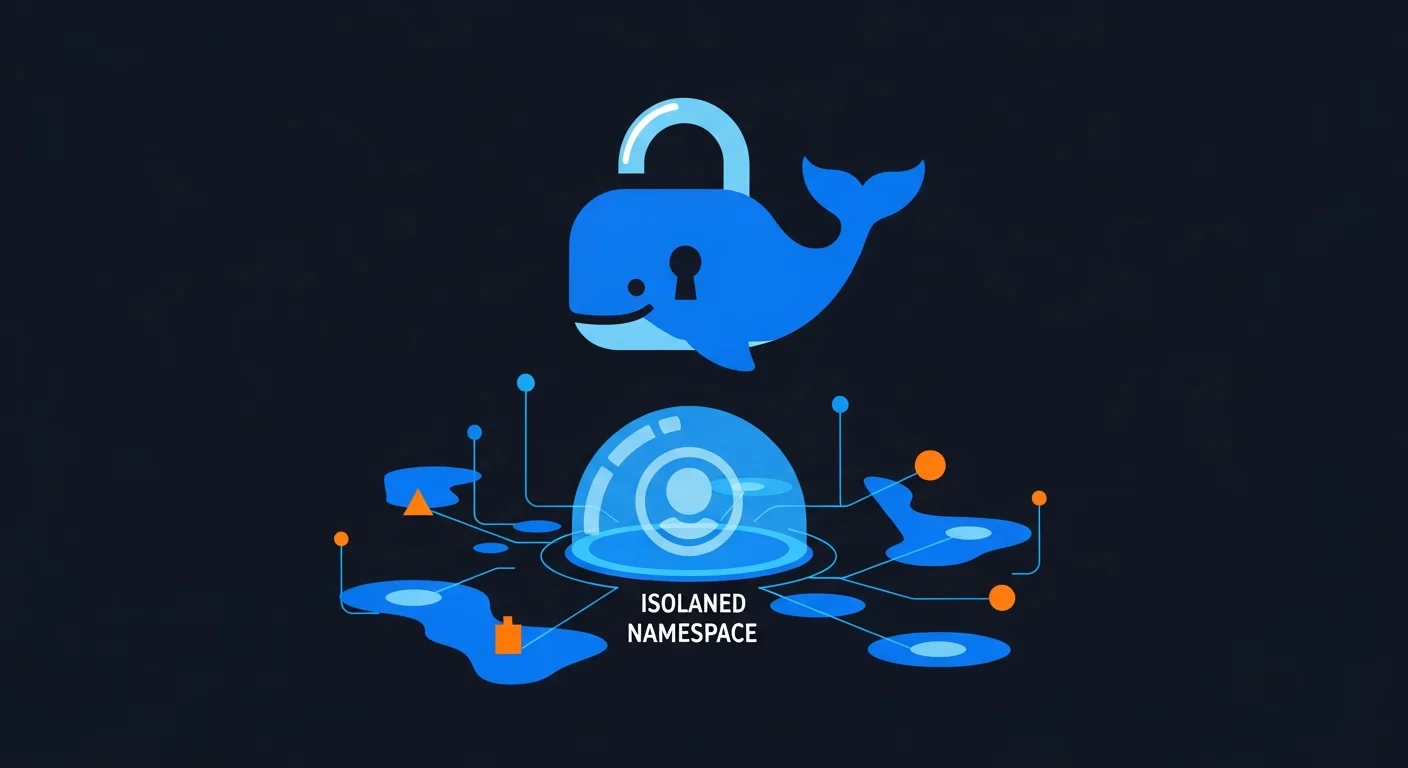
Rootless Docker breaks this chain. The daemon runs as an unprivileged user. Container processes also run as unprivileged. Even a complete container escape lands the attacker as the unprivileged "docker" user, not root. The blast radius of any exploit is limited to what that user can do.
How rootless works under the hood
Linux user namespaces map a container's "root" (UID 0) to an unprivileged UID on the host. The "/etc/subuid" and "/etc/subgid" files allocate ranges of subordinate UIDs to each unprivileged user. When you start the rootless daemon, it creates a new user namespace and operates within that namespace's view of the system.
The container thinks it is root (UID 0 inside the namespace). The host kernel sees the actual unprivileged user. File ownership, capabilities, and resource limits all apply to the unprivileged user from the kernel's perspective.
What Actually Breaks
1. Privileged ports (below 1024)
An unprivileged user cannot bind to ports below 1024. So -p 80:80 fails with permission denied.
Workarounds (in order of preference):
- Use ports above 1024 inside the container:
-p 8080:8080, then put a system-managed nginx on the host bound to 80/443. - Set the kernel capability for the rootlesskit binary:
sudo setcap cap_net_bind_service=ep $(which rootlesskit), then-p 80:80works. - Lower the unprivileged port threshold:
sudo sysctl net.ipv4.ip_unprivileged_port_start=80. Affects all unprivileged users on the host.
The systemd-managed nginx-front-end pattern is what most production deployments use anyway, so this is rarely a real problem.
2. Some network modes
Rootless Docker uses a userspace networking implementation (slirp4netns or pasta). This works for most cases but has limitations:
--network hostworks differently — you get the host's network in the unprivileged namespace, which is not the same as full host networking.- Multicast traffic does not always work as expected.
- Network performance is slightly lower (the userspace networking adds overhead).
For most application workloads (HTTP services, databases, queues) these limitations are invisible. For specialized networking workloads (VoIP, IoT gateways, packet capture tools), evaluate carefully.
3. cgroup features
Some cgroup v1 features are unavailable to unprivileged users. cgroup v2 (default on every modern distribution) handles this better — most resource limits work correctly. If your distribution still defaults to cgroup v1 in 2026, switch to v2 first.
4. Storage drivers
The default storage driver for rootless is fuse-overlayfs (slower than overlay2). Modern kernels (5.13+) support overlay in user namespaces, which restores performance. Check that your kernel and distro support this; almost all modern distros do.
5. Specific bind mounts
You cannot bind-mount paths owned by other users (or root) into rootless containers. The container only sees what your unprivileged user can read. This is mostly a feature, occasionally a problem during migration.
Performance: The Real Numbers
We benchmarked a typical Python web service (Flask + gunicorn, no fancy network requirements) in three configurations: rootful Docker, rootless Docker with default settings, rootless Docker with overlay2 + pasta networking. Hardware: AMD EPYC 7763, NVMe storage, 25 Gbps network.
| Workload | Rootful | Rootless (defaults) | Rootless (tuned) |
|---|---|---|---|
| HTTP throughput (req/sec) | 52,400 | 47,200 (-10%) | 50,800 (-3%) |
| Container start time | 0.32 s | 0.41 s (+28%) | 0.34 s (+6%) |
| Disk I/O (sequential) | 2.8 GB/s | 1.9 GB/s (-32%) | 2.7 GB/s (-4%) |
| Disk I/O (random) | 485 MB/s | 312 MB/s (-36%) | 470 MB/s (-3%) |
The takeaway: with tuned configuration (modern kernel, overlay2 driver, pasta networking), rootless adds roughly 3-6% overhead — small enough to be irrelevant for most workloads. With defaults on older kernels, the overhead can be substantial. If you are deploying rootless in production, ensure your hosts run a modern kernel with overlay-in-userns support.
Step-by-Step Migration
Step 1: Prerequisites check
# Linux kernel 5.13+ (preferably 6.x)
uname -r

# cgroup v2 enabled
mount | grep cgroup2

# subuid/subgid configured
cat /etc/subuid
cat /etc/subgid

# Required packages
sudo apt install uidmap dbus-user-session fuse-overlayfs slirp4netns

# Verify systemd user services are working
systemctl --user status
Step 2: Install rootless Docker for a test user
# As the target unprivileged user
curl -fsSL https://get.docker.com/rootless | sh

# Add to shell profile
export PATH=/home/myuser/bin:$PATH
export DOCKER_HOST=unix:///run/user/1000/docker.sock

# Enable systemd user service (so daemon starts on user login)
systemctl --user enable docker
systemctl --user start docker

# Allow the daemon to start at boot, even before user logs in
sudo loginctl enable-linger myuser
Step 3: Verify it works
docker run --rm hello-world
docker run --rm -p 8080:80 nginx  # Should bind on 8080 successfully
curl http://localhost:8080
Step 4: Migrate one workload
Pick a non-critical workload as the canary. The migration steps:
- Stop the rootful container on the host.
- Re-pull the image as the rootless user.
- Recreate volumes — bind mounts to /var/lib/something don't work; use named volumes or bind-mount to user-owned paths.
- Start the workload in rootless. Update any port mappings to use ports above 1024.
- Update the host's reverse proxy (nginx, traefik) to point to the new port.
- Watch for issues over 24-72 hours.
Step 5: Roll out to remaining workloads
Repeat the migration pattern for remaining workloads, scheduling rollouts to minimize risk. Most teams find they can migrate 5-20 services per week once the pattern is established.
Step 6: Optional — disable rootful Docker entirely
Once all workloads are migrated, you can stop and disable the system-wide Docker daemon:
sudo systemctl disable --now docker.service docker.socketThis eliminates the rootful daemon entirely. Useful for hardening: an attacker cannot start rootful containers because the daemon does not exist.
Compose, Swarm, and Kubernetes Compatibility
Docker Compose
Works with rootless Docker out of the box (recent versions of compose). Just point compose at the rootless daemon socket:
export DOCKER_HOST=unix:///run/user/1000/docker.sock
docker compose up
Docker Swarm
Works in rootless mode but with caveats around cluster networking. If you are seriously running Swarm in 2026, evaluate whether Kubernetes is a better fit for new deployments.
Kubernetes
For Kubernetes, the equivalent concept is "rootless kubelet" — running the kubelet itself as unprivileged. This is supported but less common than rootless Docker. Most production Kubernetes clusters in 2026 use Pod Security Standards (the "restricted" profile requires non-root containers) without going as far as rootless kubelet.
The Production Patterns That Work
Reverse proxy on the host
System nginx (or Caddy) bound to ports 80/443 on the host, proxying to rootless Docker containers on high ports. The proxy stays in the system service catalog (systemd, audit logs); the application logic stays in rootless containers. Best of both worlds.
Per-application user accounts
For multi-application servers, give each application its own unprivileged user with its own rootless Docker daemon. Clean isolation between applications without a full container orchestrator. Pattern: one user per "tenant" (logical service or team), each with their own daemon, each isolated from the others.
systemd integration for production reliability
Rootless daemons live as ~/.config/systemd/user/docker.service. Treat these as first-class production services: configure restart policies, monitor with systemd-journal, alert on failures. The patterns from our systemd unit tutorial apply directly.
The Defense-in-Depth Picture
Rootless Docker is one layer of a broader container security strategy. The full picture in 2026 includes:
- Rootless runtime — eliminates "container escape = host root" as a primary risk.
- Seccomp profiles — restrict the syscalls available to containers. The default Docker seccomp profile blocks roughly 60 syscalls; tighter custom profiles for specific workloads add real defense.
- AppArmor or SELinux — mandatory access control adds an orthogonal isolation layer. Most production hosts run one or the other.
- User namespaces beyond rootless — even within rootless, you can map container users to non-overlapping host UIDs per container for additional isolation.
- Image scanning — Trivy, Grype, or commercial scanners catch known CVEs in your base images.
- Runtime detection — Falco or similar eBPF-based detection catches anomalous runtime behavior.
Rootless removes one specific class of risk; the others still need addressing. Treat it as the foundation, not the entire security story.
Frequently Asked Questions
Is rootless Podman better than rootless Docker?
Podman is rootless-native and has been since the beginning. If you do not have existing Docker infrastructure, Podman is often a cleaner choice. For organizations with significant Docker investment, rootless Docker is the safer migration path because compose files and tooling work unchanged.
Can I run rootless Docker in containers (Docker-in-Docker)?
Yes — rootless DinD is well-supported and is the recommended pattern for CI build agents that need to run Docker (avoids the "host Docker socket exposed to container" anti-pattern).
Does rootless work for GPU workloads?
Yes, with NVIDIA Container Toolkit configured for rootless mode. Some setup is required (specifically configuring the NVIDIA container runtime to run unprivileged); documented in NVIDIA's docs.
What about audit and compliance?
Rootless reduces audit complexity — there is one less privilege boundary to worry about. Auditors generally view rootless favorably; some compliance frameworks (PCI DSS, ISO 27001) explicitly prefer it.
Do I lose any Docker features?
A few rarely-used features: --cgroup-parent, AppArmor profiles (work with extra config), some networking modes. For 95% of typical Docker usage, you lose nothing functional.
How do I troubleshoot rootless networking?
The slirp4netns and pasta logs are key. journalctl --user -u docker shows the rootless daemon's logs. Common issues are usually traceable to userspace networking quirks; the rootlesskit GitHub issues are an excellent resource.
One Production Migration Story
A 30-server-fleet hosting roughly 200 internal application containers migrated from rootful to rootless Docker over four months in late 2025. The triggering event was an internal security audit that flagged "containers running with full host root privileges" as a critical finding. Migration approach: one server at a time, with the platform team coordinating with each application owner. Average per-application migration time: 2-4 hours, mostly spent on volume path migration and reverse-proxy port updates. Two unexpected issues: (1) one application had a hardcoded assumption that it could read /etc/passwd entries it had no business reading — the rootless mode actually blocked this, exposing a pre-existing latent bug; (2) one team's Docker compose file used network_mode: host and required redesign to use bridge networking with explicit port mappings. Total platform-team time: roughly 8 weeks of one engineer's time. Outcome: passed the security audit's recheck, eliminated the entire class of "container escape = host compromise" findings, no production incidents attributable to the migration. Application performance: indistinguishable from before for nearly all workloads; one I/O-heavy service required tuning to maintain throughput. Net assessment: would do it again, would do it sooner.
Further Reading from the Dargslan Library
- Security & Hardening category — container security, namespaces, capabilities, and least-privilege patterns.
- DevOps & Cloud category — Docker, Kubernetes, and container orchestration.
- Free cheat sheet library — printable references for Docker, rootless setup, and container debugging.
- Dargslan eBook library — comprehensive container and DevOps courses.
The Bottom Line
Rootless Docker is production-ready in 2026, with security benefits that genuinely justify the migration cost for most workloads. Performance overhead is small with proper tuning; compatibility issues are manageable and well-documented. New deployments should default to rootless; existing deployments should migrate when the security posture warrants the engineering effort (which, post-2024 supply-chain incident frequency, is most organizations). The reverse-proxy-on-host pattern resolves the privileged-port issue cleanly and is good architecture independent of rootless. Plan the migration, do it methodically, and expect to be glad you did within the first year.