
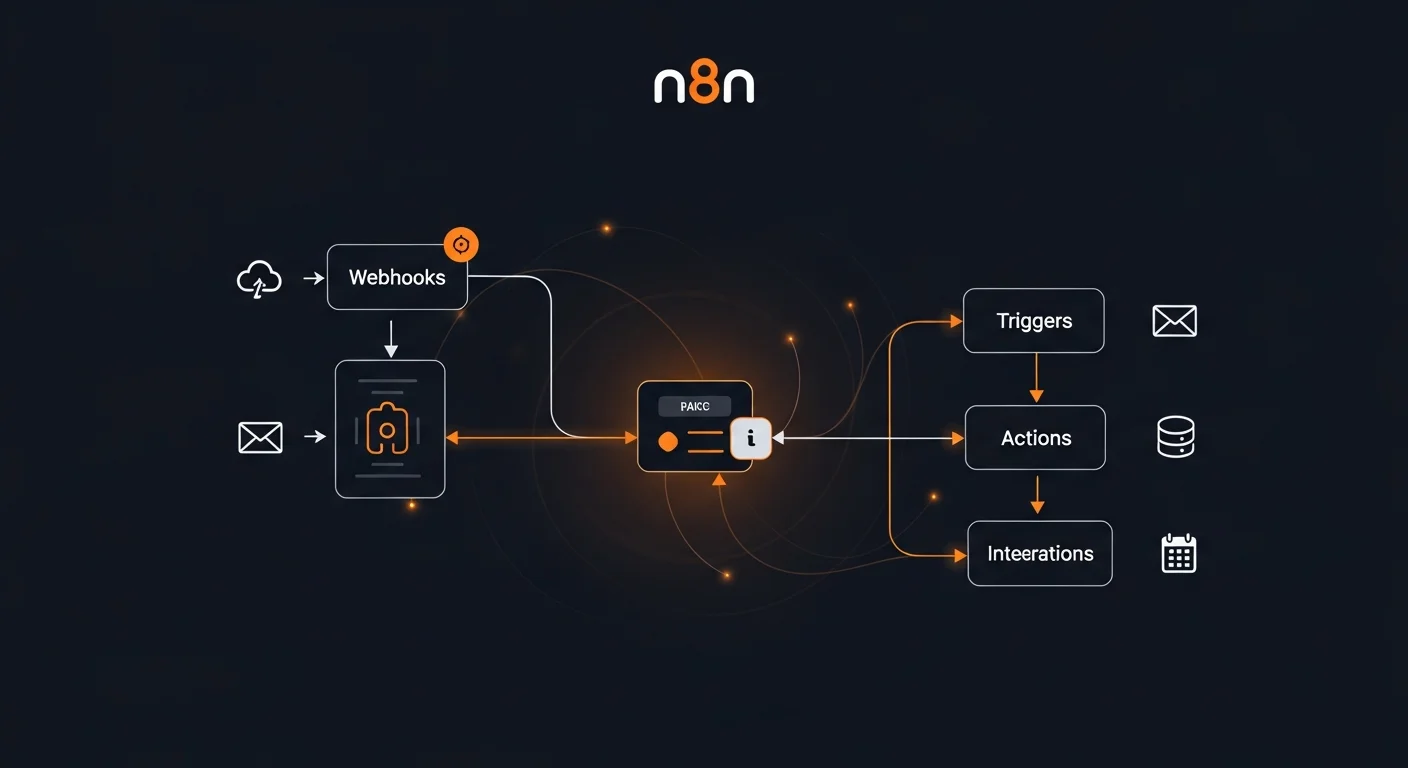
Manual processes kill productivity. Every hour your team spends copying data between apps, sending notification emails by hand, or manually syncing databases is an hour lost to work that a machine could handle flawlessly. n8n (pronounced "nodemation") is the open-source workflow automation platform that changes this — giving you full control over your automations with a visual editor, 400+ built-in integrations, and the freedom to self-host on your own infrastructure.
In this comprehensive guide, you will learn everything from basic node concepts to production-scale deployment patterns. Whether you are automating a personal project or building enterprise-grade workflows, this guide has you covered.
Table of Contents
- What is n8n?
- Why Choose n8n Over Alternatives?
- Installation & Setup
- Core Concepts: Nodes, Connections & Workflows
- Trigger Nodes & Webhooks
- Data Transformation & Expressions
- 400+ Integrations Ecosystem
- Error Handling & Retry Logic
- Self-Hosting with Docker
- Production Configuration
- Security & Access Control
- Monitoring & Debugging
- Custom Node Development
- Advanced Patterns & Scaling
- Automation Recipes
- Resources & Next Steps
What is n8n?
n8n is a fair-code licensed, self-hostable workflow automation platform that connects your apps, APIs, and services through a visual node-based editor. Think of it as a more powerful, developer-friendly alternative to Zapier or Make — but one you can run on your own servers with complete data sovereignty.
At its core, n8n works with three simple concepts:
- Nodes — Individual units of work (HTTP request, database query, email send, data transformation)
- Connections — Data flows between nodes as JSON objects
- Workflows — Collections of connected nodes that define a complete automation
What makes n8n special is the balance between visual simplicity and developer power. You can build most automations by dragging and dropping nodes, but when you need custom logic, you can write JavaScript or Python directly in Code nodes with full npm package support.

Why Choose n8n Over Alternatives?
The automation platform market is crowded, but n8n stands out in several critical areas:
Self-Hosting & Data Sovereignty
Unlike Zapier or Make, n8n can run entirely on your infrastructure. Your workflow data, credentials, and execution logs never leave your servers. For organizations handling sensitive data or operating under strict compliance requirements (GDPR, HIPAA, SOC 2), this is not just nice to have — it is essential.
Open Source & Extensible
With full source code access, you can audit exactly what n8n does with your data. More importantly, you can build custom nodes in TypeScript for proprietary integrations that no SaaS platform would ever support. This extensibility makes n8n a long-term investment rather than a vendor lock-in risk.
Cost Efficiency at Scale
SaaS automation platforms charge per task or per operation. At scale (10,000+ operations/month), costs can spiral. A self-hosted n8n instance on a $20/month VPS handles the same load at a fraction of the cost — with no artificial limits on executions, workflows, or team members.
Developer-Friendly
Code nodes support JavaScript and Python with async/await, npm packages, and proper error handling. You can version control workflows as JSON, manage them via REST API, and integrate n8n into your CI/CD pipeline.

Installation & Setup
n8n offers multiple installation methods. Docker is recommended for production, while npm works well for local development.
Docker (Recommended)
The fastest way to get started:
docker run -it --rm --name n8n \
  -p 5678:5678 \
  -v n8n_data:/home/node/.n8n \
  docker.n8n.io/n8nio/n8n
Open http://localhost:5678 in your browser to access the n8n editor.
Docker Compose (Production)
For production, use Docker Compose with PostgreSQL:
version: "3.8"
services:
  n8n:
    image: docker.n8n.io/n8nio/n8n:latest
    restart: always
    ports:
      - "127.0.0.1:5678:5678"
    environment:
      - N8N_HOST=n8n.yourdomain.com
      - N8N_PROTOCOL=https
      - DB_TYPE=postgresdb
      - DB_POSTGRESDB_HOST=postgres
      - DB_POSTGRESDB_DATABASE=n8n
      - N8N_ENCRYPTION_KEY=${ENCRYPTION_KEY}
    volumes:
      - n8n_data:/home/node/.n8n
    depends_on:
      - postgres
  postgres:
    image: postgres:16-alpine
    restart: always
    volumes:
      - postgres_data:/var/lib/postgresql/data
npm Installation
For quick local development:
npm install n8n -g
n8n start
Core Concepts: Nodes, Connections & Workflows
Understanding n8n's architecture is essential for building reliable automations.
Nodes
Every node performs a specific action. n8n ships with 400+ built-in nodes organized into categories:
- Action nodes — HTTP Request, Set, Function, Code, Crypto, Date & Time
- Flow control — IF, Switch, Merge, Split In Batches, Wait, Execute Workflow
- Trigger nodes — Webhook, Cron/Schedule, Email, Database, RSS, Chat
- Integration nodes — Slack, Gmail, GitHub, PostgreSQL, Stripe, OpenAI, and hundreds more
Data Flow
Data flows between nodes as arrays of JSON objects. Each node receives input items, processes them, and passes output items to the next node. This functional, pipeline-style architecture makes workflows predictable and debuggable.
Executions
Every time a workflow runs, n8n creates an execution record with the complete input/output data at every node. This means you can always trace back exactly what happened, what data flowed through each node, and where things went wrong.

Trigger Nodes & Webhooks
Workflows start with trigger nodes. These define when and how a workflow activates.
Webhook Trigger
The most versatile trigger. Creates an HTTP endpoint that external systems can call:
- Supports GET, POST, PUT, DELETE methods
- Authentication via Header Auth, Basic Auth, or custom validation
- Response modes: immediate (fast ACK) or wait-for-completion
- Separate test and production URLs for safe development
Schedule Trigger
Run workflows on a schedule using cron expressions:
*/5 * * * *— Every 5 minutes0 9 * * 1-5— Weekdays at 9:00 AM0 0 1 * *— First day of every month
Event-Based Triggers
Monitor external services for changes:
- Email Trigger — React to new emails via IMAP
- Postgres Trigger — Listen for database changes via LISTEN/NOTIFY
- RSS Feed Trigger — Monitor content feeds for new entries
- Chat Trigger — Accept messages for AI agent workflows

Data Transformation & Expressions
n8n provides a powerful expression system for manipulating data inline, plus Code nodes for complex transformations.
Expression Syntax
Use double curly braces to reference data in any node field:
{{ $json.fieldName }}              // Current item field
{{ $json.nested.field }}           // Nested field access
{{ $node["NodeName"].json.field }} // Data from a specific node
{{ $now.format("YYYY-MM-DD") }}   // Formatted current date
{{ $json.age > 18 ? "adult" : "minor" }} // Ternary expression
{{ $env.MY_SECRET }}               // Environment variable
Code Node Transformations
For complex logic, the Code node supports full JavaScript and Python:
// Filter active users
return $input.all().filter(item =>
  item.json.status === "active"
);

// Transform and enrich data
return $input.all().map(item => ({
  json: {
    fullName: item.json.firstName + " " + item.json.lastName,
    email: item.json.email.toLowerCase(),
    processedAt: new Date().toISOString()
  }
}));
400+ Integrations Ecosystem
n8n's integration library covers virtually every major service and platform:
| Category | Services |
|---|---|
| Communication | Slack, Discord, Telegram, Microsoft Teams, Twilio, SendGrid |
| Google Suite | Gmail, Sheets, Drive, Calendar, Docs, BigQuery |
| Project Management | Jira, Linear, Notion, Asana, Monday.com, ClickUp |
| CRM & Sales | HubSpot, Salesforce, Pipedrive, Zoho |
| Databases | PostgreSQL, MySQL, MongoDB, Redis, Supabase, Airtable |
| Cloud & DevOps | AWS S3/Lambda/SQS, GitHub, GitLab, Docker |
| AI & ML | OpenAI, Anthropic, Google AI, Pinecone, LangChain |
| E-commerce | Shopify, Stripe, PayPal, WooCommerce |
Credential Management
n8n securely manages API keys, OAuth tokens, and database passwords. Credentials are encrypted at rest with AES-256-CBC using your N8N_ENCRYPTION_KEY. Exported workflows never include credential values, making them safe to share and version control.
Error Handling & Retry Logic
Production automations must handle failures gracefully. n8n provides multiple error handling mechanisms:
Error Workflows
Configure a dedicated workflow that runs whenever any workflow fails. This workflow receives error details including the workflow name, failed node, error message, and execution URL — perfect for routing to Slack or PagerDuty.
Per-Node Error Handling
- Continue On Fail — The node outputs error data instead of stopping the workflow
- Retry On Fail — Automatically retry with configurable delays and exponential backoff
- Error Output — Route error items to a separate branch for custom handling
Common Error Patterns
| Error | Cause | Solution |
|---|---|---|
| HTTP 429 | Rate limiting | Add Wait node, reduce batch size, exponential backoff |
| HTTP 401/403 | Auth failure | Refresh OAuth tokens, check API key validity |
| Timeout | Slow API response | Increase timeout, use async pattern |
| Memory | Large dataset | Split In Batches, limit query results |
Self-Hosting with Docker
Self-hosting gives you complete control over your data and eliminates per-execution costs. Here is a production-ready Docker Compose setup:

Production Docker Compose
version: "3.8"
services:
  n8n:
    image: docker.n8n.io/n8nio/n8n:latest
    restart: always
    ports:
      - "127.0.0.1:5678:5678"
    environment:
      - N8N_HOST=${N8N_HOST}
      - N8N_PROTOCOL=https
      - NODE_ENV=production
      - WEBHOOK_URL=https://${N8N_HOST}/
      - DB_TYPE=postgresdb
      - DB_POSTGRESDB_HOST=postgres
      - DB_POSTGRESDB_DATABASE=n8n
      - DB_POSTGRESDB_USER=n8n
      - DB_POSTGRESDB_PASSWORD=${DB_PASSWORD}
      - N8N_ENCRYPTION_KEY=${ENCRYPTION_KEY}
      - EXECUTIONS_DATA_PRUNE=true
      - EXECUTIONS_DATA_MAX_AGE=168
    volumes:
      - n8n_data:/home/node/.n8n
    depends_on:
      postgres:
        condition: service_healthy
  postgres:
    image: postgres:16-alpine
    restart: always
    healthcheck:
      test: ["CMD-SHELL", "pg_isready -U n8n"]
      interval: 5s
    volumes:
      - postgres_data:/var/lib/postgresql/data
Nginx Reverse Proxy
Always put n8n behind a reverse proxy with SSL:
server {
    listen 443 ssl http2;
    server_name n8n.yourdomain.com;

    location / {
        proxy_pass http://127.0.0.1:5678;
        proxy_http_version 1.1;
        proxy_set_header Upgrade $http_upgrade;
        proxy_set_header Connection "upgrade";
        proxy_set_header Host $host;
        proxy_set_header X-Real-IP $remote_addr;
        proxy_set_header X-Forwarded-Proto https;
        proxy_buffering off;
    }
}
Production Configuration
Key environment variables for a production n8n instance:
| Variable | Purpose |
|---|---|
N8N_ENCRYPTION_KEY | Master key for credential encryption (CRITICAL - back up!) |
N8N_HOST | Public hostname for webhook URLs |
WEBHOOK_URL | Full base URL for webhooks |
EXECUTIONS_DATA_PRUNE | Auto-delete old execution data (set to true) |
EXECUTIONS_DATA_MAX_AGE | Hours to keep data (168 = 7 days) |
EXECUTIONS_TIMEOUT | Max seconds per execution (300 = 5 min) |
N8N_DIAGNOSTICS_ENABLED | Disable telemetry in production (false) |
Security & Access Control
Security is paramount for any automation platform that holds credentials to your services.
Security Hardening Checklist
- Network isolation — Bind n8n to 127.0.0.1, use Nginx reverse proxy for HTTPS
- Strong encryption key — Generate a random 64-character N8N_ENCRYPTION_KEY
- Firewall — Only allow ports 443 (HTTPS) and 22 (SSH)
- Disable signup — Set N8N_USER_MANAGEMENT_DISABLED=true after creating your owner account
- Webhook authentication — Use Header Auth or HMAC on all production webhooks
- Execution timeouts — Set EXECUTIONS_TIMEOUT to prevent runaway workflows
- Database security — Strong PostgreSQL password, no public access
- Regular backups — Back up both PostgreSQL and the n8n_data volume
Monitoring & Debugging

Execution Monitoring
n8n tracks every workflow execution with full data visibility:
- View execution status, duration, and timestamps
- Inspect input/output data at every node
- Retry failed executions with one click
- Filter executions by status (success, error, waiting)
Building an Alert Workflow
Create a dedicated error notification workflow:
- Error Trigger node catches failures from any workflow
- Set node formats the error message with workflow name, error details, and execution URL
- Slack/Email node sends the alert to your team
- Optional PagerDuty node for critical workflow failures
Health Monitoring
n8n exposes a /healthz endpoint that returns {"status": "ok"}. Monitor it with UptimeRobot (free), Uptime Kuma (self-hosted), or Prometheus + Grafana for comprehensive metrics.
Debugging Tips
- Pin data — Fix test data to a node so you can replay without re-triggering
- Execute Previous Nodes — Re-run only upstream nodes of the one you are working on
- console.log() — Use in Code nodes; output appears in Docker logs
- Test webhooks — Use the test webhook URL during development
Custom Node Development
When the 400+ built-in nodes do not cover your use case, you can build custom nodes in TypeScript.
When to Build Custom Nodes
- Your API is not available as a built-in integration
- You need complex business logic that is hard to express with standard nodes
- You want to share a reusable integration across your team
- You need custom authentication flows
Custom Node Structure
import { INodeType, INodeTypeDescription } from "n8n-workflow";

export class MyCustomNode implements INodeType {
  description: INodeTypeDescription = {
    displayName: "My Custom Node",
    name: "myCustomNode",
    group: ["transform"],
    version: 1,
    inputs: ["main"],
    outputs: ["main"],
    properties: [
      {
        displayName: "API Key",
        name: "apiKey",
        type: "string",
        default: "",
        required: true,
      },
    ],
  };

  async execute(this: IExecuteFunctions) {
    const items = this.getInputData();
    // Your custom logic here
    return [items];
  }
}
Advanced Patterns & Scaling
Queue Mode
For high-throughput environments, n8n supports queue mode using Redis/BullMQ. The main instance handles webhooks and scheduling while separate worker instances execute workflows. This enables horizontal scaling and high availability.
Sub-Workflow Architecture
Break complex automations into reusable sub-workflows:
- Parent workflow — Orchestrates the overall process
- Data processing — Reusable transformation and validation logic
- Notification — Shared alerting (Slack, email, SMS)
- Error handler — Centralized error logging and notification
Design Patterns
| Pattern | Description |
|---|---|
| Fan-out / Fan-in | Split data into parallel branches, merge results |
| Saga | Multi-step transactions with rollback on failure |
| Dead letter queue | Route permanently failed items for manual review |
| Idempotency | Unique IDs prevent duplicate processing on retries |
| Circuit breaker | Stop calling a failing service after N consecutive failures |
Automation Recipes
Here are ready-to-implement automation ideas:
- Slack + GitHub — Post to Slack when new issues or PRs are created
- Form to CRM — Webhook receives form data, creates HubSpot contact
- Email to Task — IMAP trigger parses emails, creates Jira tickets
- Database Backup Alert — Cron runs pg_dump, uploads to S3, confirms via Slack
- Invoice Generator — Stripe webhook triggers PDF generation and email
- RSS to Social — Monitor feeds, auto-post summaries to LinkedIn
- AI Content Pipeline — Webhook triggers OpenAI, saves generated content to CMS
- Lead Scoring — Enriches leads via API, scores and routes to sales rep
- Uptime Monitor — Cron pings URLs, PagerDuty alert if down
- Data Sync — Scheduled sync between databases with conflict resolution
Resources & Next Steps
Recommended Books
Deepen your automation skills with these Dargslan guides:
- Webhook Automation in Practice — Master event-driven automation patterns
- API Basics: REST & JSON Explained — Understand the APIs that n8n connects to
- Docker Fundamentals — Deploy and manage n8n with Docker
- Ansible Automation: From Zero to Production — Infrastructure automation companion
- Docker Compose & Multi-Container Apps — Production Docker orchestration
Official Resources
- Documentation: docs.n8n.io
- Community Forum: community.n8n.io
- Workflow Templates: n8n.io/workflows (1000+ community templates)
- GitHub: github.com/n8n-io/n8n
Download the Cheat Sheet
Get our free n8n Workflow Automation Complete Guide 2026 — a 15-page PDF reference covering nodes, webhooks, Docker deployment, security hardening, monitoring, custom nodes, and production scaling patterns.



