
Claude Cowork represents a fundamental shift in how developers write code. Instead of a passive autocomplete tool, Claude becomes an active pair programming partner that reads your codebase, writes code across multiple files, runs terminal commands, and works alongside you in real-time. Whether you are building a new feature, debugging a complex issue, or refactoring an entire module, Cowork transforms the solo coding experience into a collaborative one.
This comprehensive guide covers everything you need to master Claude Cowork in 2026 — from initial setup and collaboration modes to advanced patterns like delegation, content pipelines, and team integration workflows.
What is Claude Cowork?

Claude Cowork is Anthropic's real-time collaborative development environment where Claude works alongside you as a pair programming partner. Unlike traditional AI code assistants that only suggest single-line completions, Cowork enables Claude to actively read, write, edit, and execute code across your entire project while you maintain full oversight and control.
Key Capabilities
- Real-time collaboration: Claude edits files while you watch, review, and guide the work in real-time
- Full project access: Claude can read any file in your project, search the codebase, and understand your architecture
- Terminal integration: Run shell commands, install packages, start servers, and debug together
- Multi-file editing: Change multiple files in a single operation with atomic consistency
- Conversation-driven: Natural language instructions guide Claude through complex tasks
- Tool ecosystem: Built-in tools for search, file management, database operations, and deployment
How Cowork Differs from Traditional AI Assistants
| Feature | Traditional Assistants | Claude Cowork |
|---|---|---|
| Scope | Single file / line completion | Entire project, multi-file edits |
| Interaction | Tab to accept suggestion | Conversational, iterative dialogue |
| Context | Current file only | Full codebase + terminal + docs |
| Execution | Cannot run code | Runs commands, tests, servers |
| Planning | No planning ability | Creates and executes multi-step plans |
| Review | No code review | Architectural review + debugging |
Getting Started with Cowork
Claude Cowork is available across multiple development platforms. The core collaboration experience is consistent, though each platform has its own access method:
- Replit: Built-in as the AI Agent, available in every project via the chat panel
- Claude Code (CLI): Install via
npm install -g @anthropic-ai/claude-code, then runclaudein your terminal - Cursor: Select Claude as your backend model in the model picker
- VS Code: Via the Claude extension or Continue.dev with a Claude API key
- Windsurf: Built-in Cascade feature powered by Claude models
First Session Checklist
- Project orientation: Let Claude read your project structure and explain the architecture
- Set conventions: Document your tech stack, naming conventions, and project structure in a memory file (replit.md or CLAUDE.md)
- Start small: Begin with a focused task like "add input validation to the login form"
- Review and refine: Check Claude's work before moving to larger tasks
- Scale up: Gradually increase task complexity as you build trust in the collaboration
Collaboration Modes
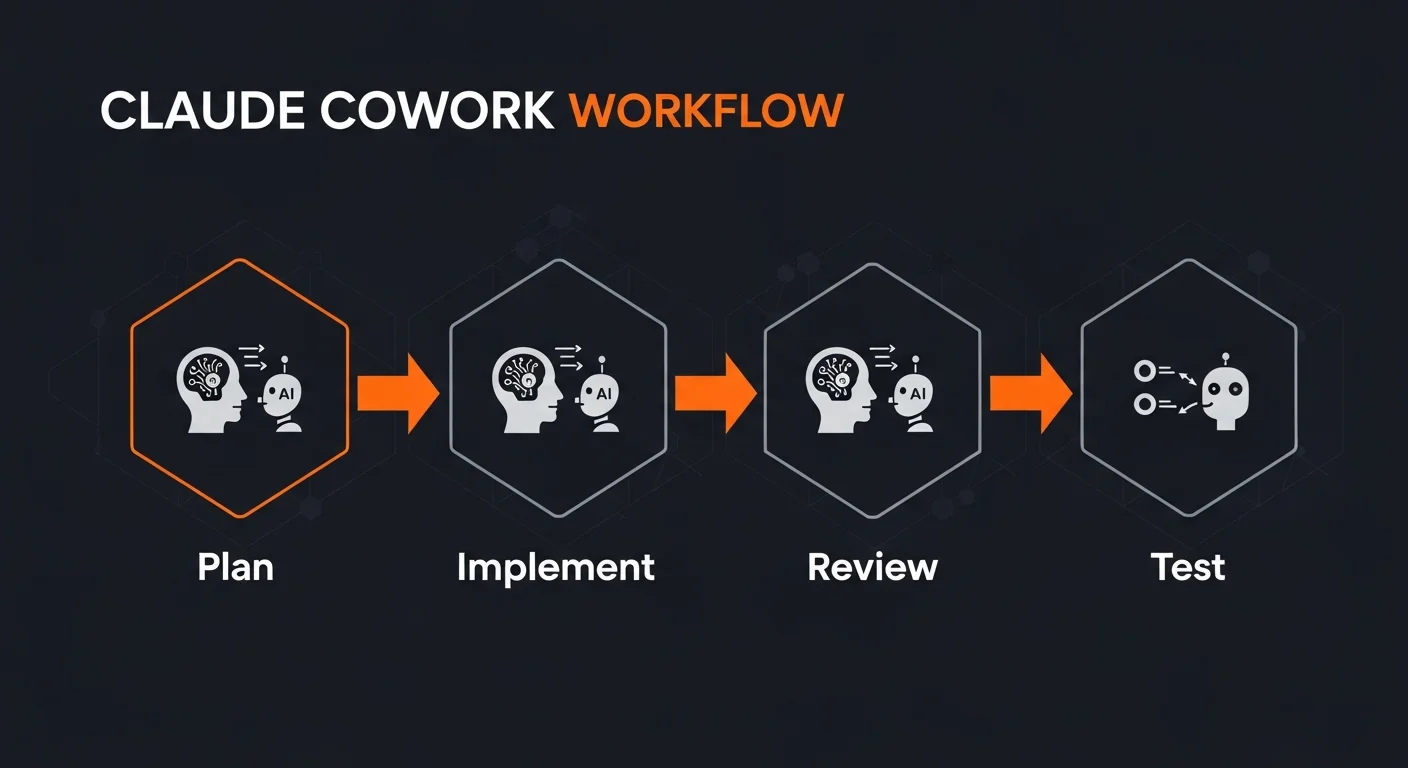
Claude Cowork supports different collaboration styles depending on your needs:
Interactive Mode
The most common mode. You and Claude work together in real-time, with you providing instructions and reviewing each step. This is ideal for learning, exploration, and fine-tuning where you want direct control over every decision.
You: "Add a search bar to the header with autocomplete"
Claude: [Reads layout files, implements search component]
You: "Make the dropdown show book titles and authors"
Claude: [Updates search to include author data]
You: "Add debouncing to the API calls"
Claude: [Implements 300ms debounce on search input]
Background / Autonomous Mode
For larger tasks, Claude works independently while you do other things. You provide a detailed plan and Claude executes all steps, reporting back when finished. This is best for well-defined features where the requirements are clear.
You: "Implement the complete blog system:
1. Create blog_posts table with title, slug, content, etc.
2. Build BlogController with CRUD operations
3. Create list and detail views with pagination
4. Add SEO meta tags and Open Graph support
5. Test everything works end-to-end"

Claude: [Works through all 5 steps autonomously]
Hybrid Mode
Combine both approaches: let Claude work autonomously on the well-defined parts while you provide interactive guidance for the parts that need creative decisions or domain-specific knowledge.
Multi-File Editing and Navigation

One of Cowork's most powerful capabilities is working across multiple files simultaneously. When you ask Claude to add a feature, it can create or modify the model, controller, views, routes, and tests all in one operation.
How Claude Navigates Your Project
| Tool | Purpose | Example |
|---|---|---|
| File Search | Find files by name pattern | Find all *.controller.php files |
| Content Search | Find code by content | Find all uses of getUserById() |
| File Read | Read file contents | Read UserController lines 50-100 |
| File Edit | Replace text in files | Update function signature |
| Explore | Deep codebase analysis | How does authentication work? |
Multi-File Edit Best Practices
- Let Claude explore first: Before making changes, ask Claude to read relevant files to understand the current state
- Reference specific files: "Update src/controllers/BookController.php" is much better than "update the controller"
- Batch related changes: "Update both the model and the controller to add the new field" ensures consistency
- Use search for unknowns: "Find where the checkout logic handles tax calculation" lets Claude discover the right files
Terminal and Command Integration

Claude can execute shell commands directly, making it a powerful partner for system administration, package management, and debugging. Common terminal operations include:
- Package management:
composer require phpmailer/phpmailer,npm install express - Server management: Start, restart, and monitor development servers
- Database operations: Run migrations, seed data, execute queries
- File operations: Convert images, minify assets, organize files
- Git operations: View history, check diffs, analyze changes (read-only)
- Testing: Run test suites, check coverage, debug failures
Terminal Safety
Claude has built-in safety guardrails for terminal operations:
- Commands have a 2-minute timeout to prevent hangs
- Git operations are read-only (no force push, no rewriting history)
- Secrets and environment variables are never displayed in output
- Destructive commands are flagged for your review
Prompt Engineering for Cowork
The quality of your collaboration depends heavily on how you communicate with Claude. Effective prompts are specific, structured, and include verification criteria.
The SWCV Framework
- S — Specific: Clearly state what needs to happen (verb + noun + criteria)
- W — Where: Reference specific files, routes, or components
- C — Constraints: Mention tech stack requirements, patterns to follow, naming conventions
- V — Verification: State how to verify success (test, screenshot, curl command)
Prompt Examples
// BAD: Vague and unspecific
"Fix the search"

// GOOD: Specific with context
"The search at /books returns 0 results for 'python'.
Check BookController::search() and the SQL query.
Books with python in the title should appear."

// BAD: No structure
"Add everything for coupons"

// GOOD: Structured multi-step
"Build a coupon system with:
1. coupons table (code, discount_percent, expiry, usage_limit)
2. CouponController with CRUD and validation
3. Apply coupon on checkout (verify code, calculate discount)
4. Admin page to manage coupons
5. Test the complete flow"
Code Review and Quality Assurance
Claude can perform deep code reviews analyzing architecture, security, performance, and maintainability. The architect review capability is specifically designed for this purpose and catches issues that are easy to miss during implementation.
Review Checklist
| Category | What to Check |
|---|---|
| Security | SQL injection, XSS, CSRF, auth bypass, credential exposure |
| Performance | N+1 queries, missing indexes, unnecessary loops, caching |
| Error Handling | Try/catch blocks, user-facing errors, logging, graceful degradation |
| Accessibility | ARIA labels, keyboard navigation, color contrast |
| SEO | Meta tags, structured data, canonical URLs, sitemap |
Debugging and Error Resolution

When errors occur, Claude excels at collaborative debugging. Share the exact error message, and Claude will investigate by reading logs, analyzing code, and testing hypotheses.
Debugging Workflow
- Share the error: Provide the exact error message, not a paraphrased description
- Claude investigates: Reads relevant files, checks logs, traces the execution path
- Hypothesis testing: Claude identifies possible causes and tests them systematically
- Fix and verify: Claude implements the fix, restarts services, and verifies it works
- Regression check: Ensures the fix does not break other functionality
Debugging Tools
- Log analysis: Fetch and analyze workflow and browser console logs
- Visual inspection: Capture screenshots to verify page rendering
- Code search: Search the codebase for error messages and related code
- API testing: Test endpoints directly with curl from the terminal
- Deep analysis: Launch an explorer sub-agent for complex multi-file investigations
Security Best Practices
Claude handles security-sensitive work carefully. When working with credentials, authentication, or payment systems, follow these practices:
- Environment variables: All API keys and secrets stored in env vars, never hardcoded
- CSRF protection: Every form submission includes and validates CSRF tokens
- SQL injection prevention: Use parameterized queries, never string concatenation
- XSS prevention: Escape all user input before HTML output
- Rate limiting: Protect login, API endpoints, and forms from brute force
- Input validation: Validate and sanitize all user inputs server-side
Claude never displays secret values, never commits credentials to source code, and always implements proper authentication checks. When in doubt, ask Claude to perform a security review of your sensitive features.
Team Integration
When multiple team members use Claude Cowork, establishing shared conventions ensures consistency:
- Shared memory file: Maintain one replit.md or CLAUDE.md that all sessions reference
- Coding standards: Document naming conventions, file structure, and patterns
- Review before merge: All Claude-generated code gets human review before merging
- Custom skills: Create project-specific SKILL.md files for repeated patterns
- Progressive trust: Start with small tasks, increase scope as you build confidence
Advanced Patterns
As you become proficient with Cowork, these advanced patterns unlock significant productivity:
- Delegation: For projects with many independent tasks, Claude can delegate work to specialized sub-agents that run in parallel
- Content pipelines: Generate images, create PDFs, write articles, and insert into databases in automated workflows
- Batch processing: Process large datasets, generate multiple assets, or create CRUD for multiple models
- Session plans: Create structured task lists with dependencies for complex features
Recommended Books for AI Development
To go deeper into AI-assisted development and pair programming:
- AI-Assisted Coding Foundations — Build your foundation for working effectively with AI tools
- Building Production-Ready Apps with AI Pair Programming — Ship real products with AI assistance
- Prompt Engineering for Developers — Write prompts that produce reliable, high-quality results
- Debugging & Refactoring with AI — Fix bugs and improve code quality with AI
- Becoming an AI-Driven Senior Engineer — Level up your career with AI mastery



