
What is the Model Context Protocol (MCP)?
The Model Context Protocol (MCP) is an open standard developed by Anthropic that enables AI models to securely connect to external data sources, tools, and services. Think of MCP as the "USB-C port" for AI applications: a universal interface that lets any AI model interact with any data source or tool through a standardized protocol.
Before MCP, every AI integration required custom code, bespoke API wrappers, and fragile point-to-point connections. MCP replaces this chaos with a clean client-server architecture where AI hosts (like Claude Desktop, VS Code, or Cursor) connect to MCP servers that expose resources, tools, and prompts in a standardized way.
In 2026, MCP has become the de facto standard for extending AI assistants with real-world capabilities. Whether you want Claude to read your files, query your database, manage your GitHub repos, or interact with Slack — MCP makes it possible with a few lines of JSON configuration.
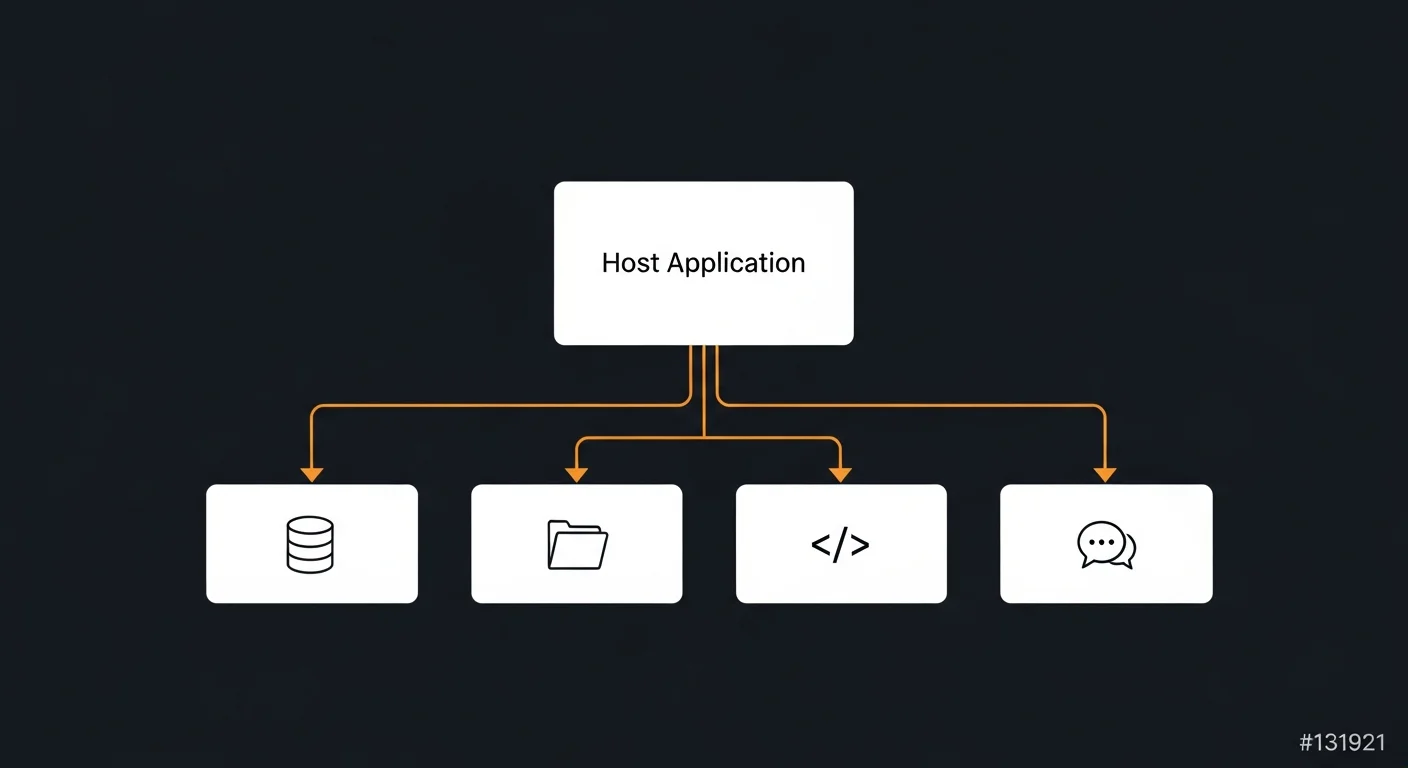
MCP Architecture: How It Works
MCP follows a straightforward client-server architecture built on JSON-RPC 2.0:
- Host Application: The AI-powered application (Claude Desktop, VS Code, Cursor, custom apps) that initiates MCP connections
- MCP Client: Built into the host, maintains 1:1 connections with MCP servers
- MCP Server: Lightweight programs that expose specific capabilities (tools, resources, prompts) to AI clients
- Transport Layer: Communication via stdio (local processes) or HTTP+SSE (remote servers)
Each MCP server exposes three types of capabilities:
- Tools: Executable functions the AI can invoke (run queries, create files, call APIs) with defined input schemas
- Resources: Read-only data exposed to the AI model (files, database records, API responses) identified by URIs
- Prompts: Reusable prompt templates that guide AI interactions
Setting Up Claude Desktop with MCP Servers
Claude Desktop was the first major AI application to support MCP natively. Configuration is done via a single JSON file:
- macOS:
~/Library/Application Support/Claude/claude_desktop_config.json - Windows:
%APPDATA%/Claude/claude_desktop_config.json - Linux:
~/.config/Claude/claude_desktop_config.json
Here is a complete multi-server configuration that gives Claude access to your filesystem, GitHub, and a PostgreSQL database:
{
  "mcpServers": {
    "filesystem": {
      "command": "npx",
      "args": ["-y", "@modelcontextprotocol/server-filesystem", "/Users/dev/projects"]
    },
    "github": {
      "command": "npx",
      "args": ["-y", "@modelcontextprotocol/server-github"],
      "env": { "GITHUB_PERSONAL_ACCESS_TOKEN": "ghp_your_token" }
    },
    "postgres": {
      "command": "npx",
      "args": ["-y", "@modelcontextprotocol/server-postgres",
        "postgresql://user:pass@localhost:5432/mydb"]
    }
  }
}
After saving the config file, restart Claude Desktop. You will see a small plug icon indicating connected MCP servers. Claude can now read files, search GitHub repos, and query your database — all through natural language.
IDE Integration: VS Code, Cursor, and Windsurf
MCP is not limited to Claude Desktop. All major AI-powered IDEs now support MCP servers:
VS Code (GitHub Copilot Agent Mode)
Add MCP servers to your .vscode/settings.json:
{
  "github.copilot.chat.mcpServers": {
    "filesystem": {
      "command": "npx",
      "args": ["-y", "@modelcontextprotocol/server-filesystem", "."]
    }
  }
}
Cursor IDE
Create .cursor/mcp.json in your project root with the same server format. Cursor supports MCP natively and will auto-detect the configuration.
Windsurf
Configure via ~/.codeium/windsurf/mcp_config.json using the same JSON structure.
The beauty of MCP is that the server configuration format is identical across all clients. Write your config once, copy it to any IDE.
Building Custom MCP Servers
The real power of MCP emerges when you build custom servers tailored to your specific needs. The official SDKs make this straightforward in both Python and TypeScript.
Python: FastMCP (Recommended)
from mcp.server.fastmcp import FastMCP

mcp = FastMCP("my-server")

@mcp.tool()
async def query_inventory(product_id: str) -> str:
    """Check product inventory levels."""
    # Your business logic here
    return f"Product {product_id}: 42 units in stock"

@mcp.resource("file://config")
def get_config() -> str:
    """Return application configuration."""
    return json.dumps({"version": "2.0", "region": "eu-west"})

if __name__ == "__main__":
    mcp.run(transport="stdio")
TypeScript: MCP SDK
import { McpServer } from "@modelcontextprotocol/sdk/server/mcp.js";
import { StdioServerTransport } from "@modelcontextprotocol/sdk/server/stdio.js";
import { z } from "zod";

const server = new McpServer({ name: "my-server", version: "1.0.0" });

server.tool("search-docs",
  "Search internal documentation",
  { query: z.string() },
  async ({ query }) => ({
    content: [{ type: "text", text: searchResults }]
  })
);

const transport = new StdioServerTransport();
await server.connect(transport);
Security Best Practices
MCP servers have direct access to your data and tools. Security is not optional — it is critical:
- Principle of Least Privilege: Only grant MCP servers access to the minimum data and actions needed. Use read-only database access, limit filesystem paths
- Never Hardcode Secrets: Use environment variables or a secrets manager. Keep config files out of version control
- Input Validation: All custom MCP server tools must validate inputs using Zod (TypeScript) or Pydantic (Python)
- Authentication: Remote MCP servers must implement API key or OAuth authentication. No anonymous access in production
- Sandboxing: Run MCP servers in Docker containers with restricted permissions, limited network access, and memory limits
- Audit Logging: Log all tool invocations with timestamps, parameters, and results for debugging and compliance
Popular MCP Servers You Should Know
| Server | Purpose | Auth Required |
|---|---|---|
| server-filesystem | Read/write local files | No (path-restricted) |
| server-github | Repos, issues, PRs, commits | GitHub PAT |
| server-postgres | Read-only database queries | Connection string |
| server-brave-search | Web search capabilities | Brave API key |
| server-slack | Channels, messages, search | Slack Bot Token |
| server-memory | Persistent knowledge graph | No |
| server-puppeteer | Browser automation | No |
| server-google-drive | Search & read Drive files | OAuth 2.0 |
Find 500+ community MCP servers at mcp.so and on GitHub. New servers are published daily covering everything from Jira to Stripe to Kubernetes.
Debugging MCP Servers
When things go wrong, use these tools and techniques:
- MCP Inspector: Run
npx @modelcontextprotocol/inspectorfor a visual debugging interface - Claude Desktop Logs: Check
~/Library/Logs/Claude/mcp*.log(macOS) for server errors - Manual Testing: Run your server directly in the terminal to see startup errors
- Python Dev Mode: Use
mcp dev my_server.pyto launch with the Inspector attached
Common issues: invalid JSON syntax in config, wrong paths to npx/python, missing environment variables, and npm permission errors. Always test your server manually before adding it to your config.
Production Deployment
For team and enterprise deployments, consider:
- MCP Gateway: Centralize access control and logging with an Nginx reverse proxy in front of your MCP servers
- Docker Compose: Run your MCP server stack as containerized services with health checks and auto-restart
- SSE Transport: Use HTTP+SSE transport for remote servers instead of stdio. This enables shared server access across teams
- Monitoring: Track tool invocation rates, error rates, and latency. Set up alerts for server failures
Download the Complete Guide
Get our free AI MCP Server Configuration Guide 2026 — a professional 14-page PDF covering everything from basic setup to production deployment. Includes configuration templates, server directory, security checklist, and quick reference card.
Recommended Books
- AI-Assisted Coding Foundations — learn the fundamentals of working with AI coding tools
- AI-Augmented Full-Stack Development — integrate AI into your entire development workflow
- Becoming an AI-Driven Senior Engineer — advance your career with AI-powered engineering practices
- ChatGPT for Developers — practical guide to using LLMs in software development



