
Kubernetes (K8s) has become the industry standard for running containerized applications at scale. Originally developed by Google and now maintained by the Cloud Native Computing Foundation (CNCF), Kubernetes automates deploying, scaling, and managing containers across clusters of machines. If you're running containers in production, Kubernetes is the orchestration platform you need to master.
This comprehensive guide covers everything from core concepts and cluster architecture to production-ready deployments with autoscaling, RBAC security, GitOps CI/CD, and monitoring. Whether you're just getting started or preparing for production, every section includes real YAML manifests and kubectl commands you can use immediately.
What is Kubernetes?
Kubernetes is an open-source container orchestration platform that automates the deployment, scaling, and management of containerized applications. The name comes from Greek, meaning "helmsman" or "pilot" — fitting for a platform that steers your containers across a fleet of machines.
While Docker packages applications into containers, Kubernetes answers the question: "How do I run, manage, and scale hundreds of containers across dozens of machines?" It handles scheduling, networking, storage, health monitoring, and automatic recovery — all declaratively through YAML configuration.
Why Kubernetes Matters in 2026
- Industry standard: 96% of organizations are using or evaluating Kubernetes (CNCF Survey 2025)
- Self-healing: Automatically restarts failed containers, replaces unhealthy pods, and reschedules workloads
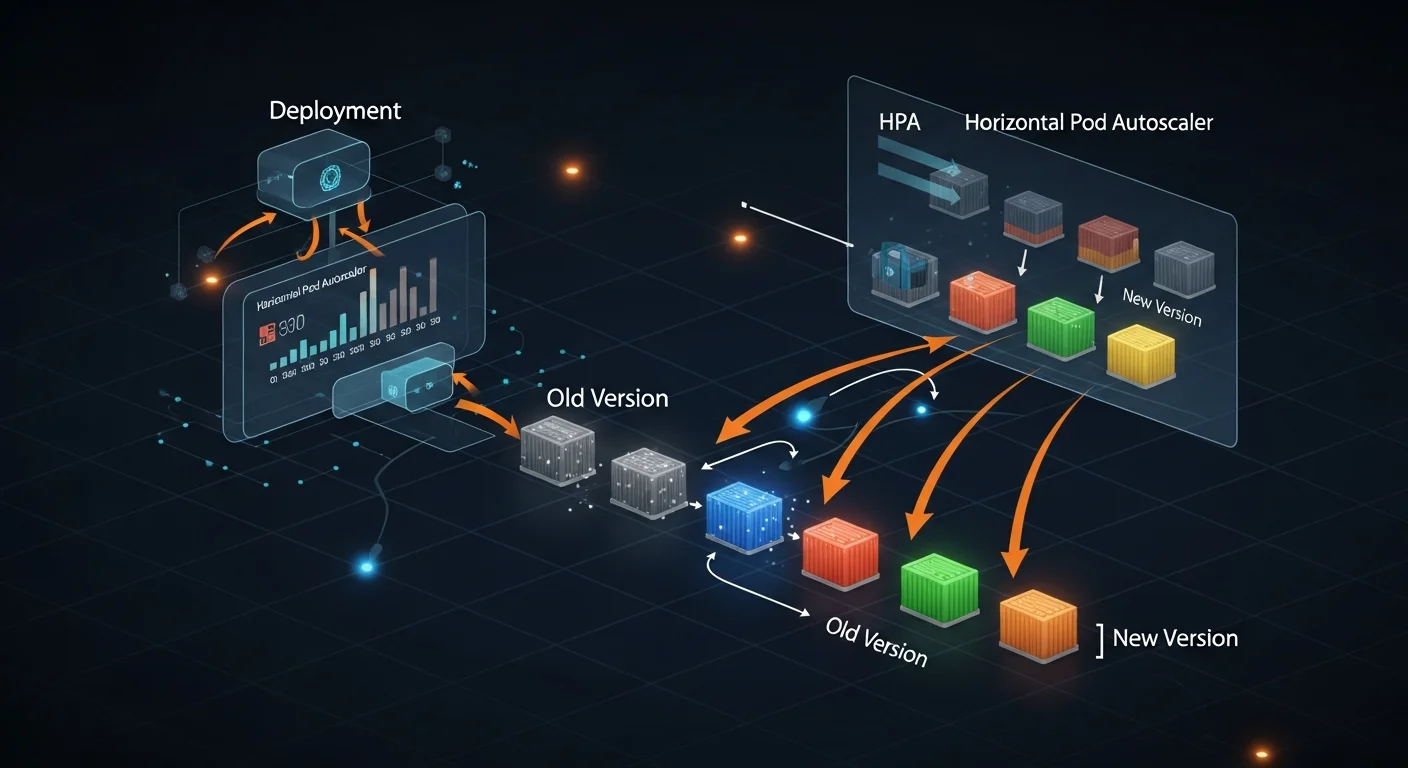
- Auto-scaling: Horizontal Pod Autoscaler (HPA), Vertical Pod Autoscaler (VPA), and Cluster Autoscaler
- Zero-downtime deployments: Rolling updates with automatic rollback on failure
- Service discovery: Built-in DNS and load balancing for microservices
- Storage orchestration: Dynamic provisioning from cloud providers (AWS EBS, GCP PD, Azure Disk)
- Declarative: Define desired state in YAML — Kubernetes continuously reconciles reality to match
- Ecosystem: Massive CNCF ecosystem with Helm, Istio, ArgoCD, Prometheus, and thousands of tools
Kubernetes vs Docker
Docker and Kubernetes are complementary, not competing technologies. Docker creates containers; Kubernetes orchestrates them at scale.
| Feature | Kubernetes | Docker (standalone) |
|---|---|---|
| Scope | Multi-host cluster orchestration | Single-host container runtime |
| Scaling | Automatic HPA, VPA, Cluster Autoscaler | Manual (docker-compose scale) |
| Self-healing | Built-in (restarts, reschedules, replaces) | Restart policies only |
| Networking | Cluster-wide, service mesh, Ingress | Bridge, host, overlay |
| Storage | Dynamic PV provisioning | Volumes, bind mounts |
| Load Balancing | Built-in Services + Ingress | External (Nginx, Traefik) |
| Complexity | Higher (worth it at scale) | Lower (great for development) |
| Best For | Production, microservices, 10+ containers | Development, simple deployments |
Key insight: Kubernetes doesn't run containers directly. It uses container runtimes like containerd or CRI-O to manage containers within pods. Docker as a runtime was deprecated in Kubernetes 1.24, but Docker images still work perfectly.
Architecture Deep Dive
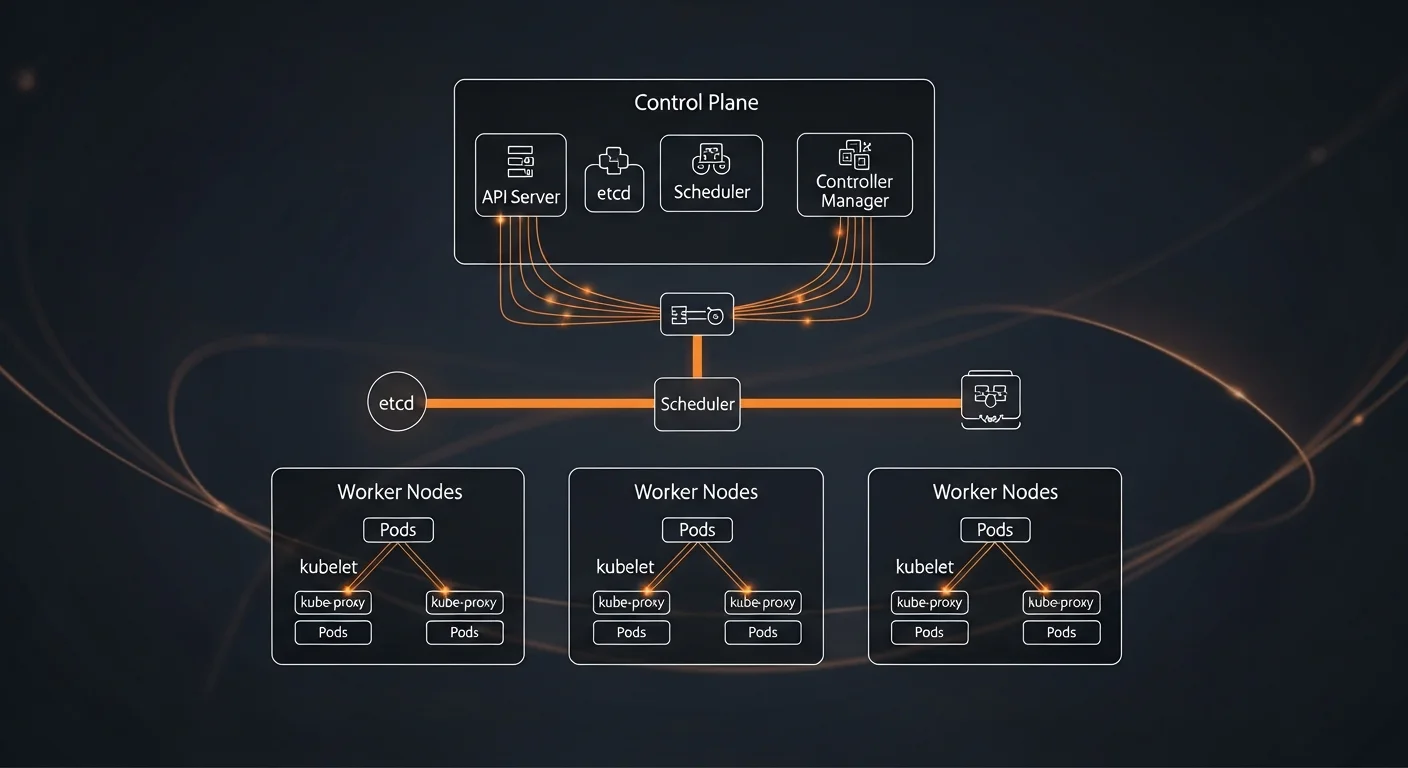
A Kubernetes cluster consists of a control plane (the brain) and worker nodes (where containers actually run).
Control Plane Components
- kube-apiserver: The frontend API server that all components communicate through. The only component that talks to etcd.
- etcd: Distributed key-value store holding all cluster state — the single source of truth.
- kube-scheduler: Watches for unscheduled pods and assigns them to nodes based on resources, affinity, and constraints.
- kube-controller-manager: Runs control loops (Deployment, ReplicaSet, Node, Job controllers) that reconcile actual vs desired state.
- cloud-controller-manager: Integrates with cloud provider APIs for load balancers, storage, and node management.
Worker Node Components
- kubelet: Agent on every node that ensures containers described in PodSpecs are running and healthy.
- kube-proxy: Network proxy that maintains iptables/IPVS rules for Service routing on each node.
- Container Runtime: containerd or CRI-O — the software that actually runs containers.
How a Deployment Works
# The reconciliation flow:
# 1. You run: kubectl apply -f deployment.yaml
# 2. API server validates and stores desired state in etcd
# 3. Deployment controller creates a ReplicaSet
# 4. ReplicaSet controller creates Pod objects
# 5. Scheduler assigns pods to suitable nodes
# 6. Kubelet on each node pulls images and starts containers
# 7. Kube-proxy updates network rules for Service routing
#
# All components work independently via watch/reconcile loops
Installation & Setup
Local Development with Minikube
# Install minikube
curl -LO https://storage.googleapis.com/minikube/releases/latest/minikube-linux-amd64
sudo install minikube-linux-amd64 /usr/local/bin/minikube

# Start cluster (requires Docker or VM driver)
minikube start --driver=docker --cpus=2 --memory=4096

# Enable useful addons
minikube addons enable ingress
minikube addons enable metrics-server

# Open dashboard
minikube dashboard

# Verify
kubectl cluster-info
kubectl get nodes
Local Development Alternatives
| Tool | Best For | Key Feature |
|---|---|---|
| minikube | Learning, beginners | Full K8s cluster in VM or container |
| kind | CI/CD, testing | K8s clusters inside Docker (very fast) |
| k3s | Edge, IoT, ARM | Lightweight K8s as single binary |
| k3d | Local dev + k3s | k3s in Docker with fast startup |
| Docker Desktop | macOS/Windows | Built-in K8s toggle, one-click setup |
kubectl Setup
# Install kubectl
curl -LO "https://dl.k8s.io/release/$(curl -L -s \
  https://dl.k8s.io/release/stable.txt)/bin/linux/amd64/kubectl"
sudo install kubectl /usr/local/bin/kubectl

# Pro tip: alias and auto-completion
echo 'alias k=kubectl' >> ~/.bashrc
echo 'source <(kubectl completion bash)' >> ~/.bashrc
echo 'complete -o default -F __start_kubectl k' >> ~/.bashrc
Pods
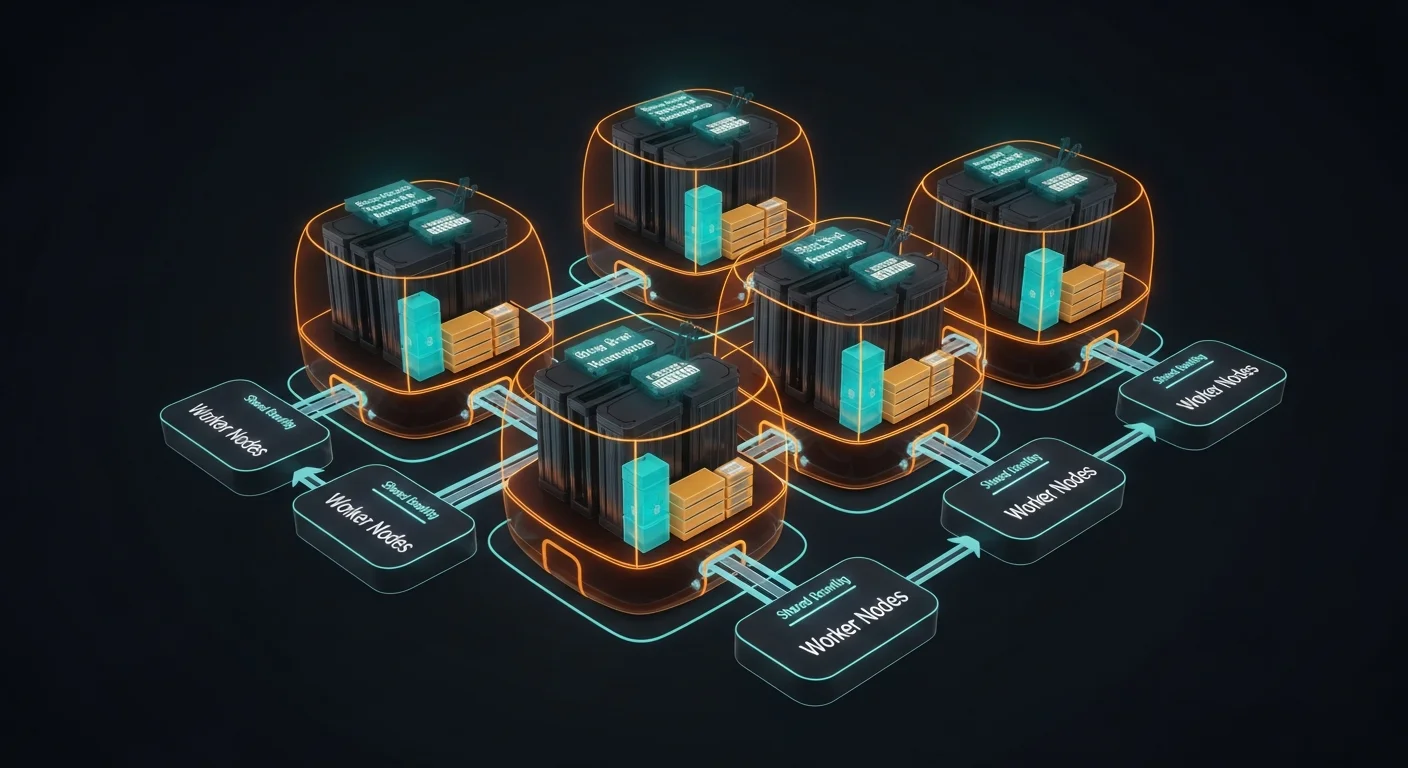
A Pod is the smallest deployable unit in Kubernetes. It represents one or more containers that share networking (same IP address) and storage (shared volumes). In practice, most pods run a single container — but multi-container patterns like sidecars are common.
Basic Pod Manifest
apiVersion: v1
kind: Pod
metadata:
  name: nginx-pod
  labels:
    app: nginx
    environment: production
spec:
  containers:
  - name: nginx
    image: nginx:1.25-alpine
    ports:
    - containerPort: 80
    resources:
      requests:
        cpu: "100m"
        memory: "128Mi"
      limits:
        cpu: "500m"
        memory: "256Mi"
Multi-Container Patterns
| Pattern | Example | Description |
|---|---|---|
| Sidecar | Log shipper, Envoy proxy | Enhances main container functionality |
| Init Container | DB migration, config setup | Runs to completion before main container starts |
| Ambassador | Proxy, API gateway | Proxies network connections for main container |
| Adapter | Log formatter, metrics exporter | Transforms output from main container |
Essential Pod Commands
| Command | Description |
|---|---|
kubectl get pods | List pods in current namespace |
kubectl get pods -A | List pods in all namespaces |
kubectl describe pod <name> | Detailed info with events |
kubectl logs <pod> | View pod logs |
kubectl logs -f <pod> -c <container> | Follow logs of specific container |
kubectl exec -it <pod> -- bash | Shell into running pod |
kubectl port-forward <pod> 8080:80 | Forward local port to pod |
ReplicaSets & Deployments
You rarely create Pods directly. Instead, you use Deployments — a higher-level controller that manages ReplicaSets, which in turn manage Pod replicas. Deployments provide declarative updates, rolling deployments, and rollback capabilities.
Deployment Manifest
apiVersion: apps/v1
kind: Deployment
metadata:
  name: web-app
spec:
  replicas: 3
  selector:
    matchLabels:
      app: web
  strategy:
    type: RollingUpdate
    rollingUpdate:
      maxSurge: 1
      maxUnavailable: 0
  template:
    metadata:
      labels:
        app: web
    spec:
      containers:
      - name: app
        image: myapp:2.0.0
        ports:
        - containerPort: 3000
        resources:
          requests:
            cpu: "250m"
            memory: "256Mi"
          limits:
            cpu: "1000m"
            memory: "512Mi"
Deployment Commands
| Command | Description |
|---|---|
kubectl apply -f deploy.yaml | Create or update deployment |
kubectl rollout status deploy/web-app | Watch rollout progress |
kubectl rollout history deploy/web-app | View rollout revision history |
kubectl rollout undo deploy/web-app | Rollback to previous version |
kubectl scale deploy/web-app --replicas=5 | Scale to 5 replicas |
kubectl set image deploy/web-app app=myapp:3.0 | Update container image |
Always set resource requests AND limits. Without requests, the scheduler can't make informed decisions. Without limits, a single pod can consume all node resources and crash other workloads.
Services & Networking
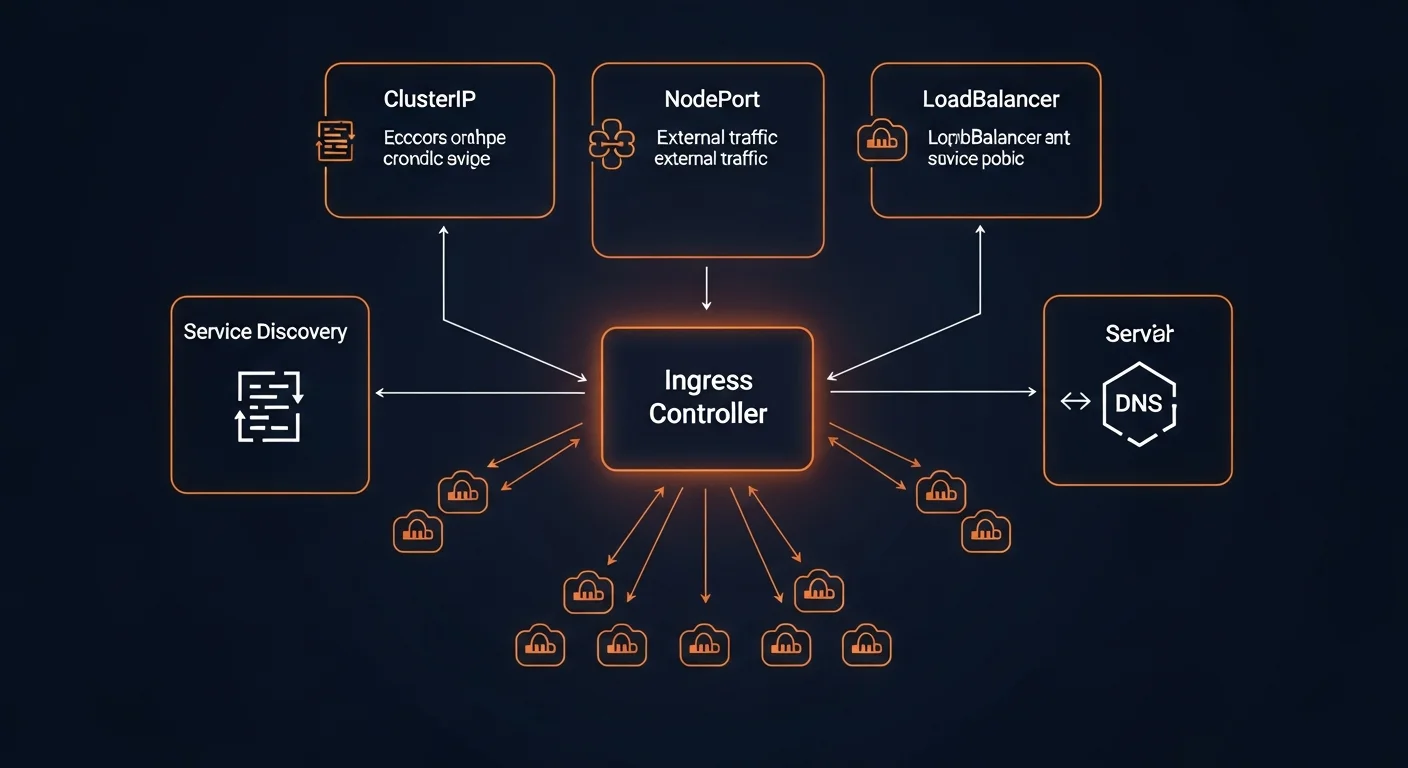
Pods are ephemeral — they can be created, destroyed, and rescheduled at any time. Services provide a stable network endpoint that routes traffic to the correct pods, regardless of which node they're running on.
Service Types
| Type | Access | Description |
|---|---|---|
| ClusterIP | Internal only | Default — accessible within cluster via DNS name |
| NodePort | External (port) | Exposes on each node IP at static port (30000-32767) |
| LoadBalancer | External (cloud LB) | Provisions cloud load balancer (AWS ELB, GCP LB) |
| ExternalName | DNS alias | Maps service to external DNS name (CNAME) |
ClusterIP Service Example
apiVersion: v1
kind: Service
metadata:
  name: web-service
spec:
  type: ClusterIP
  selector:
    app: web
  ports:
  - port: 80          # Service port
    targetPort: 3000   # Container port
    protocol: TCP

# Other pods reach this at:
# web-service (same namespace)
# web-service.default.svc.cluster.local (full DNS)
Service Discovery
- DNS (recommended): Every service gets a DNS entry:
<service>.<namespace>.svc.cluster.local - Environment variables: K8s injects
SERVICE_HOSTandSERVICE_PORTenv vars - Headless services:
ClusterIP: Nonereturns individual pod IPs (for StatefulSets)
Ingress Controllers
While Services expose applications inside the cluster, Ingress manages external HTTP/HTTPS access with path-based routing, TLS termination, and virtual hosting.
Ingress Resource
apiVersion: networking.k8s.io/v1
kind: Ingress
metadata:
  name: web-ingress
  annotations:
    nginx.ingress.kubernetes.io/ssl-redirect: "true"
    cert-manager.io/cluster-issuer: letsencrypt-prod
spec:
  ingressClassName: nginx
  tls:
  - hosts:
    - app.example.com
    secretName: app-tls
  rules:
  - host: app.example.com
    http:
      paths:
      - path: /
        pathType: Prefix
        backend:
          service:
            name: web-service
            port:
              number: 80
      - path: /api
        pathType: Prefix
        backend:
          service:
            name: api-service
            port:
              number: 8080
TLS tip: Use cert-manager with Let's Encrypt for automatic certificate provisioning and renewal. Never manage TLS certificates manually in Kubernetes.
ConfigMaps & Secrets
ConfigMaps and Secrets decouple configuration from container images, making your deployments portable and secure.
ConfigMap
apiVersion: v1
kind: ConfigMap
metadata:
  name: app-config
data:
  DATABASE_HOST: "postgres-service"
  DATABASE_PORT: "5432"
  LOG_LEVEL: "info"
  app.conf: |
    server.port=8080
    server.host=0.0.0.0
Secrets
# Create secret from CLI
kubectl create secret generic db-creds \
  --from-literal=username=admin \
  --from-literal=password=s3cret!

# Use in pod spec
env:
- name: DB_PASSWORD
  valueFrom:
    secretKeyRef:
      name: db-creds
      key: password
Security warning: Kubernetes Secrets are base64-encoded, not encrypted by default. For production, use external secret managers like HashiCorp Vault, AWS Secrets Manager, or Sealed Secrets.
Storage (PV, PVC, StorageClass)
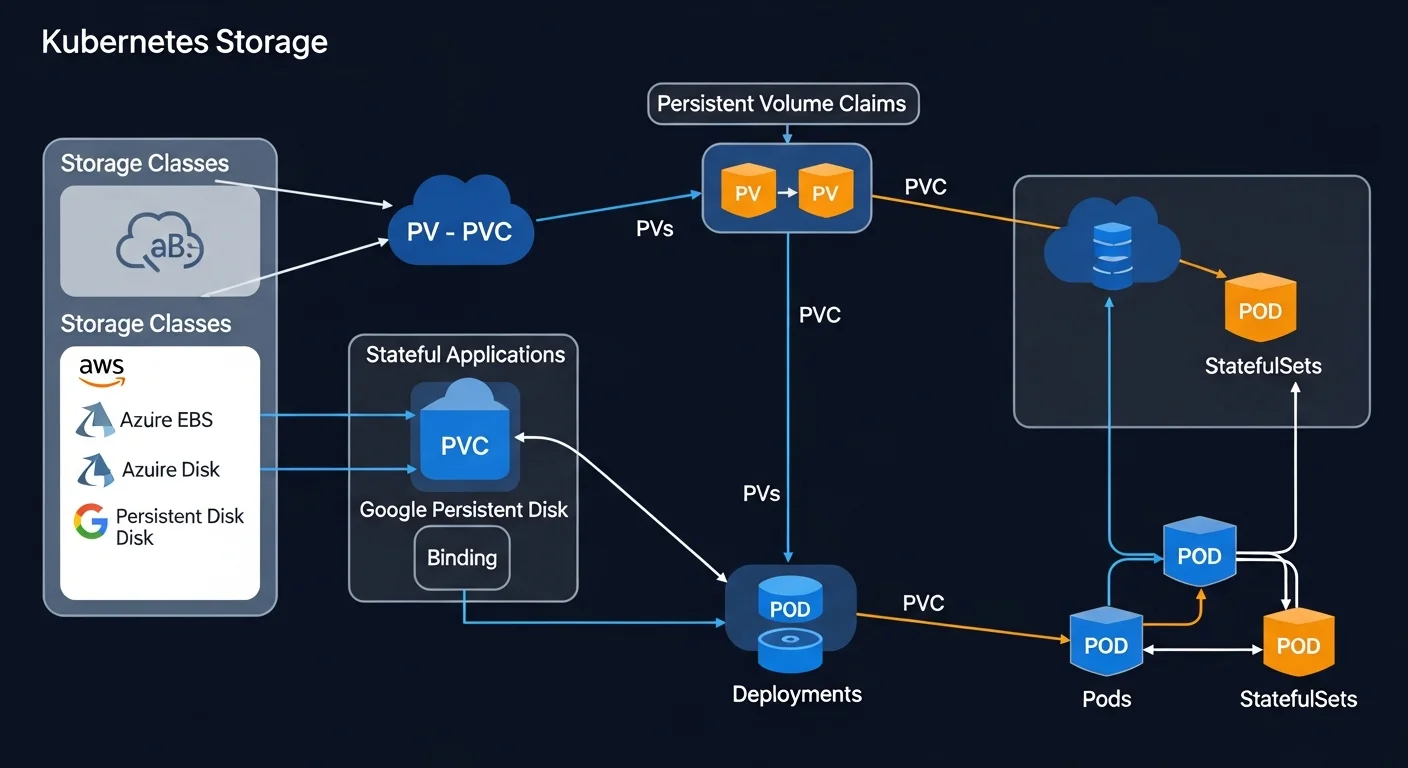
Kubernetes storage is built on three abstractions: PersistentVolumes (actual storage), PersistentVolumeClaims (requests for storage), and StorageClasses (dynamic provisioning templates).
PersistentVolumeClaim
apiVersion: v1
kind: PersistentVolumeClaim
metadata:
  name: postgres-pvc
spec:
  accessModes:
  - ReadWriteOnce
  storageClassName: gp3
  resources:
    requests:
      storage: 20Gi
Using PVC in a Pod
spec:
  containers:
  - name: postgres
    image: postgres:16-alpine
    volumeMounts:
    - name: data
      mountPath: /var/lib/postgresql/data
  volumes:
  - name: data
    persistentVolumeClaim:
      claimName: postgres-pvc
Data safety: Set reclaimPolicy: Retain on StorageClasses for production databases. This prevents accidental data loss when PVCs are deleted.
Namespaces & Resource Quotas
Namespaces provide virtual clusters within a physical cluster — useful for separating teams, environments (staging, production), or applications.
# Create and use namespaces
kubectl create namespace production
kubectl create namespace staging
kubectl apply -f deploy.yaml -n production

# Set default namespace
kubectl config set-context --current --namespace=production
Resource Quotas
apiVersion: v1
kind: ResourceQuota
metadata:
  name: team-quota
  namespace: production
spec:
  hard:
    requests.cpu: "10"
    requests.memory: 20Gi
    limits.cpu: "20"
    limits.memory: 40Gi
    pods: "50"
    services: "10"
Scaling & Autoscaling
Horizontal Pod Autoscaler (HPA)
apiVersion: autoscaling/v2
kind: HorizontalPodAutoscaler
metadata:
  name: web-hpa
spec:
  scaleTargetRef:
    apiVersion: apps/v1
    kind: Deployment
    name: web-app
  minReplicas: 2
  maxReplicas: 20
  metrics:
  - type: Resource
    resource:
      name: cpu
      target:
        type: Utilization
        averageUtilization: 70
Autoscaler Types
| Type | What It Does |
|---|---|
| HPA | Scales pod count based on CPU, memory, or custom metrics |
| VPA | Adjusts pod resource requests/limits automatically |
| Cluster Autoscaler | Adds/removes worker nodes when capacity is needed |
| KEDA | Event-driven autoscaling (queue depth, HTTP rate, etc.) |
Health Checks & Probes
Kubernetes uses three types of probes to monitor container health:
| Probe | Purpose | On Failure |
|---|---|---|
| Liveness | Is the container alive? | Container is killed and restarted |
| Readiness | Can it serve traffic? | Pod removed from Service endpoints |
| Startup | Has it finished starting? | Delays liveness/readiness checks |
livenessProbe:
  httpGet:
    path: /healthz
    port: 3000
  initialDelaySeconds: 15
  periodSeconds: 20

readinessProbe:
  httpGet:
    path: /ready
    port: 3000
  initialDelaySeconds: 5
  periodSeconds: 10

startupProbe:
  httpGet:
    path: /healthz
    port: 3000
  failureThreshold: 30
  periodSeconds: 10
Common mistake: Don't make liveness probes check downstream dependencies (database, external APIs). If the DB is down, restarting your app won't fix it. Use readiness probes for dependency checks instead.
Helm Package Manager
Helm is the package manager for Kubernetes. It uses "charts" — pre-configured templates of Kubernetes resources — that can be installed, upgraded, and rolled back as a single unit.
# Add repo and install
helm repo add bitnami https://charts.bitnami.com/bitnami
helm install my-db bitnami/postgresql \
  --set auth.postgresPassword=secret \
  --set primary.persistence.size=20Gi \
  -n production

# Upgrade
helm upgrade my-db bitnami/postgresql --set replicaCount=3

# Rollback
helm rollback my-db 1

# List releases
helm list -A
RBAC & Security
Role-Based Access Control (RBAC) is essential for securing your Kubernetes cluster. It controls who can do what with which resources.
Key RBAC Components
- ServiceAccount: Identity for pods (every pod runs as one)
- Role: Permissions within a namespace
- ClusterRole: Permissions cluster-wide
- RoleBinding/ClusterRoleBinding: Connects roles to users/service accounts
apiVersion: rbac.authorization.k8s.io/v1
kind: Role
metadata:
  name: pod-reader
  namespace: production
rules:
- apiGroups: [""]
  resources: ["pods", "pods/log"]
  verbs: ["get", "list", "watch"]
---
apiVersion: rbac.authorization.k8s.io/v1
kind: RoleBinding
metadata:
  name: read-pods
  namespace: production
subjects:
- kind: ServiceAccount
  name: monitoring-sa
roleRef:
  kind: Role
  name: pod-reader
  apiGroup: rbac.authorization.k8s.io
Network Policies
Network Policies act as pod-level firewalls, controlling which pods can communicate with each other.
# Default deny all ingress
apiVersion: networking.k8s.io/v1
kind: NetworkPolicy
metadata:
  name: deny-all
spec:
  podSelector: {}
  policyTypes:
  - Ingress

---
# Allow only web-frontend to reach api-server
apiVersion: networking.k8s.io/v1
kind: NetworkPolicy
metadata:
  name: allow-web-to-api
spec:
  podSelector:
    matchLabels:
      app: api-server
  ingress:
  - from:
    - podSelector:
        matchLabels:
          app: web-frontend
    ports:
    - port: 8080
Monitoring & Logging
Prometheus + Grafana (Industry Standard)
# Install via Helm
helm install monitoring prometheus-community/kube-prometheus-stack \
  --namespace monitoring --create-namespace

# Access Grafana
kubectl port-forward svc/monitoring-grafana 3000:80 -n monitoring
# Pre-built dashboards for cluster, nodes, pods, namespaces
Logging Solutions
- EFK Stack: Elasticsearch + Fluentd + Kibana for centralized log search
- Loki: Lightweight log aggregation by Grafana Labs (like Prometheus for logs)
- Cloud native: AWS CloudWatch, GCP Cloud Logging, Azure Monitor
CI/CD & GitOps
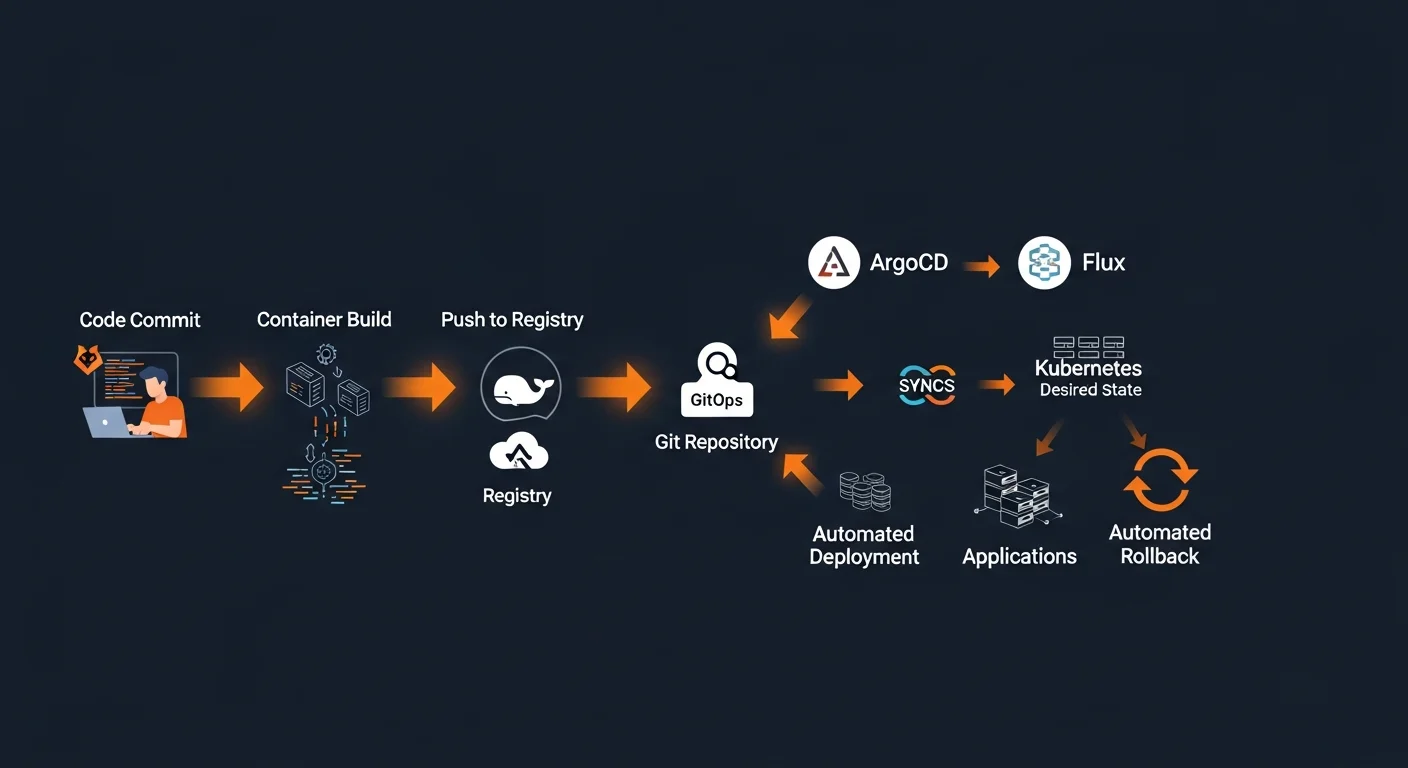
GitOps is the gold standard for Kubernetes deployments: Git is the single source of truth, and tools like ArgoCD or Flux automatically sync your cluster to match what's in the repository.
GitOps Workflow
- Developer pushes code — CI builds Docker image, pushes to registry, updates manifest repo
- ArgoCD detects change — Watches Git repository for manifest changes
- ArgoCD syncs cluster — Applies changes, ensures desired state matches
- Automatic rollback — If sync fails, reverts to last known good state
# Install ArgoCD
kubectl create namespace argocd
kubectl apply -n argocd -f \
  https://raw.githubusercontent.com/argoproj/argo-cd/stable/manifests/install.yaml

# Create Application
apiVersion: argoproj.io/v1alpha1
kind: Application
metadata:
  name: web-app
  namespace: argocd
spec:
  source:
    repoURL: https://github.com/org/k8s-manifests.git
    path: apps/web-app/production
  destination:
    server: https://kubernetes.default.svc
    namespace: production
  syncPolicy:
    automated:
      prune: true
      selfHeal: true
GitOps principle: All changes to infrastructure go through Git pull requests — no manual kubectl apply in production. This ensures an audit trail and easy rollbacks.
Production Best Practices
Production Checklist
- Set resource requests AND limits on every container
- Configure liveness + readiness probes for all services
- Use Pod Disruption Budgets to maintain availability during maintenance
- Spread replicas with anti-affinity across nodes and availability zones
- Implement Network Policies (default deny, allow explicitly)
- Apply RBAC with least privilege — never use cluster-admin for apps
- Isolate with namespaces and resource quotas
- Pin image versions, scan for CVEs, use private registries
- Use external secret management (Vault, Sealed Secrets)
- Deploy Prometheus + Grafana with alerting on critical metrics
- Set up centralized logging with retention policies
- Use Velero for cluster backup and disaster recovery
- Adopt GitOps with ArgoCD or Flux for auditable deployments
kubectl Quick Reference
| Command | Description |
|---|---|
kubectl get pods -A | All pods across all namespaces |
kubectl describe <type> <name> | Detailed info with events |
kubectl apply -f <file> | Create or update resources |
kubectl logs -f <pod> | Follow container logs |
kubectl exec -it <pod> -- bash | Shell into pod |
kubectl rollout undo deploy/<name> | Rollback deployment |
kubectl top pods --sort-by=cpu | Resource usage |
kubectl get events --sort-by=time | Cluster events |
kubectl explain <resource>.spec | API documentation |
Recommended Reading
Continue your Kubernetes learning journey with these Dargslan eBooks:
- Kubernetes Fundamentals — Container orchestration from the ground up
- Kubernetes Security & Best Practices — Harden your clusters
- Kubernetes for Production: Scaling & Monitoring — Production-grade patterns
- Kubernetes Networking & Service Mesh — Advanced networking with Istio
- Microservices with Docker and Kubernetes — Complete microservices architecture
- Docker Fundamentals — Master containers before orchestrating them
Download the free Kubernetes Fundamentals Cheat Sheet PDF — a 20-page reference guide covering everything in this article with YAML manifests, kubectl commands, and production best practices. Get your free copy here.



