Table of Contents
- What is a Container Registry?
- Why You Need a Container Registry
- Who Is This For?
- How Container Registries Work
- Popular Registries Compared
- Docker Hub Deep Dive
- GitHub Container Registry (GHCR)
- AWS Elastic Container Registry
- Google Artifact Registry
- Azure Container Registry
- Self-Hosted: Harbor Registry
- Security Best Practices
- CI/CD Pipeline Integration
- Image Tagging Best Practices
- Free Container Registry Cheat Sheet
What is a Container Registry?
A container registry is a centralized storage and distribution system for container images. Think of it as a library for Docker images — it stores, versions, and distributes the packaged applications that power modern cloud-native deployments. Every time you run docker pull nginx, you're downloading an image from a container registry (in this case, Docker Hub).
Container registries are essential infrastructure in any containerized workflow. When you build a Docker image locally, you need somewhere to store it, version it, and make it available to your deployment pipeline, Kubernetes clusters, or team members. That's exactly what a registry provides — secure, versioned, and accessible image storage.
In 2026, with container adoption exceeding 85% among enterprises, understanding container registries is a fundamental DevOps skill. Whether you use Docker Hub, GitHub Container Registry, AWS ECR, Google Artifact Registry, or a self-hosted solution like Harbor, the concepts remain the same.
Why You Need a Container Registry
Without a container registry, your containers exist only on the machine where they were built. This creates several critical problems in production environments:
| Challenge | Without Registry | With Registry |
|---|---|---|
| Image Distribution | Manual file copy between servers | Push once, pull from anywhere |
| Version Control | No history, easy to lose versions | Tagged versions, immutable digests |
| Security Scanning | Manual vulnerability checks | Automated scanning on push |
| CI/CD Integration | Complex custom scripts | Native pipeline integration |
| Team Collaboration | Share via USB/email | Role-based access, shared repos |
| Kubernetes Deploys | Cannot pull images | Kubernetes pulls directly from registry |
Who Is This For?
- DevOps Engineers — Managing container pipelines and Kubernetes deployments
- Backend Developers — Building and publishing containerized applications
- System Administrators — Running container infrastructure
- Platform Engineers — Designing internal developer platforms
- Security Engineers — Implementing image scanning and access control
How Container Registries Work
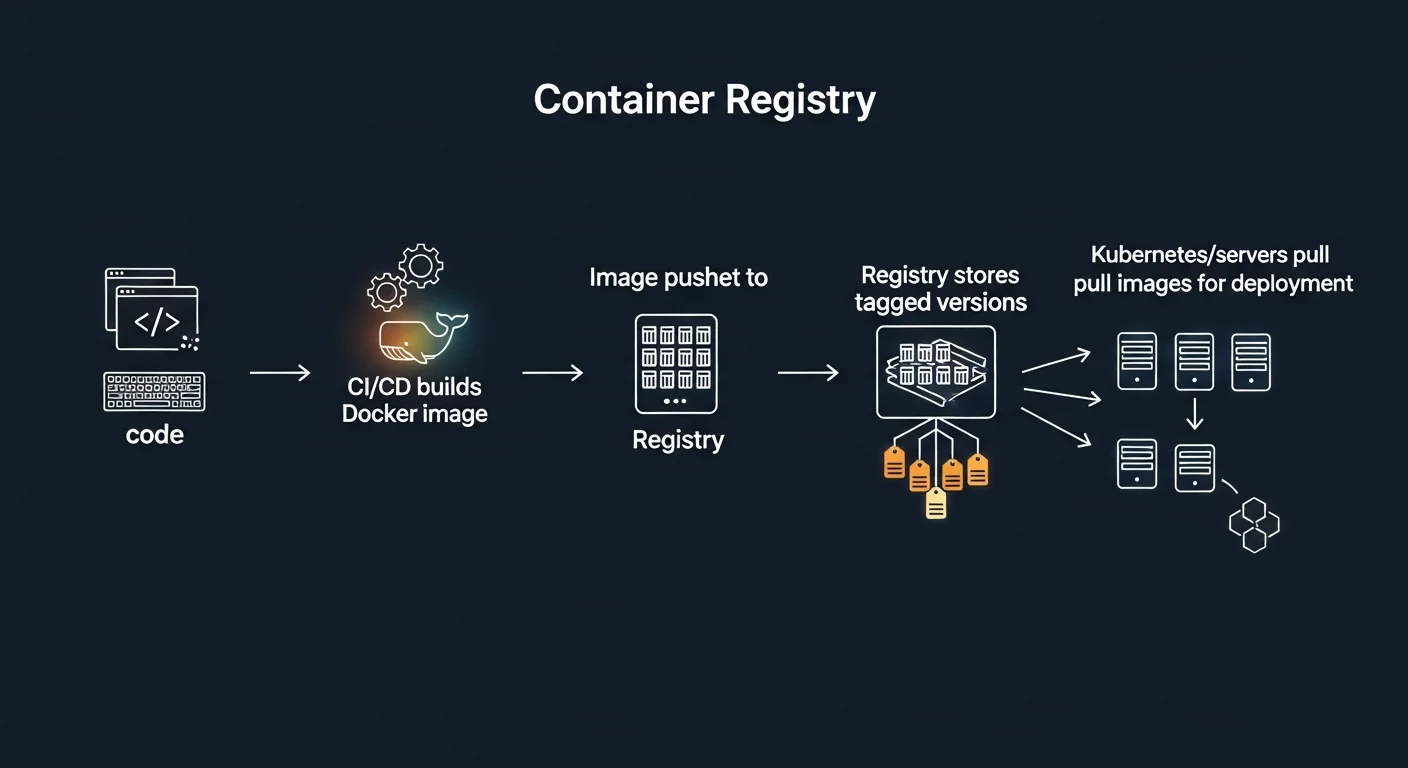
A container registry follows a simple workflow with several key concepts:
| Concept | Description | Example |
|---|---|---|
| Image | A packaged application with all dependencies | nginx:1.25 |
| Repository | A collection of related images | username/myapp |
| Tag | A version label for an image | v1.0, latest, sha-abc123 |
| Digest | A unique SHA256 hash for an exact image | sha256:abc123... |
| Manifest | Metadata describing layers and platforms | Multi-arch manifest lists |
| Layer | A filesystem diff that makes up part of an image | Base OS, app code, configs |
The typical workflow is: Build → Tag → Push → Pull → Run. You build an image locally with docker build, tag it with a registry address, push it to the registry, and then pull it on any server or Kubernetes cluster where you want to run it.
Popular Registries Compared
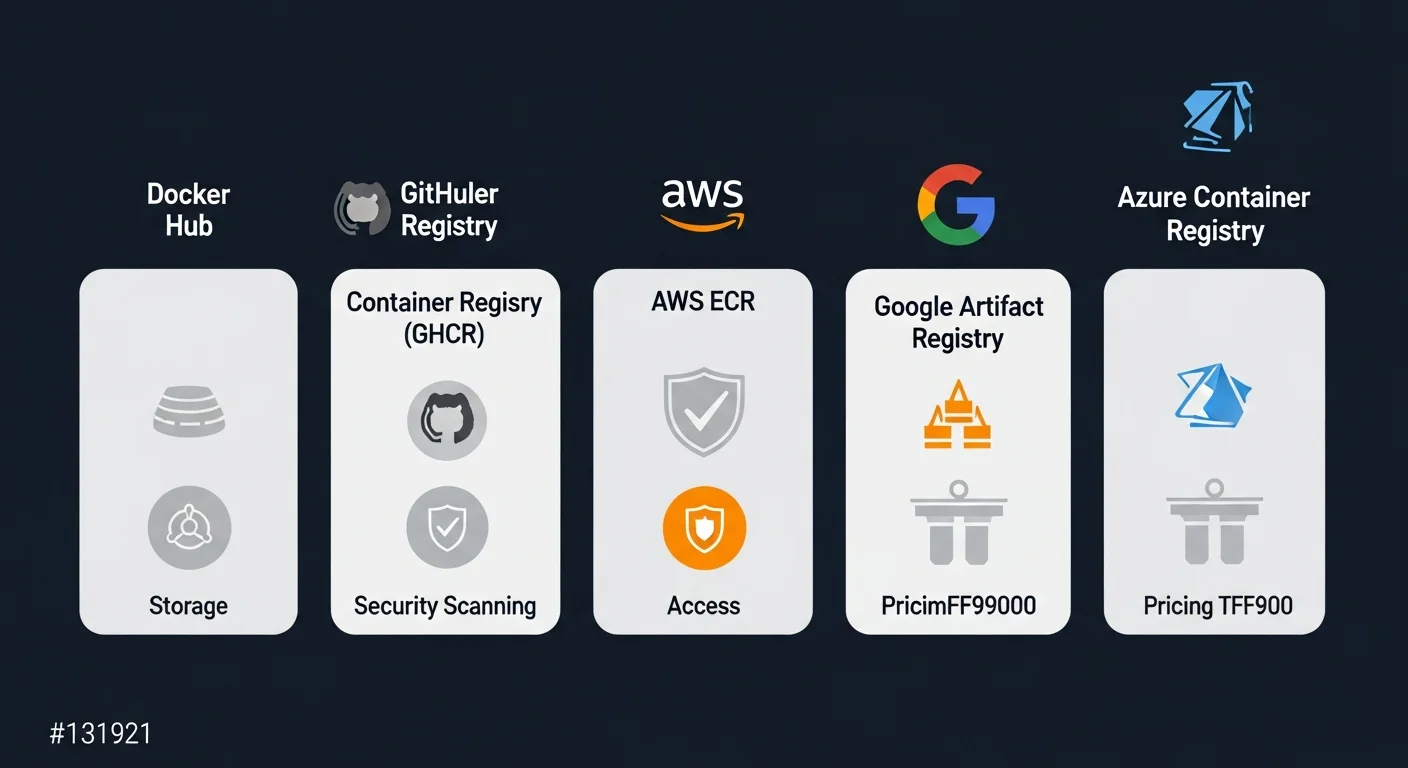
| Registry | Free Tier | Private Repos | Scanning | Best For |
|---|---|---|---|---|
| Docker Hub | 1 private repo | Yes (paid) | Basic | Public images, open source |
| GitHub CR (GHCR) | Unlimited | Yes | Yes | GitHub-hosted projects |
| AWS ECR | 500MB/month | Yes | Yes | AWS workloads |
| Google Artifact Registry | 500MB/month | Yes | Yes | GCP workloads, GKE |
| Azure ACR | No free tier | Yes | Yes | Azure workloads, AKS |
| Harbor | Self-hosted (free) | Yes | Trivy | Enterprise, on-premise |
Docker Hub Deep Dive
Docker Hub is the original and most widely used container registry. It hosts millions of public images and is the default registry when you run docker pull.
# Login to Docker Hub
docker login

# Tag a local image for Docker Hub
docker tag myapp:latest username/myapp:v1.0

# Push to Docker Hub
docker push username/myapp:v1.0

# Pull from Docker Hub
docker pull username/myapp:v1.0

# Search for images
docker search nginx
GitHub Container Registry (GHCR)
GHCR is the best choice for projects hosted on GitHub. It integrates natively with GitHub Actions and offers unlimited free private repositories.
# Login with Personal Access Token
echo $CR_PAT | docker login ghcr.io -u USERNAME --password-stdin

# Tag and push
docker tag myapp:latest ghcr.io/USERNAME/myapp:v1.0
docker push ghcr.io/USERNAME/myapp:v1.0
AWS Elastic Container Registry
ECR is the native registry for AWS workloads. It integrates with ECS, EKS, and AWS CodePipeline.
# Authenticate to ECR
aws ecr get-login-password --region us-east-1 | \
  docker login --username AWS \
  --password-stdin 123456789.dkr.ecr.us-east-1.amazonaws.com

# Create repository
aws ecr create-repository --repository-name myapp

# Push image
docker push 123456789.dkr.ecr.us-east-1.amazonaws.com/myapp:v1.0
Google Artifact Registry
Google Artifact Registry (replacing GCR) is GCP's managed registry, tightly integrated with GKE and Cloud Build.
# Authenticate
gcloud auth configure-docker us-docker.pkg.dev

# Push image
docker push us-docker.pkg.dev/PROJECT/myapp/myapp:v1.0
Azure Container Registry
ACR supports unique features like ACR Build (build images directly in Azure) and integrates with AKS.
# Create and login
az acr create --resource-group myRG --name myregistry --sku Basic
az acr login --name myregistry

# Build directly in ACR (no local Docker needed)
az acr build --registry myregistry --image myapp:v1.0 .
Self-Hosted: Harbor Registry
For enterprises that need on-premise registry control, Harbor is the CNCF-graduated open-source solution. It offers vulnerability scanning (via Trivy), RBAC, replication between registries, and a full web UI.
Security Best Practices
- Always scan images before deploying — use Trivy, Snyk, or built-in registry scanners
- Use image digests in production, not mutable tags like
:latest - Enable Content Trust —
docker trust signfor cryptographic image verification - Minimal base images — Use Alpine, distroless, or scratch to reduce attack surface
- Never store secrets in image layers — use environment variables or secret managers
- Implement RBAC — Role-based access control for all repositories
- Set retention policies — Automatically clean up old, untagged images
CI/CD Pipeline Integration
Container registries are the bridge between your code and your deployment. Here's a GitHub Actions example:
name: Build and Push
on:
  push:
    branches: [main]
jobs:
  build:
    runs-on: ubuntu-latest
    steps:
      - uses: actions/checkout@v4
      - uses: docker/login-action@v3
        with:
          registry: ghcr.io
          username: ${{ github.actor }}
          password: ${{ secrets.GITHUB_TOKEN }}
      - uses: docker/build-push-action@v5
        with:
          push: true
          tags: ghcr.io/${{ github.repository }}:${{ github.sha }}
Image Tagging Best Practices
| Tag Type | Example | When to Use |
|---|---|---|
| Semantic Version | myapp:1.2.3 | Production releases |
| Git SHA | myapp:sha-abc123f | CI/CD traceability |
| Date-based | myapp:2026.03.17 | Nightly builds |
| Branch-based | myapp:feature-auth | Development/testing |
| Latest | myapp:latest | Development only (avoid in prod) |
Free Container Registry Cheat Sheet
Download our comprehensive 6-page Container Registry cheat sheet covering Docker Hub, GHCR, ECR, GCR, ACR, Harbor, CI/CD integration, security scanning, and tagging best practices.
Download Free Container Registry Cheat Sheet (PDF)