
DevOps is no longer a buzzword — it is the operating model for every serious engineering organization in 2026. But the ecosystem is vast. Between containerization, orchestration, infrastructure as code, CI/CD pipelines, monitoring, and cloud platforms, the number of tools and commands a DevOps engineer needs to internalize is staggering.
This article serves two purposes:
- A structured roadmap — taking you from DevOps fundamentals through intermediate tooling to advanced production practices, with clear learning milestones.
- A comprehensive cheat sheet — every essential command for Git, Docker, Kubernetes, Terraform, Ansible, Helm, GitHub Actions, Jenkins, and monitoring tools, organized for daily reference.
We have also created a free downloadable 3‑page cheat sheet that condenses everything in this article into a print‑ready reference you can pin to your desk or pull up on your second monitor.
Download the Free DevOps Cheat Sheet (PDF) →
The DevOps Roadmap: 3 Phases
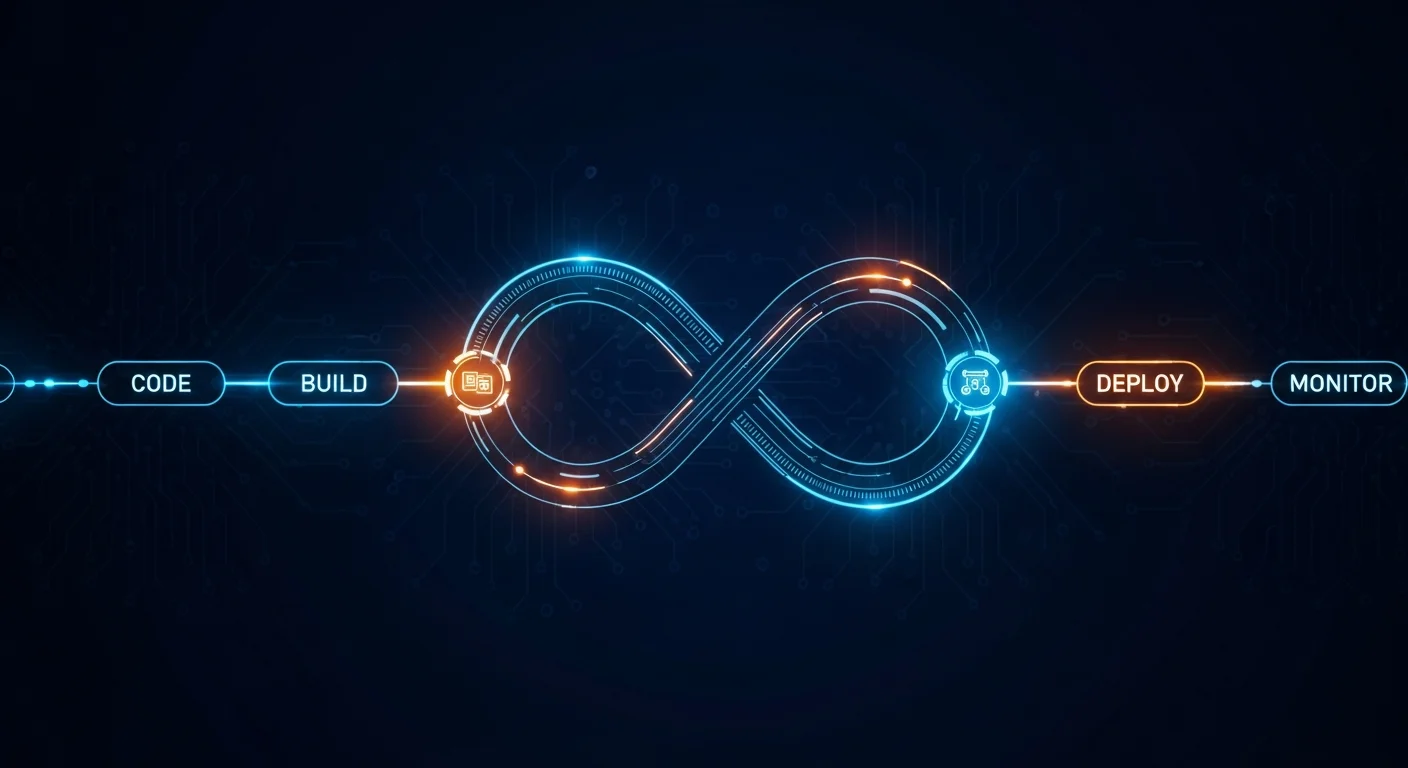
The biggest mistake aspiring DevOps engineers make is trying to learn everything at once. The tools are deeply interconnected — Kubernetes makes no sense without Docker, Helm makes no sense without Kubernetes, and none of it matters if you cannot write a Bash script to automate the glue in between.
Here is the path that works:
Phase 1: Foundation (Months 1–3)
| Skill | Why It Matters | Resource |
|---|---|---|
| Linux CLI | Every server, container, and CI runner is Linux | 51 Linux Cheat Sheets |
| Bash Scripting | Automation glue between every tool | Bash Advanced Guide |
| Git | Version control is the foundation of DevOps | Git Beginner's Guide |
| Networking | DNS, TCP/IP, HTTP — you debug these daily | Linux Networking Cheat Sheet |
| Web Servers | Nginx/Apache are in front of everything | Nginx Beginner's Guide |
| SSH | Remote access to every system you manage | SSH & Remote Cheat Sheet |
Do not skip this phase. Every advanced DevOps skill assumes you can navigate Linux, write scripts, and manage Git repositories in your sleep.
Phase 2: Core DevOps Tools (Months 4–8)
| Skill | Why It Matters | Resource |
|---|---|---|
| Docker | Containerize everything — consistent environments | Docker Beginner's Guide |
| Docker Compose | Multi-container applications locally | Docker Compose Guide |
| CI/CD | Automated testing and deployment pipelines | CI/CD Pipeline Reference |
| Terraform | Infrastructure as Code — reproducible environments | Terraform Beginner's Guide |
| Ansible | Configuration management at scale | Ansible Beginner's Guide |
| Cloud Basics | AWS/Azure fundamentals for infrastructure | AWS Guide |
Phase 3: Advanced & Production (Months 9–12+)
| Skill | Why It Matters | Resource |
|---|---|---|
| Kubernetes | Production container orchestration | Kubernetes Beginner's Guide |
| Helm | Kubernetes package management | Helm Beginner's Guide |
| Monitoring | Prometheus + Grafana = production visibility | Prometheus & Grafana Guide |
| GitOps | ArgoCD/Flux — declarative deployments via Git | GitHub Complete Guide |
| Security | Scanning, RBAC, secrets management | Kubernetes Advanced Guide |
Git — Version Control Essentials
Git is the backbone of DevOps. Every CI/CD pipeline starts with a git push. Here are the commands you will use daily:
Basic Workflow
git init                              # Initialize new repository
git clone git@github.com:org/repo.git # Clone remote repository
git add -A                            # Stage all changes
git commit -m "feat: add login API"   # Commit with conventional message
git push origin main                  # Push to remote
git pull --rebase                     # Pull with rebase (cleaner history)
Branching & Merging
git branch -a                         # List all branches
git checkout -b feature/auth          # Create & switch to new branch
git merge feature/auth                # Merge into current branch
git rebase main                       # Rebase current onto main
git cherry-pick abc123                # Apply specific commit
git branch -d feature/auth            # Delete merged branch
Advanced Operations
git stash                             # Temporarily save uncommitted changes
git stash pop                         # Restore stashed changes
git log --oneline --graph --all       # Visual commit history
git reset --hard HEAD~1               # Undo last commit (destructive!)
git reflog                            # Recovery - find lost commits
git bisect start                      # Binary search for bug introduction
git tag -a v2.1.0 -m "Release 2.1"   # Create annotated release tag
📥 Download the complete references:
Docker — Containerization

Docker eliminated the "works on my machine" problem. In 2026, if your application does not ship as a container, you are swimming against the current.
Container Lifecycle
docker run -d --name web -p 80:80 nginx:alpine    # Run detached with port mapping
docker run -it --rm ubuntu:22.04 bash              # Interactive, auto-remove on exit
docker ps -a                                        # List all containers
docker logs -f web                                  # Follow container logs
docker exec -it web sh                              # Shell into running container
docker stop web && docker rm web                    # Stop and remove
docker inspect web                                  # Detailed JSON info
Image Management
docker build -t myapp:v1.2 .                       # Build from Dockerfile
docker build -t myapp:v1.2 --no-cache .             # Build without cache
docker images                                       # List local images
docker tag myapp:v1.2 registry.io/myapp:v1.2        # Tag for remote registry
docker push registry.io/myapp:v1.2                  # Push to registry
docker pull nginx:alpine                            # Pull specific image
docker system prune -af                             # Remove ALL unused resources
docker image prune -a                               # Remove unused images only
Volumes & Networking
docker volume create pgdata                         # Create named volume
docker run -v pgdata:/var/lib/postgresql/data postgres  # Mount volume
docker run -v $(pwd)/app:/app node                  # Bind mount (development)
docker network create backend                       # Create custom network
docker network connect backend web                  # Connect container to network
docker run --network backend --name api myapp       # Run on specific network
Dockerfile Best Practices
# Multi-stage build (smaller final image)
FROM node:20-alpine AS builder
WORKDIR /app
COPY package*.json ./
RUN npm ci --only=production
COPY . .
RUN npm run build

FROM node:20-alpine
WORKDIR /app
COPY --from=builder /app/dist ./dist
COPY --from=builder /app/node_modules ./node_modules
EXPOSE 3000
USER node
CMD ["node", "dist/server.js"]
📥 Download the complete references:
- Docker Beginner's Complete Guide
- Docker Intermediate Guide
- Docker Advanced Guide
- Docker Commands Cheat Sheet
- Docker Fundamentals Complete Guide 2026
Docker Compose — Multi-Container Applications
docker compose up -d                   # Start all services in background
docker compose down -v                 # Stop & remove containers + volumes
docker compose logs -f web             # Follow logs for specific service
docker compose ps                      # List running services
docker compose exec web bash           # Shell into running service
docker compose build --no-cache        # Rebuild all images without cache
docker compose pull                    # Pull latest images from registry
docker compose config                  # Validate & view merged configuration
docker compose up -d --scale web=3     # Scale service to 3 instances
docker compose restart web             # Restart specific service
📥 Download the complete references:
- Docker Compose Beginner's Complete Guide
- Docker Compose Intermediate Guide
- Docker Compose Advanced Guide
- Docker Compose Cheat Sheet
Kubernetes — Container Orchestration
Docker runs containers. Kubernetes runs containers at scale — handling scheduling, self‑healing, load balancing, rolling updates, and secrets management across clusters of machines.
Core kubectl Commands
# Viewing resources
kubectl get pods -A                                 # All pods, all namespaces
kubectl get pods -o wide                            # Pods with node info
kubectl get svc,deploy,ing                          # Multiple resource types
kubectl get pods --sort-by='.status.startTime'      # Sort by start time

# Managing resources
kubectl apply -f deployment.yaml                    # Apply configuration
kubectl delete -f deployment.yaml                   # Delete resources
kubectl create namespace staging                    # Create namespace
kubectl create secret generic db-creds \
  --from-literal=password=s3cret                    # Create secret

# Debugging
kubectl describe pod my-pod                         # Detailed pod info + events
kubectl logs -f pod/my-pod                          # Follow pod logs
kubectl logs pod/my-pod --previous                  # Logs from crashed container
kubectl exec -it pod/my-pod -- bash                 # Shell into pod
kubectl get events --sort-by='.lastTimestamp'        # Recent cluster events
kubectl top pods                                    # CPU/memory per pod
kubectl top nodes                                   # CPU/memory per node

# Deployments
kubectl scale deploy/web --replicas=5               # Scale deployment
kubectl rollout status deploy/web                   # Watch rollout progress
kubectl rollout undo deploy/web                     # Rollback to previous version
kubectl rollout history deploy/web                  # View rollout history
kubectl set image deploy/web web=app:v2.0           # Update container image

# Networking
kubectl port-forward svc/web 8080:80                # Forward to local machine
kubectl port-forward pod/db 5432:5432               # Forward pod port
📥 Download the complete references:
- Kubernetes Beginner's Complete Guide
- Kubernetes Intermediate Guide
- Kubernetes Advanced Guide
- Kubernetes kubectl Cheat Sheet
- Kubernetes YAML Cheat Sheet
- Kubernetes Fundamentals Complete Guide 2026
Helm — Kubernetes Package Manager
helm repo add bitnami https://charts.bitnami.com/bitnami   # Add repo
helm repo update                                             # Refresh repos
helm search repo nginx                                       # Search for charts
helm install my-nginx bitnami/nginx -n web                   # Install release
helm install my-nginx bitnami/nginx -f values-prod.yaml      # Install with custom values
helm upgrade my-nginx bitnami/nginx                          # Upgrade release
helm rollback my-nginx 1                                     # Rollback to revision 1
helm list -A                                                  # List all releases
helm uninstall my-nginx -n web                               # Remove release
helm template my-chart ./chart                               # Render templates locally
helm show values bitnami/nginx                               # Show default values
helm history my-nginx                                        # Release history
📥 Download the complete references:
Terraform — Infrastructure as Code
Terraform lets you define your entire infrastructure — servers, databases, load balancers, DNS records, IAM policies — as version‑controlled code. No more clicking through cloud consoles.
Core Workflow
terraform init                         # Initialize & download providers
terraform plan                         # Preview what will change
terraform plan -out=tfplan             # Save plan to file
terraform apply tfplan                 # Apply saved plan
terraform apply -auto-approve          # Apply without prompt (CI/CD)
terraform destroy                      # Tear down all resources
terraform destroy -target=aws_instance.web  # Destroy specific resource
State Management
terraform state list                   # List all managed resources
terraform state show aws_instance.web  # Show resource details
terraform state rm aws_instance.old    # Remove from state (not infra)
terraform state mv aws_instance.a aws_instance.b  # Rename in state
terraform import aws_instance.web i-abc123  # Import existing resource
terraform state pull                   # Download remote state as JSON
terraform force-unlock LOCK_ID         # Force unlock stuck state
Advanced Features
terraform fmt -recursive               # Format all .tf files
terraform validate                     # Check syntax
terraform output                       # Show output values
terraform workspace new staging        # Create new workspace
terraform workspace select production  # Switch workspace
terraform graph | dot -Tpng > graph.png  # Dependency graph visualization
terraform taint aws_instance.web       # Mark for recreation
terraform console                      # Interactive expression evaluator
📥 Download the complete references:
- Terraform Beginner's Complete Guide
- Terraform Intermediate Guide
- Terraform Advanced Guide
- Terraform Syntax Cheat Sheet
- Infrastructure as Code Beginner Guide
Ansible — Configuration Management
Terraform builds infrastructure. Ansible configures it. Together they are the IaC dream team.
# Connectivity
ansible all -m ping                                  # Test all hosts
ansible all -m ping -i inventory.ini                 # Specify inventory file

# Running Playbooks
ansible-playbook deploy.yml                          # Execute playbook
ansible-playbook deploy.yml --check                  # Dry run (no changes)
ansible-playbook deploy.yml --diff                   # Show file changes
ansible-playbook deploy.yml --limit webservers       # Run on specific group
ansible-playbook deploy.yml --tags "nginx,ssl"       # Run only tagged tasks
ansible-playbook deploy.yml --skip-tags "cleanup"    # Skip specific tags
ansible-playbook deploy.yml -e "env=prod version=2.1"  # Pass extra variables

# Secrets
ansible-vault create secrets.yml                     # Create encrypted file
ansible-vault encrypt secrets.yml                    # Encrypt existing file
ansible-vault decrypt secrets.yml                    # Decrypt file
ansible-vault edit secrets.yml                       # Edit in-place
ansible-playbook deploy.yml --ask-vault-pass         # Prompt for vault password

# Ad-hoc Commands
ansible webservers -m shell -a "uptime"              # Run command on group
ansible all -m copy -a "src=app.conf dest=/etc/app/" # Copy file to all hosts
ansible all -m apt -a "name=nginx state=latest"      # Install package

# Inventory & Roles
ansible-inventory --graph                            # Show inventory hierarchy
ansible-galaxy install geerlingguy.docker            # Install community role
ansible-galaxy init my_role                          # Create role skeleton
📥 Download the complete references:
- Ansible Beginner's Complete Guide
- Ansible Intermediate Guide
- Ansible Advanced Guide
- Ansible Playbook Cheat Sheet
- Ansible Automation Complete Guide 2026
CI/CD Pipelines — GitHub Actions
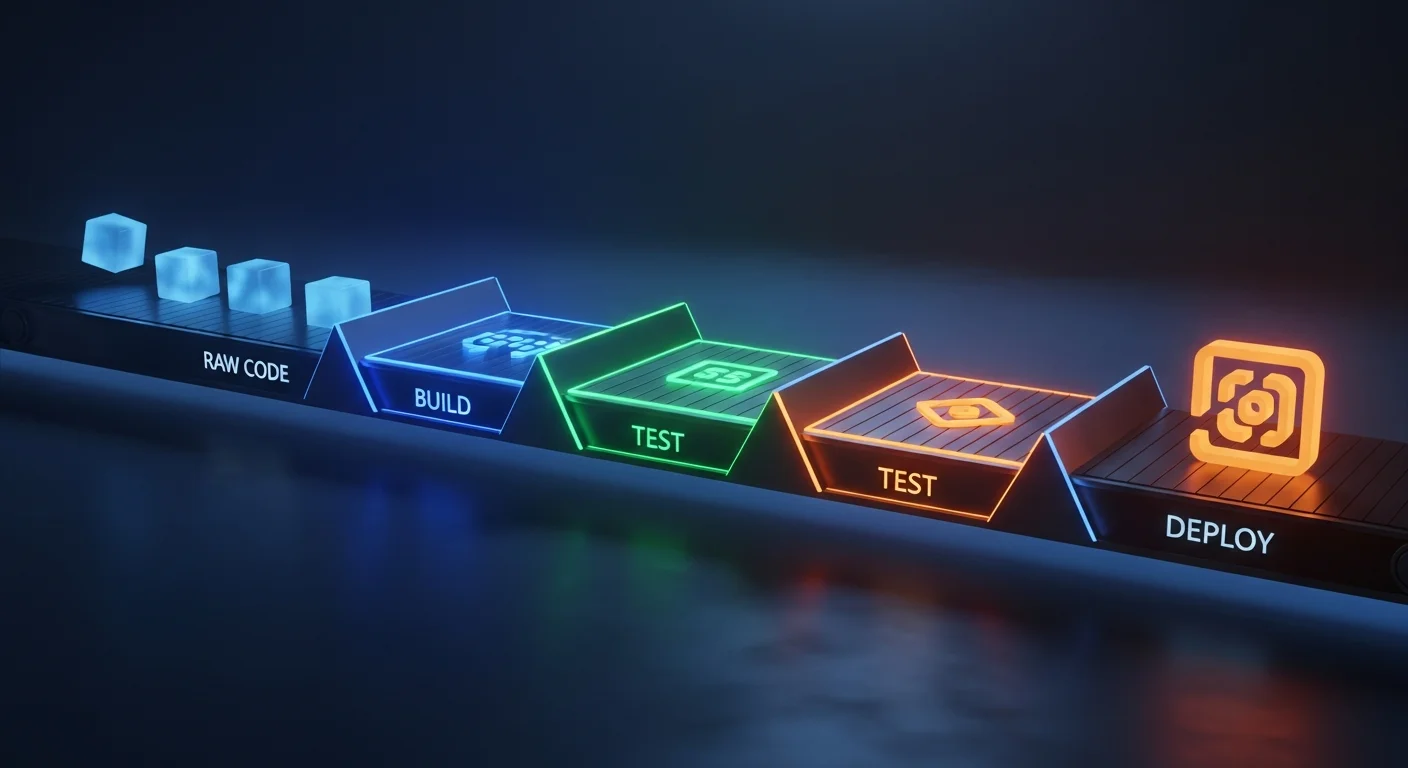
Every commit should trigger an automated pipeline: lint → build → test → deploy. GitHub Actions is the most popular CI/CD platform in 2026, built directly into GitHub.
Essential Workflow Structure
name: CI/CD Pipeline

on:
  push:
    branches: [main]
  pull_request:
    branches: [main]

jobs:
  build-and-test:
    runs-on: ubuntu-latest
    steps:
      - uses: actions/checkout@v4

      - name: Set up Node.js
        uses: actions/setup-node@v4
        with:
          node-version: '20'
          cache: 'npm'

      - run: npm ci
      - run: npm test
      - run: npm run build

  deploy:
    needs: [build-and-test]
    if: github.ref == 'refs/heads/main'
    runs-on: ubuntu-latest
    steps:
      - uses: actions/checkout@v4

      - name: Build & Push Docker Image
        uses: docker/build-push-action@v5
        with:
          push: true
          tags: registry.io/app:${{ github.sha }}

      - name: Deploy to production
        run: |
          ssh deploy@server "docker pull registry.io/app:${{ github.sha }}"
          ssh deploy@server "docker compose up -d"
Key Concepts
| Feature | Syntax | Use Case |
|---|---|---|
| Matrix strategy | strategy: matrix: node: [18, 20, 22] |
Test across multiple versions |
| Caching | actions/cache@v3 |
Speed up builds with dependency caching |
| Secrets | ${{ secrets.API_KEY }} |
Inject sensitive values safely |
| Concurrency | concurrency: group: deploy |
Prevent concurrent deployments |
| Environments | environment: production |
Manual approval gates |
📥 Download the complete references:
Jenkins Pipeline
Jenkins remains the king for enterprises needing maximum flexibility and on‑premise CI/CD.
pipeline {
    agent any

    environment {
        DOCKER_REGISTRY = 'registry.company.com'
        APP_VERSION = "${env.BUILD_NUMBER}"
    }

    stages {
        stage('Checkout') {
            steps {
                checkout scm
            }
        }

        stage('Build') {
            steps {
                sh 'docker build -t ${DOCKER_REGISTRY}/app:${APP_VERSION} .'
            }
        }

        stage('Test') {
            parallel {
                stage('Unit Tests') {
                    steps { sh 'npm test' }
                }
                stage('Integration Tests') {
                    steps { sh 'npm run test:integration' }
                }
            }
        }

        stage('Deploy to Staging') {
            steps {
                sh 'kubectl set image deploy/app app=${DOCKER_REGISTRY}/app:${APP_VERSION} -n staging'
            }
        }

        stage('Deploy to Production') {
            when { branch 'main' }
            input { message 'Deploy to production?' }
            steps {
                sh 'kubectl set image deploy/app app=${DOCKER_REGISTRY}/app:${APP_VERSION} -n production'
            }
        }
    }

    post {
        failure {
            slackSend channel: '#alerts', message: "Build ${env.BUILD_NUMBER} FAILED"
        }
        success {
            slackSend channel: '#deploys', message: "v${APP_VERSION} deployed successfully"
        }
    }
}
📥 Download the complete references:
Monitoring & Observability
You cannot improve what you cannot measure. The three pillars of observability are metrics (Prometheus), logs (Loki/ELK), and traces (Jaeger/Zipkin).
Prometheus — Metrics
# Essential PromQL queries
up == 0                                              # Targets that are down
rate(http_requests_total{status="500"}[5m])           # 500 error rate over 5 min
histogram_quantile(0.95, rate(http_request_duration_seconds_bucket[5m]))  # P95 latency
increase(http_requests_total[1h])                     # Total requests in last hour
node_cpu_seconds_total{mode="idle"}                   # CPU idle time
node_memory_MemAvailable_bytes / node_memory_MemTotal_bytes * 100  # Memory % available
predict_linear(node_filesystem_avail_bytes[6h], 24*3600)  # Disk space in 24h
The Observability Stack
| Layer | Tool | Purpose |
|---|---|---|
| Metrics | Prometheus | Time-series metrics collection & alerting |
| Visualization | Grafana | Dashboards for metrics, logs, and traces |
| Logging | Loki / ELK Stack | Log aggregation & search |
| Tracing | Jaeger / Tempo | Distributed request tracing |
| Alerting | Alertmanager | Route alerts to Slack, PagerDuty, email |
| SDK | OpenTelemetry | Unified instrumentation for all three pillars |
📥 Download: Prometheus & Grafana Monitoring Guide
Cloud Platforms — Essential CLI Commands
AWS CLI
aws configure                                       # Set credentials
aws s3 sync ./dist s3://my-bucket --delete           # Deploy static site to S3
aws ec2 describe-instances --filters "Name=tag:env,Values=prod"  # List prod EC2
aws ecr get-login-password | docker login --username AWS ...     # Docker login to ECR
aws ecs update-service --cluster prod --service api --force-new-deployment  # Force ECS redeploy
aws lambda invoke --function-name process-order output.json     # Invoke Lambda
aws cloudformation deploy --template template.yaml --stack-name prod  # Deploy CFN stack
aws logs tail /aws/lambda/my-func --follow           # Follow CloudWatch logs
Azure CLI
az login                                             # Authenticate
az group create -n myapp-rg -l westeurope            # Create resource group
az vm create -n web01 -g myapp-rg --image Ubuntu2204  # Create VM
az aks get-credentials -n my-cluster -g myapp-rg     # Get AKS kubeconfig
az acr build -t myapp:v1 -r myregistry .             # Build & push container image
az webapp deploy -n myapp -g myapp-rg --src-path app.zip  # Deploy to App Service
az monitor metrics list --resource /subscriptions/.../myVM --metric "Percentage CPU"  # Get metrics
📥 Download the complete references:
Security Best Practices
Security in DevOps (DevSecOps) is not a phase — it is woven into every stage of the pipeline:
| Practice | Tool | When |
|---|---|---|
| Container image scanning | Trivy, Snyk, Grype | CI pipeline before push |
| Secrets management | Vault, AWS Secrets Manager, SOPS | Never hardcode credentials |
| RBAC | Kubernetes RBAC, Cloud IAM | Least privilege everywhere |
| Network policies | Kubernetes NetworkPolicy, Calico | Default deny, explicit allow |
| Supply chain security | Cosign, Notation, SBOM | Sign & verify images |
| Policy enforcement | OPA Gatekeeper, Kyverno | Admission control in clusters |
| Dependency audit | npm audit, pip-audit, Dependabot | Every build + scheduled scans |
The Complete DevOps Tool Inventory for 2026
Here is every major tool organized by category — your DevOps shopping list:
| Category | Tools |
|---|---|
| Version Control | Git, GitHub, GitLab, Bitbucket |
| Containers | Docker, Podman, Buildah, containerd |
| Orchestration | Kubernetes, Docker Swarm, Nomad |
| Package Mgmt | Helm, Kustomize |
| CI/CD | GitHub Actions, Jenkins, GitLab CI, CircleCI, ArgoCD |
| IaC | Terraform, Pulumi, CloudFormation, Bicep |
| Config Mgmt | Ansible, Chef, Puppet, SaltStack |
| Monitoring | Prometheus, Grafana, Datadog, New Relic |
| Logging | Loki, ELK Stack, Fluentd, Vector |
| Tracing | Jaeger, Zipkin, Tempo, OpenTelemetry |
| Secrets | HashiCorp Vault, AWS Secrets Manager, SOPS |
| Security | Trivy, Snyk, Falco, OPA Gatekeeper |
| Service Mesh | Istio, Linkerd, Consul Connect |
| Cloud | AWS, Azure, GCP, DigitalOcean, Hetzner |
All 49 DevOps Cheat Sheets — Free Download
Every tool covered in this article has a dedicated cheat sheet in our library. Here is the summary:
| Technology | Sheets |
|---|---|
| DevOps & Infrastructure | 23 |
| Docker | 9 |
| Kubernetes | 8 |
| Automation (Ansible) | 3 |
| Cloud (AWS, Azure) | 4 |
| Helm & Podman | 2 |
| TOTAL | 49 |
Browse All DevOps Cheat Sheets →
Recommended Books for Deep Learning
Cheat sheets are for speed. Books are for depth. If you are serious about DevOps, these titles from the Dargslan library will accelerate your journey:
Docker Track
- Docker Fundamentals — Start here
- Docker Compose & Multi-Container Applications
- Docker Networking & Storage Deep Dive
- Docker Security & Production Hardening
- Docker for Web Developers
Kubernetes Track
- Kubernetes Fundamentals — Start here
- Kubernetes Networking & Service Mesh
- Kubernetes Security & Best Practices
- Kubernetes for Production: Scaling & Monitoring
- Microservices with Docker and Kubernetes
Infrastructure & Automation
- Ansible Automation: From Zero to Production
- IT Infrastructure Management
- Rocky Linux 9 + Docker + Traefik: Self-Hosted Platform
Get the DevOps & Cloud Bundle — €79.90 →
Final Thoughts
The DevOps ecosystem in 2026 is mature but still evolving. AI‑assisted operations (AIOps), platform engineering, and internal developer platforms (IDPs) are the next frontier. But the fundamentals — Linux, containers, IaC, CI/CD, and monitoring — have not changed. Master them, and every new tool becomes a variation on a theme you already understand.
Start with the roadmap. Use the cheat sheets daily. Go deep with the books when a topic clicks. And remember: the best DevOps engineer is not the one who knows every tool — it is the one who can ship reliable software, repeatedly, while everyone else is asleep.



