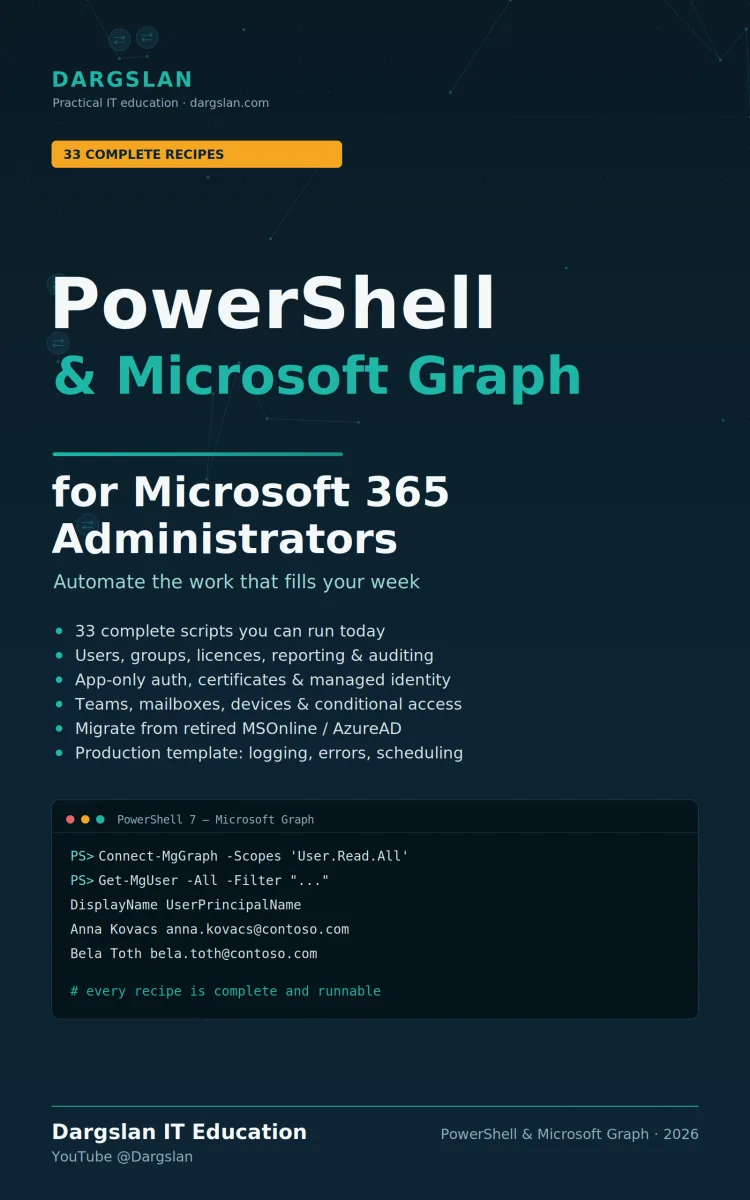
PowerShell & Microsoft Graph for Microsoft 365 Admins
What's Included:
At a Glance
PowerShell & Microsoft Graph for Microsoft 365 Admins is a professional PowerShell eBook by Dargslan, 123 pages, available as an instant PDF and EPUB download for €13.90 with lifetime access and free updates. A practical cookbook of complete, runnable PowerShell and Microsoft Graph scripts for real M365 admin tasks—user lifecycle, groups and Teams, licensing, reporti...
- Length: 123 pages
- Format: PDF and EPUB (instant download)
- Language: English
- Topic: PowerShell
- Edition: 1st Edition
- Price: €13.90
Key Highlights
- A cookbook of complete, runnable scripts—no pseudo-code, no fragments
- Every recipe: goal, requirements, script, real output, how it works, and variations
- Full migration path off the retired MSOnline and AzureAD modules
- A cmdlet-by-cmdlet migration map for translating legacy scripts
- Graph fundamentals: scopes, paging, server-side filtering, and calling any endpoint directly
- Surviving throttling and speeding up large jobs
- App-only authentication and managed identities for unattended automation
- User lifecycle: create, bulk CSV, offboarding, passwords, guests, and bulk updates
- Groups and Teams: bulk membership, ownerless/empty group cleanup, and reporting
- License management, including reclaiming licenses from inactive accounts
- Reporting and auditing: MFA, stale accounts, sign-in logs, and emailable HTML reports
- Production automation: script templates, scheduling, and failure alerting
- Mail and calendars, plus devices and security posture (privileged roles, conditional access)
- Reference appendices: cmdlet reference, permission reference, migration map, troubleshooting, and glossary
Overview
A practical cookbook of complete, runnable PowerShell and Microsoft Graph scripts for real M365 admin tasks—user lifecycle, groups and Teams, licensing, reporting, and production automation. Includes a full migration path off the retired MSOnline and AzureAD modules.
The Problem
If you administer Microsoft 365 with PowerShell, the ground has shifted under you. The MSOnline and AzureAD modules are retired—not deprecated, retired—and they stopped functioning during 2025 along with the Azure AD Graph API behind them. If you have scheduled tasks calling Connect-MsolService or Connect-AzureAD, they're already failing, often silently, right when you need them.
The replacement, Microsoft Graph and its PowerShell SDK, is powerful but unforgiving. It introduces a whole new permission model of scopes, app-only authentication for unattended scripts, and gotchas like paging (where you silently get only the first page of results) and throttling on large jobs. Most learning material is either dense reference documentation or scattered snippets that stop at "…and handle the rest," leaving you to finish incomplete scripts yourself. So you're stuck: your old automation is broken, and the new way has a steep, poorly documented on-ramp exactly when you have real work to get done.
The Solution
PowerShell & Microsoft Graph for M365 Admins is a cookbook, not a reference manual. Every recipe is a complete, runnable script for a task admins actually perform—no pseudo-code, no "handle the rest." Substitute your values and it runs as written, with the scopes it needs, the output it produces, and the reasoning to adapt it.
It directly solves the migration crisis: a dedicated section for finding and translating scripts that broke when MSOnline and AzureAD retired, plus a cmdlet-by-cmdlet migration map. Beyond rescue, it covers the fundamentals that matter—scopes, paging, filtering, throttling—and the app-only authentication and managed identities that real unattended automation requires. Recipes span user lifecycle, groups and Teams, licensing, reporting, mail, devices, and security posture, all built for genuine production use with scheduling and failure alerting. With cmdlet and permission references to keep open, this book gets your automation working again—and better than before.
About This Book
PowerShell & Microsoft Graph for M365 Admins is a cookbook, not a reference manual. Every recipe is a complete, runnable script for a task Microsoft 365 administrators actually perform—delivered with the permissions it needs, the output it produces, and an explanation of why it works so you can adapt it to your own environment. If you manage Microsoft 365 and want to automate real work rather than wade through abstract theory, this book is built for you.
Every Recipe Is Complete and Runnable
There's no pseudo-code here, no "…and handle the rest." Substitute your own values and each recipe runs exactly as written—because a cookbook you have to finish yourself isn't a cookbook. Every recipe follows the same practical shape: the goal in one sentence; what you'll need (scopes, roles, and values to substitute); the script, complete and runnable; what you get, showing real output so you know it worked; how it works, explaining the reasoning behind the code; and variations, pointing to the next thing you'll want to do.
If Your Scripts Just Stopped Working
The MSOnline and AzureAD modules are retired, not merely deprecated—they stopped functioning during 2025, along with the Azure AD Graph API behind them. If you have scheduled tasks calling Connect-MsolService or Connect-AzureAD, they're already failing. This book gives you a clear rescue path: a dedicated section on finding what broke and translating it, coverage of the app-only authentication unattended scripts now require, and a cmdlet-by-cmdlet migration map in the appendices. It's the practical answer to "my automation suddenly broke."
What You'll Automate
The recipes span the full range of everyday and advanced M365 administration:
- Graph fundamentals — scopes and the permission model, paging to avoid silent data loss, server-side filtering, calling any Graph endpoint directly, and surviving throttling on big jobs
- Authentication for automation — delegated vs. app-only, registering an app for unattended automation, and connecting with a managed identity in Azure
- User management — creating users properly, bulk-creating from CSV, complete offboarding in one script, password resets and authentication methods, guest users, and bulk attribute updates
- Groups and Teams — creating groups and adding members in bulk, finding ownerless and empty groups, creating Teams with channels, and reporting on owners
- License management — understanding SKUs and service plans, seeing what you own and use, assigning and removing licenses, and reclaiming licenses from inactive accounts
- Reporting and auditing — MFA registration reports, stale account and guest cleanup, sign-in log analysis, and emailable HTML reports
- Production automation — the production script template, scheduling, and knowing when a job fails
- Mail and calendars — sending mail, managing automatic replies, and the mailbox half of offboarding
- Devices and security posture — device inventory, auditing privileged roles, and reporting on conditional access policies
Built for Real Production, Not Just Demos
This book takes seriously what separates a script from automation. You'll learn to build production-grade scripts with proper app-only authentication and managed identities, schedule them reliably, and get alerted when they fail—along with the fundamentals that trip people up in production, like paging and throttling. These are the details that make the difference between a script that works once on your laptop and automation you can trust to run unattended.
Suggested Paths for Your Situation
The book adapts to where you are. New to Graph? Read the setup and fundamentals sections in order, then dip into the rest as needed. Migrating legacy scripts? Start with the migration section, then authentication, then the recipes matching your old scripts. Building automation? Focus on the authentication and production sections, then the recipes for your task. For day-to-day work, keep the cmdlet and permission references open.
Reference Material You'll Keep Open
The appendices are built for daily use: a cmdlet reference, a permission reference, a migration map from the retired modules, a troubleshooting reference, and a glossary.
Why This Book
The move to Microsoft Graph and the retirement of MSOnline and AzureAD have left many administrators with broken automation and no clear path forward. This cookbook is that path—complete, runnable scripts grounded in real tasks, with the reasoning to adapt them. Substitute your values, run the recipe, and get back to work.
Who Is This Book For?
- Microsoft 365 and Office 365 administrators automating daily tasks with PowerShell
- Admins whose MSOnline or AzureAD scripts broke and need to migrate to Graph
- IT professionals building unattended, scheduled M365 automation
- Identity and Entra ID admins managing users, groups, and licensing at scale
- System administrators handling onboarding, offboarding, and reporting
- DevOps and platform engineers running M365 automation in Azure
- Anyone who wants complete, runnable Graph PowerShell scripts, not fragments
Who Is This Book NOT For?
- Complete beginners with no PowerShell experience at all
- End users who only use Microsoft 365 apps rather than administer the tenant
- Developers seeking a general Graph API guide in C#, JavaScript, or other languages
- Those wanting a narrative, concept-first textbook rather than a recipe cookbook
- Admins committed to point-and-click admin centers who won't script
Table of Contents
- Section 0 — Setup: why this book exists, the honest downside of the new SDK, what you're talking to, installing everything, your first connection
- Section 1 — Graph Fundamentals: scopes and the permission model, paging, server-side filter and select, calling any Graph endpoint directly, surviving throttling
- Section 2 — Authentication for Automation: delegated vs. app-only, registering an app for unattended automation, connecting with a managed identity in Azure
- Section 3 — User Management: create a user properly, bulk-create from CSV, complete offboarding, password resets and authentication methods, guest users, bulk attribute updates
- Section 4 — Groups & Teams: create groups and bulk-add members, find ownerless and empty groups, create Teams with channels, report on owners
- Section 5 — Licence Management: SKUs and service plans, usage, assigning/removing licences and single service plans, reclaiming from inactive accounts
- Section 6 — Reporting & Auditing: MFA registration report, stale accounts and guest cleanup, sign-in log analysis, emailable HTML reports
- Section 7 — Migrating Retired Scripts: what happened, finding what still uses retired modules, the translation table, translating a real legacy script
- Section 8 — Production Automation: the production script template, scheduling and failure alerting
- Section 9 — Mail & Calendars: Graph vs. Exchange Online PowerShell, sending mail and automatic replies, the mailbox half of offboarding
- Section 10 — Devices & Security Posture: device inventory, auditing privileged roles, reporting on conditional access policies
- Appendix A — Cmdlet Reference
- Appendix B — Permission Reference
- Appendix C — Migration Map
- Appendix D — Troubleshooting Reference
- Appendix E — Glossary
Requirements
- Working knowledge of PowerShell fundamentals (cmdlets, variables, loops, the pipeline)
- A Microsoft 365 tenant with administrative access to run the recipes
- PowerShell 7.x and the Microsoft Graph PowerShell SDK (installation is covered)
- Permission to register an Entra ID app for app-only automation scenarios
- An Azure subscription is helpful for the managed identity recipes
- Familiarity with basic M365 concepts (users, groups, licenses) is useful