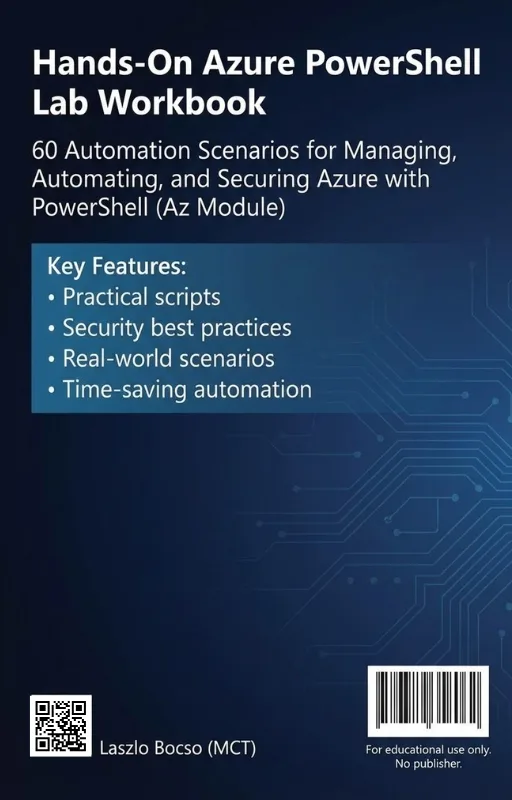
Hands-On Azure PowerShell Lab Workbook
60 Automation Scenarios for Managing, Automating, and Securing Azure with PowerShell (Az Module)
What's Included:
At a Glance
Hands-On Azure PowerShell Lab Workbook is a professional PowerShell eBook by Laszlo Bocso, 137 pages, available as an instant PDF and EPUB download for €8.90 with lifetime access and free updates. 60 Automation Scenarios for Managing, Automating, and Securing Azure with PowerShell (Az Module).
- Length: 137 pages
- Format: PDF and EPUB (instant download)
- Language: English
- Topic: PowerShell
- Edition: 1st Edition
- Price: €8.90
Key Highlights
- 60 hands-on Azure automation labs using PowerShell (Az module)
- Governance labs: resource groups, tags, and policy mindset
- Identity automation labs: users, access, and role control workflows
- Networking labs: VNets, subnets, NSGs, routing
- VM automation labs: provisioning, operations, repeatable tasks
- Storage labs: blobs, files, lifecycle management
- Security hardening automation labs
- Monitoring and logging automation labs
- Backup and recovery automation labs
- Professional script patterns + end-to-end projects
- Cheat sheets, templates, troubleshooting guide
- 60-lab progress tracker checklist
Overview
Build real Azure automation skills with 60 hands-on PowerShell labs using the Az module. Deploy, secure, monitor, and manage Azure resources with repeatable scripts and end-to-end projects.
The Problem
Many Azure professionals rely on the portal and understand cloud concepts academically, but struggle to automate real infrastructure. This creates slow operations, inconsistent deployments, and security gaps.
Common problems include:
- Knowing what Azure resources do but not how to script them
- Manual, repetitive portal work that doesn’t scale
- Inconsistent naming, tagging, and governance
- RBAC/security configurations applied differently across environments
- Lack of repeatable monitoring and backup automation
Without hands-on repetition, PowerShell skills remain fragile — and production demands consistency.
The Solution
Hands-On Azure PowerShell Lab Workbook solves this by forcing real execution through 60 structured labs.
You will learn how to:
- Automate real Azure administration tasks using the Az module
- Build repeatable infrastructure and governance patterns
- Script security hardening and operational workflows
- Standardize deployments with templates and reusable scripts
- Develop confidence through repetition and troubleshooting
The result: measurable automation competence and a toolkit you can reuse in real environments.
About This Book
Hands-On Azure PowerShell Lab Workbook is a lab-driven workbook featuring 60 practical automation scenarios for managing, automating, and securing Microsoft Azure with PowerShell (Az module).
The cloud rewards those who can do. Many professionals understand Azure concepts in theory but hesitate when faced with a terminal and a blank script. This workbook closes that gap through structured, repeatable labs that build real operational muscle memory.
60 Labs That Train Real Azure Automation
Each lab is designed around a realistic objective you will encounter in real Azure environments. You will:
- Build a safe lab environment and automation workflow
- Automate governance with resource groups, tags, and policy thinking
- Script identity and access tasks with Azure identity tooling
- Provision and manage VNets, subnets, NSGs, and routing
- Automate VM provisioning and operational tasks
- Manage storage, lifecycle policies, and access controls
- Harden Azure environments with security automation
- Automate observability with monitoring and logging
- Implement backup automation and recovery readiness
From Labs to Professional Automation
Later chapters take you beyond single scripts and into professional-grade automation:
- Reusable script patterns and production structure
- Scaling operations and repeatable changes
- End-to-end projects that mirror production deployments
Built-In Tools for Long-Term Progress
Appendices include cheat sheets, naming and tagging templates, script templates, a troubleshooting guide, and a 60-lab progress tracker to measure your hands-on growth.
If you want real Azure automation skill — not just familiarity — this workbook is your training plan.
Who Is This Book For?
- Azure administrators who want to automate daily operations
- DevOps engineers building repeatable cloud workflows
- Cloud architects standardizing governance and security
- IT professionals transitioning into Azure roles
- Certification candidates who need hands-on scripting confidence
Who Is This Book NOT For?
- Readers seeking portal-only Azure tutorials
- People who want a reference book without hands-on labs
- Complete beginners with no PowerShell familiarity at all
- Teams looking for Terraform-only or ARM/Bicep-only content
Table of Contents
- Lab Environment and Safety (Labs 1–3)
- Resource Groups, Tags, and Policy Mindset (Labs 4–9)
- Azure Identity Automation (Labs 10–12)
- VNets, Subnets, NSGs, and Routing (Labs 13–15)
- VM Provisioning, Operations, and Automation (Labs 16–20)
- Storage Accounts, Blobs, Files, and Lifecycle (Labs 21–24)
- Hardening and Security Automation (Labs 25–30)
- Observability Automation (Labs 31–36)
- Backup Automation (Labs 37–40)
- Writing Professional Azure Automation Scripts (Labs 41–45)
- Scaling Operations (Labs 46–50)
- Real-World End-to-End Projects (Labs 51–60)
- Appendix A: Az Command Cheat Sheet (Admin Edition)
- Appendix B: Tagging & Naming Standard Templates
- Appendix C: Script Templates (Baseline RG/VNet/VM)
- Appendix D: Troubleshooting Guide
- Appendix E: 60-Lab Progress Tracker (Checklist)
Requirements
- Basic PowerShell familiarity (variables, pipelines, functions recommended)
- An Azure subscription (a test subscription is ideal)
- PowerShell 7+ and Az module installed
- Willingness to complete labs hands-on (typing matters)