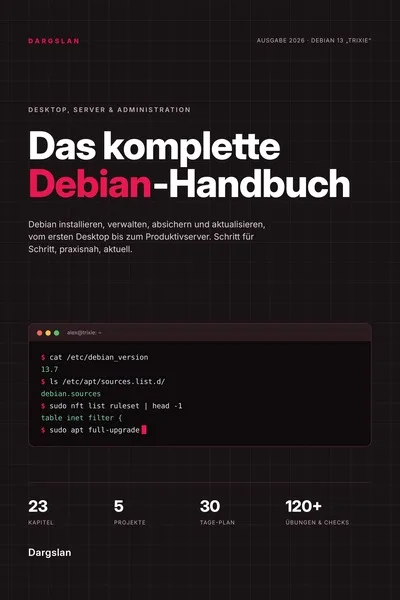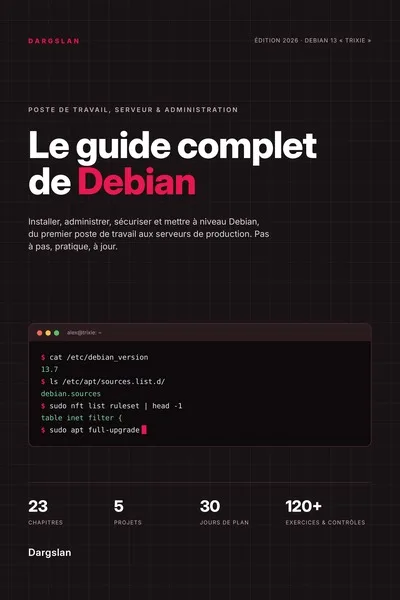
The Complete Debian Guide
Debian 13 "trixie" Desktop, Server and Administration, Step by Step
What's Included:
At a Glance
The Complete Debian Guide is a professional Linux Fundamentals eBook by Dargslan, 125 pages, available as an instant PDF and EPUB download for €13.90, DRM-free and yours to keep, with free updates. Debian 13 "trixie" Desktop, Server and Administration, Step by Step.
- Length: 125 pages
- Format: PDF and EPUB (instant download)
- Language: English
- Topic: Linux Fundamentals
- Edition: 1st Edition
- Price: €13.90
Key Highlights
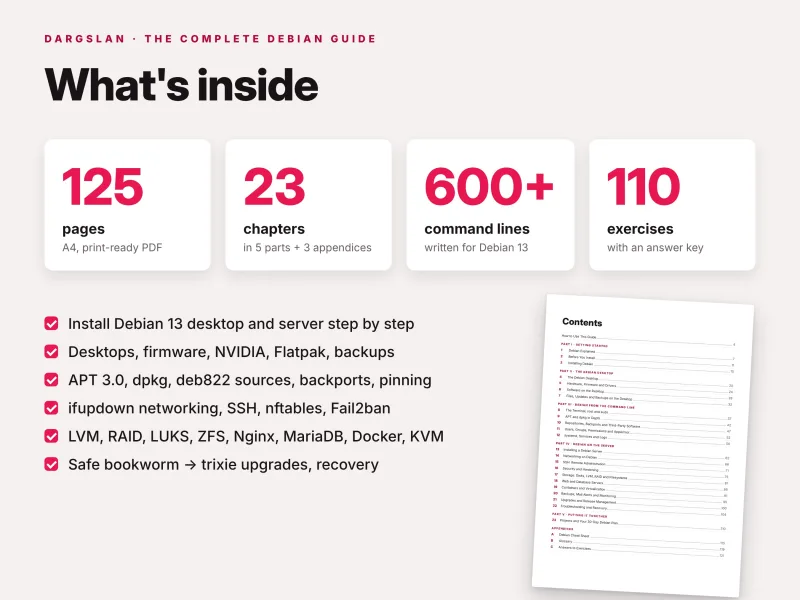
- 125 pages, 23 chapters in 5 parts, plus 3 appendices
- Written for Debian 13 "trixie", with notes for Debian 12 "bookworm"
- Desktop and server: GNOME 48, KDE Plasma 6.3, NVIDIA with Secure Boot, Flatpak
- APT 3.0, dpkg, deb822 sources, backports and pinning
- systemd, the journal, AppArmor and the new tmpfs /tmp
- SSH, nftables, UFW, Fail2ban and unattended-upgrades
- LVM, mdadm RAID, LUKS and ZFS
- Nginx, Apache, PHP 8.4, MariaDB 11.8, PostgreSQL 17, Docker, Podman, KVM and Incus
- Upgrade from bookworm to trixie, troubleshooting and recovery
- More than 600 command lines, 110 exercises with answers and a checkpoint in every chapter
- 5 hands-on projects and a 30-day study plan
- 4-page cheat sheet and a glossary of 52 terms
- PDF + EPUB + all code examples as a ZIP
Overview
Learn Debian 13 "trixie" on the desktop and the server: 125 pages from your first installation to APT, systemd, networking, SSH, security, storage, web servers, containers, backups, upgrades and recovery. PDF + EPUB + code ZIP.
The Problem
Debian is rock-solid, but only if you work with it rather than against it. Newcomers mix in packages from Ubuntu or testing, add random repositories, ignore configuration prompts during upgrades and end up with a FrankenDebian that breaks. Administrators wonder where /var/log/syslog went, why /tmp suddenly lives in memory, which of three network stacks a server uses, or why encrypted disks no longer unlock after a release upgrade.
Online tutorials are often written for Ubuntu or older Debian releases, so commands, package names and defaults no longer match Debian 13 – and the official documentation is thorough but scattered.
The Solution
The Complete Debian Guide teaches Debian 13 "trixie" step by step, from installation and the desktop to APT, repositories, systemd, networking, SSH, security, storage, web and database servers, containers, backups, release upgrades and recovery – with notes wherever Debian 12 "bookworm" differs.
Every step shows the exact clicks or commands with expected results, and warning boxes mark what can break your system. More than 600 command lines, 110 exercises with answers, checkpoints, five projects and a 30-day plan turn knowledge into skill, and all commands and configuration files are included as a ZIP, ready to copy.
About This Book
The Complete Debian Guide: Debian 13 "trixie" Desktop, Server and Administration, Step by Step
Debian is one of the oldest and most influential Linux distributions. It is built entirely by volunteers, run by a written constitution and used as the foundation of Ubuntu, Raspberry Pi OS, Proxmox VE and hundreds of other systems. It is famous for stability: a Debian server behaves the same for years. But Debian also does things its own way – root or sudo, free and non-free components, minimal installations without a firewall or web panel, plain-text configuration in /etc – and newcomers who follow random tutorials quickly end up with a "FrankenDebian" that breaks on the next upgrade. The Complete Debian Guide teaches Debian properly.
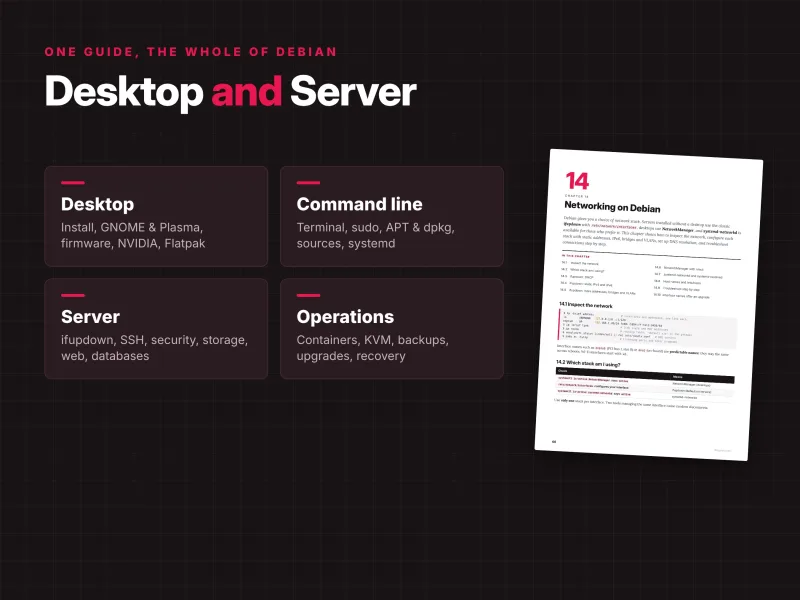
This 125-page guide covers Debian 13 "trixie" on the desktop and on the server: from your first download and installation to running, securing, upgrading and repairing your own Debian machines. It assumes no prior Linux experience, yet goes deep enough to turn you into a real Debian administrator. You can stop after the desktop part, or go all the way to production servers.
Written for Debian 13 "trixie"
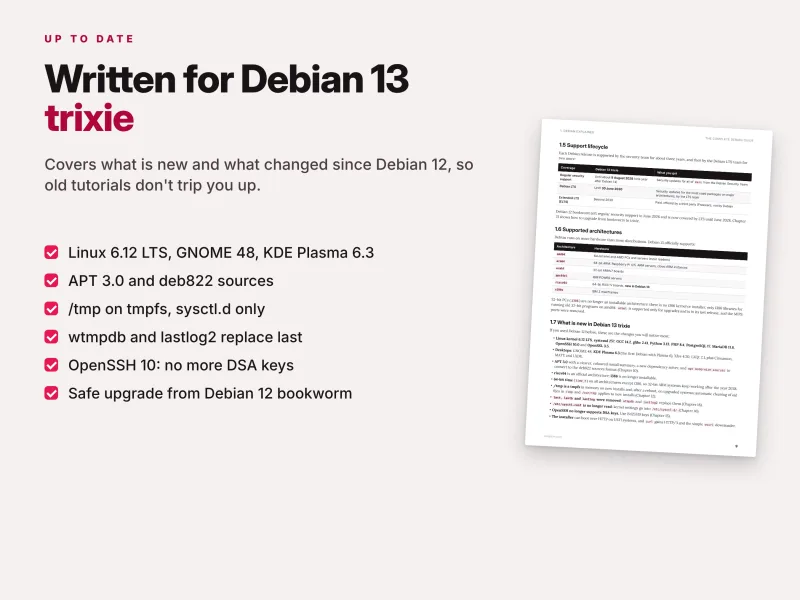
Everything is written for Debian 13 "trixie", the current stable release. Where Debian 12 "bookworm" behaves differently, a note tells you. The guide covers what is new in trixie and what it means in practice:
- Linux 6.12 LTS, systemd 257, GNOME 48 and KDE Plasma 6.3;
- APT 3.0 with a new solver and
apt modernize-sourcesfor the deb822 sources format; - PHP 8.4, MariaDB 11.8, PostgreSQL 17, OpenSSH 10.0 and OpenSSL 3.5;
/tmpas a tmpfs in memory, with automatic cleanup on new installations;- riscv64 as an official architecture, the end of installable i386, and 64-bit time on 32-bit ARM;
- the upgrade pitfalls from bookworm, from LUKS and DSA keys to network interface names.
Most of the book also applies to Debian-based systems such as Raspberry Pi OS, Proxmox VE and LMDE.
Part I – Getting started
You start with how the Debian Project works: the Social Contract and the Debian Free Software Guidelines, the stable, testing and unstable branches, versions and codenames, the support lifecycle including LTS, the supported architectures, what is new in Debian 13 and how Debian relates to its derivatives. Then you prepare: hardware requirements, choosing the right installation image, checking your hardware, creating a practice virtual machine, verifying the download, writing a bootable USB stick and preparing a Windows computer for dual boot.
The installation chapter walks through the Debian installer screen by screen: language, keyboard, network and host name, the important decision between a root account and sudo, partitioning including encrypted LVM, dual boot with Windows, software selection, the boot loader, and a first-boot checklist – plus what to do if you set a root password and want sudo afterwards.
Part II – The Debian desktop
Choose your desktop and understand Wayland and X11. You tour GNOME 48 with its essential keyboard shortcuts and customisation, and KDE Plasma 6.3, and learn to install or remove another desktop and set up fonts, languages and input methods. The hardware chapter explains drivers and firmware, installing missing firmware, Intel and AMD graphics, NVIDIA drivers with Secure Boot (including enrolling the DKMS signing key with MOK), newer kernels from backports, sound and Bluetooth, printers and scanners, laptop power management and firmware updates with fwupd.
The software chapter shows where software comes from: GNOME Software and KDE Discover, apt, Flatpak and Flathub, Snaps on Debian, popular applications, multimedia codecs, a vendor repository done safely (Google Chrome as the example) and single .deb files. Part II ends with files, external drives, network shares, user accounts, keeping the desktop updated, cleaning up disk space and backups with Déjà Dup and system snapshots with Timeshift.
Part III – Debian from the command line
The terminal chapter teaches you to move around, work with files, read and search text, find files, use pipes and redirection, get help, edit configuration files and watch processes – and explains root, sudo and su the Debian way, including configuring sudo safely. APT and dpkg in depth covers packages and dependencies, apt versus apt-get, reading apt policy, manual and automatic packages, holding a version, debconf, configuration file prompts during upgrades, history and repairing a broken package state.
Repositories, backports and third-party software explains the two source formats, converting to deb822, the official suites, enabling contrib and non-free, mirrors, backports, pinning, third-party repositories done safely and the rules that keep you from breaking Debian. Users, groups, permissions and AppArmor covers user management the Debian way, permissions, special bits, ACLs, password policy and AppArmor. systemd, services and logs shows how to control services, read systemctl status, change a packaged service safely, write your own service, timers and cron, the journal, where /var/log/syslog and auth.log went, the new /tmp, boot targets and the *ctl tools.
Part IV – Debian on the server
Ten chapters take you from an empty machine to a well-run server. You plan and install a minimal server, log in over SSH, work through a first-hour checklist, track /etc with etckeeper, and learn cloud images with cloud-init, Debian on a VPS and automated installation with preseed. The networking chapter helps you find out which stack you are using and configure ifupdown (DHCP, static IPv4 and IPv6, bridges and VLANs), NetworkManager with nmcli and systemd-networkd with systemd-resolved, then troubleshoot step by step and handle interface names after an upgrade.
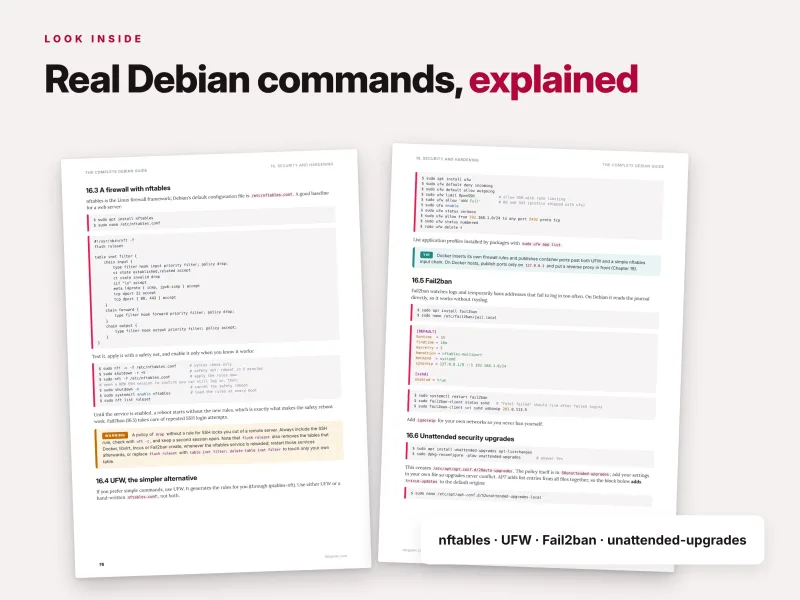
The SSH chapter covers key-based authentication, hardening, the client configuration file, copying files, tunnels, long-running tasks, the changes in OpenSSH 10 and what to do when you are locked out. Security and hardening covers how Debian security updates work, a firewall with nftables or the simpler UFW, Fail2ban, unattended security upgrades, needrestart and debsecan, kernel settings, monitoring logins, reducing the attack surface and auditing with Lynis. Storage covers new disks, growing and extending LVM, LVM snapshots, software RAID 1 with mdadm, LUKS encryption, swap, filesystems compared, ZFS on Debian and disk health.
You then run real services: Nginx and Apache the Debian way, PHP 8.4 with PHP-FPM, MariaDB 11.8, PostgreSQL 17, HTTPS with Let's Encrypt and certbot, security headers and a complete LEMP stack for WordPress. The containers chapter compares technologies and covers Docker (Debian package or Docker's repository), Docker Compose, Podman, KVM virtual machines with libvirt and virsh, and Incus for system containers and VMs. Backups, mail alerts and monitoring covers the 3-2-1 rule, rsync, restic and BorgBackup, a nightly backup with a systemd timer, restore tests, outgoing mail for alerts and metrics with Prometheus and Grafana.
The upgrade chapter explains updates within a release and walks through a full release upgrade from bookworm to trixie: preparation, cleaning up, changing the APT sources, running the upgrade, the known pitfalls and the checks afterwards, plus why you should not run testing or unstable and what happens at the end of support. Troubleshooting and recovery gives you a method and covers GRUB problems, emergency mode and fstab errors, forgotten passwords, package errors, a full disk, an overloaded system, services that will not start, rescue from a live USB and how to report a bug to Debian.
Part V – Five projects and a 30-day plan
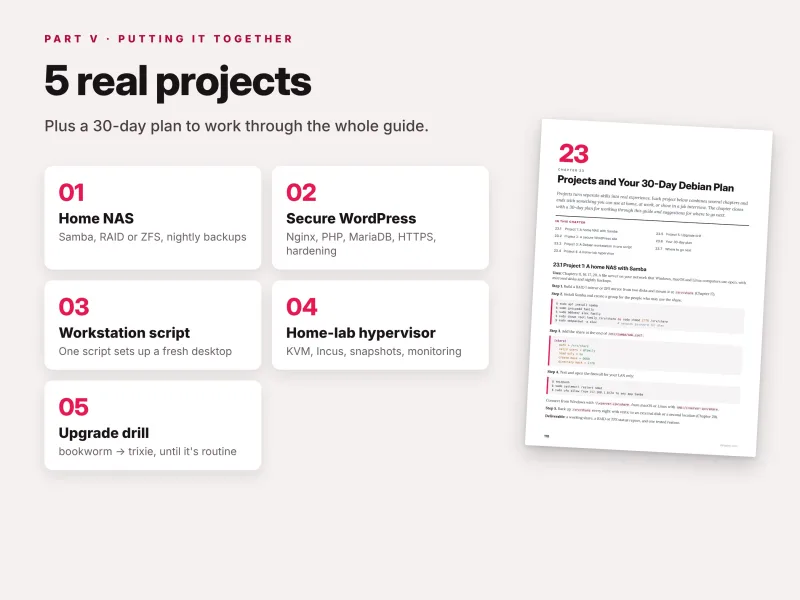
The final chapter brings everything together in five hands-on projects:
- a home NAS with Samba;
- a secure WordPress site;
- a Debian workstation in one script;
- a home-lab hypervisor;
- an upgrade drill that rehearses a release upgrade safely.
A 30-day plan breaks the guide into daily sessions, and a final section shows where to go next.
Learn by doing
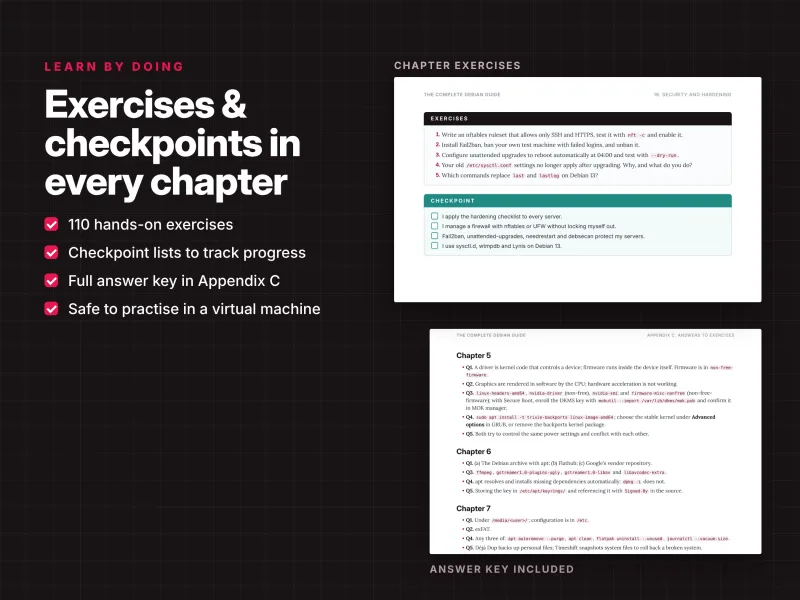
Every chapter follows the same structure: concepts explain what a thing is and why it matters on Debian, step-by-step walkthroughs show the exact clicks or commands with expected results, tip and warning boxes highlight shortcuts and risks, exercises check your understanding and a checkpoint lists the skills you should have before moving on. The guide contains more than 600 real command lines written for Debian 13 and 110 exercises, with an answer key in Appendix C.
A taste of the detail: modern APT sources with deb822
Depending on how a Debian system was installed or upgraded, its package sources live in one of two formats. The classic one-line /etc/apt/sources.list puts everything on a single line per suite:
deb http://deb.debian.org/debian trixie main contrib non-free non-free-firmware
The recommended deb822 format in /etc/apt/sources.list.d/debian.sources uses readable fields instead – Types, URIs, Suites, Components and Signed-By – groups several suites such as trixie and trixie-updates in one block, and can be switched off with an Enabled: no line instead of commenting lines out. The guide notes a detail many tutorials miss: the cloud images already use deb822, but the installer still creates a classic sources.list. With APT 3.0 you convert in one step:
sudo apt modernize-sourcesshows what it will do, writes.sourcesfiles and keeps backups with a.bakextension;ls /etc/apt/sources.list.d/confirms the newdebian.sourcesfile;sudo apt updatechecks the result before you delete the backups.
The same chapter then builds on this format for backports, pinning and third-party repositories with their own signing keys, and the upgrade chapter uses it to switch from bookworm to trixie. This is the level of detail you get throughout the book: not only the command, but the reason behind it.
Debian and its derivatives
Chapter 1 places Debian in context. It explains how Ubuntu builds on Debian unstable, how Linux Mint builds on Ubuntu while LMDE, Raspberry Pi OS and Proxmox VE build on Debian stable, and what each one adds. Because the guide teaches Debian itself – APT, dpkg, systemd, the configuration layout and the Debian way of packaging services – most of what you learn transfers directly to those systems. If you run a Raspberry Pi, a Proxmox host or an LMDE desktop, you are already running Debian underneath.
The upgrade chapter is a good example of this practical focus. Instead of a generic "change the sources and run apt", it lists the real trixie pitfalls with a fix for each: install systemd-cryptsetup before rebooting or encrypted volumes will not unlock, move settings out of the ignored /etc/sysctl.conf, replace DSA SSH keys with Ed25519 before upgrading, pin network interface names that may change, install wtmpdb and lastlog2 to replace last and lastlog, stop MariaDB cleanly before its major upgrade, and decide in advance whether /tmp should move into memory.
Why this guide is different
- Current. Written for Debian 13 "trixie", with notes wherever Debian 12 "bookworm" behaves differently.
- Desktop and server in one book. From GNOME, drivers and Flatpak to LVM, RAID, web servers, containers and release upgrades.
- Beginner-friendly, administrator-deep. No prior Linux experience needed, yet detailed enough for professional administration.
- The Debian way. Debian-specific tools and conventions – debconf,
adduser,a2enmod, backports, pinning, deb822 – instead of generic Linux advice. - Safe by default. Golden rules and warning boxes mark everything that can break your system or delete data, and the guide teaches you to avoid a FrankenDebian.
- Practice built in. 110 exercises, checkpoints and five projects make sure you can actually do what you have read.
How to use the guide
Choose your path. To use Debian as your desktop, read Parts I and II, then Chapters 8–9. To become a Debian administrator, read everything in order. To run one server quickly, read Chapter 1 and Chapters 13–16, then the chapter for your service. To upgrade an existing Debian 12 system, read Chapters 9, 10 and 21. And when something is broken, go straight to Chapter 22 and the cheat sheet. Practise in a virtual machine first – a snapshot undoes any mistake in seconds.
Reference material you will keep using
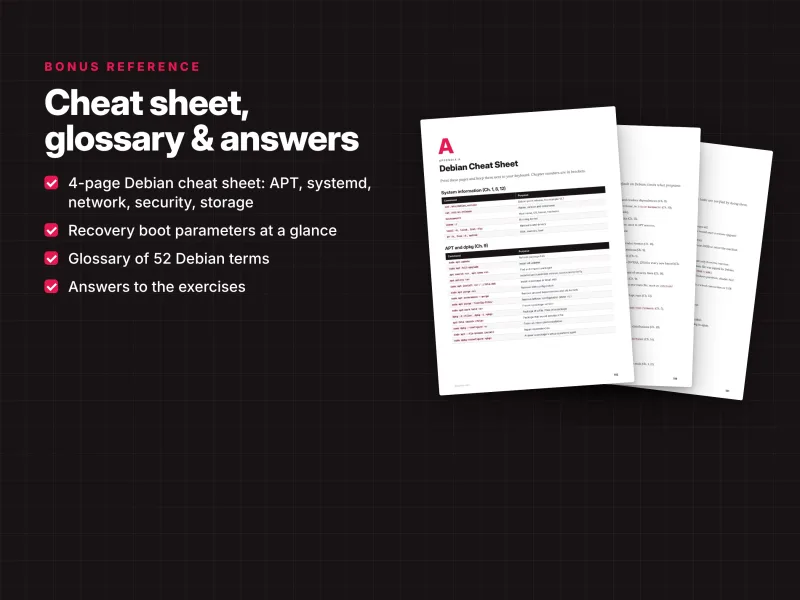
- A 4-page Debian cheat sheet covering system information, APT and dpkg, repositories, users and permissions, systemd and logs, networking, security, storage, and upgrades and recovery, with chapter references;
- a glossary of 52 terms;
- answers to the exercises in Appendix C;
- a clickable table of contents and cross-references throughout.
What you get
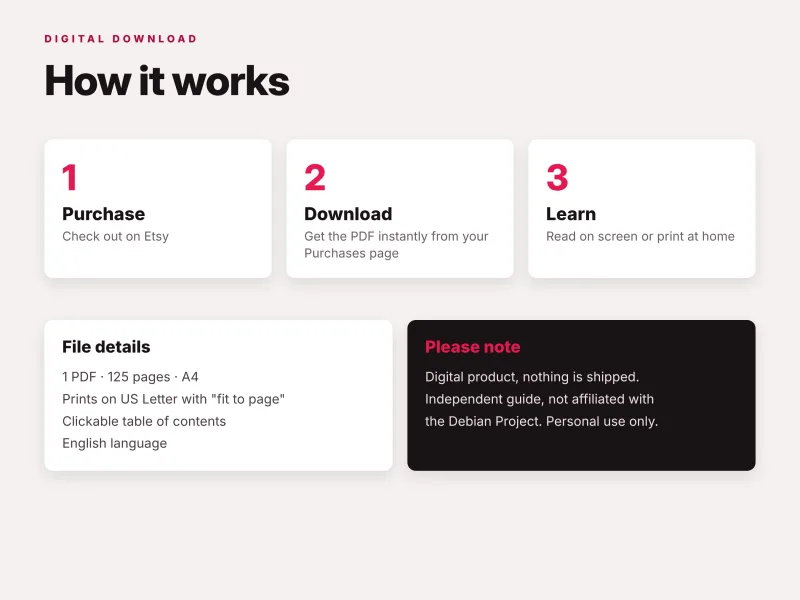
- PDF – 125 pages, A4, printable (prints on US Letter with "fit to page"), with a clickable table of contents;
- EPUB – for Kindle, Kobo, Apple Books and other e-readers;
- Source code ZIP – all code examples from the book, sorted by chapter: configuration files such as systemd units, timers and server configurations, scripts, and each chapter's commands collected in a
commands.shfile in book order (the Windows preparation steps of Chapter 2 incommands.ps1).
Download all files instantly from your Dargslan account after purchase, or read the book directly in your browser with the Dargslan Online Reader. Nothing is shipped.
Who wrote it
Dargslan publishes practical IT guides for Linux users, administrators, DevOps engineers and developers. Every Dargslan guide is written to be used at the keyboard: real commands, complete configurations, exercises with answers and no filler. The Complete Debian Guide is part of a series covering Linux distributions, web servers, containers, automation, networking and security.
Start today
Whether you are installing Debian for the first time, moving from Ubuntu, Windows or macOS, or responsible for Debian servers, a VPS or a home lab, this guide gives you a clear, current and complete path. Learn Debian the way it was designed to be used – and run it with confidence for years.
This is an independent publication and is not affiliated with or endorsed by the Debian Project or Software in the Public Interest, Inc. Debian is a registered trademark of Software in the Public Interest, Inc.
Who Is This Book For?
- Beginners installing Debian for the first time
- Ubuntu, Windows and Mac users moving to Debian
- Anyone running a Debian server, VPS, home lab, Raspberry Pi or Proxmox host
- Administrators upgrading from Debian 12 "bookworm" to Debian 13 "trixie"
- IT students and junior admins who want a solid, up-to-date reference
- Desktop users who want a stable system that simply keeps working
Who Is This Book NOT For?
- Readers looking for Ubuntu-specific tools such as Netplan and Snap-first workflows – see "The Complete Ubuntu Guide"
- Readers who want the newest software on a rolling release – see "The Complete Arch Linux Guide" or "The Complete Fedora Guide"
- Readers who need deep coverage of a single topic such as Nginx, Docker or hardening – the guide covers them at server-admin level, and dedicated Dargslan guides go further
- Readers who want a video course rather than a written, hands-on reference
Table of Contents
How to Use This Guide – p. 4
Part I · Getting Started (Chapters 1–3)
Part II · The Debian Desktop (Chapters 4–7)
Part III · Debian from the Command Line (Chapters 8–12)
Part IV · Debian on the Server (Chapters 13–22)
Part V · Putting It Together (Chapter 23)
- Debian Explained – p. 7
- Before You Install – p. 11
- Installing Debian – p. 15
- The Debian Desktop – p. 19
- Hardware, Firmware and Drivers – p. 24
- Software on the Desktop – p. 28
- Files, Updates and Backups on the Desktop – p. 32
- The Terminal, root and sudo – p. 37
- APT and dpkg in Depth – p. 42
- Repositories, Backports and Third-Party Software – p. 47
- Users, Groups, Permissions and AppArmor – p. 52
- systemd, Services and Logs – p. 56
- Installing a Debian Server – p. 62
- Networking on Debian – p. 66
- SSH: Remote Administration – p. 71
- Security and Hardening – p. 75
- Storage: Disks, LVM, RAID and Filesystems – p. 81
- Web and Database Servers – p. 86
- Containers and Virtualization – p. 91
- Backups, Mail Alerts and Monitoring – p. 95
- Upgrades and Release Management – p. 100
- Troubleshooting and Recovery – p. 104
- Projects and Your 30-Day Debian Plan – p. 110
Appendices
Appendix A: Debian Cheat Sheet – p. 115
Appendix B: Glossary – p. 119
Appendix C: Answers to Exercises – p. 121
Requirements
- A computer with at least 4 GB of RAM (2 GB is enough for a server without a desktop), or a virtual machine
- 25 GB of free disk space or a spare computer
- A USB stick of 4 GB or more and an internet connection
- Basic computer skills – no prior Linux experience required
- Optional: a second machine, VPS or virtual machine for the server chapters
- Optional: a domain name pointing to a public server for the HTTPS examples