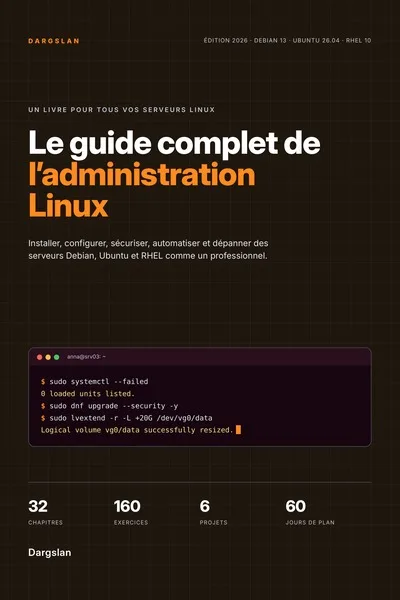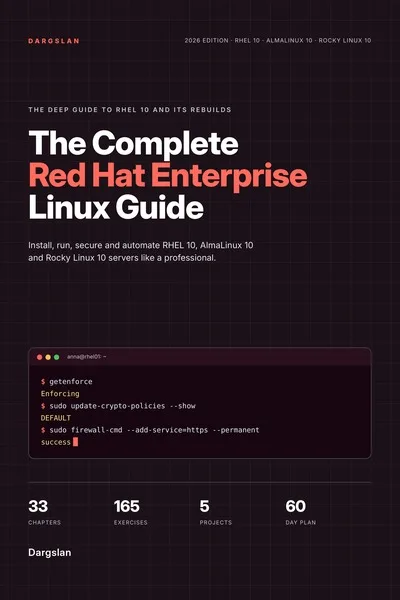
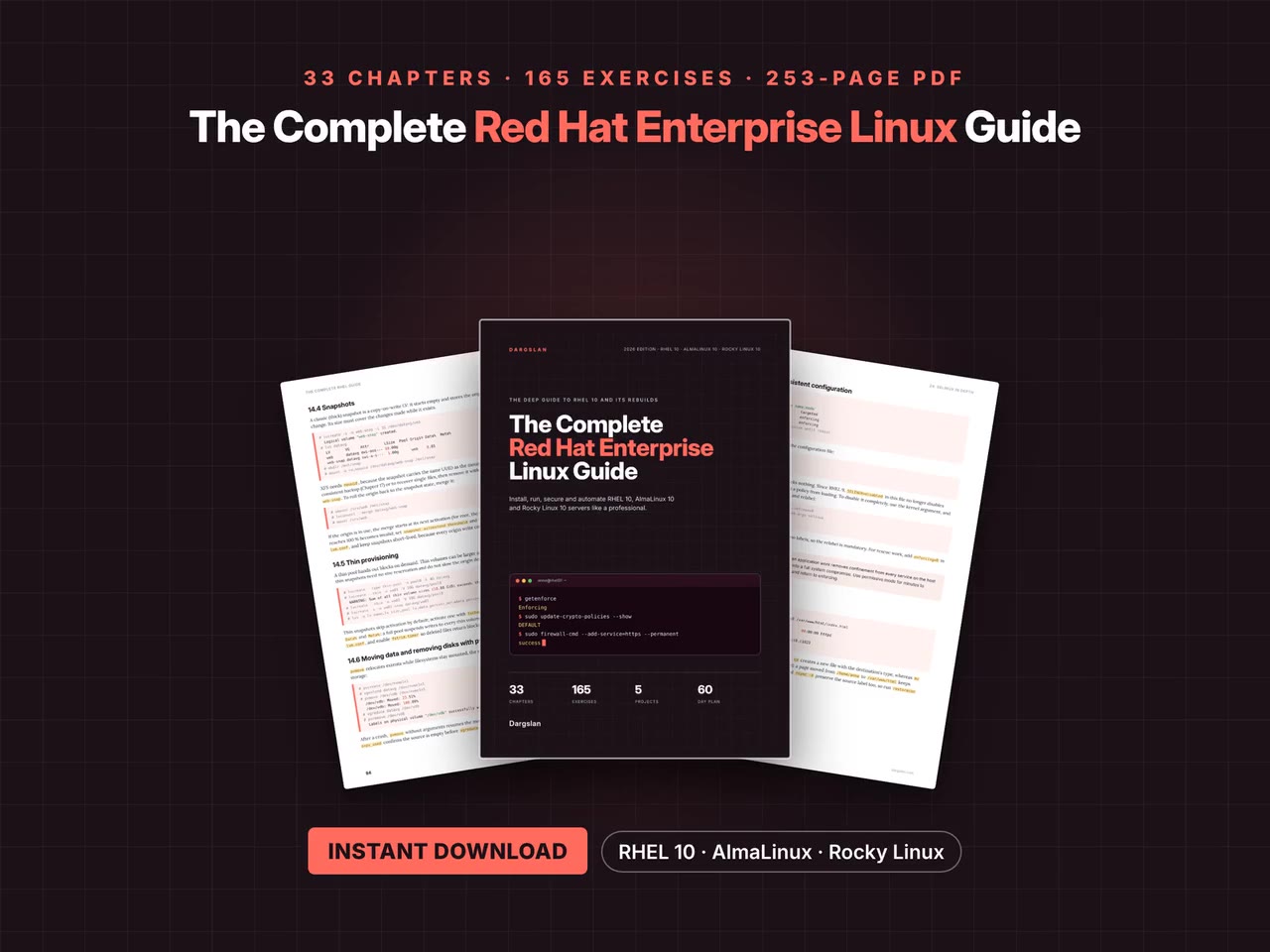
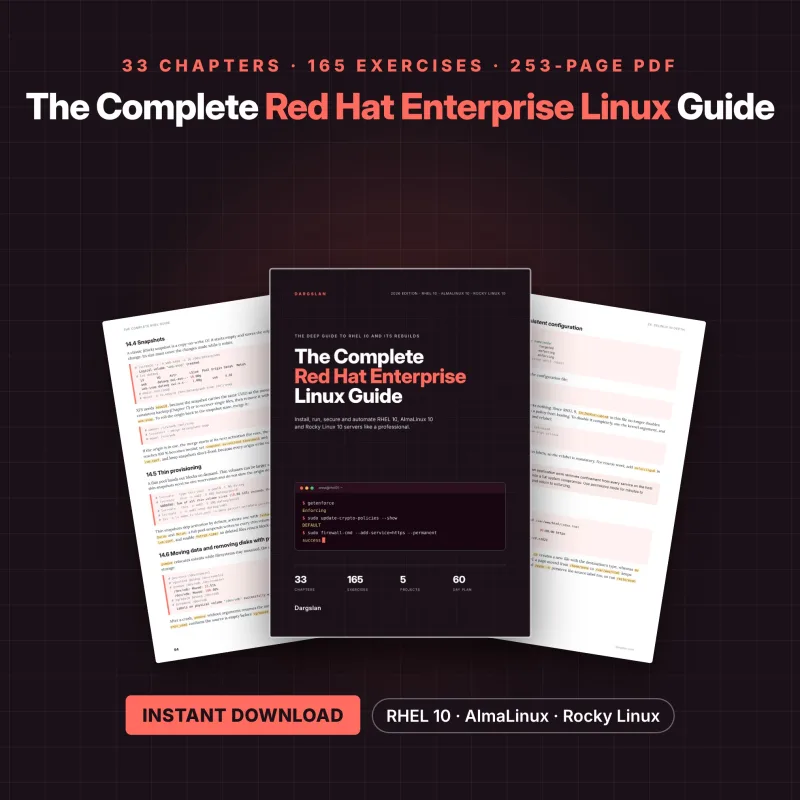
The Complete Red Hat Enterprise Linux Guide
Install, Run and Secure RHEL 10, AlmaLinux and Rocky Linux
What's Included:
At a Glance
The Complete Red Hat Enterprise Linux Guide is a professional RHEL / AlmaLinux eBook by Dargslan, 253 pages, available as an instant PDF and EPUB download for €16.90, DRM-free and yours to keep, with free updates. Install, Run and Secure RHEL 10, AlmaLinux and Rocky Linux.
- Length: 253 pages
- Format: PDF and EPUB (instant download)
- Language: English
- Topic: RHEL / AlmaLinux
- Edition: 1st Edition
- Price: €16.90
Key Highlights
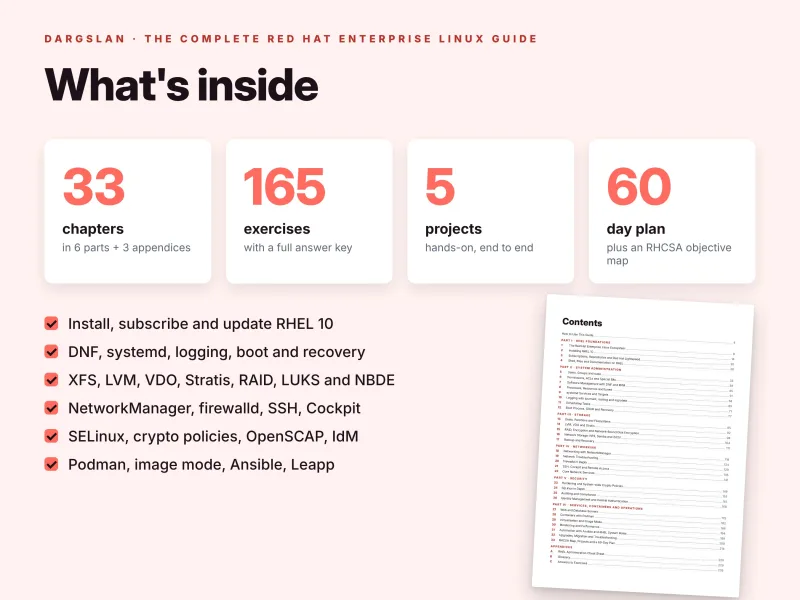
- 253 pages, 33 chapters in 6 parts, plus 3 appendices
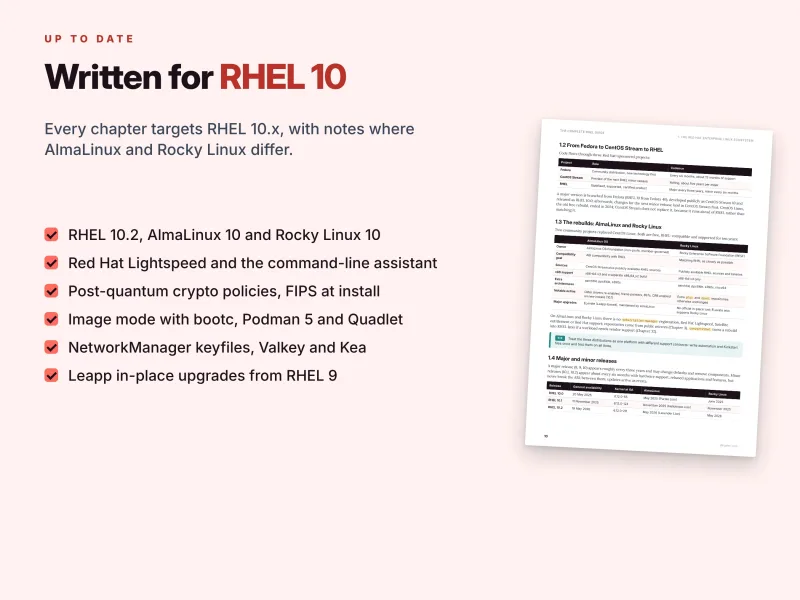
- Written for RHEL 10 (up to 10.2), AlmaLinux 10 and Rocky Linux 10
- Clear notes wherever AlmaLinux and Rocky Linux differ from RHEL, and where RHEL 9 behaves differently
- Anaconda, Kickstart, image builder, subscriptions, rhc and Red Hat Lightspeed
- Users, authselect, permissions, DNF and RPM, tuned, systemd, logging, scheduling, GRUB and recovery
- XFS, LVM, VDO, Stratis, mdadm RAID, LUKS2 with Clevis and Tang, NFS, Samba, iSCSI, restic and ReaR
- NetworkManager, firewalld in depth, SSH, Cockpit, chrony, BIND, Unbound and Kea
- Crypto policies, post-quantum cryptography, FIPS, SELinux in depth, OpenSCAP, SSSD and IdM
- httpd, Nginx, MariaDB, PostgreSQL, Valkey, rootless Podman with Quadlet, KVM and image mode with bootc
- Performance Co-Pilot, Ansible with RHEL system roles and Leapp upgrades from RHEL 9
- More than 3,300 lines of commands and configuration
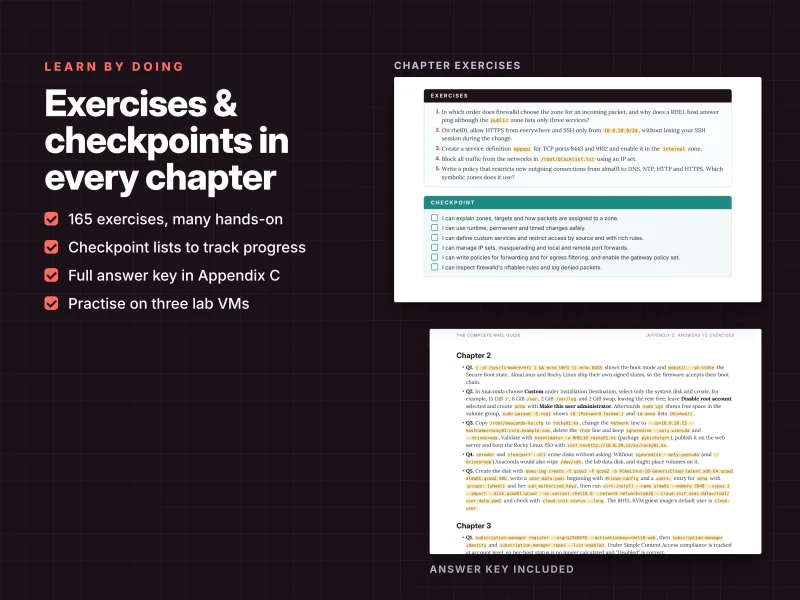
- 165 exercises with a complete answer key and a checkpoint in every chapter
- 8 real-world troubleshooting cases and 5 hands-on projects
- RHCSA (EX200) objective map and a 60-day study plan
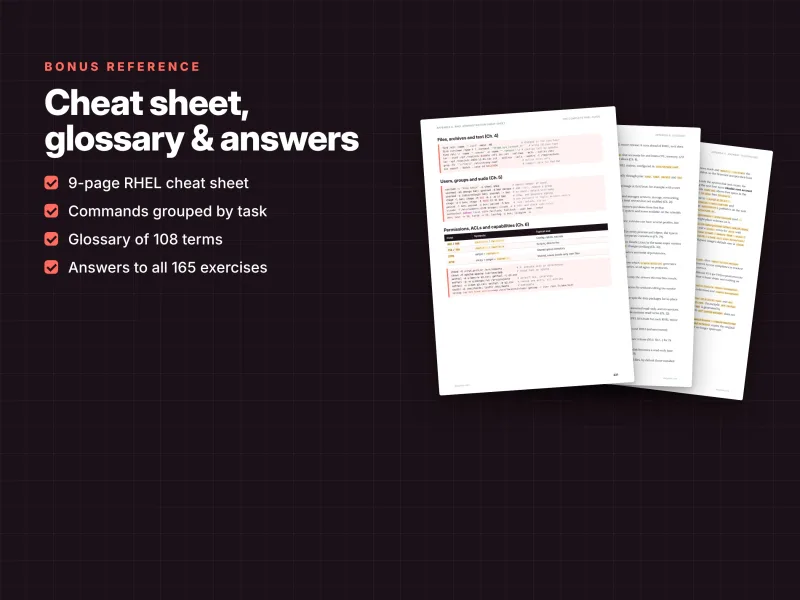
- 9-page cheat sheet and a glossary of 108 terms
- PDF + EPUB + all code examples as a ZIP
Overview
Install, run and secure RHEL 10, AlmaLinux 10 and Rocky Linux 10 in depth: 253 pages on DNF, systemd, LVM, Stratis, firewalld, SELinux, crypto policies, IdM, Podman, image mode and Ansible, with RHCSA map. PDF + EPUB + code ZIP.
The Problem
RHEL 10 changed more than most administrators expect: no modular streams, no ifcfg files or teaming, Kea instead of dhcpd, Valkey instead of Redis, a locked root account, Insights renamed to Red Hat Lightspeed and post-quantum key exchange on by default. Much of the advice online still describes RHEL 7 or 8, and general Linux books stop exactly where RHEL gets specific – subscriptions, SELinux, crypto policies, VDO, Stratis, IdM and Leapp.
The result is copied commands that no longer work, SELinux switched off because a 403 made no sense, firewalld rules that vanish at reboot, and upgrades nobody dares to start.
The Solution
The Complete Red Hat Enterprise Linux Guide teaches the RHEL family in depth, on RHEL 10, AlmaLinux 10 and Rocky Linux 10 at the same time, and says clearly where the rebuilds differ from RHEL.
33 chapters in six parts take you from installation and subscriptions to users, DNF, systemd, the boot process, storage, NetworkManager, firewalld, hardening, SELinux, compliance, identity, web and database servers, Podman, KVM, image mode, monitoring, Ansible system roles and Leapp upgrades. More than 3,300 lines of commands, 165 exercises with answers, 8 troubleshooting cases, 5 projects, an RHCSA (EX200) map and a 60-day plan turn knowledge into skill – and all code examples come as a ZIP, ready to copy.
About This Book
The Complete Red Hat Enterprise Linux Guide: Install, Run and Secure RHEL 10, AlmaLinux and Rocky Linux
Red Hat Enterprise Linux runs banks, telecom networks, factories, government services and a large share of the public cloud. Its rebuilds, AlmaLinux and Rocky Linux, run much of the rest, from hosting providers to university clusters. All three share the same packages, the same configuration files and the same tools, so one set of skills covers the whole family. Those skills, however, have changed. RHEL 10 drops modular streams, ifcfg files, network teaming, ISC dhcpd, Redis and Xorg; it locks the root account when you create an administrator, raises the x86 baseline to x86-64-v3, renames Red Hat Insights to Red Hat Lightspeed and enables post-quantum key exchange by default. Advice written for RHEL 7 or 8 – and much of what you find online still is – now sends you in the wrong direction.
The Complete Red Hat Enterprise Linux Guide teaches you to install, run and secure RHEL 10, AlmaLinux 10 and Rocky Linux 10 in depth: from planning an installation and attaching a subscription, through users, software, services, storage and networking, to SELinux, compliance scanning, central identity, containers, image mode, automation and in-place upgrades. Across 253 pages, 33 chapters in six parts and three appendices, every example is a complete, working command or configuration file with real output – and wherever AlmaLinux or Rocky Linux differ from RHEL, the guide says so.
Written for 2026: RHEL 10.2, AlmaLinux 10.2 and Rocky Linux 10.2
The guide is written for the releases current in November 2026:
- Red Hat Enterprise Linux 10.2 – with the free Developer Subscription for Individuals for your lab;
- AlmaLinux OS 10.2 "Lavender Lion" – free, foundation-run, ABI-compatible and also built for x86-64-v2 CPUs;
- Rocky Linux 10.2 – free, foundation-run and built to match RHEL.
All three ship kernel 6.12, systemd 257, DNF 4, Python 3.12, Podman 5, SELinux in enforcing mode, firewalld with the nftables back end and system-wide cryptographic policies. Because a normal dnf upgrade moves a system from one minor release to the next, everything applies equally to 10.0, 10.1 and the releases that follow. Where RHEL 9 behaves differently in a way you will meet on older servers or during an upgrade, the text points it out.
Part I – RHEL Foundations (Chapters 1–4)
You start with the ecosystem itself: what RHEL is, how Fedora, CentOS Stream and RHEL relate, where AlmaLinux and Rocky Linux fit, major and minor releases, the lifecycle with EUS, E4S and ELS, subscriptions and the Developer Subscription, the Customer Portal, and a clear table of what is new in RHEL 10 – followed by advice on choosing between RHEL and a rebuild. You build the lab used throughout the book: rhel01 with RHEL 10, alma01 with AlmaLinux 10, rocky01 with Rocky Linux 10 and an optional idm01 for Identity Management.
Chapter 2 installs RHEL 10 properly: planning, UEFI and Secure Boot, installation images, the default storage layout, a full Anaconda walk-through, Kickstart and network installations, cloud images with cloud-init, image builder and a first-boot checklist. Chapter 3 explains how content access really works – subscription-manager, activation keys and the release lock, rhc, Red Hat Lightspeed and how to control exactly what it reports, BaseOS, AppStream and CodeReady Linux Builder, EPEL and the rebuilds' repositories, local mirrors with reposync and Satellite, and the new Lightspeed command-line assistant. Chapter 4 makes you fluent on the RHEL command line: Bash essentials, the filesystem hierarchy, documentation, find, archives with tar, xz and zstd, grep, sed and awk on RHEL logs, safe configuration editing, tmux and sos.
Part II – System Administration (Chapters 5–12)
This is the core of daily RHEL work. You manage users, groups and sudo: the account files, the wheel group, login.defs and password ageing, locked and system accounts, /etc/sudoers.d, authselect profiles with account lockout, password quality and root login policy. You master permissions – chmod, chown, umask, setuid, setgid and the sticky bit, a shared group directory, POSIX ACLs on XFS, chattr, capabilities instead of setuid root, restoring packaged permissions with rpm, and how permissions interact with SELinux labels.
Chapter 7 covers software management with DNF and RPM in depth: finding packages, groups, history, undo and rollback, Application Streams in RHEL 10 now that modules are gone, repositories and signing keys, CRB and EPEL, RPM queries and verification, version locks, dnf-automatic, kernels and restarts, local repositories and Flatpak. You then control processes with signals, priorities, /proc, cgroups v2 and systemd slices, session limits, the OOM killer and tuned profiles, including a custom one.
The systemd chapter covers units, enable versus start and presets, targets, writing a service unit, drop-ins with systemctl edit, dependencies, restart policies, socket activation, boot analysis and user services. Logging follows with journal filters, a persistent journal, rsyslog rules, central logging over TCP and TLS and logrotate; scheduling covers crontabs, the RHEL cron layout, anacron, systemd timers and calendar expressions, at and batch, and flock. Part II ends with the boot process and recovery: UEFI, Secure Boot and shim, GRUB 2 with Boot Loader Specification entries, kernel arguments with grubby, dracut, rescue and emergency targets, resetting a lost root password, kernel modules, kernel rollback and kdump.
Part III – Storage (Chapters 13–17)
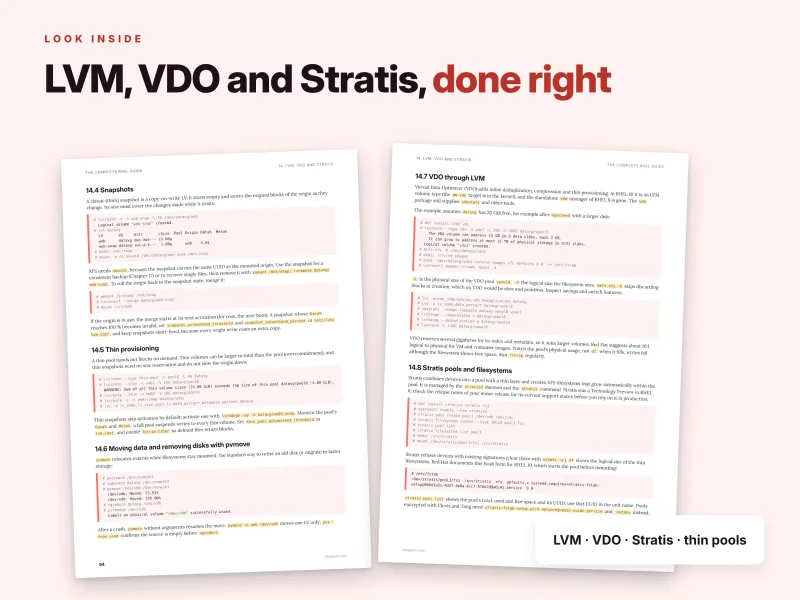
Storage on RHEL has its own toolset, and this part covers all of it carefully. You inspect block devices and persistent names, partition with parted and fdisk, and learn XFS – create, grow, repair and tune – with ext4 as an alternative, mount options, /etc/fstab, systemd mount units, swap with zram, tmpfs and quotas on XFS. Chapter 14 is the heart of the part: LVM with the devices file, growing and shrinking, snapshots, thin provisioning and pvmove, VDO deduplication and compression through LVM, Stratis pools and a clear guide to when to use which.
Chapter 15 builds and maintains mdadm RAID and LVM RAID, encrypts volumes with LUKS2, and adds network-bound disk encryption with Clevis and Tang, so encrypted servers unlock automatically inside your network – with key rotation and automation through system roles. Chapter 16 shares storage with NFS (NFSv4 only, with firewalld and SELinux), autofs, Samba and its SELinux labels, cifs-utils and an iSCSI target with targetcli plus the initiator. Chapter 17 turns backup into a discipline: RPO, RTO and 3-2-1, tar archives that keep SELinux contexts, rsync snapshots, xfsdump, restic from EPEL, consistent dumps, a systemd timer, bare-metal recovery with Relax-and-Recover and tested restores.
Part IV – Networking (Chapters 18–22)
RHEL 10 configures the network only with NetworkManager keyfiles, and Chapter 18 teaches it thoroughly: devices and connections, static IPv4 and IPv6, DNS and search domains, routes and metrics, changing the network of a remote server safely, bonding, bridges and VLANs, nmtui and the network system role. Chapter 19 gives you a layered troubleshooting method with ping, tracepath, mtr, ss, dig, curl, openssl, ncat and tcpdump, together with NetworkManager, firewalld and SELinux diagnostics.
firewalld gets a chapter of its own: zones and packet assignment, runtime versus permanent configuration, services, ports and sources, rich rules, IP sets, masquerading and port forwarding, policies between zones, the nftables view and the differences from RHEL 9. Chapter 21 covers OpenSSH on RHEL 10, keys, hardening with drop-ins, crypto policies and SSH, ports and SELinux, fail2ban, SSH certificates, the Cockpit web console and remote desktop over RDP. Part IV closes with core services: chrony as client and LAN server, Unbound, authoritative DNS with BIND and its SELinux rules, DHCPv4 with ISC Kea, and Postfix as a null client and LAN relay.
Part V – Security (Chapters 23–26)
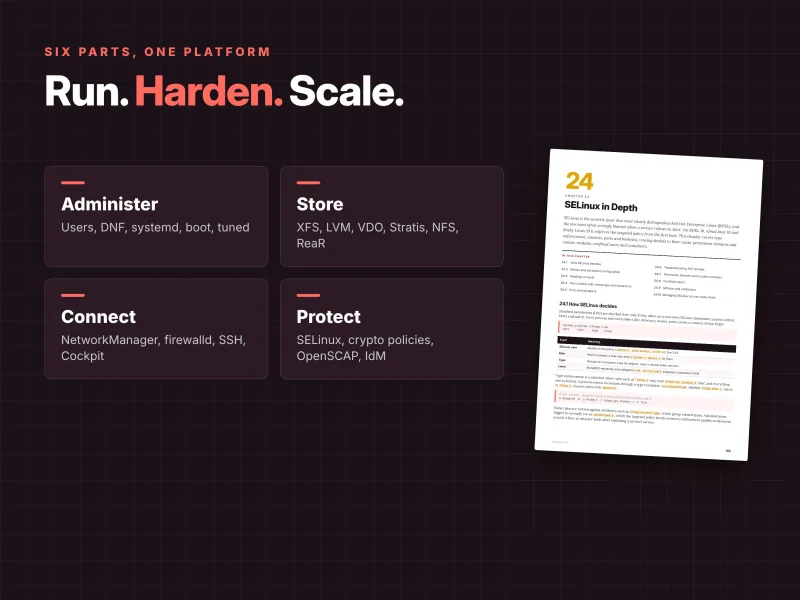
Security is where RHEL stands apart, and this part goes deep. Chapter 23 builds a hardened baseline: threat model, minimal installation, update policy, system-wide crypto policies with subpolicies and custom modules, post-quantum cryptography with hybrid ML-KEM, FIPS mode, account lockout, sysctl hardening, USBGuard and fapolicyd and sudo logging. Chapter 24 treats SELinux in depth – how it decides, modes, contexts, semanage fcontext and restorecon, ports and booleans, troubleshooting AVC denials, permissive domains and custom modules, confined users, SELinux with containers and across many hosts.
Chapter 25 covers auditing and compliance: persistent audit rules, searching and reporting, AIDE, OpenSCAP and the SCAP Security Guide – scanning, remediation and compliance at installation time – plus Red Hat Lightspeed compliance and Lynis. Chapter 26 centralises identity: authselect, SSSD, Kerberos essentials, joining Active Directory with realmd, installing an IdM server, enrolling clients, host-based access control and central sudo rules.
Part VI – Services, Containers and Operations (Chapters 27–33)
Now the servers do real work. You run Apache httpd and Nginx with TLS that follows the crypto policy, certificates from certbot or an internal CA, PHP-FPM, MariaDB, PostgreSQL and Valkey, with the SELinux and firewalld settings each one needs. Chapter 28 covers rootless Podman, UBI images and registries, volumes with SELinux, pods, Quadlet for containers as systemd services, automatic updates and rollback, Buildah, Skopeo and toolbx. Chapter 29 covers KVM with libvirt – VMs from ISOs and cloud images, virsh, Cockpit, storage pools, networks and snapshots – and image mode with bootc: building an image, updating, switching and rolling back.
Monitoring follows a clear method with load average and PSI, CPU, memory, disk and network, sysstat, Performance Co-Pilot with pmrep, Cockpit metrics, tuned baselines and the Red Hat Lightspeed advisor. Chapter 31 automates with Ansible and RHEL system roles for time, firewall, SELinux, network and storage, with secrets in Ansible Vault. Chapter 32 covers errata, upgrading RHEL 9 to RHEL 10 with Leapp, AlmaLinux ELevate, converting to RHEL, sos reports and working with support, and a troubleshooting method with eight real cases. Chapter 33 brings everything together.
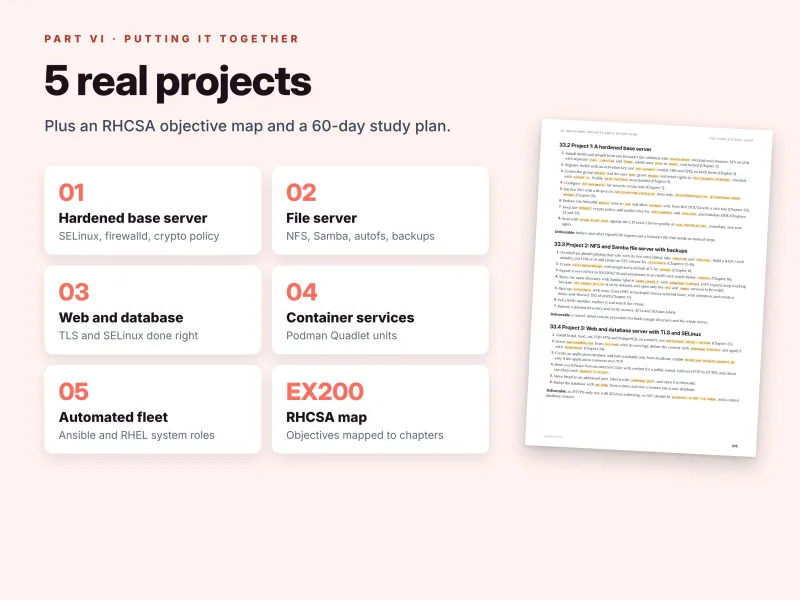
Five projects that combine the whole book
Each project lists the chapters it draws on, the hosts, an estimated time and a concrete deliverable:
- A hardened base server – a Kickstart install, activation key and
rhc, sudo rules and faillock, SSH drop-ins, a reduced firewalld zone, auditd, AIDE, and before-and-after OpenSCAP scans against a CIS profile; - An NFS and Samba file server with backups – mdadm RAID 1 with LVM and XFS, ACLs, autofs, restic to a backup host, a Relax-and-Recover ISO, a failed disk and a verified restore;
- A web and database server with TLS and SELinux – httpd, PHP-FPM and PostgreSQL on Rocky Linux, custom contexts and ports, HTTPS only, no AVC denials and a tested database restore;
- Podman Quadlet services – a rootless two-container service with Valkey that survives reboots and automatic updates;
- An Ansible-managed fleet with system roles – a Git repository that rebuilds any fresh RHEL-family host, with a second run reporting
changed=0.
A taste of the detail: the drop-in that stops a service
Case 3 of the troubleshooting chapter is one many administrators meet the first time they use drop-ins. You run systemctl edit httpd to change the start command, and httpd refuses to start. The guide walks through the diagnosis:
# systemctl status httpd
     Loaded: bad-setting (Reason: Unit httpd.service has a bad unit file setting.)
# journalctl -u httpd -b | tail -1
httpd.service: Service has more than one ExecStart= setting, which is only allowed for Type=oneshot services. Refusing.
The fix: in the drop-in, clear the inherited list with an empty ExecStart= line before the new one, check the merged unit with systemctl cat httpd, then run systemctl daemon-reload and start the service again. Every case follows the same pattern – symptom, diagnosis, fix – and the other seven cover a broken repository that stops DNF, an SELinux denial after moving web files, emergency mode after an fstab edit with a locked root account, NetworkManager activating the wrong profile, firewalld blocking a new service, /var filling with logs, and clock skew breaking Kerberos logins.
Why this guide is different
- Deep, not broad. One distribution family, covered all the way down: VDO, Stratis, Clevis and Tang, crypto policies, fapolicyd, IdM, image mode and Leapp – topics general Linux books skip.
- RHEL and its rebuilds together. Every example runs on RHEL 10, AlmaLinux 10 and Rocky Linux 10, and the guide states clearly what is RHEL-only – registration, Red Hat Lightspeed,
rhcand the command-line assistant – and what the rebuilds use instead. - Current. Lightspeed instead of Insights, Application Streams without modules, keyfiles only, Kea instead of dhcpd, Valkey instead of Redis, hybrid post-quantum key exchange and bootc – the 2026 state of RHEL.
- RHCSA-ready. Chapter 33 maps every RHCSA (EX200) objective group of the RHEL 10 exam to chapters, notes what changed from the RHEL 9 version and adds a 60-day study plan ending with two timed mock exams.
- Safe by habit. Check before you change, use drop-ins, keep SELinux enforcing, prefer the supported way, automate the second time and test restores – golden rules that run through the whole book.
- Practice built in. Five exercises per chapter, 165 in total, with a complete answer key, a checkpoint in every chapter, 8 troubleshooting cases and 5 projects.
How to use the guide
Every chapter follows the same structure: concepts explain what a component does and why Red Hat designed it that way, examples show complete commands and files with real output, tips and warnings flag surprising defaults and mistakes that cost data or access, exercises let you practise, and a checkpoint lists what you should be able to do before moving on. Cross-references such as "(Chapter 24)" let you follow a topic through the book instead of reading cover to cover.
Newcomers to RHEL should read Parts I and II in order; experienced administrators can jump to any chapter. RHCSA candidates can follow the 60-day plan – about an hour a day, with every tenth day for review – and practise on the RHEL host, because only RHEL uses the Red Hat CDN. When you want more, the companion Dargslan books take over: The Complete Linux Administration Guide for Debian and Ubuntu beside RHEL, The Linux Administration Workbook with 200 exam-style tasks for drilling RHCSA skills, and The Complete AlmaLinux Guide, The Complete Linux Hardening Guide and The Complete Ansible Guide for deeper dives.
Reference material you will keep using
- Appendix A: a 9-page RHEL administration cheat sheet organised by topic with chapter references;
- Appendix B: a glossary of 108 terms;
- Appendix C: answers to all 165 exercises;
- more than 3,300 lines of commands and configuration and a clickable table of contents.
What you get
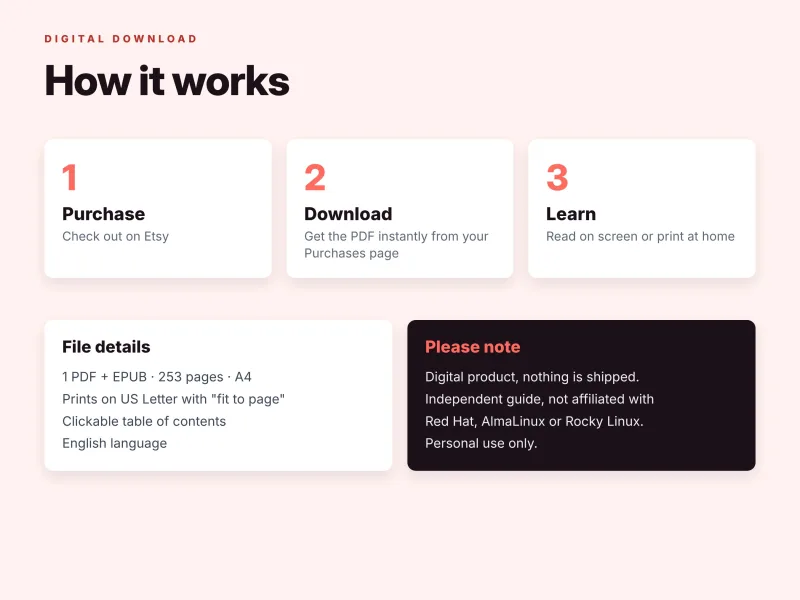
- PDF – 253 pages, A4, printable (prints on US Letter with "fit to page"), with a clickable table of contents;
- EPUB – for Kindle, Kobo, Apple Books and other e-readers;
- Source code ZIP (free bonus) – all code examples from the book sorted by chapter: commands, configuration files, Kickstart files, unit files and playbooks, ready to copy.
Download all files instantly from your Dargslan account after purchase, or read the book directly in your browser with the Dargslan Online Reader. Nothing is shipped.
Who it is for
The guide is written for Linux administrators who look after RHEL, AlmaLinux or Rocky Linux servers, Windows and VMware administrators moving to Linux, Debian and Ubuntu administrators moving to the RHEL family, DevOps and cloud engineers who deploy RHEL images, RHCSA candidates and homelab builders who want enterprise-grade skills. You should be comfortable typing commands; everything specific to RHEL is explained from the beginning.
Start today
Whether you have just inherited a fleet of RHEL servers, are migrating from CentOS or RHEL 9, or are preparing for the RHCSA exam, this guide gives you one consistent, current and safe way of working on the whole RHEL family. Build the lab, work through the chapters, break things on purpose and fix them – and run RHEL like a professional.
This is an independent publication and is not affiliated with, sponsored or endorsed by Red Hat, the AlmaLinux OS Foundation or the Rocky Enterprise Software Foundation, and it is not official Red Hat training or exam material. Red Hat and RHEL are trademarks of Red Hat, Inc.; Linux is a registered trademark of Linus Torvalds; all other trademarks belong to their respective owners.
Who Is This Book For?
- Linux administrators who look after RHEL, AlmaLinux or Rocky Linux servers
- Debian and Ubuntu administrators moving to the RHEL family
- Windows and VMware administrators moving to Linux
- RHCSA (EX200) candidates who want a deep, hands-on study guide
- DevOps and cloud engineers who deploy and run RHEL images
- Homelab builders who want enterprise-grade skills
Who Is This Book NOT For?
- Absolute Linux beginners who have never used a terminal – start with our "How to Learn Linux" guide
- Readers who also need Debian and Ubuntu covered – see "The Complete Linux Administration Guide", which treats all three families side by side
- Readers who mainly want exam-style practice tasks – "The Linux Administration Workbook" complements this guide with 200 tasks
- Readers looking for official Red Hat training, exam material or exam dumps – this is an independent guide
- Readers who want a video course rather than a written, hands-on reference
Table of Contents
How to Use This Guide – p. 4
Part I · RHEL Foundations (Chapters 1–4)
Part II · System Administration (Chapters 5–12)
Part III · Storage (Chapters 13–17)
Part IV · Networking (Chapters 18–22)
Part V · Security (Chapters 23–26)
Part VI · Services, Containers and Operations (Chapters 27–33)
- The Red Hat Enterprise Linux Ecosystem – p. 9
- Installing RHEL 10 – p. 14
- Subscriptions, Repositories and Red Hat Lightspeed – p. 20
- Shell, Files and Documentation on RHEL – p. 26
- Users, Groups and sudo – p. 33
- Permissions, ACLs and Special Bits – p. 39
- Software Management with DNF and RPM – p. 45
- Processes, Resources and tuned – p. 51
- systemd Services and Targets – p. 58
- Logging with journald, rsyslog and logrotate – p. 65
- Scheduling Tasks – p. 71
- Boot Process, GRUB and Recovery – p. 77
- Disks, Partitions and Filesystems – p. 85
- LVM, VDO and Stratis – p. 92
- RAID, Encryption and Network-Bound Disk Encryption – p. 98
- Network Storage: NFS, Samba and iSCSI – p. 104
- Backup and Recovery – p. 111
- Networking with NetworkManager – p. 118
- Network Troubleshooting – p. 124
- firewalld in Depth – p. 129
- SSH, Cockpit and Remote Access – p. 135
- Core Network Services – p. 141
- Hardening and System-wide Crypto Policies – p. 149
- SELinux in Depth – p. 155
- Auditing and Compliance – p. 161
- Identity Management and Central Authentication – p. 168
- Web and Database Servers – p. 175
- Containers with Podman – p. 182
- Virtualisation and Image Mode – p. 188
- Monitoring and Performance – p. 194
- Automation with Ansible and RHEL System Roles – p. 199
- Upgrades, Migration and Troubleshooting – p. 208
- RHCSA Map, Projects and a 60-Day Plan – p. 214
Appendices
Appendix A: RHEL Administration Cheat Sheet – p. 220
Appendix B: Glossary – p. 229
Appendix C: Answers to Exercises – p. 235
Requirements
- Comfort with typing commands in a terminal – everything specific to RHEL is explained from the beginning
- A computer that can run three small virtual machines (KVM, Hyper-V, VMware Workstation, Proxmox VE or a cloud account)
- Installation media for AlmaLinux 10 and Rocky Linux 10, and RHEL 10 with a free Red Hat Developer Subscription for the RHEL-only topics
- Two extra virtual disks for the RHEL and AlmaLinux VMs for the storage chapters
- An internet connection for package installation
- Optional: a fourth VM with 4 GB of memory for the Identity Management chapter